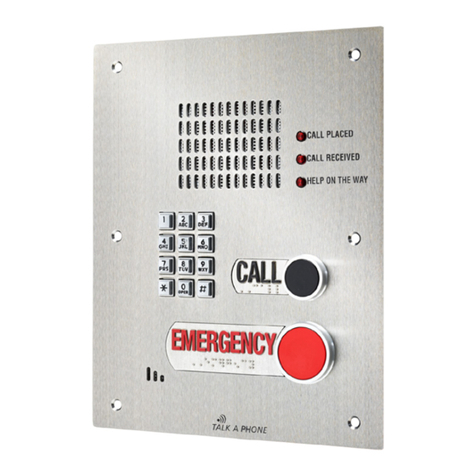
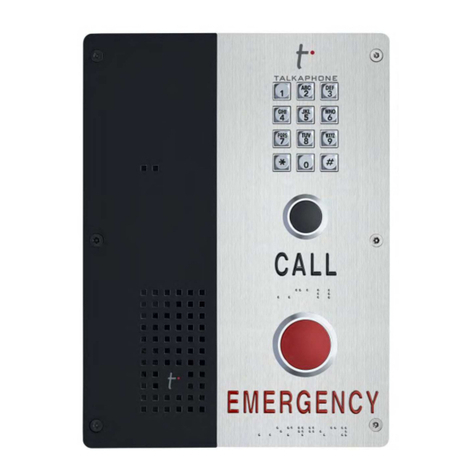
VOIP-500 Series Phone
Configuration and Operation Manual
Page 2of 90
Copyright
2012
Talk-A-Phone
Co.
• 7530 North Natchez Avenue • Niles, Illinois 60714 • Phone 773.539.1100 • [email protected] • www.talkaphone.com. All prices and specifications are subject to change without notice. Talk-A-Phone, Scream Alert, WEBS and WEBS Contact are registered trademarks of Talk-A-Phone Co. All rights reserved.
Contents
1. Introduction ...................................................................................................................................................6
1.1. Overview of the Manual.............................................................................................................................6
1.2. Intended Audience .....................................................................................................................................6
1.3. Objective.....................................................................................................................................................6
1.4. Typographic Conventions ...........................................................................................................................6
1.5. Related Documents ....................................................................................................................................7
1.6. Technical Support / Help Desk ...................................................................................................................7
2. Overview ........................................................................................................................................................8
2.1. VOIP-500 Series Phone Overview...............................................................................................................8
3. Getting Started...............................................................................................................................................9
3.1. Pre-requisites..............................................................................................................................................9
3.2. Configuration Using the Web GUI ..............................................................................................................9
3.3. Configuration Using the Serial Console ................................................................................................... 10
4. Using the Web GUI...................................................................................................................................... 12
4.1. Web GUI Layout....................................................................................................................................... 12
4.2. Web Application Menu............................................................................................................................ 14
4.3. Home ....................................................................................................................................................... 15
4.4. Network................................................................................................................................................... 16
4.5. VoIP.......................................................................................................................................................... 19
4.6. Devices..................................................................................................................................................... 26
4.7. Digital Outputs......................................................................................................................................... 35
4.8. Voice Messages ....................................................................................................................................... 39
4.9. Authentication......................................................................................................................................... 42
4.10. Maintaining the Phone ............................................................................................................................ 44
5. Operations................................................................................................................................................... 56
5.1. Calling Emergency/Information Numbers............................................................................................... 56
5.2. Answering the Emergency/Information Call ........................................................................................... 56
5.3. Terminating Calls ..................................................................................................................................... 56
5.4. Activating/Deactivating Auxiliary Outputs .............................................................................................. 57
5.5. Activating/Deactivating the “Help on the Way” LED............................................................................... 57