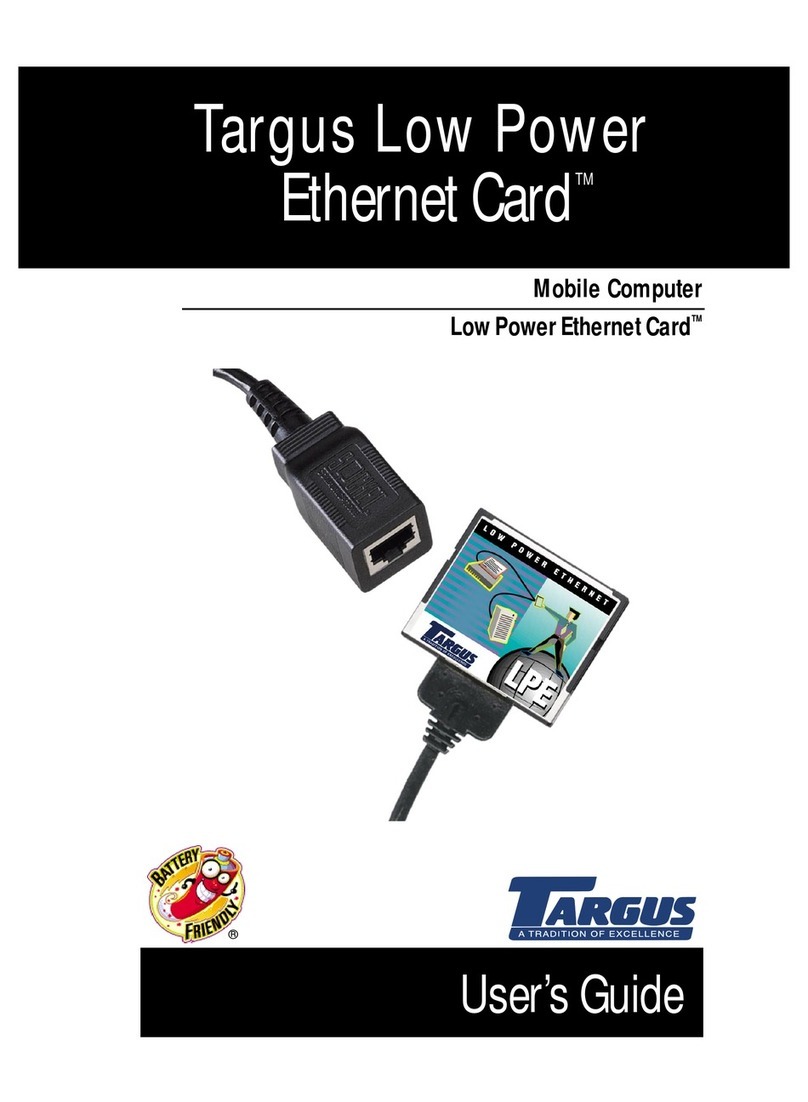
Targus PA610U User manual

Installation Guide
Mobile Computer
Low Power Ethernet Card
™
Targus Low Power
Ethernet Card
™


INTRODUCTION
This installation guide describes how to install the software
required to use the Targus Low Power Ethernet Card (LP-E card)
in a mobile computer and how to set up a network connection.
You can install the LP-E card in these mobile computers:
❖Windows Powered Pocket PCs
❖Windows CE-based devices, v2.11 or greater
For information about using your LP-E card to connect to a
network and synchronize data with a host PC, refer to the Low
Power Ethernet Card
™User’s Guide. This guide is available in
PDF format on the Low Power Ethernet Card Installation CD and
on the Web at www.targus.com.
POCKET PC SETUP
Overview
This chapter describes how to install the LP-E card software and
set up a network connection for use with a Pocket PC.
HINT: Before installing the LP-E card, consult your network
administrator and back up all important data.
Software Installation
This procedure applies only to Pocket PCs.
To install software for Windows CE-Based Palm-size PCs,
Handheld PC Pros, or pen tablets, refer to Windows CE Setup,
“Software Installation.”
1

NOTE: Begin these steps BEFORE inserting the LP-E card.
1Connect your Pocket PC to a host PC using the
synchronizing cradle and cable that came with your Pocket
PC.
2Insert the Low Power Ethernet Card Installation CDinto the
host PC.
WARNING: The host PC must already be actively connected to
your Pocket PC and have an established partnership.
3Click Start/Runon the host PC, then type D:\SETUP(Use the
drive letter of your CD-ROM drive in the place ofD:).
Follow the instructions on the host PC.
NOTE: If your Pocket PCprompts you to confirm file replacing,
tap “Yes to All” to continue.
When complete, your Pocket PC displays the message
“Application Downloading Complete.”
4Click OK, then reset your Pocket PC to load the new
software.
Your Pocket PC then displays the Setup Complete screen.
5Click OK.
6Remove your Pocket PC from it’s cradle.
7Connect the LP-E card into an active Ethernet connection.
HINT: The host PC must be connected and currently logged into
the same network as your Pocket PC.
8Insert the LP-E card into your Pocket PC’s CompactFlash
card slot.
NOTE: For instructions on how to insert the LP-E card into your
Pocket PC, refer to the Low Power Ethernet Card User’s Guide,
Chapter 3: Hardware Setup - Connecting the LP-E card to Your
Computer.
2

After approximately 10 seconds, your Pocket PC displays
the following message:
9Tap OK.
The IP Address screen displays.
Use this screen to configure your network settings. To enter
the settings now, proceed to “Configure Network Settings,”
step 5.
To enter the network settings at any time, refer to
“Configure Network Settings,” step 1.
Configure Network Settings
You can change the network configuration at any time using the
IP address screen on your Pocket PC.
NOTE: Before configuring network settings, be sure the LP-E
card is connected to an active Ethernet connection and inserted
into your Pocket PC.
1Tap Start, then Settings.
2Tap the bottom Connectionstab.
3Tap the Networkicon.
4Select the Targus LP-E Driveron the Network Connections
screen.
3

CAUTION: To avoid conflicts with other devices on the network,
consult your network administrator for the proper settings.
The IP Address screen appears.
5Ask your network administrator if you can use a server-
assigned IP address or DHCP (Dynamic Host Configuration
Protocol).
DEFINITION: Dynamic Host Configuration Protocol - the
protocol that enables a network to automatically assign a
temporary IP address to a host when it connects to the network.
If not, you must use a specific IP address by entering the IP
Address, Subnet mask, and Default gateway.
4

NOTE: If you use a specific (also called “static”) IP address
instead of DHCP, you may need to enter the IP address of the
host computer in the Primary WINS field (step 6) to use
ActiveSync.
6Tap the Name Serverstab and enter DNS and WINS
addresses, if needed.
7TapOK.
8Remove the LP-E card from your Pocket PC.
9 Reinsert the LP-E card into your Pocket PC and plug the
LP-E card cable into the network.
CAUTION: The new IP settings will not take effect until your
reinsert the card. Resetting or power cycling your Pocket PC
will not make it accept the new IP settings.
The ActiveSync screen appears.
10Tap the Connect...button.
Your Pocket PC begins the synchronizing process.
When synchronizing is complete, the Connection Status
screen appears.
5

NOTE: By default, ActiveSync starts whenever you insert the
LP-E card. If you do not want to run ActiveSync automatically,
or if you want to run another program whenever you insert the
LP-E card, use Targus’ control panel applet. The applet also lets
you control other unique features of Targus’ Ethernet software.
For more detailed information, refer to the Low Power Ethernet
Card
™User’s Guide, Appendix B: The LP-E Applet.
Connecting your mobile computer to an office network may
require information from your network administrator. If you get
the message that no IP address has been set, please contact
your network administrator.
6

WINDOWS CE SETUP
Overview
This chapter describes how to install the LP-E card software
and set up a network connection for use with a mobile computer
running Windows CE v2.11 or greater.
HINT: Before installing the LP-E card, consult your network
administrator and back up all important data.
Software Installation
This chapter applies only to Windows CE-based mobile
computers. To install software for a Pocket PC, refer to Pocket
PC Setup, “Software Installation.”
HINT: Some mobile computers support a touch pad and not a
pen, so whenever these instructions say tap, substitute click, as
needed.
NOTE: Complete these steps for software installation BEFORE
inserting the LP-E card.
1Connect your mobile computer to a host PC using the serial
cable that came with the device.
2Insert the Low Power Ethernet Card Installation CD into the
host PC.
WARNING: The host PC must already be actively connected to
your Pocket PC and have an established partnership.
3Click Start/Runon the host PC, then type D:\SETUP(Use the
drive letter of your CD-ROM drive in the place ofD:).
Follow the instructions on the host PC.
7

4Your mobile computer displays the ActiveSync screen. You
can configure ActiveSync to start automatically upon LP-E
card insertion. Configure as desired, then tap Finish.
NOTE: For instructions on how to configure ActiveSync, refer to
the Low Power Ethernet Card
™User’sGuide, Appendix B: The
LP-E Applet.
5When the Setup Complete screen appears, tap OK, then
reset your mobile computer to load the new software.
6Remove the serial cable from your mobile computer, then
connect the LP-E card to an active Ethernet connection.
7Insert the LP-E card into your mobile computer.
NOTE: For instructions on how to insert the LP-E card into your
Pocket PC, refer to the Low Power Ethernet Card
™User’s Guide,
Chapter 3: Hardware Setup - Connecting the LP-E card to Your
Computer.
8Targus’ Ethernet driver displays the network icon on the
Windows CE status lin and launches ActiveSync
automatically. Your mobile computer displays the Targus
LP-E Driver screen.
NOTE: Your Windows CE screens may differ from the examples
shown depending on what device type you use.
9Tap OK.
CAUTION: To avoid conflicts with other devices on the network,
consult your network administrator for the proper settings.
8
Other manuals for PA610U
1
Table of contents
Other Targus Network Card manuals