PARAMETERS
11
SSOOUURRCCEEMMIIXXEERR
The Source Mixer allows you to set the output volumes of the Oscillator, the Sub
Oscillator, and the Noise Generator. In the Source Mixer section, you can also select the
waveform of the Sub Oscillator.
• This slider allows you to select between controlling Square or Saw
waveforms.
SSuubbOOsscc
The first slider allows you to control the volume of the Sub Oscillator. The
Second Slider, which is linked at the bottom, allows you to select the Sub Oscillator’s
waveform between 1 octave square wave, 2 octaves square wave and 2 octaves square
wave asynchronous.
NNooiissee
The Noise slider allows you to control the volume of the Noise Generator.
SSiiddeeCChhaaiinn
Click to activate the SideChain function. When active the dynamic content of the selected
external sidechain can be used to control the level of PowerCore 01. The SC slider
specifies the amount of sidechain modulation.
TTCCFF
The filter of the TC PowerCore 01 provides you with a 24 dB Low Pass Filter (LPF) with
filter resonance. The filter can be modulated by an Envelope Generator, LFO or
KEY FOLLOW.
FFrreeqq
Sets the LPF’s Cut-off frequency in a range from 20 Hz (bottom) to 20 kHz (top).
RReess
Resonance emphasizes or boosts the band of frequencies around the filter’s Cut-off
frequency. At maximum resonance, the filter will self-oscillate, producing a squawky
ringing tone at the cut-off-frequency.
EEnnvv
Moving this fader applies the amount you want the filter’s cut-off frequency to be
modulated by the TCA Envelope.
PARAMETERS
10
MMoodd
This fader applies the amount you want the filter’s cut-off frequency to be modulated
by the LFO.
KKeeyy
This sets the Key Follow amount, or how much the keyboard pitch modulates the cutoff
frequency. Key Follow allows you to achieve a brighter sound as you go up the
keyboard
TTCCAA
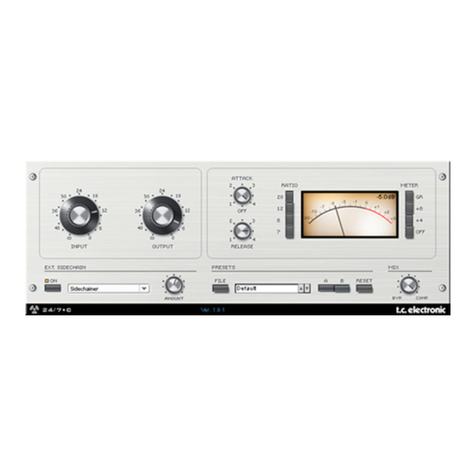
The Amplifier module of the TC PowerCore 01 Plug-In offers two modes: the classic ADSR
curve, which is adjusted by the Envelope Generator, or it can be switched to Gate mode,
freeing up the Envelope Generator for other tasks such as modulating the TCF.
EENNVV//TTCCAA
By selecting ENV, the amplifier provides you with the classic ADSR curve,
which is adjusted by the ADSR Settings.
By selecting GATE, the amplifier will only open while a key is pressed. This is exactly like
setting the ADSR to A=0, D=0, S=127 and R=0.
AASSeettsstthheeaammpplliiffiieerr’’ssAAttttaacckkttiimmeeffrroomm11mmssttoo1100sseeccoonnddss
DDSSeettsstthheeaammpplliiffiieerr’’ssDDeeccaayy
ttiimmeeffrroomm11mmssttoo1100sseeccoonnddss
SSSSeettsstthheessuussttaaiinnlleevveell
RRSSeettsstthheerreelleeaasseettiimmeeffrroomm11mmssttoo1100sseeccoonnd
dss
DDrriivvee
Turn up the signal level and drive your signal into distortion, to get a truly “phat” sound
whenever desired.