Before UseContents
…Place the unit on a hard flat surface.
…Avoid placing it in direct sunlight or
close to a source of heat. Also avoid
locations subject to vibrations and
excessive dust, heat, cold or moisture.
…Do not open the cabinet, as this might
result in circuitry damage or electrical
shock.
…Do not attempt to clean the unit with
chemical solvents, as this might damage
the finish. Use a clean, dry cloth.
…When removing the power plug from the
wall outlet, always pull directly on the
plug, never yank the cord.
…Keep this manual in a safe place for
future reference.
IMPORTANT SAFETY INSTRUCTIONS ................................................................ 2-3
Before Use ................................................................................................................. 4
ReadThis Before Operating .............................................................................. 4
Handling MDs .............................................................................................. 5
Memory back-up function ........................................................................... 5
When "Protected !!" is displayed................................................................ 5
While "UTOC Writing" is blinking ............................................................... 5
When "D-IN UNLOCK !" blinks.................................................................... 5
Remote Control Unit........................................................................................... 5
Name of Each Control .............................................................................................. 6
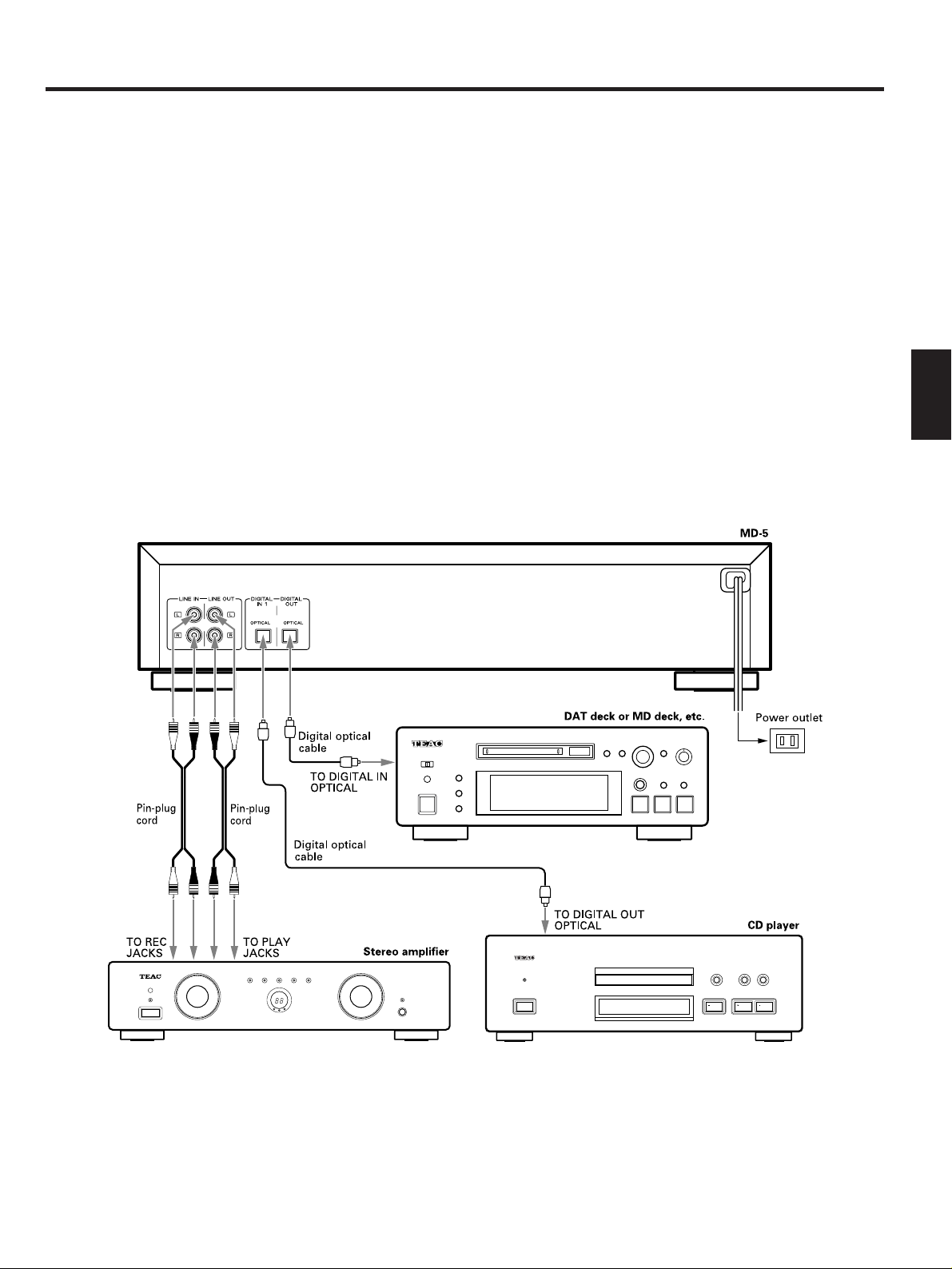
Connections .............................................................................................................. 7
Connection with a stereo amplifier/receiver ............................................ 7
Notes on power sources ............................................................................ 7
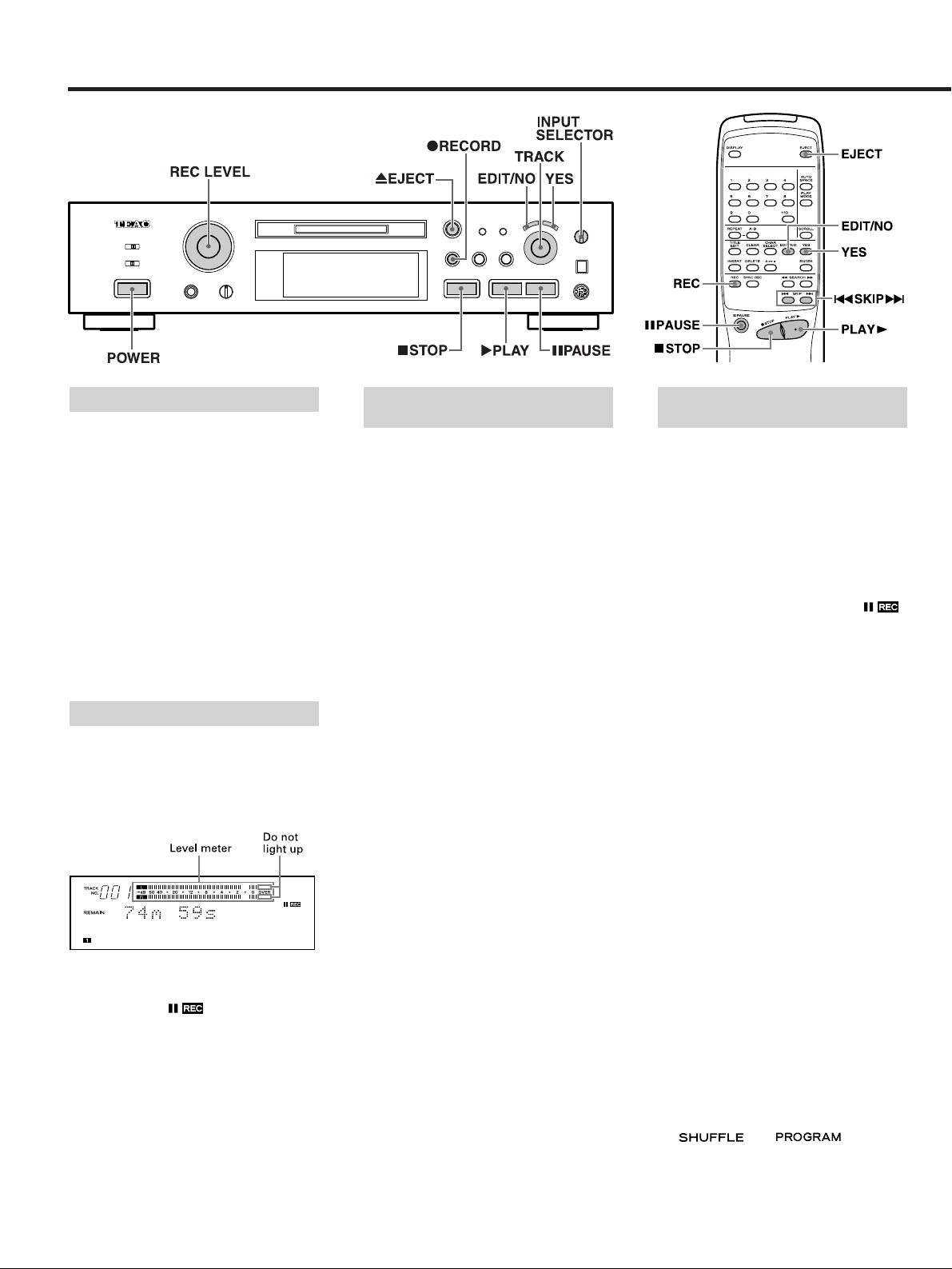
Recording .................................................................................................................. 8
Recording an MD ............................................................................................... 8
Notes on Recording ........................................................................................... 8
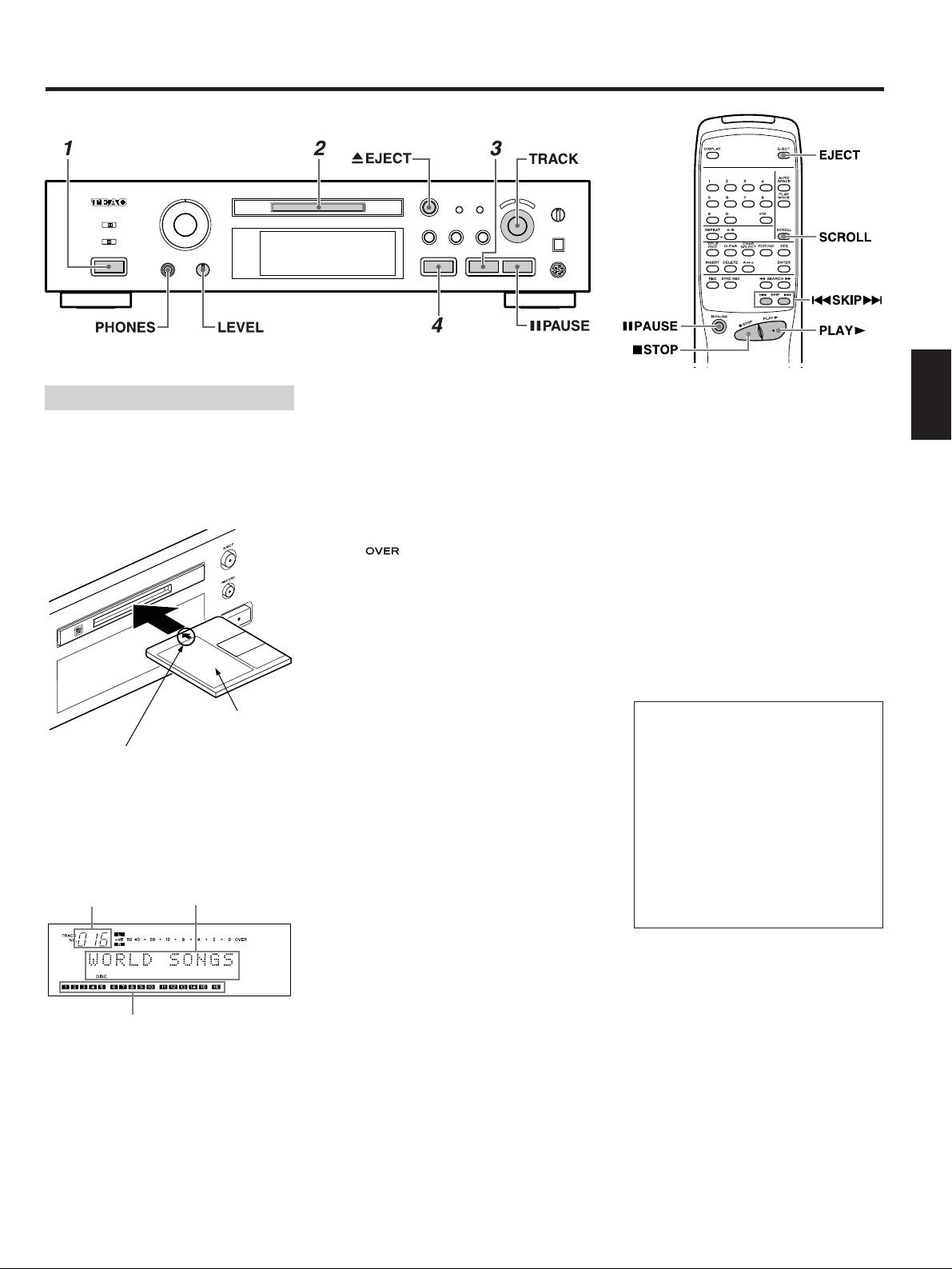
Playback .................................................................................................................... 9
Normal Playback ................................................................................................ 9
UsefulTips for Recording ....................................................................................... 10
Monitoring the Input Signal ............................................................................ 10
Adjusting the Recording Level ........................................................................ 10
AssigningTrack Numbers During Recording ................................................. 10
Recording Over ExistingTracks (Over Write) ................................................. 10
Sync Recording ................................................................................................ 11
Checking the Remaining MD RecordingTime ............................................... 11
Checking the RecordedTracks ......................................................................... 11
Timer Recording ............................................................................................... 11
UsefulTips for Playback ......................................................................................... 12
Using the Display Window .............................................................................. 12
Selecting the DesiredTrack .............................................................................. 12
PlayingTracks in Random Order (Shuffle Playback) ..................................... 12
When Recording to AnalogTape .................................................................... 13
PlayingTracks in the Desired Order (Program Playback) .............................. 13
RepeatingTrack(s) (Repeat Playback) ............................................................. 14
Timer Playback ................................................................................................. 14
Editing Recorded MDs ........................................................................................... 15
Notes on Editing .............................................................................................. 15
ErasingTrack(s) (ERASE Function) ................................................................. 15
Dividing aTrack (DIVIDE Function) ................................................................. 16
CombiningTracks (COMBINE Function) ......................................................... 16
Moving aTrack (MOVE Function) .................................................................... 16
AssigningTitles (TITLE Function) ................................................................... 17
AssigningTitles to the Disc and AllTracks Successively
(TITLE AUTO INC Function)......................................................................... 17-18
Changing entered characters.................................................................... 18
Copying aTitle (TITLE COPY Function)........................................................... 18
Canceling the Last Operation (UNDO Function) ............................................ 18
Optional Functions.................................................................................................. 19
Correspondence between deck buttons and keyboard keys.................. 19
Editing keys ................................................................................................ 19
Title entry keys ........................................................................................... 19
System Restrictions .......................................................................................... 19-20
Display Messages ................................................................................................... 20
Guide to the Serial Copy Management System .................................................. 21
Serial Copy Management System .................................................................. 21
Troubleshooting ...................................................................................................... 22
Specifications ......................................................................................................... 22
– 4 –
IMPORTANT (for U.K. Customers)
DO NOT cut off the mains plug from this
equipment. If the plug fitted is not
suitable for the power points in your
home or the cable is too short to reach a
power point, then obtain an appropriate
safety approved extension lead or
consult your dealer.
If nonetheless the mains plug is cut off,
remove the fuse and dispose of the plug
immediately, to avoid a possible shock
hazard by inadvertent connection to the
mains supply.
If this product is not provided with a
mains plug, or one has to be fitted, then
follow the instructions given below:
IMPORTANT. DO NOT make any
connection to the larger terminal which
is marked with the letter E or by the
safety earth symbol ç or coloured
GREEN or GREEN-and-YELLOW.
The wires in the mains lead on this
product are coloured in accordance
with the following code:
BLUE: NEUTRAL
BROWN: LIVE
As these colours may not correspond
with the coloured markings identifying
the terminals in your plug proceed as
follows:
The wire which is coloured BLUE must
be connected to the terminal which is
marked with the letter N or coloured
BLACK.
The wire which is coloured BROWN
must be connected to the terminal
which is marked with the letter L or
coloured RED.
When replacing the fuse only a
correctly rated approved type should be
used and be sure to re-fit the fuse cover.
IF IN DOUBT — CONSULT A
COMPETENT ELECTRICIAN.
Read This Before Operating