ENGLISH - 4 -
Contents
Teletext ......................................................... 18
1) To operate Teletext .......................................... 18
2) To select a page of Teletext ............................. 18
3) To Select Index Page ...................................... 18
4) To Select Teletext with a TV Programme ......... 18
5) Searching for a page while watching TV .......... 18
6) To Select Double Height Text .......................... 18
7) To Reveal concealed Information ................... 18
8) To Stop Automatic Page hange ..................... 18
9) To Select a Subcode Page .............................. 18
10 To exit Teletext ............................................... 19
11) To Display the Time ....................................... 19
12) Fastext ......................................................... 19
Connect Peripheral Equipment .................. 19
1) Via the Euroconnector..................................... 19
2) Y b r Mode ................................................... 19
3) Via Ant Input ................................................... 19
4) Decoder .......................................................... 19
5) TV and Video Recorder ................................... 19
6) Playback NTS .............................................. 20
7) opy Facility ................................................... 20
8) Search for and store the test signal of the video
recorder ............................................................... 20
9) amera and amcorder .................................. 20
10) onnect the decoder to the video recorder ..... 20
11) onnecting Headphones ................................ 20
Antenna Connections .................................. 21
Tips................................................................ 22
are of the Screen .............................................. 22
Poor Picture ........................................................ 22
No Picture ........................................................... 22
Sound ................................................................. 22
Remote ontrol ................................................... 22
No solution .......................................................... 22
Specifications ............................................... 22
Remote Control .............................................. 5
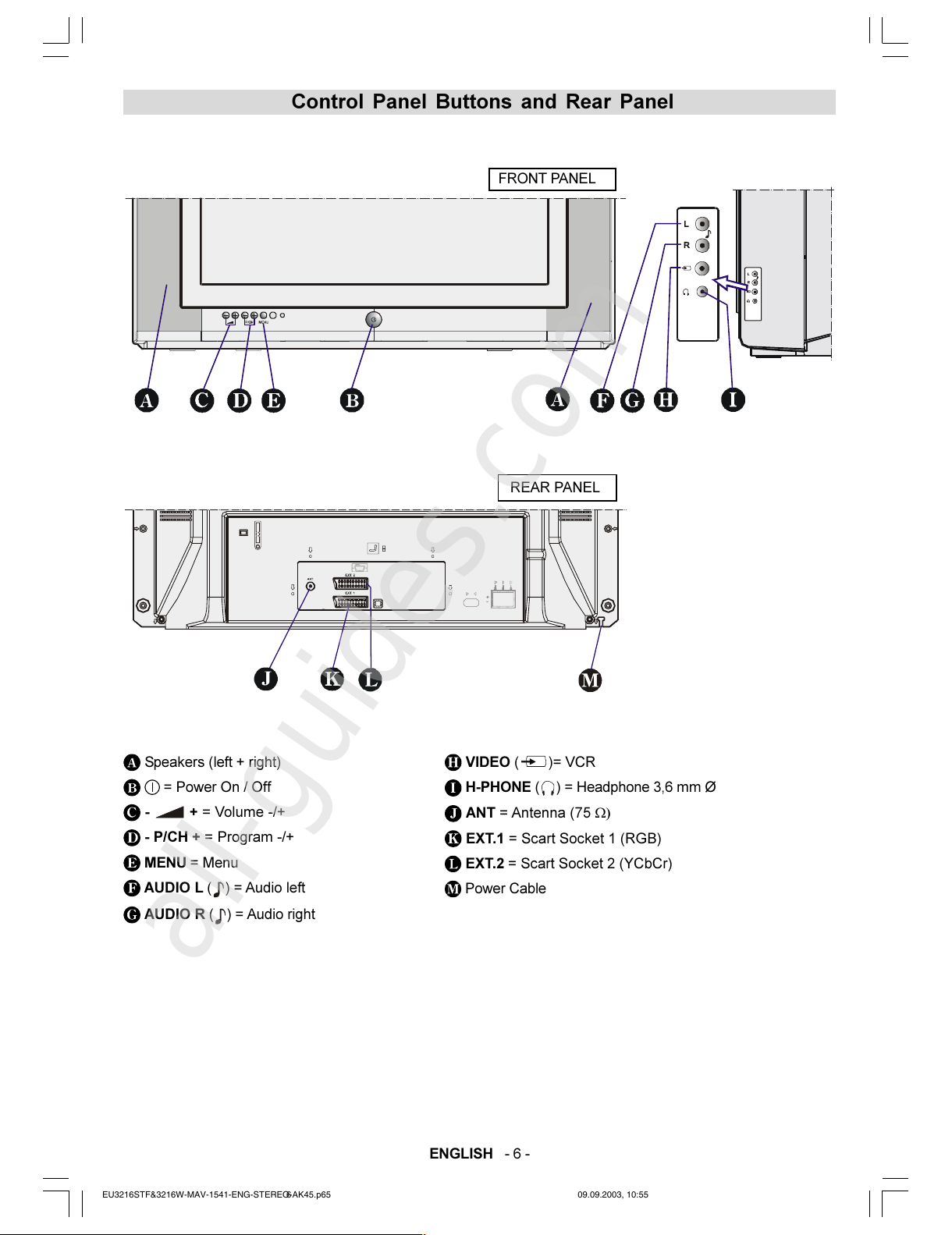
Control Panel uttons and Rear Panel ....... 6
Safety and Precautions ................................. 7
Attention: .............................................................. 7
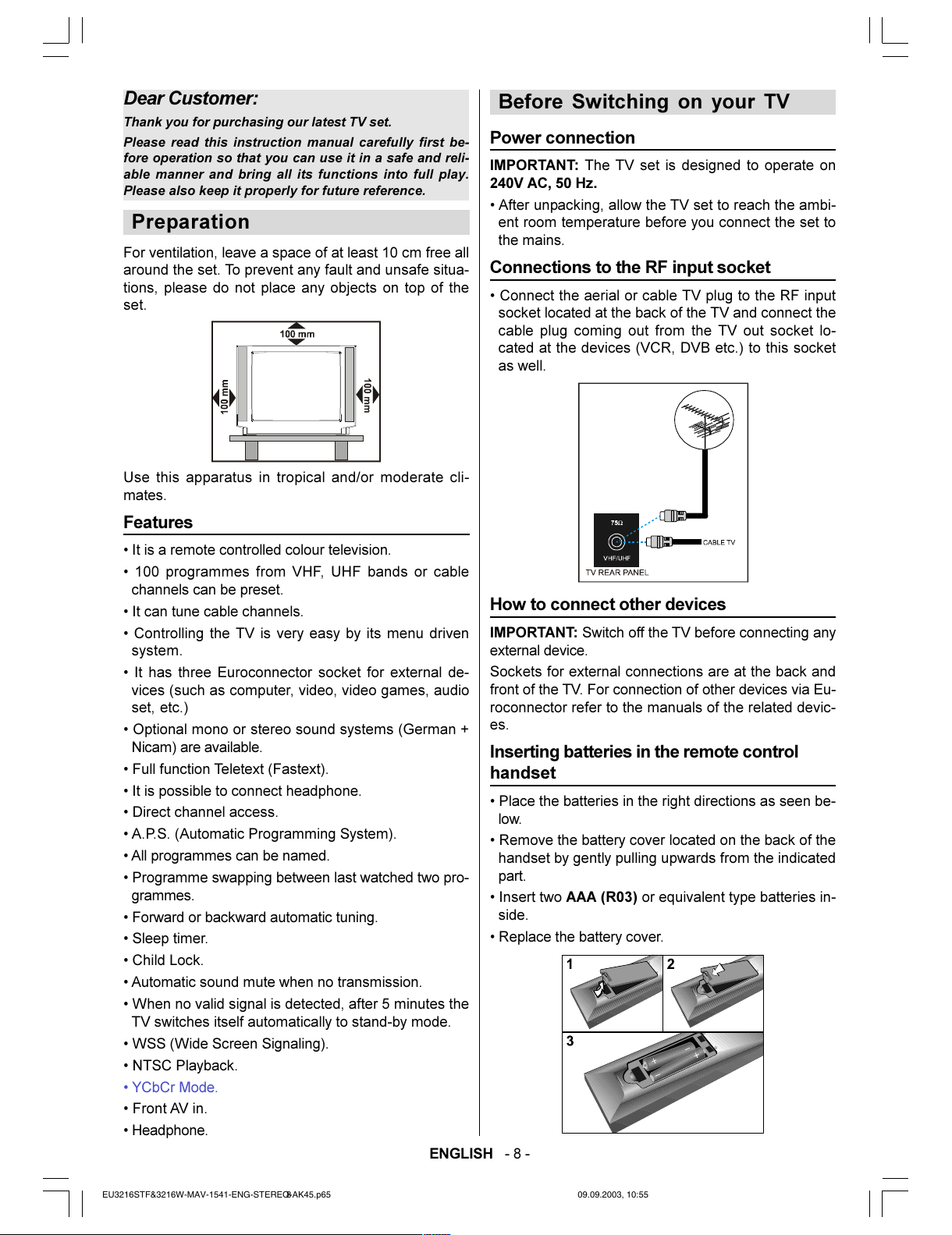
Preparation ..................................................... 8
Features ............................................................... 8
efore Switching on your TV ....................... 8
Power connection.................................................. 8
onnections to the RF input socket ...................... 8
How to connect other devices ................................ 8
Inserting batteries in the remote control handset ... 8
Switching the TV ON/OFF ............................. 9
To switch the TV on............................................... 9
To switch the TV off ............................................... 9
Operating the TV ........................................... 9
A.P.S. (Automatic Programming System) ............. 9
Operating with the buttons on the TV set .............. 9
Operating with Remote ontrol .............................. 9
Menu System ................................................ 10
Sound Menu ........................................................ 10
Picture Menu ...................................................... 12
Feature Menu ...................................................... 14
Installation Menu ................................................. 14
Program Menu .................................................... 15
Other Features............................................. 16
1) TV Status ........................................................ 16
2) Programme Swap (P<P) ................................. 16
3) Double-digit (- -) .............................................. 17
4) Personal Preferences (PP) .............................. 17
5) Sound Indicator ............................................... 17
6) Picture Mode .................................................. 17
7) Blue Background During No-Signal.................. 17
8) Mute Indicator ................................................. 17
9) Volume Bar ..................................................... 17
10) AV Modes ..................................................... 17
EU3216STF&3216W-MAV-1541-ENG-STEREO-AK45.p65 09.09.2003, 10:554