M SERIES BLUETOOTH ANALOG CORDED USER GUIDE www.teledex.com 5
ADJUSTING THE RING VOLUME FOR BASE
The up and down volume keys will adjust the
ringer volume of the telephone. The M Series
telephone begins at the lowest setting, then
automatically rings louder with each successive
ring during an incoming call.
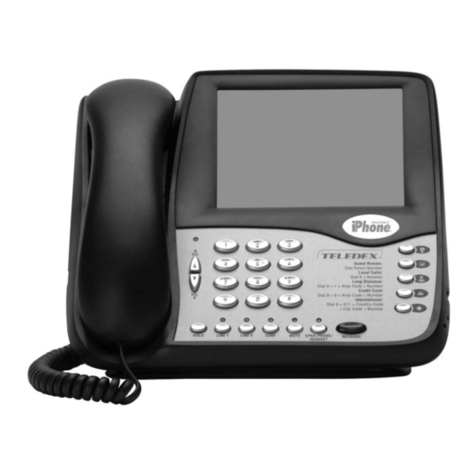
The speakerphone has five (5) levels. To adjust
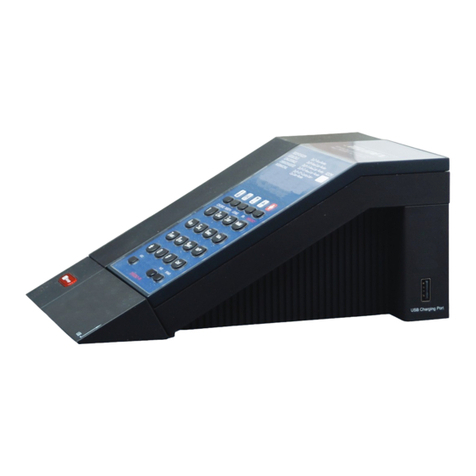
ring volume, locate the volume up/down keys,
located on the front surface of the phone to the
right of the keypad.
ADJUSTING SPEAKERPHONE VOLUME
The speakerphone has five (5) levels. To adjust
speakerphone volume, locate the volume up/
down keys, located on the front surface of the
phone right of the keypad.
ADJUSTING HANDSET RECEIVER VOLUME
The handset has five (5) volume levels. To adjust
the handset volume, locate the volume up/down
keys. Pressing the down key will decrease the
volume level, while pressing the up key will
increase it.
REDIAL
The M Series can automatically redial the last
number dialed. Lift the handset or turn on the
speaker phone then press the REDIAL key to
redial the last number.
USING THE HOLD KEY
The HOLD key places the call on hold locally at
the M Series telephone.
With a call active, press the HOLD key on either
line to remove a call from hold:
1. Press the line key of the call on hold. This
will remove the call from hold, making the
call active again.
2. The red LED will return to blinking
illumination, indicating the line is active.
To change phones after placing a call on hold:
1. Place the call on hold as above.
2. Pick up the call at another telephone that
is on the same line. The telephone will
activate the line and remove the hold at
the original telephone.
TO MUTE THE SPEAKERPHONE
1. Press the MUTE key on the base unit.
The red LED above the MUTE key will
illuminate. The party on the other end will
not be able to hear you when the MUTE
LED is lit.
2. Press the MUTE key again to turn off the
mute feature. The MUTE LED will go out.
AUTODIAL KEYSFACEPLATE OFF
The M Series has either five (5) or ten (10)
programmable guest service (auto-dial) keys,
depending on the model you own.
These keys can be programmed to automatically
dial telephone numbers, or to activate telephone
system features. To program the auto-dial keys
(programming can only be done from base unit):
1. With the phone on hook (inactive) and
the fixed faceplate removed, press the
recessed STORE key.
2. Enter the desired telephone number (up to
32 digits in length) to be stored. To enter
a pause in the number string, press the
REDIAL key as necessary.
3. Press the STORE key again.
4. Press the auto-dial key where the number
is to be stored. Programming is now
completed for that auto dial key.
To program additional keys, repeat this process.
CONFERENCE (2LINE MODELS ONLY)
The CONF key allows for three-way conversations.
Depending on the situation, you may initiate a
conference call using one of these methods: