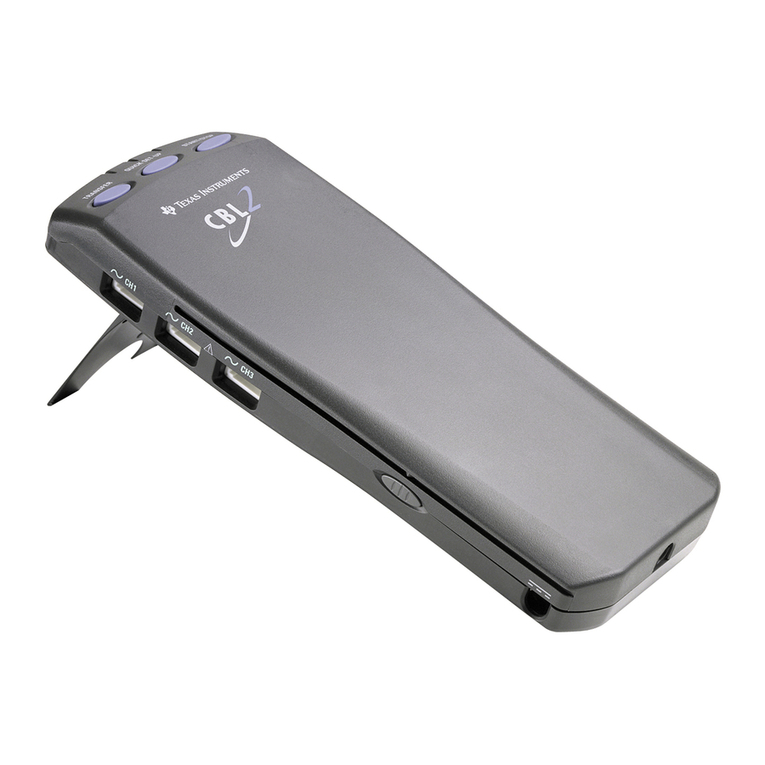
Texas Instruments CBL 2 Manual

CBL 2 Troubleshooting Guide
Screen
Explanation
This screen appears when too much time has passed on a
screen without activity. This timeout feature takes advantage
of the Automatic Power Down (APD) feature of the
calculator and CBL 2 to conserve battery power.
♦ Press ÀYES to continue the program.
♦ Press ÁNO to quit.
This screen appears when CBL 2 is not connected to the
calculator or when CBL 2 needs new batteries.
♦ Check the connection between CBL 2 and your TI
calculator. Firmly push in the link cable, and then
choose 1: INTERFACE.
♦ Check batteries in the CBL 2. Disconnect the calculator
from the CBL 2; then press TRANSFER on the CBL 2. If the
CBL 2 does not make a sound or light the red LED, change
the batteries in the CBL 2.
If you choose 1: INTERFACE without correcting the problem,
the link error screen appears.
Check the connection and batteries as explained above and
then press ENTER.
This screen appears when:
♦ The CBL 2 has collected data and that data has not been
retrieved to the calculator.
or
♦ The user exits DataMate in the middle of data collection
(possibly by pressing ON) and then restarts DataMate.
Press ENTER. Then choose one of the following:
♦ To retrieve the data, press ·TOOLS and then ÁRETRIEVE
DATA.
♦ To delete the data, press CLEAR to reset the CBL 2.
The DataMate main screen shows a non-autoID sensor from
a previous experiment even though the sensor is no longer
connected. (For example, the screen on the left shows a
Relative Humidity sensor even though the sensor was
removed and DataMate was restarted.)
Press ‘to reset the CBL 2 to initial conditions. (In
general, whenever you see something on the screen that
does not look correct, press ‘to reset.)

Screen
Explanation
This screen appears when the CBL 2 is disconnected from the
calculator and used for a different task or when the CBL 2
loses power. When the CBL 2 and calculator are reconnected,
the calculator may not recheck the sensor setup, and this
error results.
Press ‘to reset, and then set up the channel again.
These three screens usually appear when there is not enough
memory available in the calculator to collect any or all of the
data and then graph it. Reduce the number of data points
you are trying to collect.
Following are estimates of the number of data points that
can be collected if the calculator RAM memory has been
reset prior to sending DataMate to the calculator:
Calculator
TI-73
TI-82
TI-83
TI-83 Plus
TI-86
TI-89**
TI-92
TI-92 Plus**
1 sensor
~120
98*
~200
998*
~3000
~600/998***
~300
~600/998***
2 sensors
~90
98*
~150
~600
~2000
~600/998***
~200
~600/998***
Sonic
~70
98*
~120
~400
~1500
~450/~800
~150
~450/~800
* This is the limit of the TI-82/83 Plus calculator list.
** For the TI-89 and 92 Plus, the first value is the number of
points that can be collected with 1.xx Calculator Operating
System; the second value is the number that can be collected
with 2.03 Calculator Operating System. The 2.03 Operating
System optimizes the calculator memory; we recommend you
upgrade to the 2.03 (or higher) code. The latest code is
available at: http://www.ti.com/calc/docs/downloads.htm.
*** This is the limit of the TI-89/92 Plus calculator data
variable.
Note: If you use DataMate’s curve fit option, the memory
available for collecting data will be less than that shown above
because more calculator memory is required for curve fitting.
Using a TI-89, TI-92 or TI-92 Plus, if the memory error occurs
because too many data points were attempted, you must go
into the memory management of the calculator and delete
the "cbldata" data var. Then restart DataMate and begin
data collection. Remember to reduce the number of points
collected.

Screen
Explanation
This screen usually appears when the user is running
DataMate and one of the DataMate subprograms has been
deleted from the calculator memory. All of the subprograms
must be present in order for DataMate to function properly.
(All related programs begin with "DATxxxx.")
Reset the RAM on the calculator, then transfer the DataMate
program from CBL 2 to the calculator and begin again.
This screen appears on a TI-83 Plus calculator when one of
the variables accessed by the DataMate app has been
archived in the calculator memory. These variables are:
lists: L1 - L11, list C, list M
real: A - Z
matrix: [A]
string: Str0 - Str6
Go into Memory Management and unarchive any of the
above variables.
You have attempted a calculation outside the valid range.
The most common cause of this error is trying to perform a
power curve fit on Time Graph data. In Time Graph,
DataMate collects a data point at time x=0. When the curve
fit equation tries to divide by the 0, this error occurs.
The easiest way to correct this is to use the SELECT REGION
option to eliminate the x=0 point from the graph. Then try
the power curve fit option again.
The calculator tried to draw a graph but was not able to use
the window settings. This problem can occur if you collect
data and the data does not change (for example, the
temperature does not change). If DataMate tries to autoscale
the graph of this data (which it usually does), the calculator
may not be able to set the y-axis scale.
Press Íto quit. Press pand set the x-axis or y-axis
scales, making sure that the maximum value exceeds the
minimum. Then press sto draw the graph again.
This screen can appear when running DataMate on a
TI-89/92/92 Plus. It is caused by a loss of communications
between the calculator and the CBL 2 and usually means
there is a problem with the link port on the calculator.
Check that the cable is securely connected to the calculator
and the CBL 2. Then restart the program.

Screen
Explanation
This screen appears when the user tries to run the Ranger
program using the TI-89/92/92 Plus after using the DataMate
program.
This is caused by a conflict in some information left over in
List 5. The information in the list cannot be used properly, so
the calculator gives a Dimension error. To correct this, go
into the calculator’s memory mangement and delete List 5
(L5).
This screen can appear on the TI-83 Plus. It can be caused by
running the DataMate app while the Interactive Graphing
app is loaded and turned on.
Turn off the Interactive Graphing app before running
DataMate. Also, go into memory management and check the
programs listing. There will be a program listed that has a
"strange" character as its name. Reset the RAM on the
calculator before doing anything else with the calculator.
When using the TI-82 with a motion detector and two other
analog sensors, the data from the sensor in Channel 2 is not
collected.
The TI-82 has the capacity for only six lists, so there are not
enough lists available to collect data on all channels. When
using a motion detector, you can only use one analog sensor
in Channel 1.
The sensors and Time Graph Mode were set up in DataMate.
Then Triggering was set up. When data collection started,
the live graph did not display.
When triggering is selected, the CBL 2 does not allow a live
graph. On the CBL 2, you can have either a live graph or
triggering, but not both. The CBL 2 will use the one that
was set up last and will turn off the other one.
Texas Instruments Incorporated
7800 Banner Drive
Dallas, Texas 75251
1-800-TI-CARES English
©2000 Texas Instruments Incorporated www.ti.com/calc CBL2/RG/1L1/A
Other manuals for CBL 2
2
Table of contents
Other Texas Instruments Data Logger manuals