manuals.online logo
Brands
  1. Home
  2. •
  3. Brands
  4. •
  5. TP-Link
  6. •
  7. Adapter
  8. •
  9. TP-Link TL-PA4020KIT User manual

TP-Link TL-PA4020KIT User manual

Other TP-Link Adapter manuals

TP-Link TF-3200 User manual

TP-Link

TP-Link TF-3200 User manual

TP-Link TL-WN823N User manual

TP-Link

TP-Link TL-WN823N User manual

TP-Link TL-WN881ND User manual

TP-Link

TP-Link TL-WN881ND User manual

TP-Link TPL-WN823N User manual

TP-Link

TP-Link TPL-WN823N User manual

TP-Link TL-PA201 STARTER User manual

TP-Link

TP-Link TL-PA201 STARTER User manual

TP-Link TL-PA101KIT User manual

TP-Link

TP-Link TL-PA101KIT User manual

TP-Link TL-UE300 User manual

TP-Link

TP-Link TL-UE300 User manual

TP-Link TL-PA4015P User manual

TP-Link

TP-Link TL-PA4015P User manual

TP-Link TL-PA8010P User manual

TP-Link

TP-Link TL-PA8010P User manual

TP-Link TL-PA7027P User manual

TP-Link

TP-Link TL-PA7027P User manual

TP-Link UB4A User manual

TP-Link

TP-Link UB4A User manual

TP-Link TL-WN727N User manual

TP-Link

TP-Link TL-WN727N User manual

TP-Link Archer T4UH User manual

TP-Link

TP-Link Archer T4UH User manual

TP-Link TL-PA210 User manual

TP-Link

TP-Link TL-PA210 User manual

TP-Link UE200 V2 User manual

TP-Link

TP-Link UE200 V2 User manual

TP-Link TL-WN910N - User manual

TP-Link

TP-Link TL-WN910N - User manual

TP-Link Archer T4UH User manual

TP-Link

TP-Link Archer T4UH User manual

TP-Link Powerline 1XRJ45 User manual

TP-Link

TP-Link Powerline 1XRJ45 User manual

TP-Link TL-PA7027P User manual

TP-Link

TP-Link TL-PA7027P User manual

TP-Link Archer T4U Plus User manual

TP-Link

TP-Link Archer T4U Plus User manual

TP-Link TL-WN725N User manual

TP-Link

TP-Link TL-WN725N User manual

TP-Link TL-WN723N User manual

TP-Link

TP-Link TL-WN723N User manual

TP-Link TL-PA4010P KIT EU User manual

TP-Link

TP-Link TL-PA4010P KIT EU User manual

TP-Link Archer TX20U Plus User manual

TP-Link

TP-Link Archer TX20U Plus User manual

Popular Adapter manuals by other brands

Mini Gadgets BB2Outlet user manual

Mini Gadgets

Mini Gadgets BB2Outlet user manual

LSI LSISAS3442E-R Quick installation guide

LSI

LSI LSISAS3442E-R Quick installation guide

Moeller BBA -16 Series installation instructions

Moeller

Moeller BBA -16 Series installation instructions

Acer MWA3 quick start guide

Acer

Acer MWA3 quick start guide

Connect Tech ADG095 user guide

Connect Tech

Connect Tech ADG095 user guide

cable matters 604002 user manual

cable matters

cable matters 604002 user manual

Solwise PL-85PEW Easy start

Solwise

Solwise PL-85PEW Easy start

HP Photosmart 7100 user guide

HP

HP Photosmart 7100 user guide

HP E2494A installation guide

HP

HP E2494A installation guide

StarTech.com USB150WN1X1 quick start guide

StarTech.com

StarTech.com USB150WN1X1 quick start guide

Lindy 43198 user manual

Lindy

Lindy 43198 user manual

A&D AD-8527 instruction manual

A&D

A&D AD-8527 instruction manual

Motorola WU830G user guide

Motorola

Motorola WU830G user guide

Hawking HUF2 Specifications

Hawking

Hawking HUF2 Specifications

Allen-Bradley E3 Plus installation instructions

Allen-Bradley

Allen-Bradley E3 Plus installation instructions

Trust BT-2210Tp manual

Trust

Trust BT-2210Tp manual

HP NC7170 overview

HP

HP NC7170 overview

Uconnect BLE-485C user manual

Uconnect

Uconnect BLE-485C user manual

manuals.online logo
manuals.online logoBrands
  • About & Mission
  • Contact us
  • Privacy Policy
  • Terms and Conditions

Copyright 2025 Manuals.Online. All Rights Reserved.

User Manual
Code: TL-PA4020KIT
NETWORK ADAPTER TL-PA4020KIT TP-LINK
DELTA-OPTI Monika Matysiak; https://www.delta.poznan.pl
POL; 60-713 Poznań; Graniczna 10
e-mail: [email protected]; tel: +(48) 61 864 69 60
2022-04-03 TL-PA4020KIT 1/4
Warning!
Please read the user manual included in this work as it contains important information related with safety of installation and use of
the device.
Only persons who read the user manual may use the device.
The user manual must be kept because it may be required in the future. The device is to be used exclusively for purposes specified
in this user manual.
The device must be unpacked prior to starting-up. After removing the packaging make sure the device is in working order.
If the product has defects, it should not be used until it is repaired.
The product is intended for use at home and commercial use and may not be used for other than intended use.
The manufacturer is not liable for damages resulting from not adhering to the rules contained in the user manual, therefore, we
recommend to follow the aforementioned safety rules for operation and maintenance of the device. In this way you will ensure
yourself safety and avoid causing damage to the device.
The manufacturer and the supplier are not liable for losses or damages arising out of the product, including financial or intangible
losses, loss of profits, income, data, pleasure from use of the product or other products related with it - indirect, incidental or
consequential loss or damage. The above provisions apply whether the loss or damage concerns:
1. Deterioration of quality or the lack of operation of the products or products related with it due to damage as well as the lack of
access to the product when it is undergoing repair, which results in stoppage the loss of user's time or a break in business activity;
2. Improper results of operation of the product or products related with it;
3. It applies to losses and damages according to any legal category, including negligence and other losses, termination of a
contract, expressed or implied guarantee and strict liability (even if the manufacturer or the supplier was notified about the
possibility of occurrence of such damages).
Safety measures:
Particular attention at designing was directed to quality standards of the device where ensuring safety of operation is the most
important factor.
The device must be secured against contact with caustic, staining and viscous fluids.
The device was designed in such a way that it restarts operation when power supply is restored after a break.
Turn off the device before transporting it.
Prior to connecting the device to a power source check whether the supplied voltage is consistent with rated voltage specified in
the user manual.
Attention! We recommend using protections to further protect the device from possible overvoltages in installations.
Surge protectors are effective protection against accidental pass to the device voltages higher than the rated. Damages
caused by pass the voltages higher than specified in manual, are not under warranty.
Proper product disposal:
A marking of a crossed out waste bin indicates that the product may not be disposed together with other household waste in the
entire EU. To avoid possible damage to the natural environment of health due to uncontrolled waste disposal, therefore, it should be
handed over for recycling, propagating in this way sustainable use of natural resources.
To return a worn-out product, use a collection and disposal system of this type of equipment or contact a seller from whom it was
purchased. He will then be recycled in an environmentally-friendly way.
It is forbidden to use the device in case its power cord or plug is damaged, the device works incorrectly, was damaged or dropped.
A damaged power cord or plug must be replaced with new ones by the manufacturer, personnel of service centre or a person with
relevant qualifications in order to avoid the risk of electric shock. We do not recommend repairing the device on one's own for
safety reasons.
The device is not intended for operation by persons (including children) with limited physical, sensory or mental capabilities as well
as persons inexperienced in operation or not competent to operate of such device, unless the operation is supervised by a person
responsible for their safety or in line with instructions for use provided by such person.
It is forbidden to touch the plug with wet hands! Pull the plug, never the cable, to pull out the plug from a socket.
The device is to be used exclusively according to its use described in this manual. Use of accessories not recommended by the
manufacturer of the device may cause fire, electric shock or injuries.
Marking of a lightning inside a equilateral triangle signifies presence of dangerous voltage, contained under the cover of the device.
It may be dangerous for user's life and health.

User Manual
Code: TL-PA4020KIT
NETWORK ADAPTER TL-PA4020KIT TP-LINK
DELTA-OPTI Monika Matysiak; https://www.delta.poznan.pl
POL; 60-713 Poznań; Graniczna 10
e-mail: [email protected]; tel: +(48) 61 864 69 60
2022-04-03 TL-PA4020KIT 2/4
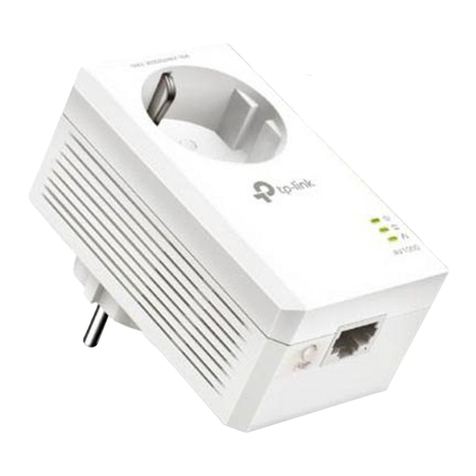
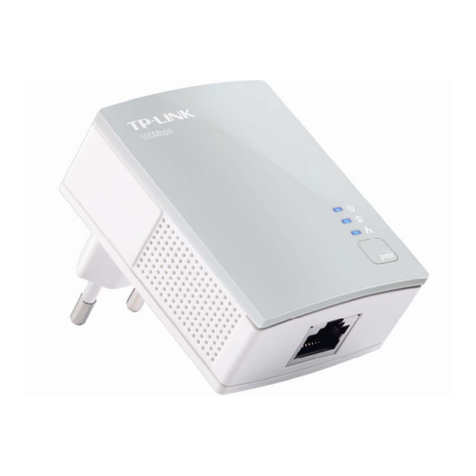
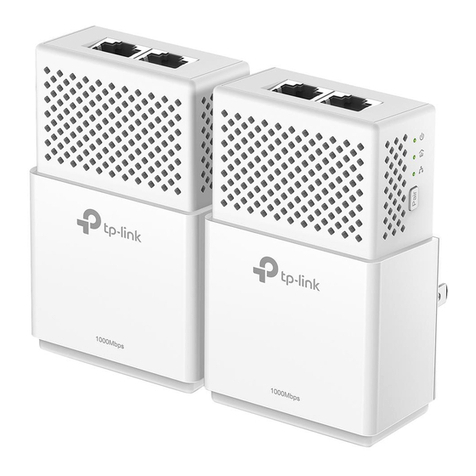
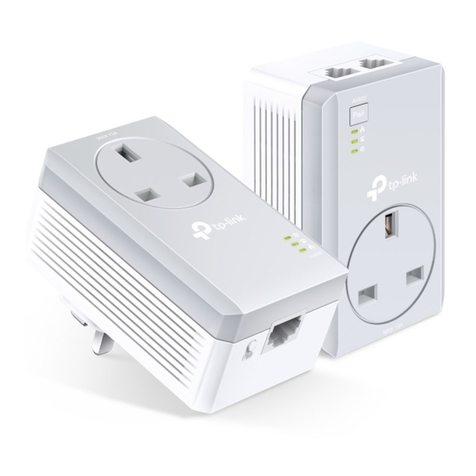
The TL-PA4020KIT network transmitters kit is designed for
Ethernet signal transmission through power line. Devices

are an ideal solution when it is impossible to install UTP
cables or the environment does not allow to use wireless
connectivity.
Devices must be plugged into the outlets using the same
branch (phase).
LAN ports: 2 x Port LAN
Modulation: OFDM
Protections: 128-bit AES encryption
LED diodes: Power supply, Link/Act, Power network
Transmission speed: 500 Mbps
Range: 300 m - Within a building
Power supply: 230 V AC
Power consumption: < 2 W
Main features:
• Plug & Play
• HomePlug AV compliance
• Low current consumption
• Pair button - Encryption activation
Certificates: CE, FCC, RoHS
Operation temp: 0 °C ... 40
Weight: 0.11 kg
Dimensions: 63 x 47 x 40 mm
Manufacturer / Brand: TP-LINK
Guarantee: 2 years
User Manual
Code: TL-PA4020KIT
NETWORK ADAPTER TL-PA4020KIT TP-LINK
DELTA-OPTI Monika Matysiak; https://www.delta.poznan.pl
POL; 60-713 Poznań; Graniczna 10
e-mail: [email protected]; tel: +(48) 61 864 69 60
2022-04-03 TL-PA4020KIT 3/4
Bottom view:
Side view:
User Manual
Code: TL-PA4020KIT
NETWORK ADAPTER TL-PA4020KIT TP-LINK
DELTA-OPTI Monika Matysiak; https://www.delta.poznan.pl
POL; 60-713 Poznań; Graniczna 10
e-mail: [email protected]; tel: +(48) 61 864 69 60
2022-04-03 TL-PA4020KIT 4/4
Typical operation diagram:
In the kit: