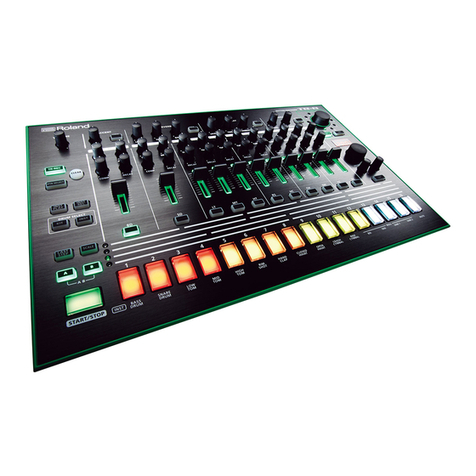
trapKAT 4 User manual

trapKAT 4
trapKAT 5KS
Manual
Rev. 0412 www.alternatemode.com


INTRODUCTION
PAD LAYOUTS .................................................................................................... 6,7
INTRODUCTION .................................................................................................... 8
QUICK START .........................................................................................................9
trapKAT v4 WITHOUT SOUNDS ...........................................................................9
CONNECTIONS..................................................................................................... 0
THE MANUAL....................................................................................................... 2
20 QUESTIONS MOST OFTEN ASKED
What are the Pad Numbers .......................................................................... 3
Get My HiHAT to Work ............................................................................... 3
Get My Bass Drum Pedal to Work................................................................ 3
Get the trapKAT to Respond to My Playing Style........................................ 4
Reset The trapKAT....................................................................................... 4
Go Between Factory and User Kits.............................................................. 5
Quick Click................................................................................................... 5
Save a Kit ..................................................................................................... 5
Change the Sounds ....................................................................................... 5
Managing Kit Names.................................................................................... 7
Changing Note Numbers Don't Do Anything............................................... 7
The trapKAT is Playing Itself....................................................................... 7
Control Individual Drum Volumes and Effects............................................. 8
The Difference Between Training and Velocity Settings.............................. 8
I Don't Hear Any Sounds on My 5KS........................................................... 8
I Don't Hear Any Sounds on My Sound Source........................................... 8
There is a Big Delay When I Use My Computer.......................................... 9
What's a Groove, Can I Make My Own........................................................ 9
Get Rid of the Beeper Sound........................................................................ 9
Back Up My User Kits..................................................................................20
What Sound Sources Does the trapKAT Work With....................................20

KIT EDIT FUNCTIONS
KIT EDIT FUNCTION LISTING...........................................................................2
MIDI CHANNEL.................................................................................................... 2
KIT VELOCITY......................................................................................................22
Minimum Velocity
Maximum Velocity
Velocity Curves
FOOT CONTROL CURVES...................................................................................23
SPECIAL CURVES.................................................................................................23
Multi Modes
Multi Notes
Xfade
3 Note Layer
Note Shift
4 Note Layer
Alternate Modes...................................................................................................... 24
Continuous Data...................................................................................................... 25
Cntrl+3 Notes.......................................................................................................... 25
HiHAT CONTROL..................................................................................................26
General MIDI HiHAT
Continuous Control
HatNote
Selecting Pads to the HiHAT Pads
Defining Settings for Open Closed and Chick
Continuous HiHAT Control
HatNote
HatNote Overlap
COPY KITS.............................................................................................................28
SOUND CONTROL ...............................................................................................28
Volume Change
Bank Changes (MSB/LSB)
2

Program Change
KURZWEIL SOUND CONTROL..........................................................................29
Filter
Pitch
Drum Volumes
FX/Reverb
KIT NAMING......................................................................................................... 30
ALL NOTES OFF................................................................................................... 30
PAD GATE TIME....................................................................................................3
Milliseconds
Roll Mode
Infinite Mode
Latch Mode
HIDDEN FUNCTIONS.......................................................................................... 3
HiHAT Training Results
Idle Levels
GLOBAL EDIT FUNCTIONS
GLOBAL EDIT FUNCTION LISTINGS............................................................... 33
USER /FACTORY KITS......................................................................................... 33
GROOVE ENABLE................................................................................................34
MEMORY PROTECT.............................................................................................34
MIDI MERGE......................................................................................................... 34
SPLASH ADJUST...................................................................................................35
PROGRAM CHANGE RECEIVE..........................................................................35
CYMBAL CHOKING.............................................................................................35
3

GROOVE VOLUME...............................................................................................35
MEMORY DATA DUMPS......................................................................................35
PAD TRAINING..................................................................................................... 36
PAD THRESHOLD.................................................................................................37
PAD LOW AND HIGH DYNAMICS.....................................................................39
REINITIALIZE....................................................................................................... 38
GENERAL MIDI NAMES......................................................................................38
TRAIN HiHAT PEDAL.......................................................................................... 38
BASS DRUM TRIGGER GAIN.............................................................................38
DISPLAY ANGLE...................................................................................................39
BEEPER.................................................................................................................. 39
SAVE USER KIT.................................................................................................... 39
PAD LINKING........................................................................................................39
NOTE EDIT FUNCTIONS
HEAR SOUND........................................................................................................40
SPECIAL NOTE NUMBERS................................................................................. 40
No
Sequence Start, Stop and Continue
Alternate Reset
Alternate Freeze
Kit Advance, Kit Backwards
Pitch Wheel
Program Advance, Program Backup
4

NOTE SLOTS......................................................................................................... 4
KIT SELECTION
KIT SELECT FOOTSWITCH................................................................................ 4
APPENDIX
GLOSSARY OF TERMS........................................................................................ 43
MIDI FOR PERCUSSION......................................................................................46
INSERTING NEW SOFTWARE CHIPS................................................................48
WARRANTY POLICIES........................................................................................ 49
CUSTOMER SERVICE.......................................................................................... 50
TRAPKAT USER KITS.......................................................................................... 50
KURZWEIL SOUND ENGINE INFORMATION.................................................5
SOUND LISTINGS ON THE KURZWEIL SOUND ENGINE.............................54
5

6

7

INTRODUCTION
Welcome to Alternate Mode's trapKAT 5KS with Sounds Powered by Kurzweil. We are really excited
about this revised version of the trapKAT, first introduced into the market by KAT Inc back in 995.
Since the original trapKAT, much has changed. We now use a lightweight aluminum frame which is
about 2/3rds lighter than the original trapKAT. We have replaced the original heavy gum rubber pads
with our new nuBOUNCE playing surface. This new playing surface just feels great to play on. There
are a 24 pads on the trapKAT, 0 large pads and 4 rim shot style pads that can be played with the shaft
of your drumstick. There are also bass drum and HiHAT inputs, making a total of 26 things to play on.
Our proprietary FSR (force sense resistor) sensors have improved as well. They are now more dynamic
and durable than ever before. Our new gold powered coated surface has been well received on our
malletKAT and has now found its way onto the trapKAT.
Many of the drumKAT's performance features are now part of the operating system of the trapKAT.
There are Alternate Modes, Velocity Switch Modes, Layering, Pad Linking as well as some Gate
Control Modes such as Roll Mode and Latching for Loops. We have even added Controller Functions
so that CC Data can be sent along with note data.
The real excitement of the day is that the new trapKAT 5KS has its own built in sound module. With
“Sounds powered by Kurzweil”, the new trapKAT has entered a whole new world. Sure it still is
possible to plug your trapKAT into any MIDI sound module or soft synth plug in, but now there is a
convenience factor that changes everything. Turn on the trapKAT and begin playing with no
programming required. Sure you can tweak to your hearts content, but the trapKAT is now truly a turn
key instrument with 24 kits ready to go. Just select a kit and play away.
The sound card in our trapKAT is the second edition of the sounds used in our malletKAT 7KS. Besides
having around 000 traditional instruments to choose from, there are about 256 drum and percussion
kits to access. We've created a new “instant access” mode to get at these drum patches without having
to know anything about Bank or Program Changes.
Because this Kurzweil Sound Engine was built around their PC3 keyboard platform, the trapKAT's
sounds can be used for “music minus one” playing. The trapKAT has a MIDI In jack so that sequence
data can be routed directly to the sound card. If you own a malletKAT, you can have access to the
incredible vibes, marimbas, timpani, and orchestral percussion that also resides in the sound card, while
still playing your trapKAT. The trapKAT has a /4” headphone jack, stereo balanced output jacks,
stereo input jacks for mixing other music with the trapKAT and volume control push buttons.
Because the trapKAT 5KS is conceived as a total electronic drum set, we developed our own eHAT and
eKIC pedals. These pedals are different because unlike other companies models, you can determine the
pedal height and spring tension on both of them. It is the fact that you are using a real bass drum pedal
that makes it feels incredibly natural and comfortable to play on. We also sell our own stand, so that a
complete bundle is available for your convenience.
8
This manual suits for next models
1
Table of contents