manuals.online logo
Brands
  1. Home
  2. •
  3. Brands
  4. •
  5. Tycon Power Systems
  6. •
  7. Power Pack
  8. •
  9. Tycon Power Systems TP-PP120-INV User manual

Tycon Power Systems TP-PP120-INV User manual

Popular Power Pack manuals by other brands

Schumacher SL1396 owner's manual

Schumacher

Schumacher SL1396 owner's manual

EcoFlow Wave 2 user manual

EcoFlow

EcoFlow Wave 2 user manual

Draper 12V Power Packs instructions

Draper

Draper 12V Power Packs instructions

Haug Multistat Ex SDN operating instructions

Haug

Haug Multistat Ex SDN operating instructions

Intermatic IOS-PP24 Installation and configuration instructions

Intermatic

Intermatic IOS-PP24 Installation and configuration instructions

Risen RSN-BX007 user manual

Risen

Risen RSN-BX007 user manual

therm-ic Supermax Powerpack Instructions for use

therm-ic

therm-ic Supermax Powerpack Instructions for use

Bluetti EP500-JP EP500-USA user manual

Bluetti

Bluetti EP500-JP EP500-USA user manual

Chicago Pneumatic PAC P18 Safety and operating instructions

Chicago Pneumatic

Chicago Pneumatic PAC P18 Safety and operating instructions

gt coupe IX-SW028 instruction manual

gt coupe

gt coupe IX-SW028 instruction manual

iTechworld PS2000 user guide

iTechworld

iTechworld PS2000 user guide

Pentax TR Power Pack-2 (PW-222 operating manual

Pentax

Pentax TR Power Pack-2 (PW-222 operating manual

Polaroid PORTABLE POWER PACK user manual

Polaroid

Polaroid PORTABLE POWER PACK user manual

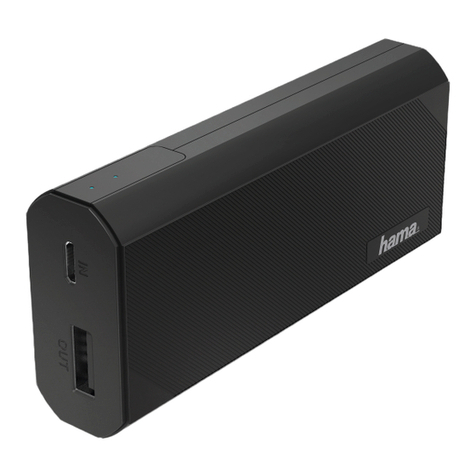
Hama 16398 operating instructions

Hama

Hama 16398 operating instructions

APA 16480 operating instructions

APA

APA 16480 operating instructions

Draper PP12/24PRO instructions

Draper

Draper PP12/24PRO instructions

Xantrex XPower Powerpack 600HD owner's guide

Xantrex

Xantrex XPower Powerpack 600HD owner's guide

iHome KINETA iAKC1 manual

iHome

iHome KINETA iAKC1 manual

manuals.online logo
manuals.online logoBrands
  • About & Mission
  • Contact us
  • Privacy Policy
  • Terms and Conditions

Copyright 2025 Manuals.Online. All Rights Reserved.

TyconPower.com
02
TyconPower.com
01
Battery Type: Li-ion Battery
Battery Capacity: 12V, 10Ah
Battery Voltage Range: 12±2V
Life-span: >1000 cycles
DC car,boat,solar: 15V/3A Max
AC wall charger : 45Watts 15V/3A
Input Ports:
USB : 5V/1A
DC : 12V/5A
Operating Temperatures:
TP-PP120-INV
TyconPower.com
Tycon Power Pack
Tycon Power Pack
USER GUIDE
Please read this guide before you use your Power Pack!
Li-ion battery
120
Was
Inverter
90
Was
Inverter Type: Modified sine wave inverter
Inverter Efficiency: >85%
Inverter Power: 90W
Frequency:
LCD screen
USB Port
Charge from house wall,
solar panel, or 12VDC
boat and car.When you
need to charge, turn on
the DC button first.
Please keep battery charged during long
term storage. Recharge every 3-4 months.
The LCD screen will show
how much remaining
battery capacity is left.
Push power on or off.
Switch on and off for AC
output.
Control for DC input, DC
ouput, USB output. For your USB cable to charge
your handheld devices.
Use to run any 12VDC
devices
Function Overview
Left side
Right side
Indicator Light
DC Button
AC Button
Technical Specifications
+1 801 618 4220
+1 801 832 0003
CONTACT US:
TyconPower.com
sales@TyconSystems.com
Optimal Operating: -20°C ~ 50°C
Output Ports:
DC Input Port
DC Output Port
Usage:
60Hz
110VAC
Inverter Voltage:
Cooling Fan
There is a fan inside
for cooling.
AC Output Port
AC Output Port for AC
device.
TyconPower.com
05
TyconPower.com
06
TyconPower.com TyconPower.com
03 04
Warnings and Cautions:
Item list:
Q.
Why will the Power Pack not charge?
A:
Confirm that if you are charging from a wall outlet you
are using the charger provided.
 Confirm that if you use a solar panel that it is 12VDC
type and no more than 40W capacity.
Confirm that if you are charging from a car or boat that
the engine is running during charging.
Q.
Why will the Power Pack not automatically recharge
if you accidentally disconnect and then reconnect
immediately?
A:
First: Confirm that you are using the correct charger.
Second: If the current or voltage is too high, the Power
Pack will engage its automatic protection feature.
Disconnect charger and restart, it should function
normally.
Q.
Why does the screen turn off when the Power Pack
is fully charged?
A:
The Power Pack automatically turns the screen off to
save power. Restart the Power Pack and the screen
should turn on.
Fault diagnostics:
Q.
Why will the Power Pack not turn on when DC Button is pressed?
A:
The battery voltage may be too low. Charge the Power Pack
using the charger provided for about 1 minute connected
to the 12V 5A Output Port. This will provide enough power
to the batteries to allow it to turn on and then accept normal
charging to the input port.
Q.
Why is there no output from the “DC Output” after turn on,
when the Power Pack has been operating normally?
A:
Confirm that the load does not exceed the 12V/5A rating.
If the load rate is more than 5A, the Power Pack’s automatic
protection feature will activate. Reset your Power Pack and it
should then function normally.
1. The Power Pack is suitable for short term, temporary power.
2. Please use only our recommended charger and/or solar panel.
3. We do not suggest connecting the Power Pack to high current
loads for extended periods.
4. We recommend that total output does not exceed100W.
5. Keep your Power Pack away from fire, heat, flammable and/or
combustible products.
6. Avoid any improper connections that may cause short circuits.
7. Do not leave Power Packs in areas where temperatures exceed
60 C, this may cause battery life to deteriorate faster than normal.
8. Do not use your Power Pack with wet hands or in wet conditions.
9. Always turn off the Power Pack when not in use.
output
output
USB
Output Port
Input Port
Wall Charger
12VDC Car Charge 4~7 hr
4~6 hr
5~15hr
AC Wall Charge
Solar panel up to 12V 40W
Charge From Times
When you need to charge, turn on
the Power Pack using DC button.
Usage:
Phone Laptop
USB 5V
12VDC
AC output
Part No. Part Name Quantity
1 Tycon Power Pack 1 pc
2 DC Barrel to Wire Term Adapter 2 pcs
3 Wall Adapter 1 pc
4 User Guide 1 pc
How to fully charge your Power Pack:
How to use your Power Pack to power DC,
USB, or AC devices: