
UMAX Technologies AstraPix 540 User manual

AstraPix 490 / AstraPix 540
User Manual

3
Thanks for purchasing this high-quality Digital Still
Camera!
This unit allows you to easily create an electronic album.
Please read this manual carefully so as to enjoy all its fea-
tures.
Read thoroughly the Safety Precautions. They contain
extremely important information regarding the safe use of this
product.
For information on installing and operating the included appli-
cation software, please read the software instructions. Do not
hesitate to contact our service facility for upgraded information
for your future use.
Introduction

4
Unpacking
First check and identify the contents of your Digital Still Camera
package, as below:
Optional fittings
Introduction
Camera case Digital Camera
Driver disc USB cable
Earphone Battery
CF card Adapter

5
CAUTION: To prevent fire or risk of electrical shock, do not expose
this unit to rain or excessive moisture.
WARNING:To prevent electrical shock, do not attempt to modify this
unit in any way. No user serviceable parts inside. Refer
servicing to qualified personnel.
When using the flash do not use this unit too close to
your subject, as this can cause damage to the eyes.
FCC
NOTICE: This equipment has been tested and found to comply
with the limits for a Class B digital device, pursuant to
Part 15 of the FCC Rule. Operation is subject to the
following two conditions:
A. This device may not caus harmful interference.
B. This device must accept any interference received,
including interference that may cause undesired
operation.
Safety Precautions

6
OPERATING CONDITIONS:
. This camera is neither waterproof nor splash-proof.
Do not use the camera if any water has entered the camera.
Switch the camera off, and then disconnect the power source
(batteries or AC Power Adapter). If you are using the AC
Power Adapter,unplug the adapter from the AC Power wall
socket after you have disconnected the camera. Then con-
tact your dealer. Do not continue to use it, as this may cause
a fire or electrical shock.
. Do not leave the unit where it may be extremely hot or
humid (direct sunlight).
CARRYING YOUR CAMERA:
. When carrying be sure to always attach and use the hand
strap provided. Hold the camera firmly in your hand ,with the
strap securely around your wrist.
. Never point the lens at direct sunlight, CMOS damage may
occur.
Safety Precautions

Introduction.................................................................................................3
Safety Precautions......................................................................................5
Table of Contents.......................................................................................7
Quick Start Guide.......................................................................................8
Identification of Controls...........................................................................13
Image Quality...........................................................................................16
Flash.........................................................................................................17
Indicator Light...........................................................................................19
Getting Started.........................................................................................20
Taking Pictures.........................................................................................25
Basic Recording Operation......................................................................25
Self-Timer.................................................................................................27
Sequence Image Capture........................................................................29
Video Clip Capture...................................................................................31
Audio Memo.............................................................................................33
Digital Zoom.............................................................................................34
Record Mode Menu..................................................................................35
Record Menu Setup.................................................................................35
How to Display Record Menu..................................................................... 36
Selecting Capture Mode...........................................................................37
Digital Zoom.............................................................................................38
Flash Mode...............................................................................................39
Advanced Options....................................................................................40
Adjusting Screen Brightness....................................................................45
Playback Mode.........................................................................................46
Playback Mode Menu...............................................................................50
Display Format.........................................................................................52
Delete Images..........................................................................................52
Digital Zoom ...........................................................................................54
DPOF Print...............................................................................................56
Screen Brightness....................................................................................57
Information................................................................................................58
TV Display................................................................................................59
MP3 Playback..........................................................................................60
System Requirements..............................................................................62
Software Installation.................................................................................63
Image Downloading.................................................................................68
Troubleshooting..........................................................................................71
Appendix..................................................................................................73
Support.........................................................................................................77
Table of Contents

8
Quick Start Guide
Connect to a printer or PC using USB cable
Use DC adapter (optional) to power the unit
Connect to a TV or an earphone
HOOKUP

9
Quick Start Guide
1. Insert the batteries or use the DC
adapter (optional) to power the camera.
2. Insert the Compact Flash card
(optional).
1. Turn the function dial to .
.The camera will turn on and be set to record
mode.
2. Open the lens cover.
.The live view will appear on the LCD moni-
tor.
3. Press the DISP/ENTER/REP button to
turn on/off the LCD monitor.
PREPARATION (refer to page 18-22)
RECORDING (refer to page 23-45)

10
Quick Start Guide
4. Frame your subject on the LCD
monitor or viewfinder.
.Compose the image and make sure it
is clear.
5. Press the shutter-release button
to take the pictures.
. The red lamp flashes slowly while the
image is being stored into the memory.
IMAGE PLAYBACK (refer to page 46-56)
1.Turn the function dial to .
2. Use the LT/RT or UP/DN buttons
to scroll through the images.

11
Quick Start Guide
DELETING IMAGES (refer to page 52-53))
1.Turn the Function dial to .
2.Press LT/RT or UP/DN to highlight
the image you want to delete.
3.Press MENU/STOP to access to the
menu.
4.Highlight the delete icon
and enter it.
• Select CURRENT to delete the current
photo or ALL to delete all photoes includ-
ing the memo. Select REFORMAT to
delete all photos and MP3 files.
DELETE
CURRENT
ALL
REFORMAT
Exit
This manual suits for next models
1
Table of contents
Other UMAX Technologies Digital Camera manuals

UMAX Technologies
UMAX Technologies U-Box J42 Nano User manual
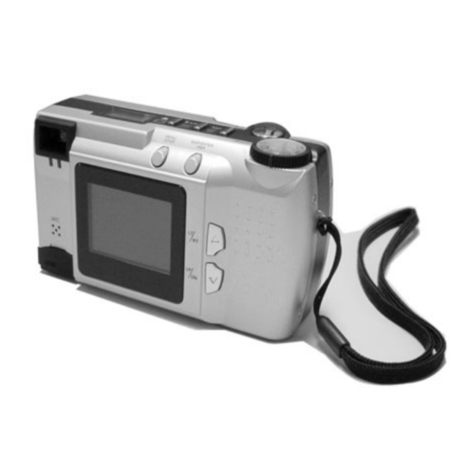
UMAX Technologies
UMAX Technologies ASTRAPIX 490 User manual
UMAX Technologies
UMAX Technologies ASTRACAM 1800 User manual
UMAX Technologies
UMAX Technologies ASTRACAM User manual
UMAX Technologies
UMAX Technologies ASTRAPIX 490 User manual
UMAX Technologies
UMAX Technologies PowerLook 1000 User manual
UMAX Technologies
UMAX Technologies C3 User manual

















