manuals.online logo
Brands
  1. Home
  2. •
  3. Brands
  4. •
  5. VERSATIVTECH
  6. •
  7. Camera Accessories
  8. •
  9. VERSATIVTECH Circuit Breaker Finder User manual

VERSATIVTECH Circuit Breaker Finder User manual

Popular Camera Accessories manuals by other brands

CamRanger CamRanger user manual

CamRanger

CamRanger CamRanger user manual

Custom Brackets HDV CAGE KIT Instructions for use

Custom Brackets

Custom Brackets HDV CAGE KIT Instructions for use

Aegis ABL052010P user manual

Aegis

Aegis ABL052010P user manual

Saft SRA Series Installation and operating instructions

Saft

Saft SRA Series Installation and operating instructions

Kodak TIB5200 technical information

Kodak

Kodak TIB5200 technical information

Videotec HEG instruction manual

Videotec

Videotec HEG instruction manual

Ikelite 6171.11 manual

Ikelite

Ikelite 6171.11 manual

Pentax Auto Bellows Slide Copier K user manual

Pentax

Pentax Auto Bellows Slide Copier K user manual

Nikon UT-1 user manual

Nikon

Nikon UT-1 user manual

dji RONIN 4D quick start guide

dji

dji RONIN 4D quick start guide

SLIK ABLE 300DX user manual

SLIK

SLIK ABLE 300DX user manual

Rebelcell 36V70 user manual

Rebelcell

Rebelcell 36V70 user manual

Trojan GC2 48V quick start guide

Trojan

Trojan GC2 48V quick start guide

Calumet 7100 Series CK7114 operating instructions

Calumet

Calumet 7100 Series CK7114 operating instructions

Ropox 4Single Series User manual and installation instructions

Ropox

Ropox 4Single Series User manual and installation instructions

Cambo Wide DS Digital Series Main operating instructions

Cambo

Cambo Wide DS Digital Series Main operating instructions

Samsung SHG-120 Specification sheet

Samsung

Samsung SHG-120 Specification sheet

Ryobi BPL-1820 Owner's operating manual

Ryobi

Ryobi BPL-1820 Owner's operating manual

manuals.online logo
manuals.online logoBrands
  • About & Mission
  • Contact us
  • Privacy Policy
  • Terms and Conditions

Copyright 2025 Manuals.Online. All Rights Reserved.

Digital Circuit Breaker Finder

with GFCI Tester & LED Flashlight
Quickly and accurately identify the corresponding circuit breaker
supplying power to any 90-120V AC standard outlet with the
VersativTECH®Circuit Breaker Finder with LED Flashlight & GFCI Tester
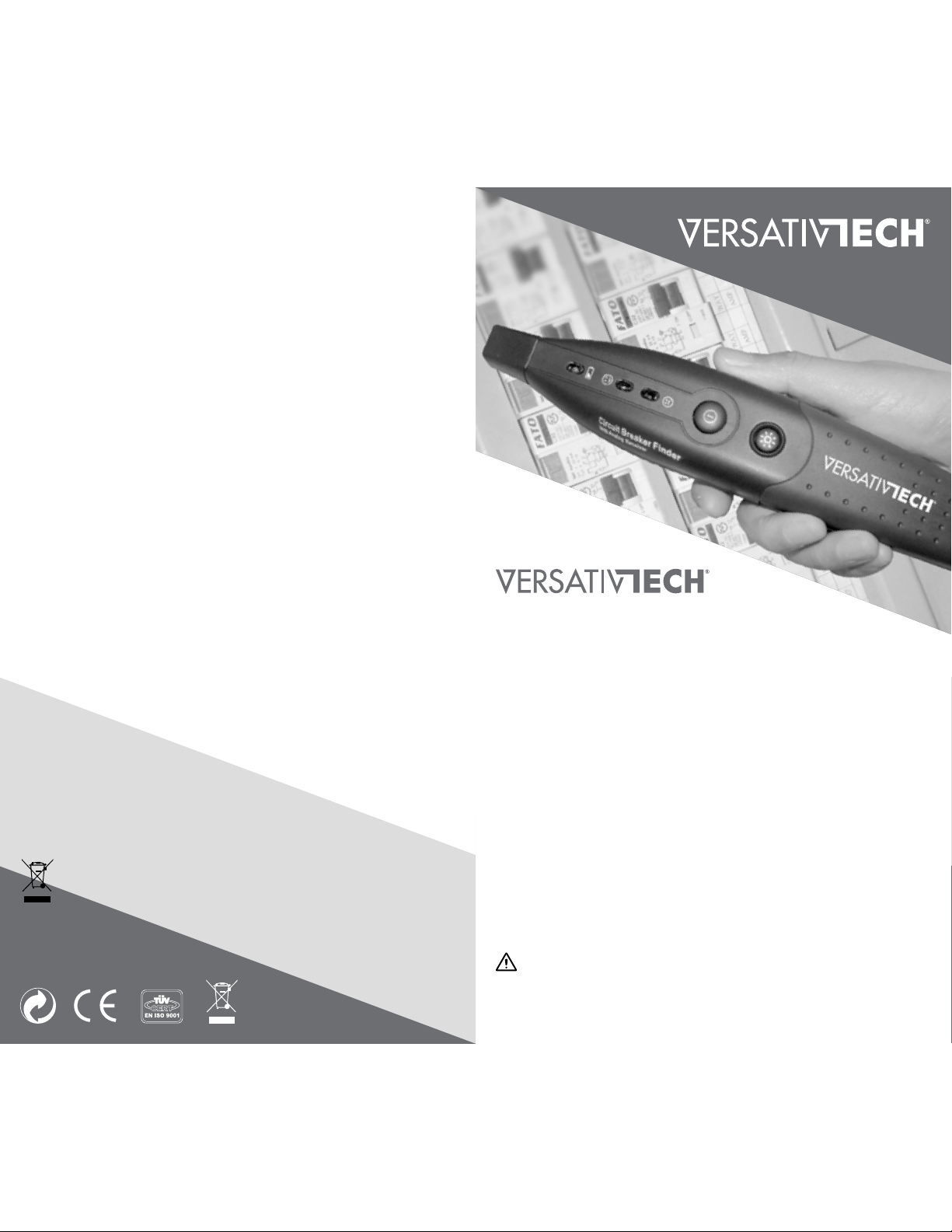
Key Features and Benefits
 Circuit Breaker Finder will locate the breaker associated with any
90-120V/60Hz AC outlet without tripping breaker or blowing fuse
 Advanced design with integrated LED Flashlight for dark areas
 Audible tone and LED Light Indicators for easy circuit identification
 Transmitter / GFCI Tester to identify five common wiring faults
 9V Battery and carry bag included
 Perfect tool for your home, office, power plant grids, during
installations, inspections, renovations, and much more
Exercise Extreme Caution Around Live Circuit Panels
Please read this manual carefully and thoroughly before using
this product. Use cautiously and do not exceed recommend voltage.
All detected problems should be referred to a qualified electrician.
Instruction Manual
English
www.VersativTECH.com
Troubleshooting
Please note this tool is NOT a comprehensive diagnostic instrument
 It cannnot test the ground fault circuit interruption function
of GFCI receptacles
 It cannot measure the quality of earth (ground) connections,
detect two hot wires or more than one fault in a circuit
If you are experiencing problems, below is a list of the most common
problems with faulty circuits to review with a qualified electrician
 Bad or No Connection
 Wrong Connection
 Noise at or near the Circuit
Maintenance & Cleaning
 Replace battery when the yellow LED low battery light is on
 Clean the unit using a damp or dry cloth
Storage
 Remove batteries when not used for a prolonged period of time
 Store in bag & avoid exposure to humidity or high temperatures
Specications
 Working temperature: 0 to 50°C (32 to 122°F)
 Power Supply: DC 9V 6F22 included for Receiver
 Working voltage: AC 125V/60Hz
 Weight: Receiver 5.29 oz (150g) & Transmitter 1.69 oz (48g)
 Receiver Dimensions: 7.8 x 2 x 1.6 in. (197 x 52 x 40mm)
 Transmitter Dimensions: 3.2 x 1.7 x 1.3 in. (81 x 42 x 32mm)
Disposal
 Do not place equipment and it’s accessories in the trash
 Many components of this equipment is made from valuable
materials; please recycle in accordance with local regulations
 Wrong Design Assumptions
 Bad Power Supply
 Bad Components
Safety Precautions
Please follow the instructions and observe these warnings:
 The VersativTECH®Receiver and Transmitter units must
be used together to identify the circuit breaker or fuse associated
with any outlet without tripping the breaker or blowing the fuse
 Understand the risks of working around live voltages and
exercise extreme caution around live, bare wires, etc.
Setting Up and Proper Usage
 Remove battery compartment cover with small Phillips screwdriver
 Plug battery terminals to socket mate inside & re-attach the cover
 During use, ensure FULL flat contact of the receiver tip with panel
Product
Overview
Ensure FULL flat contact of the receiver tip with
Transmitter Socket / GFCI Tester Instructions
 Test on a good known 90 -120V/60Hz outlet socket before use
 Unplugging all appliances connected to that circuit is recommended
 Plug the GFCI tester/transmitter into an outlet, press the test
button, check indicator lights and refer to Wiring Indicator Chart
Circuit Breaker Finder Instructions
 PLUG: Connect the transmitter into an 90-120V/60Hz outlet
 CONFIRM POWER: Confirm the outlet is wired correctly with
the yellow LED on and refer to the GFCI wiring chart below.
Leave the transmitter in the outlet and move to the circuit
breaker panel with the receiver in hand
 LIGHT: If panel is in dark area, use the built-in LED flashlight
 SCAN: Power on receiver , ensure the flat tip is in full contact
with panel (see diagram) and SLOWLY SCAN each circuit in turn
by moving it perpendicularly across the panel, one by one
 LEARN: The receiver needs to learn the panel as it picks up
circuit signals. Note that the green LED may light up several times
as the tool is learning the panel. When it lights up and beeps on
the 1st and 2nd scan pass, move the receiver away from
the panel signal until the LED light turns off, then back to
the panel at the same point and continue scanning
 IDENTIFY: On 3rd scan pass, the receiver will beep and the
green LED indicator will light only at the circuit breaker powering
the corresponding outlet of where the transmitter is plugged
 VERIFY (OPTIONAL): Switch the identified circuit breaker in
the panel to the OFF position, move back to location of the
transmitter to confirm that LED lights are off. This verifies that
the corresponding circuit breaker has been correctly identified
GFCI Wiring Indicator Chart
Indicator Fault Reason for Wiring Fault
Open ground Ground contact not connected
Open neutral Neutral contact not connected
Open hot Hot contact not connected
Hot/ground Reverse Hot & ground contacts reversed
Hot/neutral Reverse Hot & neutral contacts reversed
Correct Receptacle is wired correctly
Transmitter .
& GFCI Tester
Incorrect
Correct Incorrect
Test Button
Socket Test
Indicator Lights
OPEN GROUND
TERRE DÉBRANCHÉ
OPEN NEUTRAL
NEUTRE DÉBRANCHÉ
OPEN HOT
ACTIF DÉBRANCHÉ
HOT/GRD. REVERSE
ACTIF/TERRE INVERSÉS
HOT/NEU. REVERSE
ACTIF/NEUTR EI NVERSÉ S
CORRECT
CORRECT
TRANSMITTE R
Circuit Breaker Finder
Receiver .
Low Battery Indicator
Flashlight
on underside
Battery
Compartment
on underside
Receiver Tip with Sensor
Power On/Off
Green “breaker found” LED Indicator
Red “breaker not found” LED Indicator
LED Flashlight On/Off
Circuit Breaker Finder















