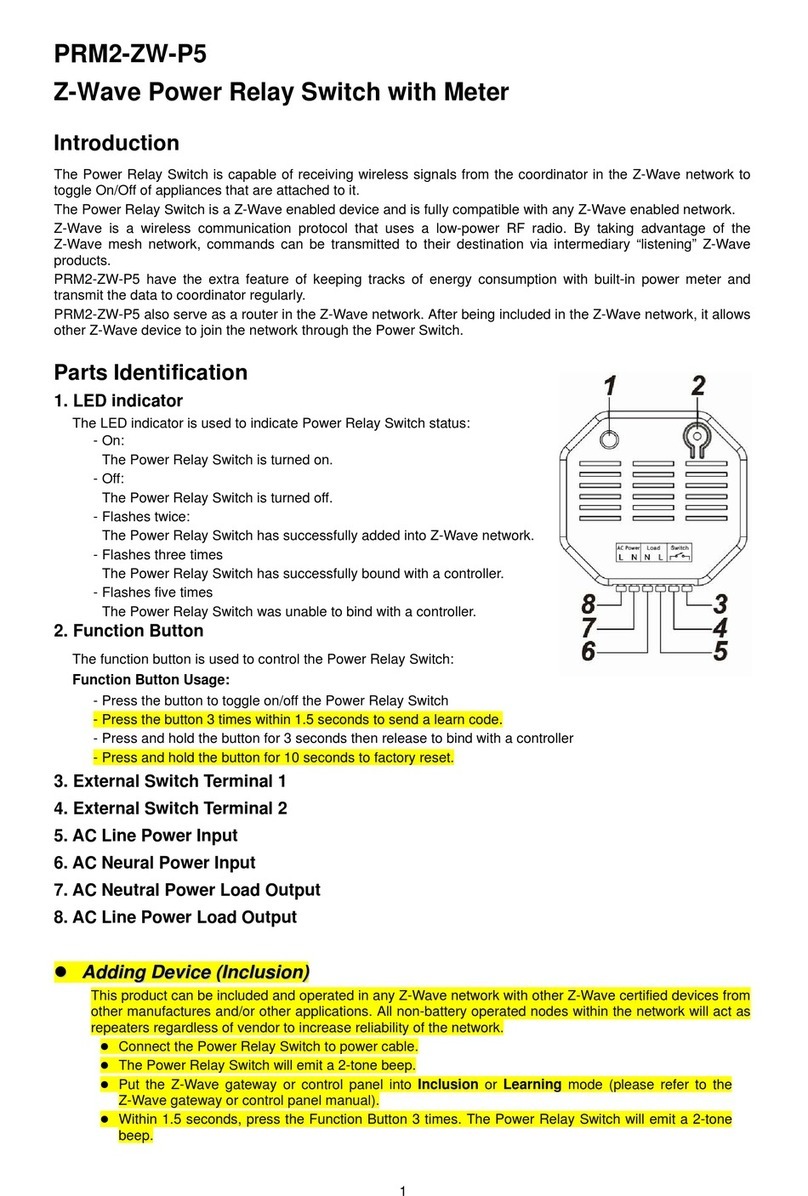
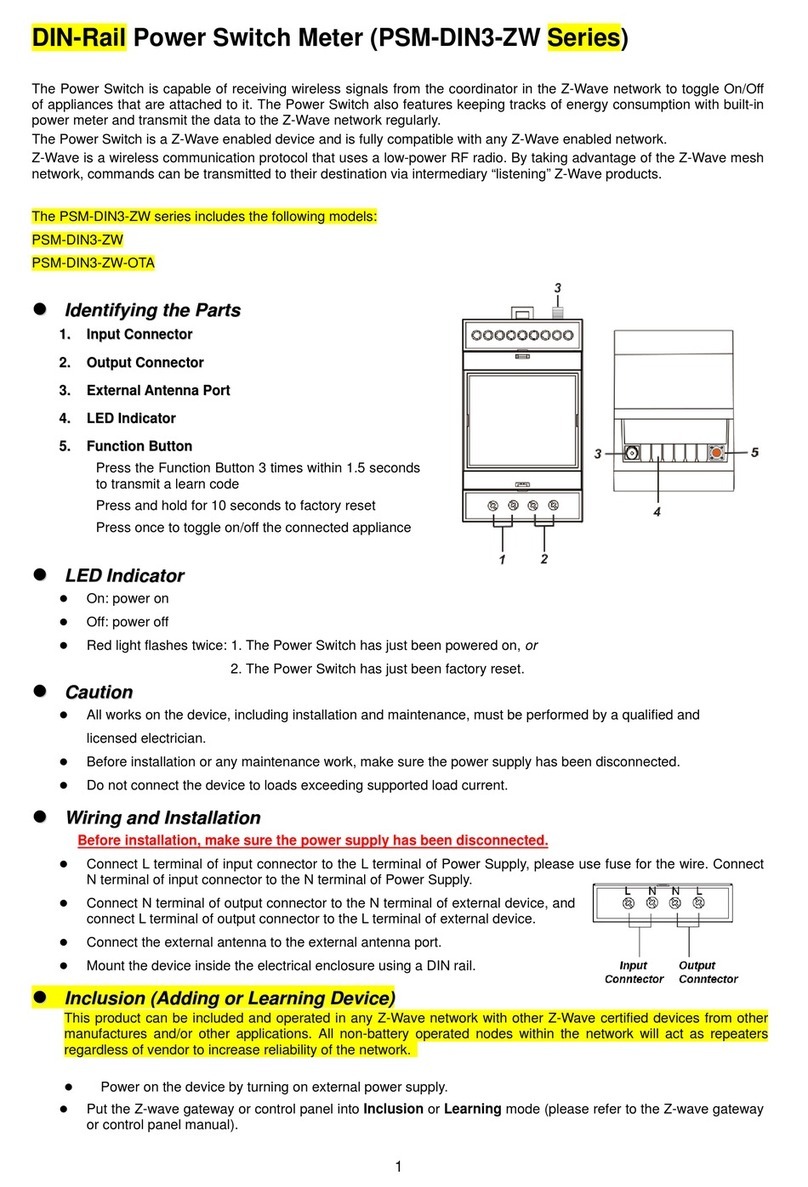
Adding Device (Inclusion)
This product can be included and operated in any Z-Wave network with other Z-Wave certified devices from
other manufactures and/or other applications. All non-battery operated nodes within the network will act as
repeaters regardless of vendor to increase reliability of the network.
Plug in theAC Input cable into the socket to power on the Clamp Meter.
Put the Z-Wave control panel into Inclusion mode (please refer to the Z-Wave control panel
manual).
Within 1.5 seconds, press the Function Button 3 times.
Refer to the operation manual of the Z-Wave Gateway or Control Panel to complete the adding
process.
If the device has already been added (included) into another Z-Wave Gateway/Control Panel, or if the
device is unable to be added into the current Z-Wave Gateway/Control Panel, try removing it first
(see Removing Device).
Removing Device (Exclusion)
The device must be removed from existing Z-Wave network before being added into another.
Exclusion Mode
Put the Z-Wave Gateway or Control Panel into Exclusion mode (please refer to the Z-Wave or
control panel manual).
Within 1.5 seconds, press the Function Button 3 times and the device will be removed from the
Z-Wave network.
Factory Reset
Factory resetting the device will restore it to factory default settings (i.e. not included into any Z-Wave
network). Please only use this procedure if the Z-Wave Gateway or Control Panel is lost or otherwise
inoperable.
Press and hold the Function Button of the device for 10 seconds to factory reset.
Range Test
To test whether the device is able to communicate with the Z-Wave Gateway or Control Panel:
Put the Gateway / Control Panel into range test mode (Walk Test).
Press the Function Button on the device.
The Gateway / Control Panel should display if the device is within the operation range (please refer to
the operation manual of the Gateway / Control Panel).
Energy Consumption Monitor
The Clamp Meter will transmit a signal from the clamp itself with its power consumption data every 10
minutes to the Z-Wave network coordinator.
Reading from clamp on Current Transformer Cable CT-1 is reported to Meter Channel 1
Reading from clamp on Current Transformer Cable CT-2 is reported to Meter Channel 2.
Whenever the Clamp’s energy output changes by +/- 2W, the Clamp Meter will automatically transmit
a signal with power consumption data to the Z-Wave network coordinator for update.
The Clamp Meter transmits a signal with power data to coordinator whenever accumulated power
usage of the clamp increases by 0.1kW/hr.
The Clamp has an accuracy of +/- 5%.
To clear the clamp of its accumulated power consumption data, follow steps below:
1. Un-plug AC cable to power down Clamp Meter.
2. Press and hold the function button, while holding the button, power on the Clamp Meter by
re-plug in the AC cable.
3. Release the function button when red LED starts to quickly flash.
4. Un-plug and re-plug AC cable again, clearing is complete.