manuals.online logo
Brands
  1. Home
  2. •
  3. Brands
  4. •
  5. Vicon
  6. •
  7. Digital Camera
  8. •
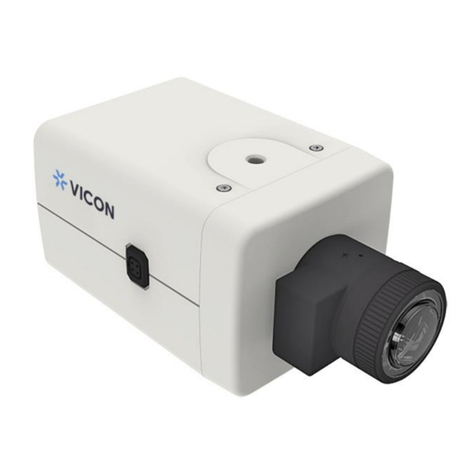
  9. Vicon V672-W Operating instructions

Vicon V672-W Operating instructions

Other Vicon Digital Camera manuals

Vicon Surveyor2000 User manual

Vicon

Vicon Surveyor2000 User manual

Vicon VC566DN User manual

Vicon

Vicon VC566DN User manual

Vicon VC-621 User manual

Vicon

Vicon VC-621 User manual

Vicon VC2500-DSP User manual

Vicon

Vicon VC2500-DSP User manual

Vicon V1110B-THM-TEMP User manual

Vicon

Vicon V1110B-THM-TEMP User manual

Vicon Roughneck Pro V2008-W-NL User manual

Vicon

Vicon Roughneck Pro V2008-W-NL User manual

Vicon IQeye Alliance-mini Series User manual

Vicon

Vicon IQeye Alliance-mini Series User manual

Vicon Valkyrie User manual

Vicon

Vicon Valkyrie User manual

Vicon VC2430A-24 User manual

Vicon

Vicon VC2430A-24 User manual

Vicon V9360-1 User manual

Vicon

Vicon V9360-1 User manual

Vicon IX 1000 L User manual

Vicon

Vicon IX 1000 L User manual

Vicon S2000-UPM User manual

Vicon

Vicon S2000-UPM User manual

Vicon Roughneck V2360W User manual

Vicon

Vicon Roughneck V2360W User manual

Vicon V8360W Series User manual

Vicon

Vicon V8360W Series User manual

Vicon VC2150A-24 User manual

Vicon

Vicon VC2150A-24 User manual

Vicon V1000-WIR-360 User manual

Vicon

Vicon V1000-WIR-360 User manual

Vicon IQeye 9 Series User manual

Vicon

Vicon IQeye 9 Series User manual

Vicon V-CELL-HD-C User manual

Vicon

Vicon V-CELL-HD-C User manual

Vicon IQB9 User manual

Vicon

Vicon IQB9 User manual

Vicon V660B Series Operating instructions

Vicon

Vicon V660B Series Operating instructions

Popular Digital Camera manuals by other brands

Canon WP-DC35 user guide

Canon

Canon WP-DC35 user guide

Xiaomi 70mai Dash Cam Lite user manual

Xiaomi

Xiaomi 70mai Dash Cam Lite user manual

Samsung PL70 Quick start manual

Samsung

Samsung PL70 Quick start manual

GE E1680W user manual

GE

GE E1680W user manual

Canon EOS 1200D instruction manual

Canon

Canon EOS 1200D instruction manual

Tevion MD 86497 user guide

Tevion

Tevion MD 86497 user guide

Exakta VX Features

Exakta

Exakta VX Features

Kodak Digital Science DC120 user guide

Kodak

Kodak Digital Science DC120 user guide

Nikon FM3A Specifications

Nikon

Nikon FM3A Specifications

Vectra Fitness H1 Quick reference guide

Vectra Fitness

Vectra Fitness H1 Quick reference guide

Nikon COOLPIX 775 quick start guide

Nikon

Nikon COOLPIX 775 quick start guide

Olympus IR 500 - 4MP Digital Solutions Camera Manuel de Référence

Olympus

Olympus IR 500 - 4MP Digital Solutions Camera Manuel de Référence

Samsung EC-L100ZBBA brochure

Samsung

Samsung EC-L100ZBBA brochure

FujiFilm FINEPIX BL01124-201 owner's manual

FujiFilm

FujiFilm FINEPIX BL01124-201 owner's manual

Panasonic DMC-L10KPP Service manual

Panasonic

Panasonic DMC-L10KPP Service manual

Hyundai Electric HYU-CC-CHBF12001 Quick installation guide

Hyundai Electric

Hyundai Electric HYU-CC-CHBF12001 Quick installation guide

Sony DSC-WX80 specification

Sony

Sony DSC-WX80 specification

Nikon Nuvis S - Point & Shoot instruction manual

Nikon

Nikon Nuvis S - Point & Shoot instruction manual

manuals.online logo
manuals.online logoBrands
  • About & Mission
  • Contact us
  • Privacy Policy
  • Terms and Conditions

Copyright 2025 Manuals.Online. All Rights Reserved.

V672-W HD Analog Box Cameras
Installation and Operation Guide
Vicon Industries Inc. does not warrant that the functions contained in this equipment
will meet your requirements or that the operation will be entirely error free or
perform precisely as described in the documentation. This system has not been
designed to be used in life-critical situations and must not be used for this purpose.
Document Number: 8009-8299-20-00
Product specifications subject to change without notice.
Issued: 2/17 Copyright © 2017 Vicon Industries Inc. All rights reserved.
XX299-20
Vicon Industries Inc.
Tel: 631-952-2288) Fax: 631-951-2288
Toll Free: 800-645-9116
24-Hour Technical Support: 800-34-VICON
(800-348-4266) UK: 44/(0) 1489-566300
www.vicon-security.com
2
FCC COMPLIANCE STATEMENT
CE COMPLIANCE STATEMENT
WARNING: This is a Class A product. In a domestic environment this product may
cause radio interference in which case the user may be required to take adequate
measures.
CAUTION: Changes or modifications not expressly approved by the party
responsible for compliance could void the user’s authority to operate the equipment.
FCC INFORMATION: This equipment has been tested and found to comply with the
limits for a Class A digital device, pursuant to Part 15 of the FCC Rules. These limits
are designed to provide reasonable protection against harmful interference when the
equipment is operated in a commercial environment. This equipment generates,
uses, and can radiate radio frequency energy and, if not installed and used in
accordance with the instruction manual, may cause harmful interference to radio
communications. Operation of this equipment in a residential area is likely to cause
harmful interference in which case the user will be requ
ired to correct the interference
at his own expense.
This device complies with Part 15 of the FCC Rules. Operation is subject to the
following two conditions: (1) this device may not cause harmful interference, and (2)
this device
must accept any interference received, including interference that may
cause undesired operation.
3
IMPORTANT SAFETY INSTRUCTIONS
1. Read these instructions.
2. Keep these instructions.
3. Heed all warnings.
4. Follow all instructions.
5. Do not block any ventilation openings. Install in accordance with the manufacturer’s
instructions.
6. Do not install near any heat sources such as radiators, heat registers, stoves, or other
apparatus (including amplifiers) that produce heat.
7. Only use attachments/accessories specified by the manufacturer.
8. Use only with the cart, stand, tripod, bracket, or table specified by
The manufacturer, or sold with the apparatus. When a cart is used,
Use caution when moving the cart/ apparatus combination to avoid
Injury from tip-over.
9. CAUTION – THESE SERVICING IN STRUCTIONS ARE FOR USE BY QUALIFIED
SERVICE PERSONNEL ONLY. TO REDUCE THE RISK OF ELECTRIC SHOCK DO
NOT PERFORM ANY SERVICING OTHER THAN THAT CONTAINED IN THE
OPERATING INSTRUCTIONS UNLESS YOU ARE QUALIFIED TO DO SO.
10. Use satisfy clause 2.5 of IEC60950-1/UL 60950-1 or Certified/Listed Class 2
power source only.
11. Indoor use only.
EXPLANATION OF GRAPHICAL SYMBOLS
The lighting flash with arrowhead symbol, within an equilateral triangle, is
Intended to alert the user to the presence of uninsulated “dangerous voltage”
within the product`s enclosure that may be of sufficient magnitude to constitute
a risk of electric shock to persons.
The exclamation point within an equilateral triangle is intended to alert the user
to the presence of important operating and maintenance (servicing)
instructions in the literature accompanying the appliance.
LIMITATION OF LIABILITY
THE INFORMATION IN THIS PUBLICATION IS BELIEVED TO BE ACCURATE IN ALL
RESPECTS; HOWEVER, WE CANNOT ASSUME RESPONSIBILITY FOR ANY
CONSEQUENCES RESULTING FROM THE USE THEREOF. THE INFORMATION
CONTAINED HEREIN IS SUBJECT TO CHANGE WITHOUT NOTICE. REVISIONS OR
NEW EDITIONS TO THIS PUBLICATION MAY BE ISSUED TO INCORPORATE SUCH
CHANGES.

4
PRECAUTIONS
Before installation, carefully read the manual to ensure correct operation and setup,
heeding all warnings and instructions.

Do not block any ventilation openings. Install in accordance with the manufacturer's
instructions.
Ensure manual is kept in good condition for future use.
Do not install the device near any heat sources such as radiators, heat registers, stoves,
or other equipment(including amplifiers) that produce heat.
Only use attachments/accessories specified by the manufacturer.
Should any liquid get into the housing, immediately disconnect the device from the power
supply and have it checked by authorized personnel before reusing.
Do not install the device in a place where it is exposed to gas or oil.
Installation and servicing by authorized personnel only, adhering to local safety regulations.
Unless you are an authorized technician, never try to dismantle the device. To avoid
electric shock, never remove the screws or covers.
If a camera, do not expose the device to radioactivity. It will cause serious damage to the
CCD.
Use Certified/Listed Class 2 power source only.
Cleaning
Clean the device with a slightly damp soft cloth. Use a mild household detergent. Never
use strong solvents such as thinner or benzene as they might damage the finish of the unit.
5
TABLE OF CONTENTS
INTRODUCTION ------------------------------------------------------------------------- 6
CONTENTS OF PACKAGE ----------------------------------------------------------- 7
CAMERA OVERVIEW ------------------------------------------------------------------ 7
STRUCTURE OF THE SETUP MENU ---------------------------------------------- 8
SPECIFICATIONS ----------------------------------------------------------------------- 14
6
INSTRUCTION
The V672-W-NL full HD analog box camera provides high-quality images using
CMOS technology especially for closed circuit television CCTV and security
surveillance application.
Features:
• High performance Sony 1/2.8” 2.1M Starvis CMOSTM
• Min. illumination 0.03 lux (DSS off)
• Auto electronic shutter [1/30(1/25) ~ 1/30,000] and manual electronic shutter modes
• True WDR (Wide Dynamic Range) in HD mode
• D-WDR (Digital Wide Dynamic Range) in composite video mode
• BLC (Backlight compensation)
• HLC (High light compensation)
• Auto and manual white balance modes (AUTO/AUTOext/Manual/AWB)
• Day & Night (ICR): Auto/Color/BW/EXTERN
• OSD (On Screen Display)
• DNR (Digital Noise Reduction)
• Privacy mask function (16 zones)
• Motion Detection (4 zones)
• Defog
• Composite Video Output (700 TV Lines)
• Operates in 24 VAC ± 10% / 12 VDC ± 10%
• Use Certified/Listed Class 2 Power source only
IMPORTANT: The user of this camera is responsible for checking and
complying with local, state, and federal laws and statutes concerning the
recording and monitoring of audio signals.
7
CONTENTS OF PACKAGE
Installation of the camera must be performed by qualified service personnel in accordance
with all local and national electrical and mechanical codes.
Carefully remove the color camera and its accessories from the carton and verify that they
were not damaged in shipment.
The content of the package includes:
1. Camera
2. This manual
3. L Wrench
CAMERA OVERVIEW
①
Left Button
②
Up Button
③
Enter Button
④
Right Button
⑤
Down Button
⑥
Power Indicator
⑦
HD-Video Out Connector (BNC)
⑧
CVBS Video Out Connector (BNC)
⑨
24 VAC/12 VDC Input Terminal
8
STRUCTURE OF THE SETUP MENU
<MENU>
EXPOSURE
BACKLIGHT
DAY&NIGHT
AWB
DNR
IMAGE
SYSTEM
EXIT
<EXPOSURE>
IRIS
BRIGHTNESS
SHUTTER
SENS-UP
AGC
RETURN
<BACKLIGHT>
OFF
HLC
BLC
WDR
<DAY&NIGHT>
AUTO
COLOR
B&W
EXTERN
<AWB>
AUTO
AUTOext
PRESET
MANUAL
<DNR>
OFF
LOW
MIDDLE
HIGHT
<IMAGE>
COLOR GAIN
SHARPNESS
GAMMA
MIRROR
FLIP
D-WDR
DEFOG
PRIVACY
MOTION
RETURN
<SYSTEM>
OUTPUT
FRAME RATE
FREQ
LANGUAGE
SETUP
RESET
RETURN
9
Use the joystick switch on the rear of the camera to navigate the setup menus. Use up or down to
move the cursor to select the menu option, left or right to view setting options; press Enter to select.
EXPOSURE
The EXPOSURE menu is used to set the automatic light control method for the camera.
It provides the ability to adjust the IRIS, BRIGHTNESS, SHUTTER speed, SENS-UP and
AGC functions of the camera.
1) IRIS Select the IRIS mode: ▶ALC (DC), ELC (Manual)
2) BRIGHTNESS Adjust the BRIGHTNESS level: ▶0 - 20
3) SHUTTER Select the SHUTTER speed level:
▶Auto (INDOOR, OUTDOOR, DEBLUR), MANUAL 1/30(25) - 1/30000,
FLICKER
4) SENS-UP Select the Digital Slow Shutter level: ▶OFF, x2 ~ x32
5) AGC Adjust the Auto Gain Control level: ▶0 - 10
<EXPOSURE> Mode
BACKLIGHT
The BACKLIGHT menu is used to prevent the loss of detail due to uneven lighting in the
image.
1) HLC:Improves the ability to identify subjects in brightly lit situations by filtering out
(masking) the strength of the light. Mask the high light zone with specific color and level.
LEVEL Select the HLC level: ▶0 ~ 20
COLOR Select the HLC area color:
▶BLK, CUSTOMIZE, WHT, YEL, CYN, GRN, MAG, RED, BLU
MAIN MENU
SHUTTER
EXPOSURE
▶EXPOSURE MODE INDOOR
BACKLIGHT
OFF
IRIS
ALC
RETURN

DAY&NIGHT EXTERNBRIGHTNESS 10 ┃-----┃
AWB
AUTO
SHUTTER
AUTO
DNR
LOW
SENS-UP
x4
IMAGE AGC 7 ┃-----┃
SYSTEM

RETURN

EXIT
10
2) BLC:Compensates for a loss of detail on dark subjects due to backlighting by
providing increased brightness on the overall scene. Adjust the position and size of
Back Light Compensation area.
H-POS Adjust the BLC area window horizontal position: ▶0 - 20
V-POS Adjust the BLC area window vertical position: ▶0 - 20
H-SIZE Adjust the BLC area window horizontal size: ▶0 - 20
V-SIZE Adjust the BLC area window vertical size: ▶0 - 20
3) WDR:Expands the dynamic range light effect to secure a clear image under all
illumination environments. True WDR in HD mode only.
MODE Select the WDR area: ▶NORMAL, ROI
WEIGHT Adjust the WDR level: ▶LOW, MIDDLE, HIGH
Note:
When CVBS video is connected, the WDR function cannot be turned on.
<BACKLIGHT> Mode
DAY&NIGHT
The DAY&NIGHT menu is used to configure how the camera handles color and changes
between the day and night modes.
1) EXTERN
ANTI-SAT. Adjust levels of anti-saturation: ▶0 - 20
EXTERN SW Adjust levels of external sensor: ▶LOW, HIGH
D>N THRES Adjust levels of day to night transition: ▶0 - 20
N>D THRES Adjust levels of night to day transition: ▶0 - 20
DELAY Adjust time of day to night mode transition:
▶LOW, MIDDLE, HIGH
MAIN MENU
HLC
BLC
EXPOSURE

▶BACKLIGHT OFF LEVEL 10 ┃-----┃H-POS 8
DAY&NIGHT
EXTERN
COLOR
BLK
V-POS
7
AWB AUTO RETURN

H-SIZE 3
DNR
LOW
V-SIZE
3
IMAGE

RETURN

SYSTEM

EXIT
WDR
MODE
NORMAL
WEIGHT
MIDDLE
RETURN
