Table Of Contents
vi
Table Of Contents
Getting to Know Your TV .............................................7
Inspecting the Package Contents ...................................................... 7
Installing the TV ..................................................................................8
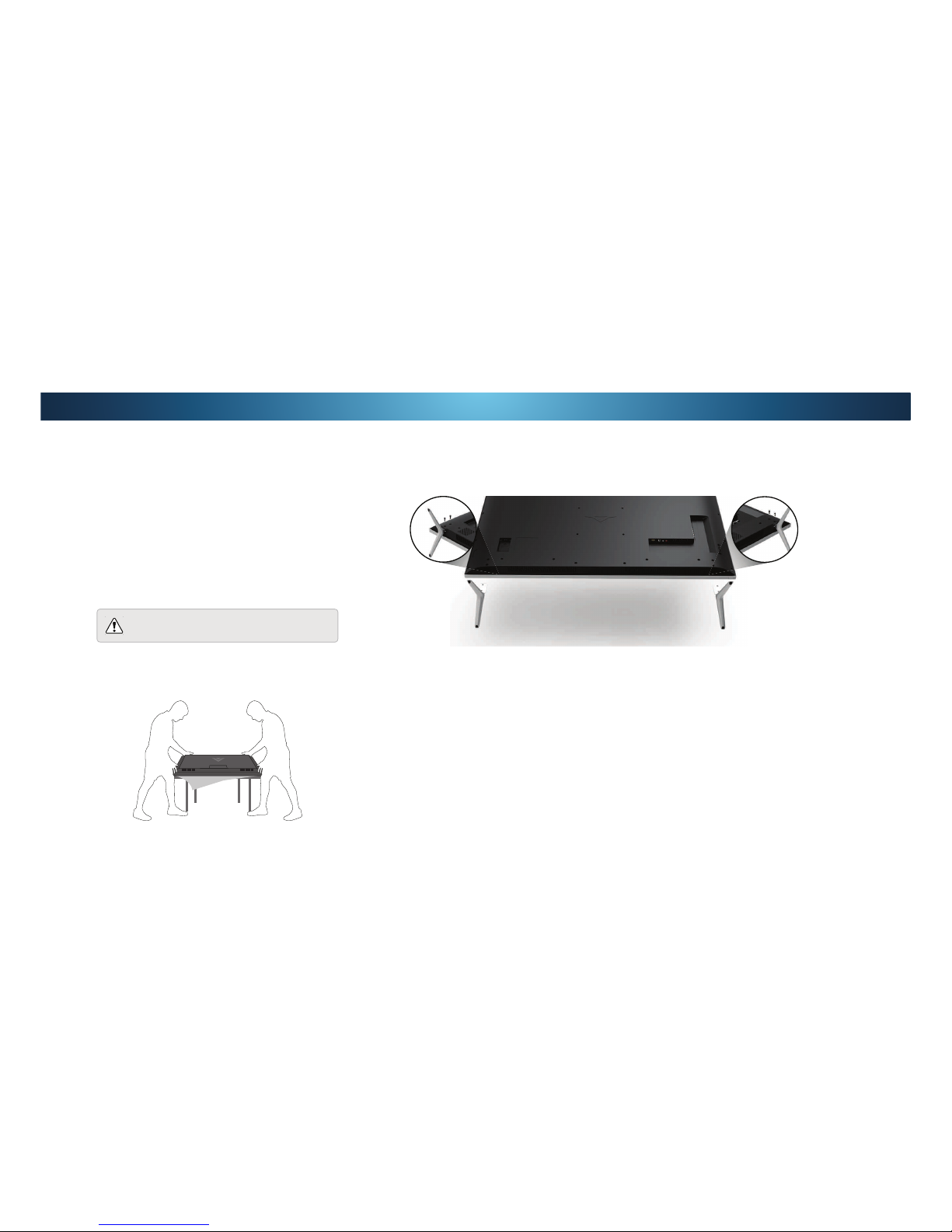
Installing the TV Stand ....................................................................8
Installing the TV on a Wall...............................................................9
Front Panel .......................................................................................... 10
Rear Panel ...........................................................................................11
Remote Control Front......................................................................... 12
Replacing the Batteries ...................................................................13
Connecting Your Devices.............................................14
Connecting A Device ...........................................................................14
Connecting A Device - Audio & Video Cable Types........................... 15
Connecting an Audio Device ..............................................................16
Connecting An Audio Device - Audio Cable Types............................17
Connecting an Audio Device - Arc .....................................................18
Connecting to Your Network..............................................................19
Connecting to a Wired Network (Best)...........................................19
Connecting to a Wireless Network .................................................19
Completing The First-Time Setup ...............................20
Using the On-Screen Menu .........................................23
Navigating the On-Screen Menu........................................................23
Changing the Input Source ................................................................ 23
Changing the Screen Aspect Ratio.....................................................24
Viewing Video with the Menu Open ..................................................24
Adjusting the Picture Settings............................................................25
Adjusting More Picture Settings .....................................................26
Adjusting the Picture Mode Edit Settings ......................................26
Saving a Custom Picture Mode .......................................................27
Locking/Unlocking a Custom Picture Mode...................................27
Deleting a Custom Picture Mode....................................................28
Resetting Picture Mode ................................................................... 28
Adjusting the Color Tuner Settings ................................................29
Adjusting the Audio Settings..............................................................31
Changing the Equalizer Settings..................................................... 31
Deleting the Custom Audio Mode ..................................................32
Setting Timers .....................................................................................33
Setting the Sleep Timer ................................................................... 33
6HWWLQJWKH$XWR3RZHU2)HDWXUH ............................................... 33
Enabling the Screen Saver ..............................................................33
Blank Screen Feature ......................................................................33
Using the Network Connection Menu ...............................................34
Connecting to a Wireless Network .................................................34
Changing the Manual Setup Settings .............................................34
Finding MAC Addresses for Network Setup...................................34
Connecting to a Hidden Network ................................................... 35
Setting Up channels............................................................................36
Selecting a Channel Source.............................................................36
Scanning for Channels .................................................................... 36
Adding New Channels .....................................................................36
Skipping Channels ...........................................................................37
Listening to Alternate Audio .............................................................. 38
Changing the Analog Audio Language ........................................... 38
Changing the Digital Audio Language ............................................ 38
Setting Up Closed Captioning ............................................................39
Changing the Appearance of Digital Closed Captions .................. 39
Renaming Devices on the Input Menu ..............................................41
Changing the TV Settings ...................................................................42
Viewing System Information...........................................................42
Changing the On-Screen Menu Language .....................................42
Setting the Time and Local Settings ............................................... 43
Using the Parental Controls............................................................ 43
Accessing the Parental Controls Menu .......................................... 43
Enabling or Disabling Program Ratings ......................................... 43
Locking and Unlocking Channels....................................................43
Blocking and Unblocking Content by Rating ................................. 44
Changing the Parental Control PIN ................................................ 44
Resetting the Content Locks ........................................................... 44
Changing the View Mode Settings.................................................. 45
Adjusting the Wide Mode (Aspect Ratio)........................................45
Changing your TV Name.................................................................. 45
Adjusting the CEC Settings ..............................................................46
7XUQLQJWKH3RZHUΖQGLFDWRU2QRU2 ..........................................46
Using the Reset & Admin Menu......................................................... 47
Restoring the TV to Factory Default Settings.................................47
Using the Guided Setup Menu........................................................48
Using Guided Setup......................................................................... 48
Using the Info Window .......................................................................48
Using the USB Media Player........................................49
Using the USB Media Player...............................................................49
Preparing Your USB Drive to Play USB Media ............................... 49
Playing USB Media........................................................................... 49
Removing the USB Drive from the TV ............................................49
Using VIZIO Internet Apps Plus®(V.I.A. Plus) .............53
Using the fullscreen V.I.A. Apps Window .......................................... 54
Fullscreen V.I.A. Plus Apps Window Overview ..................................55
Customizing the V.I.A. Plus Apps Window ........................................56
Adding an App to the My Apps Tab................................................ 56
Deleting an App from the My Apps Tab.........................................56
Moving an App in My Apps ............................................................. 56
Viewing Ultra HD Content ...........................................58
What is Ultra HD?................................................................................58
What You Need to View Ultra HD Content........................................ 58
What is HDMI 2.0 and HDCP 2.2? ......................................................58
Troubleshooting & Technical Support........................59
6SHFLȴFDWLRQV ...............................................................63
Warranty.......................................................................66
Legal & Compliance .....................................................67