6
Operation
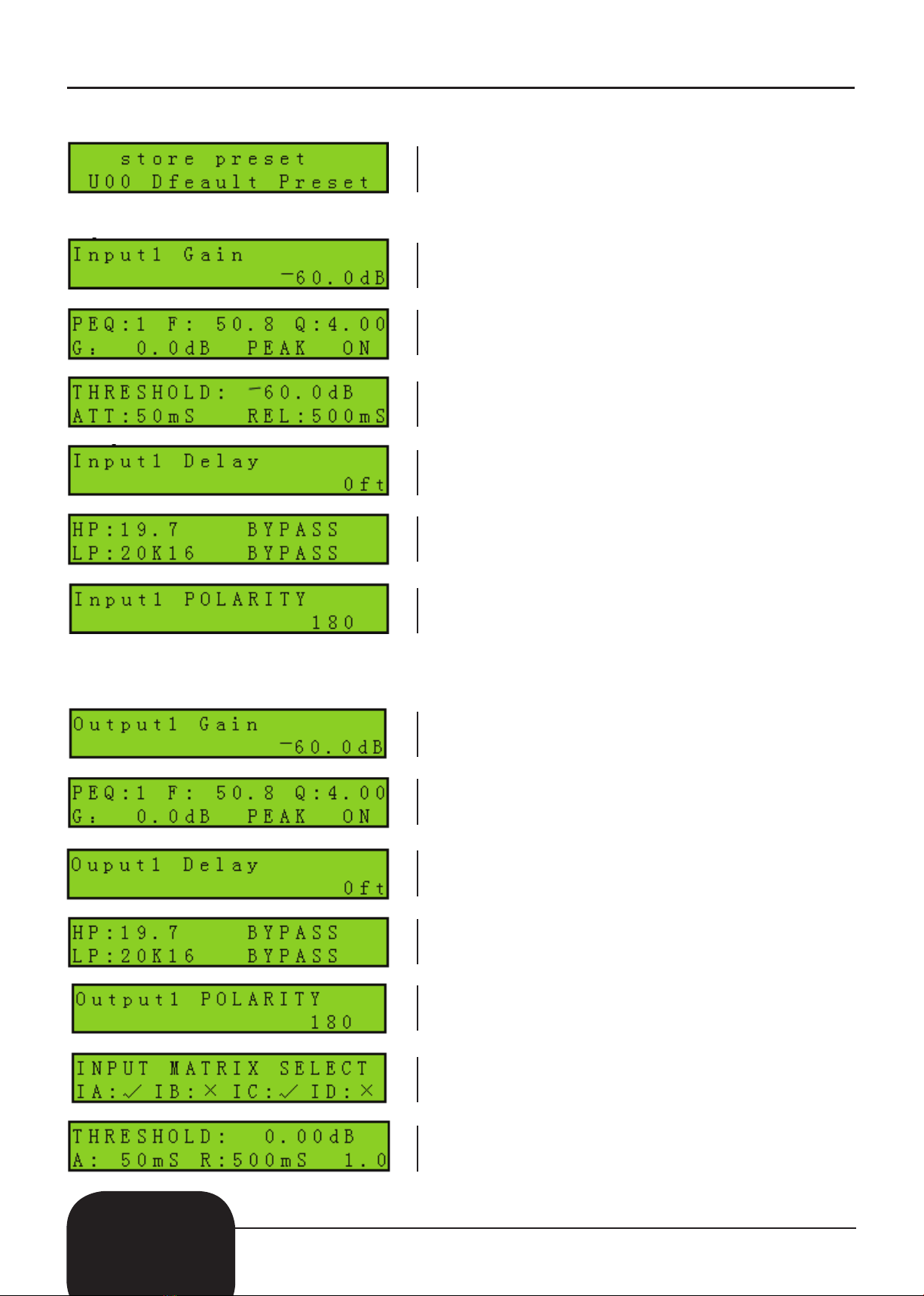
To save any of the settings please follow the instructions below;
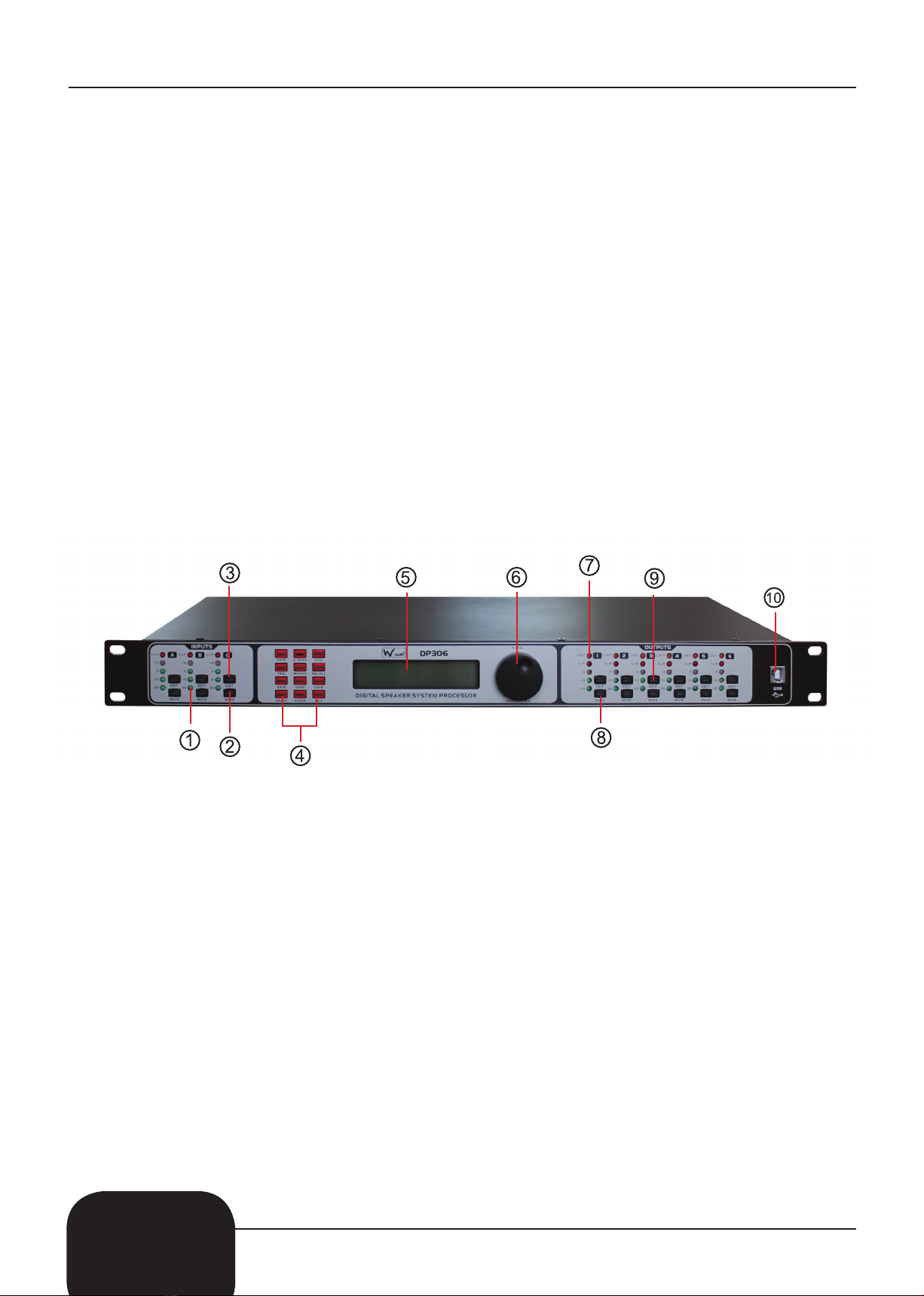
To edit the input settings please follow the instructions below;
To edit the output settings please follow the instructions below;
2. To save the settings, press the “SAVE” button to enter the preset save option.
You can save the setting into “U-00” - “U-30”.
Note that “F00” can not be saved into.
1. The tolerant preferred is “GAIN”, this ranges from -60dB - +12dB.
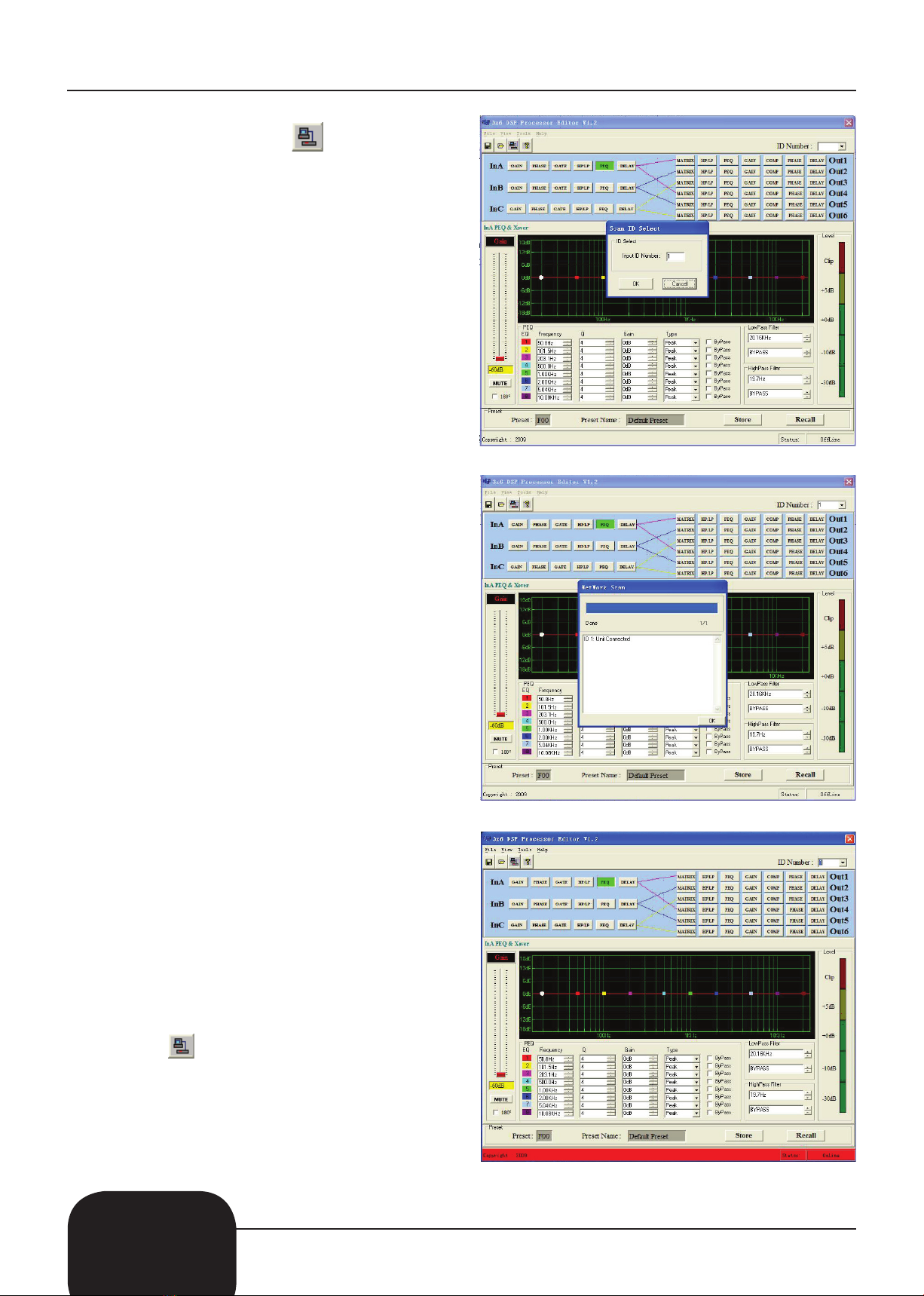
2. Now press the “PEQ” button to edit the parameter settings:
The Current filter location (DP24/36 is 1-8, DP48 is 1-6).
The scale of “F” is 20Hz - 20kHz, “Q” is 0.4 - 128 and “G” is -12dB - +12dB.
The style of the filter is PEAK: LOW/HIGH - SHELF, bypass On/Off.
3. Press the “GATE” button to edit the noise gate settings:
“THRESHOLD” settings are from -90dB - -0dB
“ATT” start up times range from 1mS - 200mS.
“RE” times range from 1mS - 999mS.
4. Press the “DELAY” button to edit the delay settings: 0 - 682mS, 0 -234m, 0 - 769ft.
5. Press the “X-OVER” button to edit the high/low parameter settings:
“HP” ranges from 20Hz - 20kHz., “LP” ranges from 20Hz - 20kHz
There are three slanting rates for the high/low pass filter: “BUTTERWORTH”, “BESSEL”
and “LINKWITZ”, the slanting rate is DP24/36 is -6dB - -48dB, DP48 is -6dB - -24dB.
6. Press the “PHASE” button to edit the phase settings:
The phase settings range from 0˚ - 180˚.
1. The tolerant preferred is “GAIN”, this ranges from -60dB - +12dB.
2. Now press the “PEQ” button to edit the parameter settings:
The Current filter location (DP24/36 is 1-8, DP48 is 1-6).
The scale of “F” is 20Hz - 20kHz, “Q” is 0.4 - 128 and “G” is -12dB - +12dB.
The style of the filter is PEAK: LOW/HIGH - SHELF, bypass On/Off.
3. Press the “DELAY” button to edit the delay settings: 0 - 682mS, 0 -234m, 0 - 769ft.
4. Press the “X-OVER” button to edit the high/low parameter settings:
“HP” ranges from 20Hz - 20kHz., “LP” ranges from 20Hz - 20kHz.
There are three slanting rates for the high/low pass filter: “BUTTERWORTH”, “BESSEL”
and “LINKWITZ”, the slanting rate is 2 x 4/3 x 6 is -6dB - -48dB, 4 x 8 is -6dB - -24dB.
5. Press the “PHASE” button to edit the phase settings:
The phase settings range from 0˚ - 180˚.
6. Press the “MATRIX” button to edit the matrix settings:
All of the output channels can be selected from single or multiple input signals.
7. Press the “COMP” button to edit the compressor settings. The settings are as follows:
“THRESHOLD” is -60dB - -0dB.
“A” is1mS - 200mS, “R” is 1mS - 999mS.
The compress rate is 1:1, 1:1.3, 1:1.5 - LIMIT.