Pitch
(continued)
In
Pitch
mode,
SmartLevel measures from level (or
0:12)
to
76° (or48:12). After
76~
SmartLevel mea-
sures
deviation
in
inches per foot of
nm
from vertical
(plumb).
As
aresult, both level
and
plumb read "0"
on
the
display.
For
using
SmartLevel
on
projects requiring metric
units,
use
the
% slope mode to measure pitch. The
grade
of
an
angle
is
equivalent
to
centimeters ofrise
per
meter of
run.
Simulated
Bubble
[,
;:~
Out
of
level
[, r
:-:
-•
Closer
II
;:::-
.
.
Perfectly
level
6
Smartlevel
Features
(s:;:•)
•[
•[
Indicates
Sensor
Module
is
nearing
level
or
plumb
as
bubble
moves
closer
to
centerline.
The
sensitivity
of
the
bubble's
movement
on
the
display
is
con-
trolled
by
the
Range
(accuracy)
setting,
with
"1"
being
more
sen-
sitive
than
''2:'
Changing
to
the
Degree(
0)
Mode
will
allow
you
to
see
how
far
off
level
and
plumb
you
are
using
numbers
.
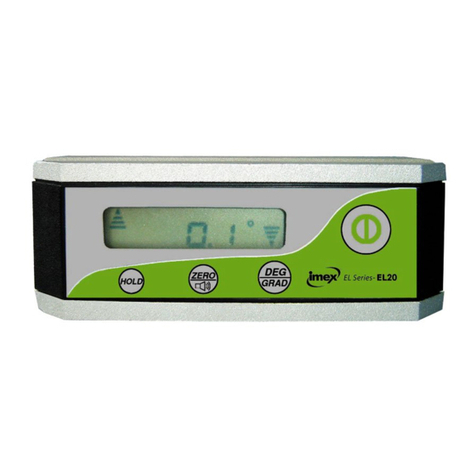
Reset/SuperSet
Button
Recalibrating
SmartLevel
!Mooel
1
Shift
00
0
u
u.u
0
PRO
SMJ\RTLEVEL:
I
HOLD
I
Range
This
button
is
the
key
to
keeping
your
SmartLevel
accurate.
No
level
can
withstand
the
abuses
of
a
construction
site
with-
out
losing
accuracy
over
time,
but
with
SmartLevel
you
can
recalibrate
to
factory
specs
quickly
and
easily.
There
are
two
procedures
that
you
will
use
to
do
this:
Reset
and
SuperSet.
•
Reset
is
a
simple
"end-for-end"
procedure
you
should
use
daily"
before
you
begin
working.
It
takes
less
than
30
seconds
to
perform.
•
SuperSet
recalibrates
SmartLevel
through
its
entire
360°
range.
It's
an
eight-step
procedure
that
takes
just
a
couple
of
minutes.
Because
SmartlLevel
is
digital,
you
can
easily
determine
if
it's
reading
correctly-
just
compare
numbers
in
a
simple
"end-for-end"
test-
not
unlike
what
you
do
with
a
bubble
level
to
make
sure
it's
okay.
Use
this
diagnostic
test
daily
to
see
if
you
need
to
Reset
or
SuperSet
your
SmartLevel.
•
Lay
your
Smartlevel
on
a
clean,
flat
surface.
(It
doesn't
have
to
be
exactly
level.)
Wait
10
seconds,
and
note
the
angle
on
the
display.
•
Rotate
the
level
end-for-end
so
the
display
is
on
the
opposite
side.
Be
sure
and
set
Smartlevel
in
exactly
the
same
spot,
and
allow
it
to
sit
for
at
least
10
seconds
before
reading
the
angle
again.
•If
your
measurements
vary
by
more
than
0.1
o_
which
can
be
caused
by
surface
irregularities-
you
should
Reset.
Smartlevel
Features
7