manuals.online logo
Brands
  1. Home
  2. •
  3. Brands
  4. •
  5. Xilinx
  6. •
  7. Motherboard
  8. •
  9. Xilinx ZC702 User manual

Xilinx ZC702 User manual

Other manuals for ZC702

5

This manual suits for next models

1

Other Xilinx Motherboard manuals

Xilinx VC709 Si570 Owner's manual

Xilinx

Xilinx VC709 Si570 Owner's manual

Xilinx VCK5000 User manual

Xilinx

Xilinx VCK5000 User manual

Xilinx Spartan-3A DSP FPGA Series User manual

Xilinx

Xilinx Spartan-3A DSP FPGA Series User manual

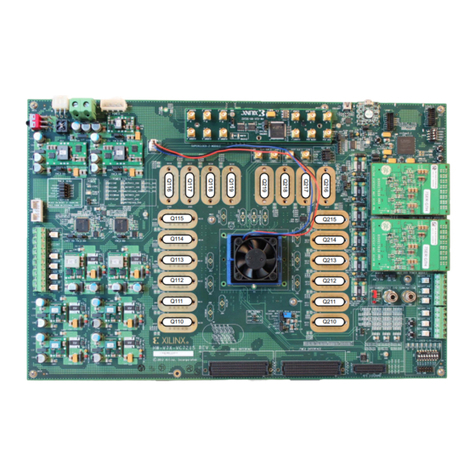
Xilinx Virtex-7 FPGA VC7222 IBERT User manual

Xilinx

Xilinx Virtex-7 FPGA VC7222 IBERT User manual

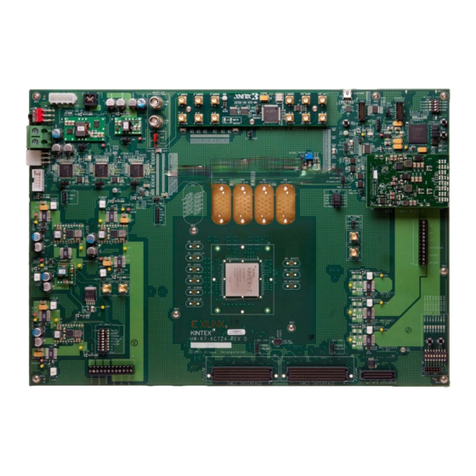
Xilinx Kintex-7 FPGA KC705 User manual

Xilinx

Xilinx Kintex-7 FPGA KC705 User manual

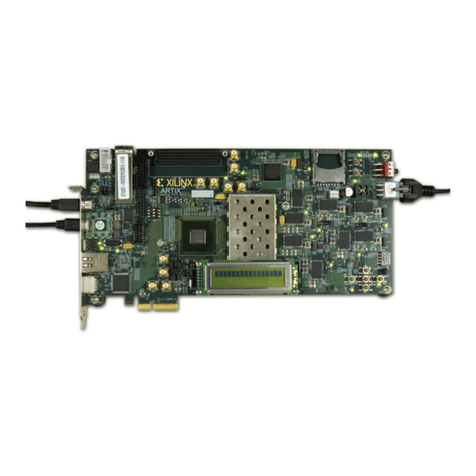
Xilinx Artix-7 FPGA AC701 User manual

Xilinx

Xilinx Artix-7 FPGA AC701 User manual

Xilinx ZCU102 User manual

Xilinx

Xilinx ZCU102 User manual

Xilinx ZCU102 User manual

Xilinx

Xilinx ZCU102 User manual

Xilinx ML501 User manual

Xilinx

Xilinx ML501 User manual

Xilinx ML505 User manual

Xilinx

Xilinx ML505 User manual

Xilinx ML505 User manual

Xilinx

Xilinx ML505 User manual

Xilinx Virtex UltraScale VCU108 User manual

Xilinx

Xilinx Virtex UltraScale VCU108 User manual

Xilinx Avnet Ultra96-PYNQ User manual

Xilinx

Xilinx Avnet Ultra96-PYNQ User manual

Xilinx FMC XM101 LVDS QSE User manual

Xilinx

Xilinx FMC XM101 LVDS QSE User manual

Xilinx Virtex-6 FPGA User manual

Xilinx

Xilinx Virtex-6 FPGA User manual

Xilinx VCK190 Series User manual

Xilinx

Xilinx VCK190 Series User manual

Xilinx Zynq-7000 User manual

Xilinx

Xilinx Zynq-7000 User manual

Xilinx Spartan-6 FPGA Series User manual

Xilinx

Xilinx Spartan-6 FPGA Series User manual

Xilinx AC701 User manual

Xilinx

Xilinx AC701 User manual

Xilinx ML50 Series User manual

Xilinx

Xilinx ML50 Series User manual

Xilinx Virtex-7 FPGA VC7222 IBERT User manual

Xilinx

Xilinx Virtex-7 FPGA VC7222 IBERT User manual

Xilinx EZTag User manual

Xilinx

Xilinx EZTag User manual

Xilinx ZCU106 User manual

Xilinx

Xilinx ZCU106 User manual

Xilinx Zynq UltraScale+ ZCU208 User manual

Xilinx

Xilinx Zynq UltraScale+ ZCU208 User manual

Popular Motherboard manuals by other brands

Gigabyte MNJ190I-FH user manual

Gigabyte

Gigabyte MNJ190I-FH user manual

Biostar HI-FI-Z87X-3D Setup manual

Biostar

Biostar HI-FI-Z87X-3D Setup manual

Atmel SAM9753PIA-DK user guide

Atmel

Atmel SAM9753PIA-DK user guide

Coapt GEN2 Handbook

Coapt

Coapt GEN2 Handbook

Supero SUPER P4DL6 user manual

Supero

Supero SUPER P4DL6 user manual

Cypress CY3210-PSoCEVAL1 quick start guide

Cypress

Cypress CY3210-PSoCEVAL1 quick start guide

ASROCK B660M-HDV manual

ASROCK

ASROCK B660M-HDV manual

Fujitsu D2831 Short description

Fujitsu

Fujitsu D2831 Short description

Industrial Computers ADE-6050 user manual

Industrial Computers

Industrial Computers ADE-6050 user manual

Asus TUF Z270 MARK 2 manual

Asus

Asus TUF Z270 MARK 2 manual

DFI NB71-BC user manual

DFI

DFI NB71-BC user manual

ASROCK H61 Pro BTC user manual

ASROCK

ASROCK H61 Pro BTC user manual

Norco POS-7893 user manual

Norco

Norco POS-7893 user manual

Intel DG965MS specification

Intel

Intel DG965MS specification

Asus B85M-VIEW PAKER user manual

Asus

Asus B85M-VIEW PAKER user manual

Asus P5G41T-M LX V2 user manual

Asus

Asus P5G41T-M LX V2 user manual

Gigabyte GA-K8VT800-RH user manual

Gigabyte

Gigabyte GA-K8VT800-RH user manual

Gigabyte Z790M AORUS ELITE user manual

Gigabyte

Gigabyte Z790M AORUS ELITE user manual

manuals.online logo
manuals.online logoBrands
  • About & Mission
  • Contact us
  • Privacy Policy
  • Terms and Conditions

Copyright 2025 Manuals.Online. All Rights Reserved.

ZC702 EVALUATION KIT
QUICK START GUIDE
HDMI Cable
®
2 USB Cables
(Mini-B and Micro-B)
Xilinx Vivado Design
Suite Installation DVD
ZC702 Base
Board
SD Card with
Reference
Design
AMS101 Evaluation Card
Ethernet
Crossover
Cable
Power
Supply
ZC702 Evaluation Kit xxxxxxxxxxxxXXXXXXXxxxxxxxXXXXXXXXXXXXXXXXXXXXXXXXXXXXX
For more information visit www.xilinx.com/zc702.
Zynq-7000 All Programmable SoC ZC702 Evaluation Kit Quick Start Guide
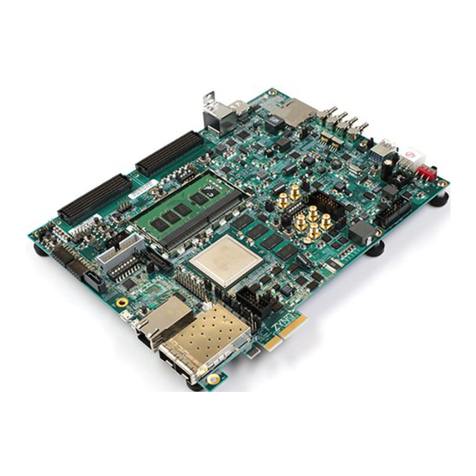
The Zynq® -7000 All Programmable SoC ZC702 Evaluation Kit provides a platform for evaluating the Xilinx Zynq
-7000 AP SoC devices. The ZC702 kit contains the necessary hardware, tools, and IP to quickly evaluate and start
the development of your embedded system.
This guide provides a kit overview and step-by-step instructions to set up and configure the board, run the built-in
self-test (BIST), install the Xilinx tools, and redeem the license voucher.
1
ZC702 EVALUATION KIT
QUICK START GUIDE
STEP 2IIIIIIIIIIIIIIIIIIIIIIIIIIIIIIIIIIIIIIIIIIIIIIIIIIIIIIIIIIIII
STEP 6IIIIIIIIIIIIIIIIIIIIIIIIIIIIIIIIIIIIIIIIIIIIIIIIIIIIIIIIIIIII
STEP 4IIIIIIIIIIIIIIIIIIIIIIIIIIIIIIIIIIIIIIIIIIIIIIIIIIIIIIIIIIIII
STEP 1IIIIIIIIIIIIIIIIIIIIIIIIIIIIIIIIIIIIIIIIIIIIIIIIIIIIIIIIIIIIIIIIII
STEP 5IIIIIIIIIIIIIIIIIIIIIIIIIIIIIIIIIIIIIIIIIIIIIIIIIIIIIIIIIIIIIIIIII
STEP 3IIIIIIIIIIIIIIIIIIIIIIIIIIIIIIIIIIIIIIIIIIIIIIIIIIIIIIIIIIIIIIIIII
Install Driver/Terminal Emulator
Install the Silicon Labs®CP210X driver and a terminal
emulator for the USB-UART on your PC.
Instructions on installing the CP210X driver can be found
at www.xilinx.com/kits/cp210x.
Xilinx recommends using Tera Term for Windows terminal
emulation and instructions for installing Tera Term can be
found at www.xilinx.com/kits/teraterm.
Note: If switches, jumpers, or FLASH images have been
changed, please refer to www.xilinx.com/kits/zc702default.
Set Switches
Set DIP switches on SW16 to the configuration shown
below (00010).
Connect USB to UART Cable
Connect the mini USB cable to your PC (Standard-A) and
J17 (Mini-B) on the ZC702 board.
Connect Power
Connect the 6-pin power plug and turn the board on
with SW11.
Setup Terminal Emulator: COM Port
Open Tera Term, select Serial, and choose the COM port
that correlates with the Silicon Labs CP210X. Click OK.
Note the assigned COM port for Step 7.
Setup Terminal Emulator: Serial Select
Go to Setup and click Serial port to configure the
terminal serial port setting.
2
BIST Demo Setup
ZC702 EVALUATION KIT
QUICK START GUIDE
STEP 8IIIIIIIIIIIIIIIIIIIIIIIIIIIIIIIIIIIIIIIIIIIIIIIIIIIIIIIIIIIIIIISTEP 7IIIIIIIIIIIIIIIIIIIIIIIIIIIIIIIIIIIIIIIIIIIIIIIIIIIIIIIIIIIIIIIIII
STEP 9IIIIIIIIIIIIIIIIIIIIIIIIIIIIIIIIIIIIIIIIIIIIIIIIIIIIIIIIIIIIIIIIII
Initialize Configuration
Press SW1 POR_B to reinitialize the configuration for
the ZC702 board.
Terminal Display
After the ZC702 board is configured, the text shown below appears in the terminal emulator window. Type the number
or the letter associated with a listed option to run a test application. For example, type 2 to run the LED Test
application.
Note: DIP switches (SW15-1 and -2)
are tied in parallel to push buttons 13
and 14, respectively. Either use the
DIP switches, or set SW15-1 and -2
to OFF and use push buttons 13 and
14.
3
Set Up Terminal Emulator: Serial Setup
Select the same COM port assigned in Step 5 and set the
Baud rate to 115200, the Data to 8 bit, the Parity to
none, Stop to 1 Bit and Flow control to none.
Click OK to save the settings.
Corporate Headquarters
Xilinx, Inc.
2100 Logic Drive
San Jose, CA 95124
USA
Tel: 408-559-7778
www.xilinx.com
Europe
Xilinx Europe
One Logic Drive
Citywest Business Campus
Saggart, County Dublin
Ireland
Tel: +353-1-464-0311
www.xilinx.com
Japan
Xilinx K.K.
Art Village Osaki Central Tower 4F
1-2-2 Osaki, Shinagawa-ku
Tokyo 141-0032 Japan
Tel: +81-3-6744-7777
japan.xilinx.com
Asia Pacific Pte. Ltd.
Xilinx, Asia Pacific
5 Changi Business Park
Singapore 486040
Tel: +65-6407-3000
www.xilinx.com
© Copyright 2014 Xilinx, Inc. Xilinx, the Xilinx logo, Artix, ISE, Kintex, Spartan, Virtex, Vivado, Zynq, and other designated brands included
herein are trademarks of Xilinx in the United States and other countries. All other trademarks are the property of their respective owners.
ADP_CS1469 Quick Start Guide• Printed in the U.S.A.
ZC702 EVALUATION KIT
QUICK START GUIDE
XTP310 (v1.0)
XPN 0402966-01
STEP 10IIIIIIIIIIIIIIIIIIIIIIIIIIIIIIIIIIIIIIIIIIIIIIIIIIIIIIIIIIIIIIIIIIII
S T E P 11 IIIIIIIIIIIIIIIIIIIIIIIIIIIIIIIIIIIIIIIIIIIIIIIIIIIIIIIIIIIIIIIIIIIII
To redeem the voucher code, go to www.xilinx.com/getlicense and enter the voucher code shown below. After it is
redeemed, the licenses will appear in your entitlement account, and you can generate a license file, which will be
emailed to you. For additional assistance redeeming your voucher, go to www.xilinx.com/kits/voucher.
Note: This code can only be used once and must be redeemed within one year of purchase.
Install Vivado Design Suite
a. To install the Vivado Design Suite, insert and load the installation DVD. For the latest version, go to www.xilinx.
com/download.
b. When you get to the Xilinx License Configuration Manager GUI in the install flow, under the Acquire a
License tab, select Locate Existing License then click Next; In the Manage Xilinx License tab, click
on the Load License button, and navigate to where you saved the attached license file that was emailed to
you in Step 10.
c. If you need assistance, please review the Vivado install guide found at www.xilinx.com/kits/vivadoinstall.
NEXT STEPS
Learn More
The ZC702 Evaluation Kit product page has an extensive collection of resources, including tutorial and instructional
videos, a detailed reference design guide, schematics, a hardware user guide, and other reference designs to move
you from the evaluation and learning phase to developing your own product.
Visit the ZC702 Evaluation Kit product page at www.xilinx.com/zc702.
Download the Zynq-7000 All Programmable SoC ZC702 Base Targeted Reference Design (UG925) for additional
reference designs and demonstration content.
• For support options related to this product, see Xilinx support website at www.xilinx.com/support/index.htm.
• For product warranty, go to www.xilinx.com/kits/warranty.
Install Xilinx Tools and Redeem the License Voucher
A Vivado®Design Suite: Design Edition, node-locked, device-locked license voucher code is included with this ZC702
Evaluation Kit and listed below in Step 10.
Important

Important