manuals.online logo
Brands
  1. Home
  2. •
  3. Brands
  4. •
  5. Zinc
  6. •
  7. Hoverboard
  8. •
  9. Zinc MEGASTAR User manual

Zinc MEGASTAR User manual

This manual suits for next models

1

Popular Hoverboard manuals by other brands

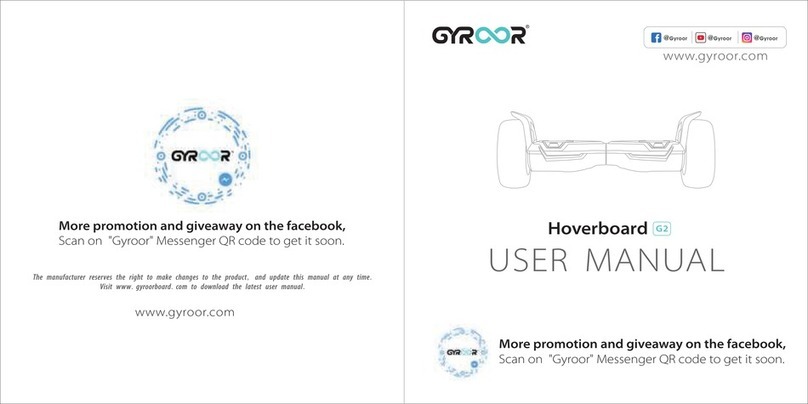
Gyroor G2 user manual

Gyroor

Gyroor G2 user manual

PNI Escort T1B user manual

PNI

PNI Escort T1B user manual

UK Segboards G1 user manual

UK Segboards

UK Segboards G1 user manual

ZIMX HB2 user manual

ZIMX

ZIMX HB2 user manual

Jetson Stereofly Guide

Jetson

Jetson Stereofly Guide

SWAGTRON SWAGBOARD HERO user manual

SWAGTRON

SWAGTRON SWAGBOARD HERO user manual

Hover-1 MY FIRST HOVERBOARD Operation manual

Hover-1

Hover-1 MY FIRST HOVERBOARD Operation manual

SoFlow Flowkart Genuine operating instruction

SoFlow

SoFlow Flowkart Genuine operating instruction

Jetson NITRO manual

Jetson

Jetson NITRO manual

Gyroor G13 user manual

Gyroor

Gyroor G13 user manual

LEXGO Spark user manual

LEXGO

LEXGO Spark user manual

SWAGTRON SWAGBOARD HERO user manual

SWAGTRON

SWAGTRON SWAGBOARD HERO user manual

RUSTA 759513790101 manual

RUSTA

RUSTA 759513790101 manual

Voyager AIR WHEEL user manual

Voyager

Voyager AIR WHEEL user manual

Gyroor G11 user manual

Gyroor

Gyroor G11 user manual

Inventist IOTA TRAX Guide and manual

Inventist

Inventist IOTA TRAX Guide and manual

Walksmart The MyBoard user manual

Walksmart

Walksmart The MyBoard user manual

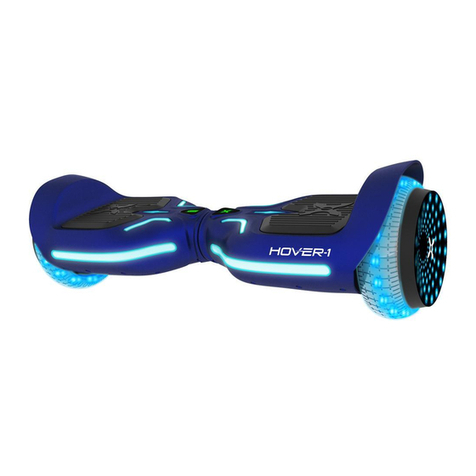
Nilox DOC 2 6.5 manual

Nilox

Nilox DOC 2 6.5 manual

manuals.online logo
manuals.online logoBrands
  • About & Mission
  • Contact us
  • Privacy Policy
  • Terms and Conditions

Copyright 2025 Manuals.Online. All Rights Reserved.

HOVERBOARD
MEGASTAR
OWNER’S MANUAL
NOTE: MANUAL ILLUSTRATIONS ARE FOR REFERENCE ONLY.
ILLUSTRATIONS MAY NOT REFLECT THE EXACT APPEARANCE OF THE ACTUAL PRODUCT.
SPECIFICATIONS ARE SUBJECT TO CHANGE WITHOUT NOTICE.
14+
NEED HELP?
Visit our website for replacement parts and product support WWW.ZINCSPORTS.COM
Contact us at [email protected] OR CALL OUR CUSTOMER SERVICE LINE ON +44(0) 800 731 0006
customerser[email protected]
IMPORTANT! READ CAREFULLY AND KEEP FOR FUTURE REFERENCE.
+44 (0) 800 731 0006
WARNING: NEVER USE YOUR
PHONE WHILST RIDING
YOUR HOVERBOARD.
1. Pair your phone with your Zinc Megastar Hoverboard.
2. Play your favourite music through the onboard speakers.
3. Use your device sensibly. Do not use any devices whilst riding.
SO THAT YOUR WARRANTY IS
VALID PLEASE REGISTER AT
WWW.ZINCSPORTS.COM
WITHIN 30 DAYS OF
RECEIVING THE PRODUCT.
WARRANTY
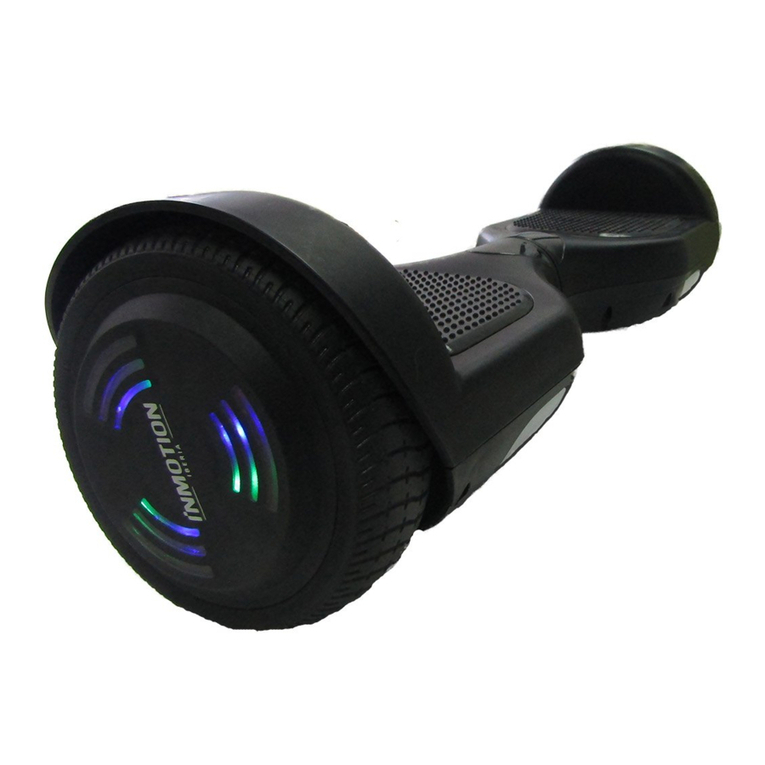
Rubber TyresLED Lights
Wheel Fenders Battery Power
Level Indicator
Balance
Level Indicator
Anti-Slip
Foot Platforms
PRODUCT OVERVIEW
CONTENTS
PRODUCT OVERVIEW
SAFETY WARNINGS - READ BEFORE USE
HARDWARE MAINTENANCE
CHARGING THE BATTERY
OPERATING THE MEGASTAR HOVERBOARD
SAFETY ALERTS
WEIGHT & SPEED LIMITATIONS
OPERATING RANGE
BATTERY INFORMATION
BATTERY WARNINGS
SPECIFICATION LIST
WARRANTY
2
3-4
5
6
7-10
10
11
11
12
12
13
14
2
Charge Port
(Located at Rear)
Power Button
(Located at back)
Need Help? Visit our website for replacement parts and product support WWW.ZINCSPORTS.COM
Contact us at [email protected] OR CALL OUR CUSTOMER SERVICE LINE ON +44(0) 800 731 0006
NOT FOR RIDERS UNDER THE AGE OF 14. DO NOT EXCEED THE WEIGHT LIMIT OF 100KG.
This includes backpacks and other items that might be carried. Exceeding the weight limit could injure
the rider and damage the Zinc hoverboard.
Be sure to regularly inspect and service the hoverboard and make sure all components are in good
condition.
After unpacking this product and before you first ride it, remember to charge it for at least 5 hours.
Do not overcharge it, otherwise the service life of the battery and the charger may be shortened.
For your safety, please read the safety warnings carefully, and make sure you understand and accept
all the safety instructions. The user will be responsible for any loss or damage caused by improper use.
WARNING! -
WARNING! -
SAFETY WARNINGS - READ BEFORE USE
Maximum Weight: 100 kg
Weight Restrictions
Maximum Speed: 6.2mph/10kph
Max Hoverboard Speed
1. Please wear all appropriate safety and protective gear such as helmet, knee, elbow pads and
protective gloves, before operating the hoverboard.
2. Wear comfortable clothes and flat, closed toe shoes when operating your hoverboard. Keep laces tied.
3. Do not ride your hoverboard near motor vehicles or on public roads. It's the user's responsibility to
ensure that their electric hoverboard is used in accordance with all local and country laws.
4. Do not operate the hoverboard while under the influence of drugs and/or alcohol.
5. Do not operate the hoverboard when you are restless or sleepy.
6. Do not turn sharply, especially at high speeds.
7. Do not drive in or near puddles of water, mud, sand, stones, gravel, debris or near rough and rugged
terrain.
8. The hoverboard can be used on paved private land that is flat and even. If you encounter uneven
pavement, please lift your hoverboard over and past the obstruction.
9. Do not ride in inclement weather: snow, rain, hail, sleek, on icy surfaces or in extreme heat.
10. Do not operate the hoverboard while talking, texting, or looking at your phone.
11. The hoverboard is intended for use by one person, DO NOT attempt to operate the hoverboard with
two or more people.
12. Do not carry anything in your arms while riding the hoverboard. It will affect the stability of the
hoverboard.
13. At higher speeds, always take into consideration your stopping distance is increased.
14. Do not ride the hoverboard in dark or poorly lit areas.
15. Do not operate your hoverboard on rough terrain.
16. Do not stop the hoverboard suddenly, this could cause you to lose control and fall.
17. As with any mechanical component, a vehicle is subject to high stresses and wear. The various
materials and components may react differently to wear or fatigue. If the expected service life for a
component has been exceeded, it may break suddenly, therefore risking causing injuries to the
user. Cracks, scratches and discoloration in the areas subject to high stresses indicate that the
component has exceeded its service life and should be replaced.
18. Avoid obstacles such as curbs or steps. It is recommended to avoid obstacle jumps. It is important to
anticipate and adapt your trajectory and speed to those of a pedestrian before crossing these
obstacles. It is also recommended to get out of the vehicle when these obstacles become dangerous
due to their shape, height or slippage.
19. Keep plastic covering away from children to avoid suffocation.
20. Do not ride indoors or on surfaces that could become damaged such as carpet or glossy flooring.
21. Check all the fasteners and bolts are securely tightened before each use.
3
Need Help? Visit our website for replacement parts and product support WWW.ZINCSPORTS.COM
Contact us at [email protected] OR CALL OUR CUSTOMER SERVICE LINE ON +44(0) 800 731 0006
SAFETY WARNINGS - READ BEFORE USE
22. Riding the hoverboard is not advisable for persons with heart disease, pregnant women, people
with illness, disabilities or who have recently had an operation. There is always a risk of injury
and riders should carefully assess their own health and physical condition. If they are in any
doubt as to their fitness to ride the hoverboard, they should consult with their GP beforehand.
23. Do NOT ride the hoverboard in wet or icy weather and never immerse the hoverboard in water,
as the electrical and drive components could be damaged by water or create other possibly
unsafe conditions.
24. Do not make any modifications that are not noted in the manufacturer's instructions.
25. Do not use any accessories and additional items which are not approved by the manufacturer.
26. Make sure the hoverboard is correctly adjusted, all connection elements are tightened,
not broken and the wheels are in good condition.
27. The Megastar is heavy. Take care when carrying and ensure that the product is turned off when
carrying.
28. If you need to lift the hoverboard whilst turned on, keep hands and clothing away from the wheel
arches.
WARNING! -
4
Need Help? Visit our website for replacement parts and product support WWW.ZINCSPORTS.COM
Contact us at [email protected] OR CALL OUR CUSTOMER SERVICE LINE ON +44(0) 800 731 0006
HARDWARE MAINTENANCE
SPARE PARTS
INSPECTING AND CLEANING YOUR HOVERBOARD
Your hoverboard requires routine inspection and maintenance, it is a factor of safety. This chapter describes
maintenance steps and important operating tips. Before you perform the following operations, ensure the power and
charging cables are disconnected.
• Routinely check the body of the hoverboard and tyres for damage or excessive wear.
• Wet a clean cloth with clean water, rinse the cloth thoroughly, and wipe the body of the hoverboard making sure that
water does not get into the power button, charging port or tyres. If water or other liquids enter the hoverboard, it will
cause permanent damage to the internal components.
WHEELS AND TYRES
Wear and tear is unavoidable in the wheels and the driving system in the course of operation. The user must regularly
check the wheels and the driving system for wearing and make adjustments or replacements when necessary.
It is suggested to add lubricant (30SAE lubricating oil is recommended) to the moving parts every 6 months.
BATTERY
Always switch off the power when the hoverboard is not in use. Never store the hoverboard at a low temperature, it
may damage or degrade the battery permanently.
CHARGER
The charger supplied with the hoverboard should be regularly examined for damage to the cord, plug, enclosure and other
parts. In the event of such damage the hoverboard must not be charged until the charger has been repaired or replaced.
WARNING! ONLY USE GENUINE ZINC REPLACEMENT PARTS. The hoverboard has been built to certain Zinc
design specifications. The original equipment supplied at the time of sale was selected on the basis of its compatibility
with the frame and all other parts. Certain aftermarket products may or may not be compatible and will invalidate the
warranty if used.
STORING THE HOVERBOARD
• Fully charge your battery before storing.
• If you are storing your hoverboard for an extended period of time, please fully charge your hoverboard at least once
every month.
• If the ambient temperature of the storage location is below 0°C, please do not charge. You must bring the hoverboard
into a warmer environment before charging.
• Check under Battery Specifications for more details.
• Store your hoverboard indoors, in a dry and suitable temperature.
5
Need Help? Visit our website for replacement parts and product support WWW.ZINCSPORTS.COM
Contact us at [email protected] OR CALL OUR CUSTOMER SERVICE LINE ON +44(0) 800 731 0006
WARNING! FAILURE TO FOLLOW THESE INSTRUCTIONS MAY DAMAGE YOUR PRODUCT AND VOID WARRANTY.
6
Need Help? Visit our website for replacement parts and product support WWW.ZINCSPORTS.COM
Contact us at [email protected] OR CALL OUR CUSTOMER SERVICE LINE ON +44(0) 800 731 0006
CHARGING THE BATTERY - READ BEFORE USE
For user safety and to prolong the life of your battery, as well as improve battery performance,
please follow these instructions.
Step 1: Ensure your hoverboard is turned off before you attempt to charge the battery.
Step 2: Ensure that the charging port is clean and dry.
Step 3: Plug the charger into the power outlet and make sure the light on the charger is lit GREEN.
WARNING! -
Step 5: Please unplug the charger from your hoverboard
and from the power outlet. Please ensure you put the
charging port cover back in place to cover the charging
port once the battery is charged, before you use the
hoverboard.
IMPORTANT NOTES ABOUT CHARGING
If the green light on your charger does not turn RED when you plug it into your hoverboard, it could mean that your
hoverboard is already fully charged.
• Do not overcharge as this will affect the life of the battery and may cause overheating which can lead to a fire hazard.
Never charge near flammable materials or liquids.
• The best charging temperatures are between 0°C~40°C. Extreme cold and extreme heat will prevent your battery from
charging fully.
• Make sure to unplug your charger before standing on or operating your hoverboard, as this can be very dangerous.
• Use only the charger and charging cable supplied by Hy-Pro. Use of any other charger or cable may lead to damage to
the product, overheating and risk of fire. Use of any other charger or cable voids the warranty. If you spot any signs of
wear and tear or damage, visit our website at www.zincsports.com or contact us at [email protected] to buy
a replacement charger.
• The charger is not a toy, it should be operated by an adult.
• Once your hoverboard has been charged, unplug the charger from the wall outlet and then from the hoverboard. Do not
leave the hoverboard on charge overnight and do not leave the hoverboard unattended whilst on charge.
• Ensure you have working smoke alarms on every floor of your home and in the room where you charge the hoverboard.
In an ideal situation, you would have somewhere secure to store/charge your hoverboard, such as a shed or garage. It
would also be desirable for this area to have plugs where you can charge your hoverboard.
• Plug the cable into a main socket rather than an extension lead.
• Do not cover the battery/product with anything while charging.
• Make sure you use the battery recommended by the manufacturer.
NOTE The charger itself may get quite warm to the touch when charging a deeply discharged battery.
Step 4: Put the male DC connector plug into the charging
port of the hoverboard. The indicator light on the charger
should change to RED, indicating that your hoverboard
is now being charged. When the RED indicator light on
your charger turns to GREEN then your hoverboard is
fully charged. A full charge typically occurs at 5 hours.
Charging Pin Port
OPERATING THE MEGASTAR HOVERBOARD
STEP 1 - Charging Your Megastar Hoverboard
Make sure the Megastar hoverboard is fully charged before your initial use. For charging instructions, please follow
details in CHARGING THE BATTERY - PAGE 6.
STEP 2 - Getting Started
Place your Megastar hoverboard flat on the floor. Press and
hold the power button for 1 second, located on the back of your
Megastar hoverboard on the right side. The battery indicator
light should be lit, indicating the device is powered on.
STEP 3 - Checking The Display Board
Located in the centre of your Megastar hoverboard,
the battery power level indicator light should be lit,
indicating there is power to the device.
A. Battery Power Level Indicator:
The display board is located in the middle of the
Megastar hoverboard. The green LED light indicates
the Megastar hoverboard is fully charged. When the
battery level is lower than 30%, the indicator light will
flash in green slowly. When the battery level is lower
than 10%, the indicator light will flash in green rapidly
and raise an alarm.
B. Balance Level Indicator: When the user triggers the foot platforms, the balance level indicator LED will light
up, which means that the system enters the running state; when the system has an error during operation, the
balance level green LED light will turn flash and you will hear the system alert you with a beep.
STEP 4 - Safety Gear
Wear proper safety gear, including, but not limited to a
helmet, knee pads, elbow pads, and wrist guards.
STEP 5 - Standing On
A. Stand directly behind your Megastar hoverboard.
Place one foot on the foot platform, keeping the instep
of your foot on the outer edge of the board.
B. Keep all your weight on your back foot still on the
ground. Otherwise, your device will begin to move,
making it difficult to step on evenly with your other foot.
Balance
Level Indicator
Battery Power
Level Indicator
Helmet
Elbow Pads
Wrist Guards
Knee Pads
Calibrating The Board:
If the Megastar hoverboard moves forwards or backwards on its own on flat ground it needs to be calibrated.
- Make sure the power is OFF and place it on a flat horizontal surface, ensuring the footplates are 100% level.
Use a spirit level if necessary.
- Once you are happy the board is level, press the power button for 5 seconds. In this period, the left green
LED (Balance Level Indicator) will flash and the system will start to calibrate automatically.
- Once complete you will hear 3 beeps and then release the power button.
- Switch the power OFF then ON again before use.
Calibration may need to be repeated when the two foot platforms are uneven or the hoverboard is out of balance.
We recommend calibrating your hoverboard regularly.
Self-balancing Mode:
When the hoverboard is in this mode, it will level itself on flat ground,
making it easier to step on.The default setting of this function is ON,
the user can follow below steps to switch off this function.
1. Make sure the power is switched ON.
2. Press the power button for 5 seconds until you hear 3 beeps,
the process is completed.
Note: If you restart the Megastar hoverboard, the self-balancing
function will turn on again.
Keep one foot steady before
stepping both feet on hoverboard
7
Colourful LED
lights
Need Help? Visit our website for replacement parts and product support WWW.ZINCSPORTS.COM
Contact us at [email protected] OR CALL OUR CUSTOMER SERVICE LINE ON +44(0) 800 731 0006
Charging Pin Port Power Button
Remark: The hoverboard will turn off automatically if it has not
been used for 10 minutes. You need to restart it by pressing the power button for 1 second.

NOTE – On average, it takes 3-5 minutes just to get comfortable standing on the Megastar hoverboard and
maintaining proper balance. Having a helping hand will help you feel more secure. The Megastar hoverboard
is an incredibly intuitive device; it senses even the slightest bit of motion, so having any anxiety or
reservation about stepping on may cause you to panic and trigger movement that is not otherwise natural to
you. The best way to overcome that initial anxiety is by having a partner who can help balance you.
TIPS – Stay relaxed, stand evenly, and apply an equal amount of pressure on both sides of the device. Relax your
muscles as much as you can. Taking a deep breath and exhaling can help you achieve this. Slightly bending your
knees can also help. Once you can stand IDLE and STOP, you are ready for the next step.
If you begin to turn in a particular direction, focus on turning in the opposite direction to stop turning.
When you first begin using your Megastar hoverboard, the fastest way to move in your desired direction is to focus in
that direction. You will notice that just thinking about which way you would like to go will shift your centre of gravity,
and that subtle movement will make you move in that direction.
STEP 7 - Riding your Megastar Hoverboard
The Megastar hoverboard responds to the user’s foot movements. As your feet lean forwards and backwards this
causes the foot platforms to tilt and moves the hoverboard in the intended direction. The movement, speed and
stopping of the Megastar hoverboard is controlled by the degree at which you tilt the foot platforms.
Directions
You must stand with evenly weighted balance through your feet and each foot placed centrally on the foot platforms.
- Pressing your toes downwards moves the Megastar hoverboard forwards. Do not lean excessively or lunge
forward as this may cause you to fall.
- Pressing your heels downwards moves the Megastar hoverboard backwards. Do not lean excessively or lunge
backward as this may cause you to fall.
- Turn by putting more downward pressure through the toes on one foot (on the outside of the turn) then on the other
- You can spin in place by putting downward pressure though the toes on one foot and simultaneously put downward
pressure through the heel on the other foot.
STEP 6 - Staying Balanced
Find your centre of gravity. If your weight is distributed
correctly on the foot platforms, and your centre of gravity is
level, you should be able to stand on your Megastar
hoverboard, just as if you were standing on the ground.
IF NOT, you may feel like you are moving in a particular
direction, turning, spinning in place, wobbling back and
forth, or simply uncomfortable.
C. When you are ready, shift your weight to the foot
already placed on the device and step on with your
second foot quickly and evenly.
TIP: Stay relaxed and step on quickly, confidently and
evenly. Many people overthink this step, imagine
climbing a stair, one foot, then the other. Once your
feet are even, try to look up.
8
Need Help? Visit our website for replacement parts and product support WWW.ZINCSPORTS.COM
Contact us at [email protected] OR CALL OUR CUSTOMER SERVICE LINE ON +44(0) 800 731 0006
STEP 8 - The Dismount
Slow down and stop. From a stopped position, lift one leg
up and set your foot back down on the ground (STEPPING
BACK). Then step off completely.
NOTE - A common error is to try and step forward.
TIP – make sure to lift your leg completely off to clear
the device when stepping back, otherwise you can
loose your balance. FIRST SECOND
The maximum speed of the Megastar hoverboard is approximately 6.2mph/10kph, this may be affected by many
factors, such as rider weight, surface conditions, battery charge, etc.
- Do not jump up and down whilst using the device: If you remove a foot (or both feet), as you landed back down
this will cause the foot platforms to tilt unpredictably and the balance mechanism will response instantly and make
the Megastar hoverboard move, which could result in loss of rider stability, balance or control.
- Do not presume that moving your weight alone controls the hoverboard’s movement: it is the pressure
through your feet that tilts the foot platforms and causes the movement.
- Do not turn the Megastar hoverboard on when in the air or lift it off the ground when it has been turned on;
this could cause the wheels to spin and could result in injury to the rider or third parties.
Riding Tips
- Keep a relaxed posture with your weight evenly balanced and hold your arms in a comfortable position by your
sides.
- Use a wide stance with your feet on the foot platforms positioned as close the wheels as possible.
- Stay alert to your surroundings and watch out for obstacles and surfaces changes.
- Do not suddenly accelerate or lunge.
- Always be prepared to stop in an emergency.
- Respect others around you and leave plenty of room when moving past and remember to give others right of way.
- Remember at higher speeds it is necessary to shift your weight so you do not feel like you are being pushed off
the board.
- For bumps or uneven surfaces, bend your knees.
Speed Control
You can control the speed at which you move by controlling the amount of pressure you put on the hoverboard,
through your toes/heels. More pressure tilts the foot platform more and increases the speed of the action.
When slowing or stopping, if you continue to apply force through your feet in the opposite direction to your current
movement, you may not only stop but may start moving in the opposite direction.
In order to stop you must restore your balance in the centre of the hoverboard, evenly place your weight through
both feet and ensure the foot platforms are parallel to the ground again.
9
Need Help? Visit our website for replacement parts and product support WWW.ZINCSPORTS.COM
Contact us at [email protected] OR CALL OUR CUSTOMER SERVICE LINE ON +44(0) 800 731 0006
To move backwardsA
To Move Forwards
C
To Stop
B
A B C
THE MEGASTAR HOVERBOARD MUST BE SWITCHED OFF IMMEDIATELY AFTER STEPPING OFF FROM THE FOOT PLATFORM.
The Megastar has powerful built-in wireless speakers so you can play your music while riding.
PAIRING THE SPEAKER
1. Ensure your Megastar is tuned off. If it is not, please turn off your hoverboard first before pairing.
2. Turn on your Megastar and the speakers will beep signalling that it is waiting for a wireless connection.
This will indicate your Megastar Speaker is now in pairing mode.
3. Place the Megastar and the wireless device to which you would like to pair it within the operating distance.
We recommend keeping the two devices no further than 3 feet apart during pairing.
4. Ensure wireless connection is enabled on your phone or music device. Refer to manufacturer's instructions for
how to enable wireless connection on your device.
5. Once you have activated wireless connection on your device, select the option Zinc Hoverboard from the list of
available devices.
6. You will hear a beep sound when the hoverboard paired with a device.
7. If pairing is unsuccessful, turn off the Megastar first and follow the instructions again.
NOTE: Once you have paired the Megastar speaker with a device, the speaker will remember this device and will
pair automatically when the device's wireless connection is activated and in range. You do not need to re-pair any
previously connected devices. Your Megastar can pair one device only.
LISTENING TO MUSIC
Once the Megastar speakers are paired to your device, you can play music wirelessly through them. Simply select a
track from your device and listen to it via the speakers. All volume and track controls will be made using your music
device. Should you encounter any problems whilst playing, please refer to your device’s user manual.
SAFETY ALERTS
WIRELESS SPEAKER
During operation, if there is a system error or improper operation performed with your Megastar hoverboard,
the system cannot enter self-balancing mode, so the device will prompt the user in a variety of ways. You will
notice the balance level indicator light will flash and you will hear a beeping sound alerting you to take
precaution and stop using the hoverboard.
The following are common occurrences where you will hear the Safety Alerts; these notices should not be
ignored, but appropriate action be taken to correct any illegal operation, failure or errors.
- Prohibited riding surfaces (uneven, too steep, unsafe, etc.)
- When the battery level is lower than 30%, the indicator light will flash in green slowly. When the battery level is lower
than 10%, the indicator light will flash in green rapidly and raise an alarm.
- The speed is too fast (over 6.2mph/10kph).
- Overheating, motor temperature is too high (over 120 °C).
- If the platform is tilted forward or backward more than 30°.
10
Need Help? Visit our website for replacement parts and product support WWW.ZINCSPORTS.COM
Contact us at [email protected] OR CALL OUR CUSTOMER SERVICE LINE ON +44(0) 800 731 0006