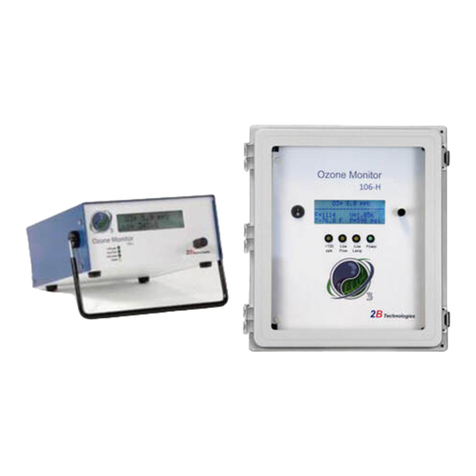
Model 106-H Ozone Monitor Manual Rev. F-1
ii
Contents
IDENTIFICATION RECORDS iv
PRINTING HISTORY v
WARRANTY STATEMENT vi
WARNINGS viii
1. OZONE MONITOR INTRODUCTION 1
1.1 Theory of Operation................................................................................................................. 1
1.2 Calibration and Zeroing Overview........................................................................................... 2
2. SPECIFICATIONS: Model 106-H and Model OEM-106-H 3
3. OPERATION 5
3.1 Shipping Box Contents............................................................................................................ 5
3.2 Operation of the Ozone Monitor.............................................................................................. 5
3.2.1 Powering the Instrument ............................................................................................ 5
3.2.2 Initial Startup .............................................................................................................. 5
3.2.3 Connections to the Instrument................................................................................... 6
3.2.4 Operating Parameters................................................................................................ 6
3.2.5 Checking the Zero Offset........................................................................................... 6
3.2.6 Summary of Operating Recommendations................................................................ 6
3.3 Menu........................................................................................................................................ 7
3.4 Accessing the Main, Zero, and Admin Menus......................................................................... 8
3.5 Making Measurements without Averaging or Logging ............................................................ 8
3.6 Data Averaging and Data Logging Using the Menu................................................................ 9
3.6.1 To Average the Data without Logging........................................................................ 9
3.6.2 To Log Data.............................................................................................................. 10
3.7 To Stop Logging Data............................................................................................................11
3.8 To Set the Time and Date .....................................................................................................11
3.9 To Change the Ozone, Temperature, and Pressure Measurement Units ............................ 12
3.10 To Auto-Zero the Instrument .................................................................................................12
3.11 To Change the Calibration Parameters.................................................................................13
3.12 Collecting Data over the USB or Serial Port in Real Time.................................................... 14
3.12.1 Data Acquisition Software........................................................................................14
3.12.2 Determine the Connection Port and Baud Rate Settings ........................................14
3.12.3 Data Output..............................................................................................................15
3.13 To Change the Baud Rate.....................................................................................................16
3.14 To Transmit Logged Data to a Computer Using the USB or Serial Port............................... 16
3.15 Accessing the Serial Menu and the USB Menu ....................................................................16
3.16 Collecting Data from the Analog Output................................................................................ 18
3.17 To Read the Number of Hours of Ozone Monitor Use..........................................................18
3.18 Using and Setting the Relay Limits ....................................................................................... 18
3.19 Lamp Test.............................................................................................................................. 19
3.20 LED Indicator Lights .............................................................................................................. 20
4. MAINTENANCE/TROUBLESHOOTING 21