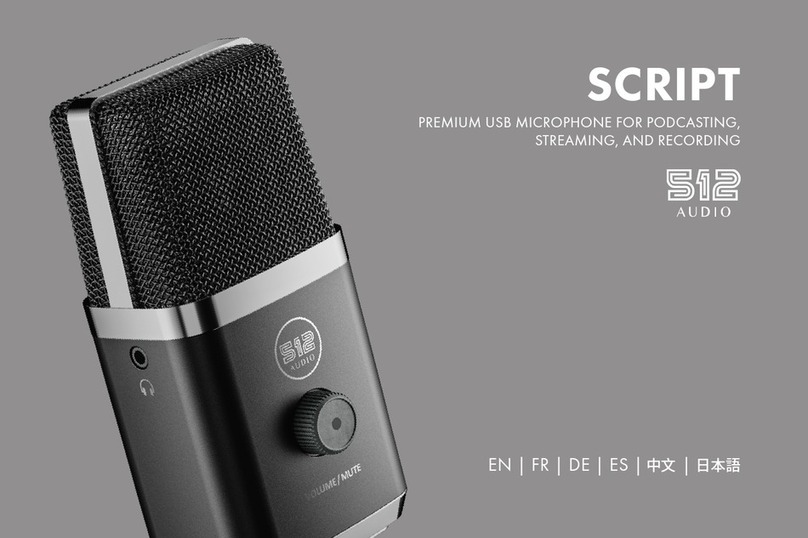
512 Audio Skylight User manual

SKYLIGHT USER GUIDE
STUDIO CONDENSER MICROPHONE
EN | FR | DE | ES | 中文 | 日本語

TABLE OF CONTENTS
English...............................................................................3
French ............................................................................. 13
Deutsch............................................................................ 23
Español............................................................................ 33
中文 ............................................................................... 43
日本語 ............................................................................ 53

EN | 3
WELCOME TO SKYLIGHT
A STUDIO QUALITY CONDENSER MICROPHONE FROM 512 AUDIO
Whether you Podcast, Broadcast, Stream, Play or Produce, 512 Audio’s new
Skylight Condenser Microphone delivers the studio quality sound you and your
listeners demand.
Designed by engineers with a deep passion for audio, Skylight is ready to bring
your voice to the world.
Let’s begin.

4 | EN
STEP INTO THE SKYLIGHT
Skylight is a side-address design, which means that it picks
up audio coming in to the side of the microphone, not the
end. For easy reference, the “front” of the microphone body
carries the 512 Audio badge, so just point the side with the
badge towards the speaker you’re trying to capture and
you’ll be ready to go.
On the bottom of the microphone is the XLR connector
which accepts a standard 3-pin microphone cable for easy,
secure connection to your audio mixer, interface or portable
recorder.

EN | 5
SHOCK TREATMENT
Your Skylight microphone includes an adjustable Shock
Mount cradle designed to gracefully suspend the
microphone exactly where you need it, which not only looks
great but protects your audio from the thumps and booms of
stomping feet and table-tapping guests. Simply attach the
Shock Mount to your boom arm or mic stand, slip Skylight
into place and tighten the bottom ring to snug everything
into place. Lastly, connect an XLR mic cable and run it from
Skylight to your mixer, interface or portable recorder.

6 | EN
I GOT THE POWER
Skylight is a condenser microphone, which contributes to its
lush tone and sensitivity. It also means that it requires 48 Volts
of external power to operate (which is sometimes referred to
as “Phantom Power”). Most USB audio interfaces, modern
mixers, and recording devices are equipped with phantom
power, which is typically accessible via a switch or button
labeled “48V” somewhere near the microphone input or
on the front or back panel. (note: Before turning on phantom
power, it’s a good idea to turn your speakers down or take off
your headphones, as there’s often a bit of a “pop” sound as the
power first kicks on.) Once you’re connected and powered
on, you’re ready to rock.

EN | 7
Not to be confused with volume, the Gain setting on your
mixer, interface, or portable recorder is used to both provide
a clear, noise-free signal and to shape the tone of your
recording to suit your creative fancy. This all-important
setting controls the sensitivity of the microphone and allows
you to determine how much the sound of your room is
captured along with your voice or instrument. Setting the
gain on the low side and moving in close to the microphone
will produce a breathy, intimate tone that’s perfect for any
SOUND CHECK
Now that you’re up and running, let’s take a few moments to talk about how to get the
best out of your new microphone. Here are a few tips to help you sound your best:
PLAYING THE GAIN

8 | EN
SOUND CHECK (CONTINUED)
major motion picture trailers that you might be hired to narrate. This will also
reduce the amount of reverberation and room echo that the microphone will hear.
By the same token, increasing the gain and moving further from the microphone
will allow more of the sound of your room to be captured, adding a nice “live”
feel. A few minutes of experimentation with the gain setting and microphone
placement will not only let you say classic things like “Test, test” and “Check one –
Check two” like a pro, but will help you to quickly zero in on your signature sound.

EN | 9
SOUND CHECK (CONTINUED)
MIND YOUR PsAND Ts
To help tame popping Ps and thumping Ts, Skylight comes complete with a custom
Pop Filter. Simply use the two elastic bands to position the pop filter over the top
of the microphone, so that it sits between the mic and your mouth. This will help
to remove any small bursts of air from these powerful plosives but will still let your
voice shine through loud and clear.

10 | EN
SOUND CHECK (CONTINUED)
Pro Tip
If you prefer not to block your face with the pop filter for visual reasons, you
can still easily address plosives by adjusting the Angle of Incidence (this is
a fancy way of saying “move the mic,” and will convince your friends you
went to audio engineering school). As an exercise, place your hand in front
of your face and say the word “pop” over and over. Now move your hand
slowly side to side as you speak. You’ll quickly notice that you only feel the
puffs of air when your hand is directly in front of your mouth. Simply move
the microphone up or to the side - while still pointing it at your mouth – you’ll
sound as great as ever and won’t be bothered by annoying pops.
Table of contents
Languages:
Other 512 Audio Microphone manuals