batteries with 1.5V output can be used:(NOTE: rechargeable battery voltage
should be also reach 1.5V each, 1.2V Rechargeable Battery will only working
short time).
1. High-density and high-performance alkaline batteries (Recommended)
2. Rechargeable alkaline batteries
3. Rechargeable NiMH batteries
2.2) Enter ON Mode
Before switching on, please pay attention to the follows:
Ø Avoid temperature and motion disturbances in front of the camera such as
big leaf,curtain, air-conditioner, air outlet of the chimney and other heat
sources to prevent fr om false triggering.
Ø The height from ground for placing the camera should vary with the object
size appropriately. In general, one to two meters are preferred, Slide the
power switch to the ON position to power on the camera and enter into the
ON mode. Before entering into the ON mode, you can adjust the camera
the target monitoring area by laser pointer
Ø After switching on the camera, the motion indication LED (red) will blink
for15s. The 15s is a buffering time before autonomic capturing photos or
videos,e.g. for closing and locking the bottom cover, fixing the camera on a
tree and walk away
Ø In ON mode, it is unnecessary to use the remote control. The camera will
take pictures or videos automatically according to the default settings or
previous custom settings. The camera has the sound recording function, so
the sound will be embedded in the video clip while capturing a video.
2.3) Enter TEST Mode
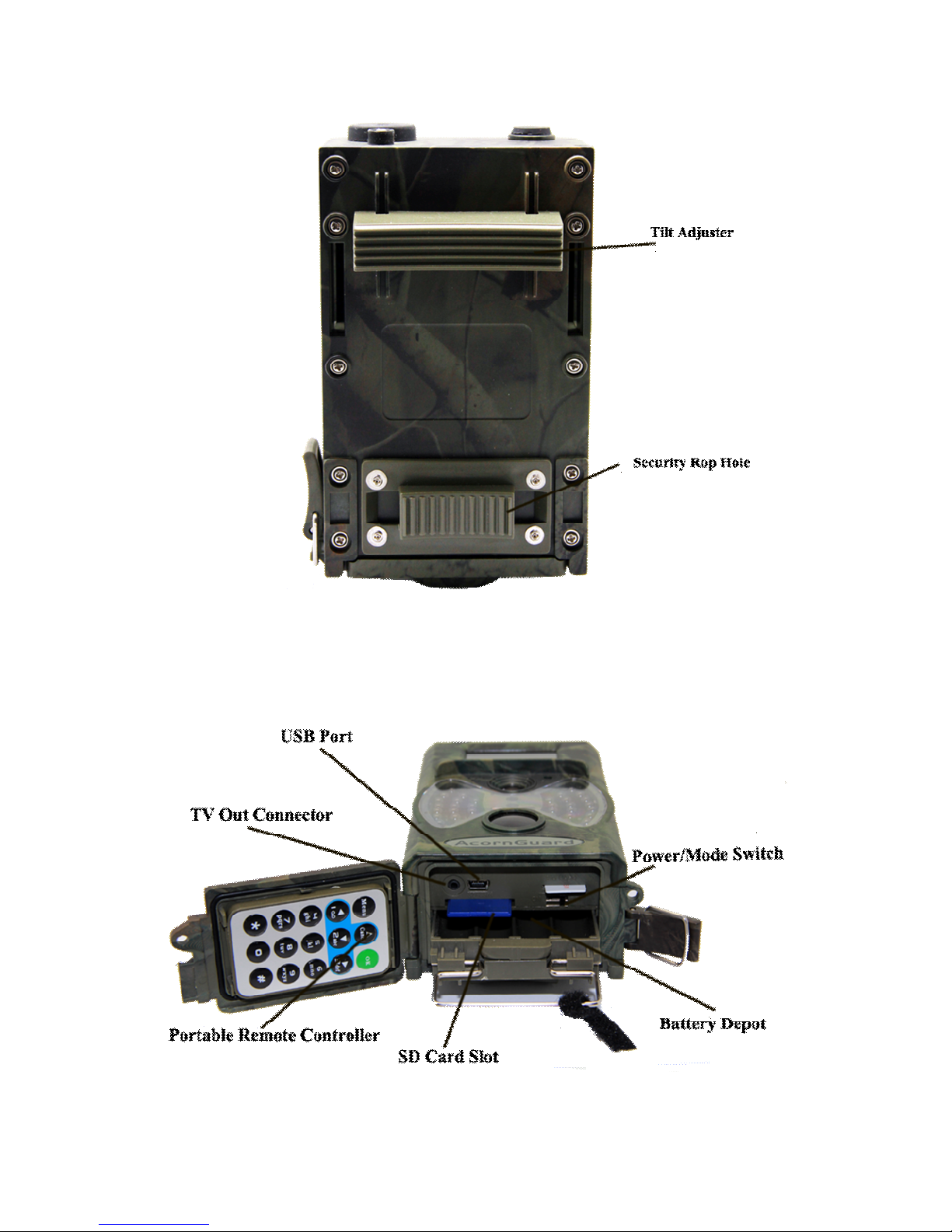
Slide the power switch to the TEST position and enter into the TEST mode.
In this mode you can take pictures or video clips like a regular digital camera,
or enter the Menu to set up parameters by remote control.
2.4) Enter OFF Mode
Slide the power switch to OFF position to power off the camera. Off mode
allow user to insert SD , replace Battery etc. Please note that even in the OFF