7. Favourite position
►To set a favourite position, rst ensure the main limits are set
►Move the awning to the position you want to set as favourite
► Press P2 (1 jog 1 beep), STOP (1 jog 1 beep), STOP (2 jogs and 3 beeps).
The favourite position is set.
►Repeat this process to remove the favourite position.
►To access the favourite position, hold down STOP for 2 seconds until the awning moves.
8. Pairing/Unpairing Additional Remote
► On programmed remote press P2 (motor 1 jog + 1 beep) then P2 (motor 1 jog + 1 beep) then P2 on the second remote you
want to add or delete (2 jogs + 3 beeps).
9. Remove all the remotes from a motor’s memory
► Make sure the remote is on the correct channel for the motor in question.
► P2 (1 jog + 1 beep) then STOP (1 jog + 1 beep) then P2 (2 jogs + 3 beeps). All channels have been deleted from this motor.
► NOTE: This will not remove control of this motor from the connect app. The motor can be deleted from the app separately if
required.
10. Delete all the Limits
► Press P2 button next to battery (1 jog + 1 beep), then DOWN (1 jog + 1 beep), then P2 (2 jogs + 3 beeps).
11. Factory Reset the Motor
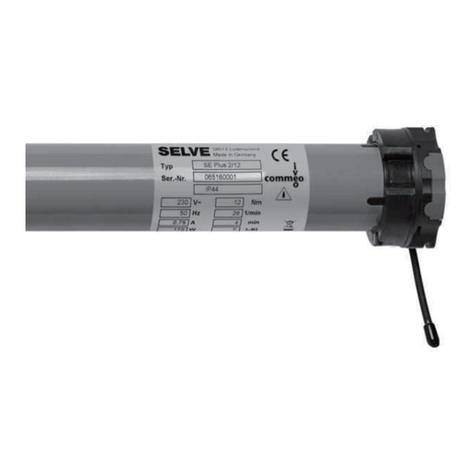
► The motor has a Grey wire hanging from motor head which has the P1 button on it.
► Hold the P1 button until the motor cycles through 4 x down/up jogs (14 sec), then release P1 button, motor beeps 4 times to
conrm RESET.
► Unplug and restart from step 3.
12.Disable obstacle Detection (default mode is ON) (Lunar 20/26 ONLY)
► If you need to disable this sensitive function that resistance and wind can affect.
► Press P2 (1 jog + 1 beep) then DOWN (1 jog + 1 beep) then DOWN (1 jog + 1 long beep).
NOTE: if motor jogs twice and beeps 3 times at the end, obstacle Detection is enabled.
13. Torque Sensing and Tensioning
If top stops are installed, the motor will automatically stop when it reaches them. You can also use this function to tension a blind
that is secured to the ground and locked in.
►If the motor is to be used to tension a blind in a café scenario for example, set the bottom limit approximately 150mm below
the xing point the blind will be secured to.
►Lower the blind to the bottom limit and secure it to the xing points.
►Instruct the blind to go up and the motor will pull the blind taught and stop
►If you need more tension, press up again and more tension will be added (only do this once)
►NOTE: The xing points should not stretch as this will cause the motor to pull harder before it cuts out. Also exible bottom rails
and elasticity in the blinds may also cause the motor to pull harder before it cuts out.
www.australianawning.group
1300 791 010
Linx®Lunar 20/26
Motor Instructions
P2