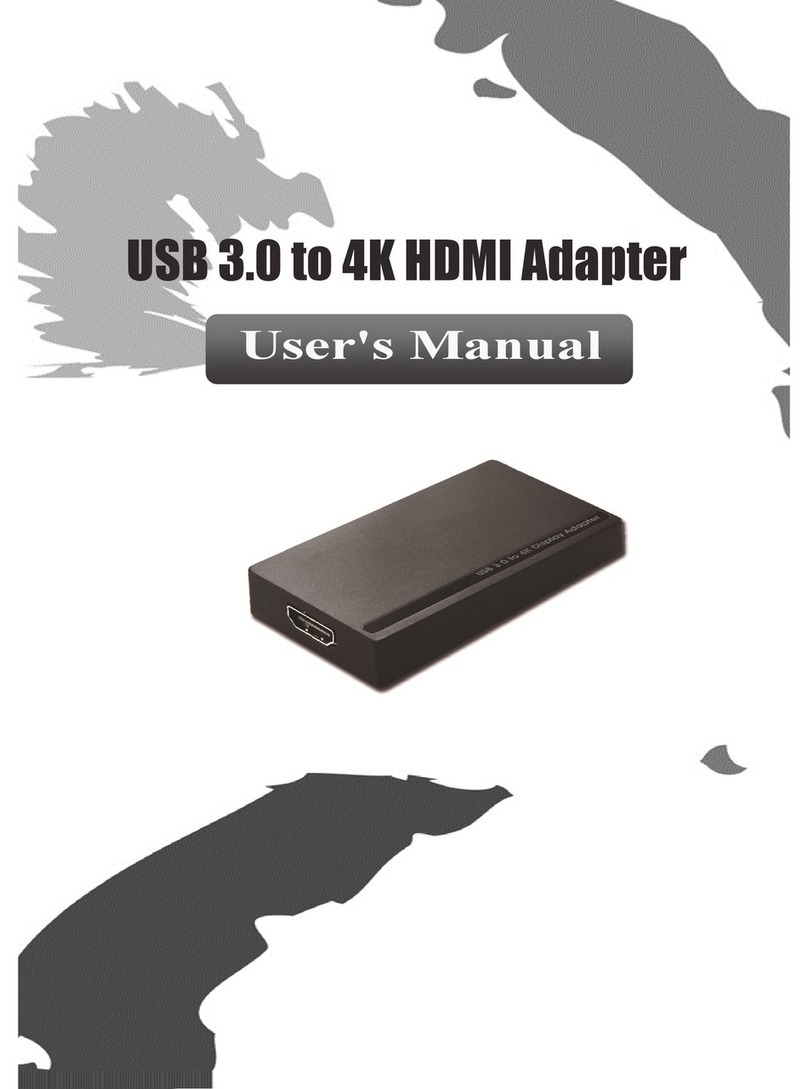
Ableconn USB2E100B User manual


i
Safety Instructions
Always read the safety instructions carefully
Keep this User’s Manual for future reference
Keep this equipment away from humidity
If any of the following situation arises, get the equipment checked by a service technician:
The equipment has been exposed to moisture.
The equipment has been dropped and damaged.
The equipment has obvious sign of breakage.
The equipment has not been working well or you cannot get it work according to User’s
Manual.
Copyright Statement
No part of this publication may be reproduced in any form by any means without the prior written
permission. Other trademarks or brand names mentioned herein are trademarks or registered
trademarks of their respective companies.
Disclaimer
Information in this document is subject to change without notice. The manufacturer does not make
any representations or warranties (implied or otherwise) regarding the accuracy and completeness
of this document and shall in no event be liable for any loss of profit or any commercial damage,
including but not limited to special, incidental, consequential, or other damage.
All trademarks, trade names and copyrights are properties of their respective owners.

ii
Table of Contents
1. Introduction.......................................................................................................1
Features.............................................................................................................................1
Package Contents..............................................................................................................1
System Requirements........................................................................................................2
LED Status........................................................................................................................2
2. Installation.........................................................................................................3
On WindowsXP/ WindowsVista/Windows7 /Windows8..................................3
Verifying the Driver Installation on Windows..................................................................5
On MAC OS X 10.x..........................................................................................................6
Verifying the Driver Installation on Mac..........................................................................9
3. Specifications..................................................................................................10
4. Regulatory Compliance..................................................................................11
FCC Conditions...............................................................................................................11
CE....................................................................................................................................11
WEEE Information .........................................................................................................11

1
1. Introduction
The USB 2.0 Ethernet Adapter allows your computer instantly connect to a
10/100Mbps network through simply a USB port; no hassle to open up your
computer case as is required for an internal card now! It’s also an ideal
USB-to-LAN alternative for gaming console that needs network access in an
environment lacking wireless capability. Compared with USB 1.1 standard which
offers 12 Mbps speed, the adapter’s compliance with USB 2.0 (480Mbps) ensures
true 10/100 Mbps network speed without any compromise. Furthermore, the
adapter is compact and is USB bus-powered; it requires no external power adapter,
so that you can use it without crowding your workspace at all.
Features
Compliant with USB 2.0 and USB 1.1 specifications
Compliant with IEEE 802.3 (10Base-T) and 802.3u (100Base-TX) standards
Supports both full-duplex and half-duplex operations
Supports suspend mode and remote wakeup via link-up and magic packet
Powered by USB port only
Equipped with diagnostic LEDs
Plug & Play installation
Package Contents
USB2.0 Ethernet Adapter x1
Quick Installation Guide x1

USB 2.0 Ethernet Adapter User’s Manual
2
System Requirements
IBM compatible Pentium-233MHz or faster PC or Mac
64 MB RAM or more
One available USB port
WindowsXP, WindowsVista, Windows7; Windows8; Mac OS X 10.x
LED Status
LED
Color
Description
Power
Green
On for connection to a 100Mbps network.
Off for connection to a 10Mbps or not connected.
Link
Yellow
LAN activity. Blinking when there is data flow between LAN and
the host computer.

3
2. Installation
On WindowsXP/ WindowsVista/Windows7
/Windows8
Caution: DO NOT connect the Ethernet adapter to your computer before you
install the provided driver. You will be instructed to do so later.
1. Unzip the downloaded zip file. Please locate and double-click the setup.exe file
under the unzip folder.
2. It will pop up as below screen for installation process.
3. The next screen will show Setup Status as below.

USB 2.0 Ethernet Adapter User’s Manual
4
4. When the installation is done, click Finish .
5. Connect the end of the Ethernet adapter to a free USB port of your computer.
Then a pop-up message will appear in the notification area indicating the
installation is completed.

5
When the installation is completed, you can connect the adapter to a network
device by an Ethernet cable:
1. Connect an Ethernet cable to the Ethernet port on the adapter.
2. Connect the other end of the Ethernet cable to your network hub, switch or
router.
The “LINK LED”should light up in green to indicate a proper physical connection
between the adapter and the network. If the LED doesn’t light up, please verify the
cable connection between all the network devices.
Verifying the Driver Installation on Windows
Once you finish the installation, you can open Windows Device Manager to verify if
your Ethernet adapter is properly installed. To access the Device Manager:
On WindowsVista: Right-click Computer on the desktop and click
Properties > Device Manager.
On Windows7/ Windows8: Right-click Computer on the desktop and click
Control Panel \ system and security>Device Manager
On WindowsXP: Right-click My Computer on the desktop and click
Properties > (Hardware) > Device Manager.
In the Network adapters group, an item named ASIX AX88772B USB2.0 to Fast
Ethernet Adapter should be displayed.
If there is a question or exclamation mark next to that item, the driver is not properly
installed. Hence, please delete the item, select the Delete the driver software
for this device option (if provided), unplug the adapter from your computer, and
then repeat the installation steps.

USB 2.0 Ethernet Adapter User’s Manual
6
PS: Windows8 already has the driver for this adapter, you do not need to install
again. The CD driver for Windows®8 is only for back up to use.
On MAC OS X 10.x
1. Click the downloaded zip file. There is a file "AX88772.dmg" and a driver
installation guide in the zip file.
2. In the directory of Mac10.x, please double-click AX88772B…10.5~10.8 to
execute the installer program. Please click AX88772.dmg and next click
AX88772_V3.6.0 as below.(AX88772A,AX88772B,AX88772 are the same
driver on Mac10.5~10.8. The installation screen will only show AX88772)
3. Please click on Continue to go to the next step once the screen below is
prompted up.
4. Please see Install AX88772 Ethernet Adapter Drivers screen to click on
Install for the installation.
Table of contents
Other Ableconn Adapter manuals
Ableconn
Ableconn USB 3.0 TO HDMI AND LAN COMBO User manual
Ableconn
Ableconn ISAT-M2SR User manual
Ableconn
Ableconn MDP2HD4KA User manual
Ableconn
Ableconn USB3DP00B User manual
Ableconn
Ableconn PEX-SA1 series User manual
Ableconn
Ableconn BC81440 User manual
Ableconn
Ableconn USB2E100W User manual
Ableconn
Ableconn USB2E100W User manual
Ableconn
Ableconn PEX-FW101 User manual
Ableconn
Ableconn Mini DP 1.2 User manual