manuals.online logo
Brands
  1. Home
  2. •
  3. Brands
  4. •
  5. Advent
  6. •
  7. TV DVD Combo
  8. •
  9. Advent DV1418A User manual

Advent DV1418A User manual

Other manuals for DV1418A

2

Other Advent TV DVD Combo manuals

Advent DV1418A User manual

Advent

Advent DV1418A User manual

Advent DV1418A User manual

Advent

Advent DV1418A User manual

Advent ADVEXL10A User manual

Advent

Advent ADVEXL10A User manual

Advent ADVEXL12A User manual

Advent

Advent ADVEXL12A User manual

Advent ADVEXL10A User manual

Advent

Advent ADVEXL10A User manual

Popular TV DVD Combo manuals by other brands

Memorex MVDT2002SM Service manual

Memorex

Memorex MVDT2002SM Service manual

Akai ALED2609TWE user manual

Akai

Akai ALED2609TWE user manual

JVC LT-32D210 owner's manual

JVC

JVC LT-32D210 owner's manual

Toshiba VTD1432 user guide

Toshiba

Toshiba VTD1432 user guide

Haier DTA-2189 owner's manual

Haier

Haier DTA-2189 owner's manual

Philips DVD 580M Directions for use

Philips

Philips DVD 580M Directions for use

RCA RLEDV2238A-B instruction manual

RCA

RCA RLEDV2238A-B instruction manual

LENCO DVT-1933 user manual

LENCO

LENCO DVT-1933 user manual

LG KU-17WDVD Service manual

LG

LG KU-17WDVD Service manual

Sylvania SKCR2706BT instruction manual

Sylvania

Sylvania SKCR2706BT instruction manual

Memorex MVDT2002A owner's manual

Memorex

Memorex MVDT2002A owner's manual

Akura AXDVD1515W-ID instruction manual

Akura

Akura AXDVD1515W-ID instruction manual

Wintal 27LDVD05 operating manual

Wintal

Wintal 27LDVD05 operating manual

Toshiba 23HLV84 owner's manual

Toshiba

Toshiba 23HLV84 owner's manual

AOC LC19W060C user manual

AOC

AOC LC19W060C user manual

iLive ITDE2288 user guide

iLive

iLive ITDE2288 user guide

Magnavox CD130MW9 owner's manual

Magnavox

Magnavox CD130MW9 owner's manual

Kogan KALED16DVDYA user manual

Kogan

Kogan KALED16DVDYA user manual

manuals.online logo
manuals.online logoBrands
  • About & Mission
  • Contact us
  • Privacy Policy
  • Terms and Conditions

Copyright 2025 Manuals.Online. All Rights Reserved.

IIIAD V
000000000
EI[ I o- 0
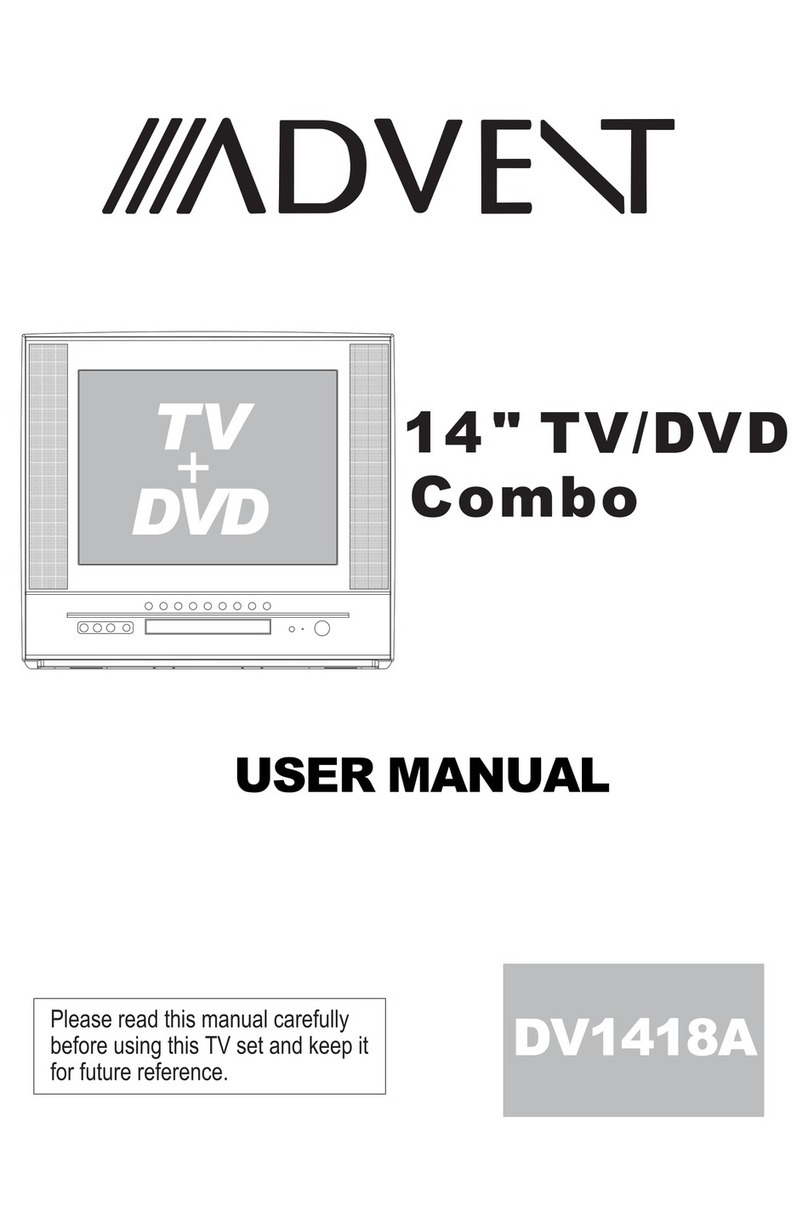
14" TV/DVD
Combo
USER MANUAL
Pleasereadthis manualcarefully
before using this TV set and keep it
for future reference.
PRIIMA WORLDWIDE WARRANTY
PWW LIMITED WARRANTY FOR CRT TELEVISION PRODUCTS
PWW warrants this product to befree from manufacturing defects in material and workmanship
under normal usefor the periodindicated on thewarranty card.
What PWW willdo:
• Pay an authorized PWW Service Center the labor chargesto repair your television.
• Pay an authorized PWW Service Centerfor the new, or atour option, refurbished- replacement parts
required to repairyour television.
How to obtainservice:
•Calt the PWWCustomer Support linedocumented on thewarranty card, or visit www.pwwservice.com
to tocate thenearest authorized PWWService Center.
• For televisions withscreen sizes 25" or less youwill be requestedto bring your unit in tothe
authorized service centerand pick upwhen repairs arecomplete.
• For televisions withscreen sizes 27" and above you may requesthomeservicefromanauthodzed
PWW Service Center provided that your television is locatedwithin the geographicterritory covered by
an authorized PWWService Center. If in-home service is not available in your area, you must take
your television tothe Service Centerlocation at yourown expense, orpay for thecost that the
Service Center maycharge to transportyour television toand from yourhome.
• Proof of purchase in the form of a billof sate or receipted invoice, which is evidence thatthe product is
within the warrantyperiod, must bepresented to obtainwarranty service.
This warranty doesnot cover:
• Physicat or cosmeticdamages.
• Ordinary adjustments as outlined in the owners manual thatcan be performed by the customer.
• Damage to equipmentnot properly connected to the product.
• Any costincurred in shippingthe product forrepair.
• Signal reception proMemscaused by externaIantenna, cable systemsor interference.
• incompatibility due tea change in TV/CATV broadcast systems afterthe product wassold.
• Batteries.
• images burnt onto the screen.
• initial installation and related adjustments.
• Power surge and/or lightning protection.
This warranty isvoid:
•If the original proof of purchase cannot be supplied.
• Damaged through misuse, negligence or abuse.
• Modified or repaired by anyone otherthan authorized PWWservice center.
• Damaged because itis improperly connected to any otherequipment.
• Used in acommerciat application orrentaL
Prima Worldwide Warranty is nottiable for anyclaim made bya third partyor made byyou for athird party.
This warranty is not transferable and only applies to the original purchase, and only in the original
country of purchase.Any impHedwarranties, including thewarranty of merchantability, are limited in
duration to theperiod of thisexpressed warranty and no warranty whether expressed or impHedshaH
apply to the product thereafter. Under no circumstanceshaIl PWW beliable for anyloss or consequential
damage arising outof the use of this product. This warranty gives specific legal right. However, you may
have other rightsthat may varyfrom state/province tostate/province. Some state/provincedo not allow
limitations on imp{iedwarranties or exclusions of consequential damage. Therefore these restrictions may
not apply to you.
Please retain youroriginal proof of purchase and go to www.pwwservice.com to register your
product.
PRECAUTIONS
FCC WARNING-This equipment may
generate or use radio frequency
energy.Changes or modifications to this
equipment may cause harmful
interference unless the modifications are
expressly approved in the instruction
manual.The user could lose the authority
to operate this equipment if an
unauthorized change or modification is
made.
LASER SAFETY
This unit employs a laser.Only a qualified
service person should remove the cover
or attempt to service this device,due to
_ossible eye injury.
CAUTION:USE OF CONTROLS OR
ADJUSTMENTS OR PERFORMANCE
OF PROCEDURES OTHER THAN
THOSE SPECIFIED HEREIN MAY
RESULT IN HAZARDOUS RADIATION
EXPOSURE.
CAUTION:VISIBLE AND INVISIBLE
LASER RADIATION WHEN OPENAND
INTERLOCK DEFEATED.DO NOT
STARE INTO BEAM.
LOCATION:INSIDE,NEAR THE DECK
MECHANISM.
CONTENTS
Before Operation
Warning and cautions ......................................................................... 2
installation ............................................................................................ 4
Antenna Connection ........................................................................... 4
Preparation of the remote control ....................................................... 4
Function buttons and External Connections .................................... 5
Front panel of the TV set ................................................................... 5
Rear panel of the TV set ..................................................................... 5
Using the remote control .................................................................... 6
Basic operation
Menu Functions ................................................................................... 9
DVD Operation
DVD Features ....................................................................................... 19
Advanced Playback ............................................................................. 20
Special Function Playback ................................................................. 21
DVD System Setup .............................................................................. 23
Playable Discs ..................................................................................... 27
Disc Protection and DVD Characteristics ......................................... 28
Others
IConnection to the external audio and video equipment .................. 29
Troubleshooting guide ........................................................................ 30
Specifications ..................................................................................... 31
@
portant safety Instructions
CAUTION
CAUTION: TO REDUCE THE RISK OF ELECTRIC SHOCK, DO NOT REMOVE
COVER (OR BACK). NO USER SERVICEABLE PARTS INSIDE.
REFER SERVICING TO QUALIFIED SERVICE PERSONNEL.
DANGEROUS VOLTAGE
Uninsulated Dangerous Voltage, that may be of sufficient magnitude to constitute a risk
of electric shock, is present within the cabinet of this unit.
ATTENTION
The Owner's Manual contains important operating and maintenance instructions. For
your safety, it is necessary to refer to the manual.
WARNING:
TO REDUCETHE RISKOFFIREORELECTRICSHOCK, DONOTEXPOSETHIS
EQUIPMENT TO RAIN OR MOISTURE.
TO REDUCETHE RISKOF FIRE ORELECTRICSHOCK,AND ANNOYING
INTERFERENCE, USETHE RECOMMENDEDACCESSORIESONLY.
Cleaning the tube
Should the picture tube require cleaning, disconnect the power and use a dry soft cotton cloth. Do not
use any cleaner or abrasive cloths.
1. READ INSTRUCTIONS
All the safety and operating instructions should be read before the unit is operated.
2. RETAIN INSTRUCTIONS
The safety and operating instructions should be retained for future reference.
3. HEED WARNINGS
All warnings on the unit and in the operating instructions should be adhered to.
4. FOLLOW INSTRUCTIONS
All operating and use instructions should be followed.
5, CLEANING
Unplug this unit from the wall outlet before cleaning. Do not use liquid cleaners or aerosol cleaners.
Use a damp cloth for cleaning the exterior cabinet only.
6, ATTACHMENTS
The manufacturer of this unit does not make any recommendations for attachments, as they may
cause hazards.
7. WATERAND MOISTURE
Do not use this unit near water. For example, near a bathtub, washbowl, kitchen sink, laundry tub,
in a wet basement, or near a swimming pool.
8, ACCESSORIES
Do not place this unit on an unstable cart, stand, tripod, bracket, or table.
The unit may fall, causing serious injury, and serious damage to the unit.
When a cart is used, use caution when moving the cart/apparatus
combination to avoid injury from tip-over.
9, VENTILATION
Slots and openings in the cabinet back or bottom are provided for ventilation, and to ensure reliable
operation of the unit, and to protect it from overheating. These openings must not be blocked or
covered. The openings should never be blocked by placing the unit on a bed, sofa, rug, or other
similar surface. This unit should never be placed near or over a radiator or heat source. This unit
should not be placed in a built-in installations such as a bookcase or rack unless proper ventilation
is provided or the manufacturer's instructions have been adhered to. @
portant safety Instructions
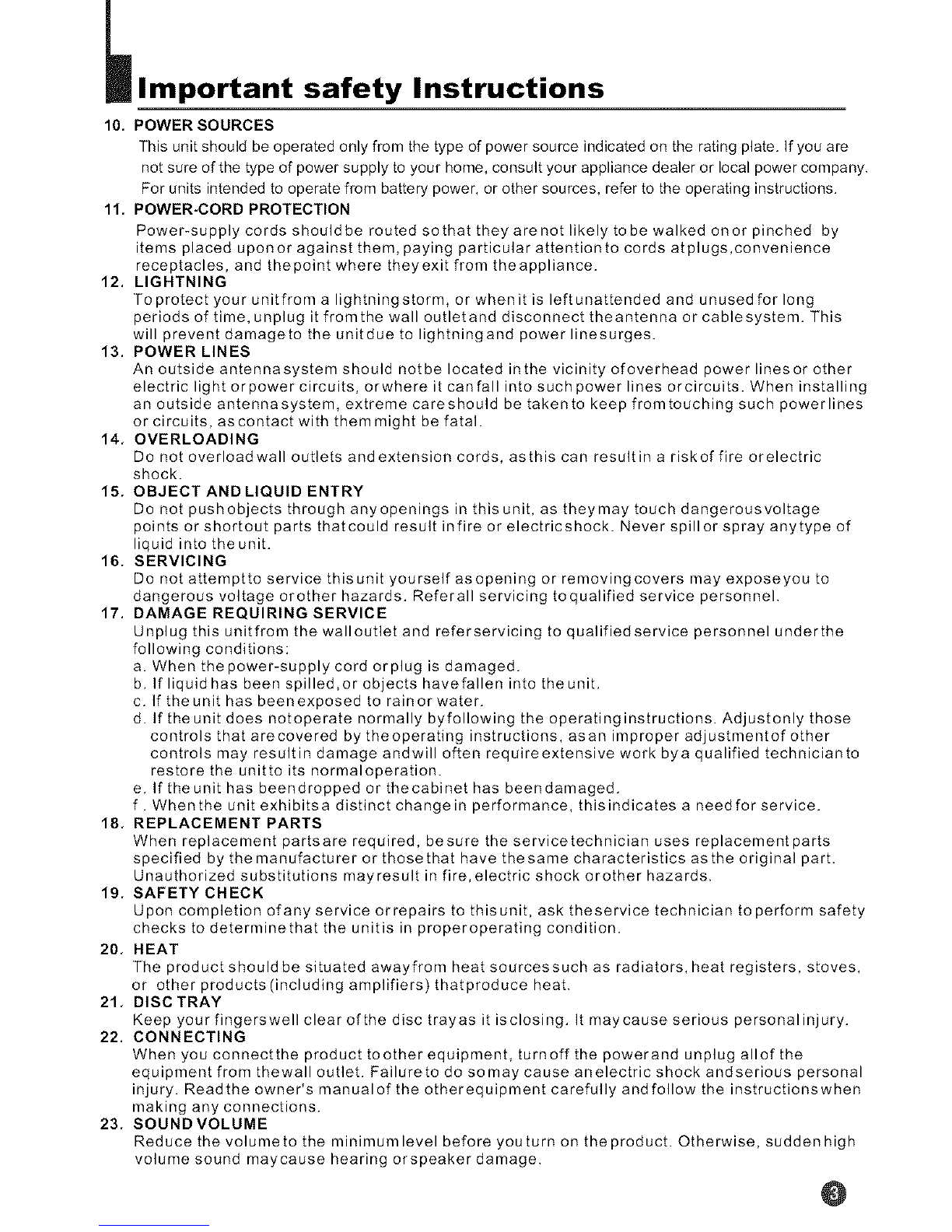
10, POWER SOURCES
This unit should be operated only from the type of power source indicated on the rating plate. If you are
not sure of the type of power supply to your home, consult your appliance dealer or local power company.
For units intended to operate from battery power, or other sources, refer to the operating instructions.
11, POWER-CORD PROTECTION
Power-supply cords shouldbe routed sothat they arenot likely to be walked onor pinched by
items placed uponor against them, paying particular attentionto cords atplugs,convenience
receptacles, and thepoint where theyexit from theappliance.
12, LIGHTNING
To protect your unitfrom a lightningstorm, or whenit is leftunattended and unused for long
periods of time, unplug it fromthe wall outletand disconnect theantenna or cablesystem. This
will prevent damageto the unitdue to lightningand power linesurges.
13. POWER LINES
An outside antennasystem should notbe located inthe vicinity ofoverhead power linesor other
electric light orpower circuits, orwhere it canfall into such power lines orcircuits. When installing
an outside antennasystem, extreme careshould be takento keep fromtouching such powerlines
or circuits, as contact with them might be fatal.
14, OVERLOADING
Do not overloadwall outlets and extension cords, asthis can resultin a riskof fire orelectric
shock.
15. OBJECT AND LIQUID ENTRY
Do not pushobjects through anyopenings in this unit, as theymay touch dangerousvoltage
points or shortout parts thatcould result infire or electricshock. Never spill or spray anytype of
liquid into the unit.
16. SERVICING
Do not attemptto service thisunit yourself asopening or removingcovers may exposeyou to
dangerous voltage orother hazards. Referall servicing toqualified service personnel.
17. DAMAGE REQUIRING SERVICE
Unplug this unitfrom the walloutlet and referservicing to qualifiedservice personnel underthe
following conditions:
a. When thepower-supply cord orplug is damaged.
b. If liquid has been spilled,or objects havefallen into the unit.
c. If the unit has been exposed to rain or water.
d. If the unit does notoperate normally byfollowing the operating instructions. Adjustonly those
controls that arecovered by theoperating instructions, asan improper adjustmentof other
controls may resultin damage andwill often requireextensive work bya qualified technicianto
restore the unitto its normaloperation.
e. If theunit has beendropped or thecabinet has beendamaged.
f. Whenthe unit exhibitsa distinct change in performance, thisindicates a needfor service.
18. REPLACEMENT PARTS
When replacement partsare required, besure the servicetechnician uses replacement parts
specified by themanufacturer or thosethat have thesame characteristics asthe original part.
Unauthorized substitutions mayresult in fire, electric shock orother hazards.
19, SAFETY CHECK
Upon completion ofany service orrepairs to this unit, ask theservice technician to perform safety
checks to determinethat the unitis in properoperating condition.
20, HEAT
The product should be situated awayfrom heat sourcessuch as radiators, heat registers, stoves,
or other products (including amplifiers) thatproduce heat.
21. DISC TRAY
Keep your fingerswell clear ofthe disc trayas it isclosing. It maycause serious personalinjury.
22. CONNECTING
When you connectthe product toother equipment, turnoff the powerand unplug allof the
equipment from thewall outlet. Failureto do somay cause anelectric shock andserious personal
injury. Readthe owner's manualof the otherequipment carefully and follow the instructionswhen
making any connections.
23. SOUNDVOLUME
Reduce the volumeto the minimumlevel before youturn on the product. Otherwise, sudden high
volume sound maycause hearing orspeaker damage. @

Installation
!
Generally speaking, to enjoy a clearer picture, we recommend that you use a CATV
system or an outdoor antenna .in different places, the suitable antenna type and position
may vary. VHF UHF
%¢,,-o. J
Mixer -'T'-
(not incl.)
Antenna/CATV input
(75 _ ) standard
coaxial type
AC power socket
Note:
* It is recommended that a 75 ohm coaxial antenna is used to avoid
interference.
*To avoid interference from electrical signals, do not bind the antenna
cable togetherwith anymains lead.
Battery installation
Remove the battery cover.
Insert two size AA batteries matching
the +/-polarities of the battery to the +/-
marks inside the battery compartment.
Tips for remote operation
When the remote control will not be used for a long period of time or when the
batteries are worn out, remove the batteries to prevent leakage.
Do not throw the batteries into fire. Dispose of used batteries in the specified
manner.
Do not drop, dampen or disassemble the remote control. @
Function Buttons and External
Connections
Uooooooo_
Video Audio Earphone
[0 dO)01
V_DEO UMONOAUD_O/R EARPHONE
Power Indicator
Signal Receiver Power Switch
OPEN/CLOSE PLAY STOP CH- CH+ VOL- VOL+ MENU TV/DVDOOOOOO©OO
: ;
i i i i i i i
Open/close Play Stop Channel Position Volume up/down Menu TV/DVD
the DVD the DVD the DVD up/down
Coaxial terminal
Video output terminal
Video input terminal
S-Video termina_
O COAXIALOUTPUT qF
O O Antenna/CATV input socket
0UT_@_ @ _Audiorightchannetoutputterminat
O IN_ _ '_ I Audio taft channe_output terminal_Audio right channelinput terminal
S-VIDEO VIDEO_ LI JR AUDIO I
\/Audio left channeIinput terminaI
@
_Using the Remote Control
@
O
O
O
@
O
@
@
o
@
@
@
@
@
@
@--
@
@--
GOO
GG
GG
DISPLAY FXlT TIME RECALL
RSTD TWAV
22J
0
0
0
0
0
0
0
0
@
@
@
@
@
@
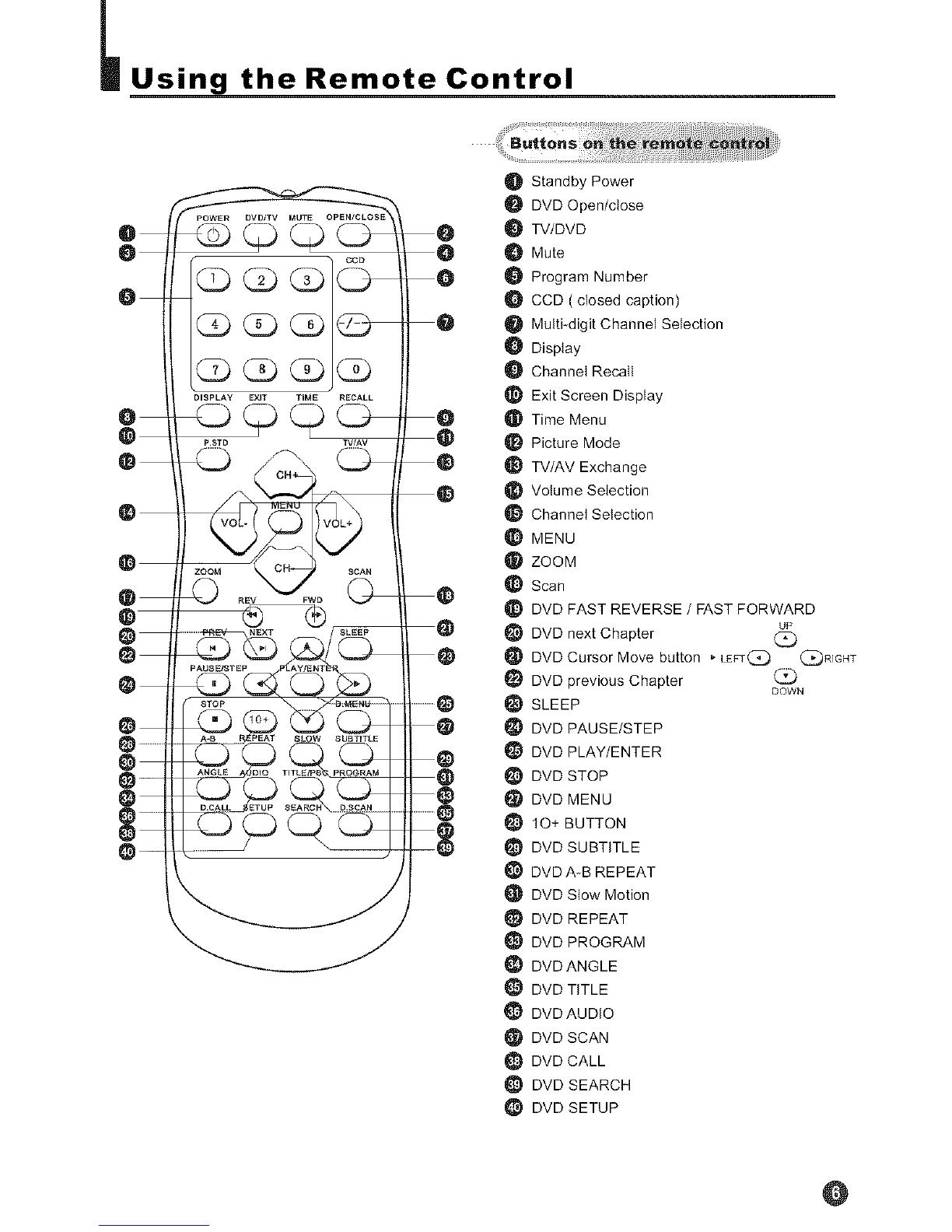
O Standby Power
DVD Open/close
O TV/DVD
Mute
Program Number
CCD ( closed caption)
_1 Multi_digit Channel Selection
Display
Channel Recall
Exit Screen Display
Time Menu
Picture Mode
TV/AV Exchange
Volume Selection
Channel Selection
MENU
I_ ZOOM
Scan
_} DVD FAST REVERSE /FAST FORWARD
DVD next Chapter (_
DVD Cursor Move button _ LEFr(:_ (_R]GHT
DVD previous Chapter DOWN
SLEEP
DVD PAUSE/STEP
DVD PLAY/ENTER
DVD STOP
DVD MENU
10+ BUTTON
DVD SUBTITLE
DVD A_B REPEAT
DVD Slow Motion
DVD REPEAT
DVD PROGRAM
DVD ANGLE
DVD TITLE
DVD AUDIO
DVD SCAN
DVD CALL
_} DVD SEARCH
_} DVD SETUP
@
Remote Features
Power Button:
To turn power ON or OFF, press power button on remote control.
System and Channel Display Button:
This will showyou the currentchannel number. System will also
be displayed if set.
DVD/TV Button:
Press this buttonto change between TV and DVD.
Sleep TimerButton
This feature allows you to turn off the television in pre-selected
minutes (180.170,160 .......... 10 and 0). To cancel, keep
pressing button untilyou exit out.
TV/AVinput Button:
This button hasfive settingA)Videol, B)Video2,C)DVD,D)TV.
Pressing this button will cycle you through each option.
Mute Button:
Pressmutebuttontoturnoffthe TVvolume.
Direct Access Channel Select & digital selector:
Follow the procedure select the channel.
One Digit ChannelSelect:
When youwant to select one digit channel ,press 0and other
digit.
Two DigitChannel Select:
When youwant to select two-digit channel. Pressthe digit
select button twice, then enterthe two digits.
Three Digit Channel Select:
When youwant to select athree digitchannel .Press the digit
select twice ,then enter thethree digits.
CCD Button:
Press CCD buttonto set theC.Caption ON orOFF.
OPEN/CLOSE Button:
Press this button toopen or close the DVD disc tray.
GLD __D
@
Channel (+/-) Select Button:
Youcan go upand down thechannels by pressing CH (+)
button and CH (-)button. This button can also be used in adjusting the functions in
the Menu Mode.
Menu Select Button: cH
You can select the menu by pressing the MENU button. You _"-'_ _7_
can call onthe menu (PICTURE,TIME, TUNEandFUNCTION)
by pressing the corresponding button on the remote control ..... _ _/
CH_
Volume (+/-) Select Button: V
Youcan increasethe volume by pressing VOL (+)button and
decrease VOL(-) button.This button can also be used in adjusting the function
selections in the Menu Mode.
Last Channel Recall Button:
This feature allows you to recall the previously viewed channel.
Picture Preference Select Button:
By pressing this exclusive personal preference button, you can [ /_sT_ [
select different preset brightness shades for various viewing
environments.
Program Scan Button:
This feature automaticallyscans the availablechannels.
Pressing it again stops the channel scanning.
System and Channel Display Cancel Button:
This button allows you to turn off thechannel displayand exit [ _\ [
system menus.
Time Menu Button:
When pressed it displays Time Menu Screen.
10+ Button:
This button canalso be usedto select 2digit channel numbers.
@