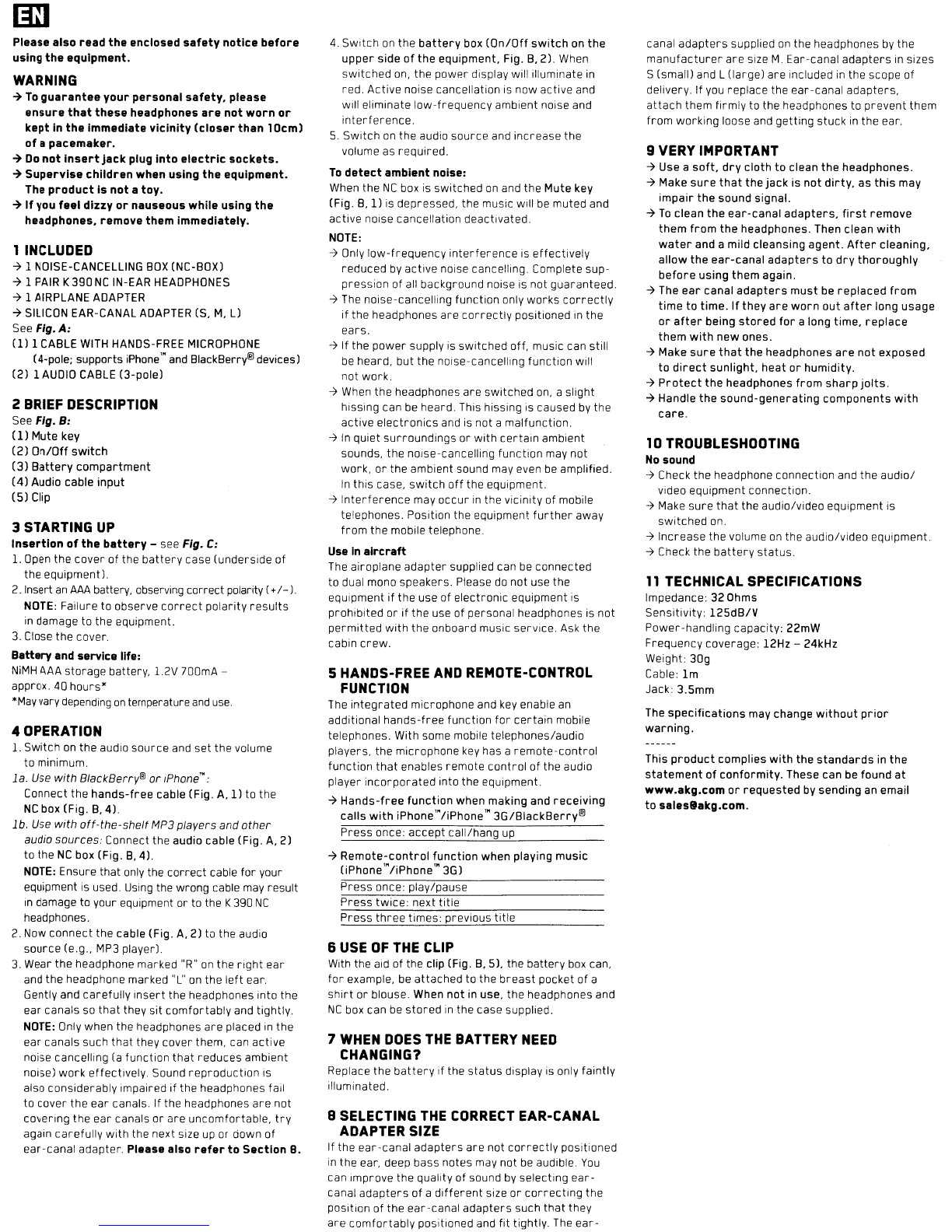
Please
also
read
the
enclosed
safety
notice
before
using
the
equipment,
WARNING
07
To
guarantee
your
personal
safety,
please
ensure
that
these
headphones
are
not
worn
or
kept
in
the
immediate
vicinity
(closer
than
10cm)
of
a
pacemaker.
07
Do
not
insert
jack
plug
into
electric
sockets.
07
Supervise
children
when
using
the
equipment.
The
product
is
not
a
toy.
07
If
you
feel
dizzy
or
nauseous
while
using
the
headphones,
remove
them
Immediately.
1
INCLUDED
07
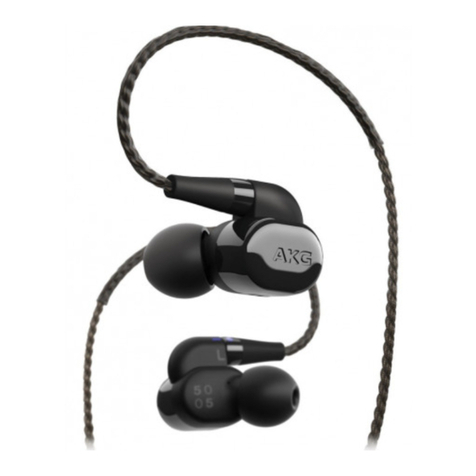
1NOISE-CANCELLING
BOX
(NC-BOX)
07
1
PAIR
K
390
NC
IN-EAR
HEADPHONES
07
1AIRPLANE ADAPTER
07
SILICON
EAR-CANAL
ADAPTER
(5,
M,
Ll
See
Fig.
A:
(1)
1
CABLE
WITH
HANDS-FREE
MICROPHONE
(4-pole; supports iPhone"
and
BlackBerry® devices)
(2)
1
AUDIO
CABLE
(3-pole)
2
BRIEF
DESCRIPTION
See
Fig.
B:
(ll
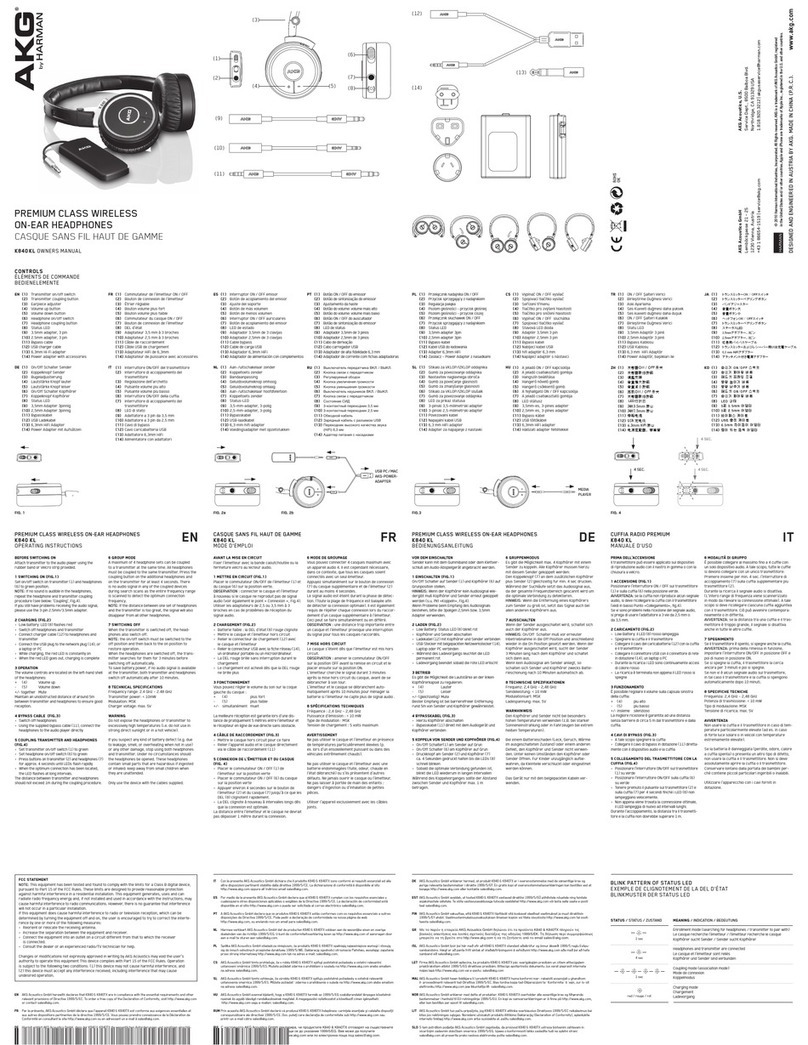
Mute key
(2)
On/Off
switch
(3)
Battery
compartment
(4)
Audio cable
input
(5)
Clip
3
STARTING
UP
Insertion
of
the
battery
-see Fig.
C:
1.
Open
the cover of the
battery
case (underside
of
the equipmentJ.
2.
Insert
an
AAA
battery, observing correct polarity
(+/-
J.
NOTE:
Failure to observe
correct
polarity
results
in
damage to the equipment.
3.
Close the cover.
Battery
and
service
life:
NiMH
AAA storage battery, 1.2V 700mA -
approx. 40
hours"
"May
vary
depending
on
temperature
and
use.
40PERATION
1. Switch
on
the audio source and
set
the volume
to minimum.
1a. Use
with
BlackBerry®
or
,Phone'":
Connect the
hands-free
cable (Fig.
A,I)
to the
NC
box (Fig.
B,
41.
lb.
Use
with
off-the-shelf
MP3 players
and
other
audio
sources:
Connect the audio cable (Fig.
A,
2)
to the
NC
box (Fig.
B,
41.
NOTE:
Ensure that only the
correct
cable for your
equipment
IS
used.
Using
the wrong cable
may
result
In
damage to your equipment or to the K390
NC
headphones.
2.
Now connect the cable (Fig.
A,
2) to the audio
source
(e.g.,
MP3
playerJ.
3.
Wear the headphone marked
"ROO
on
the
right
ear
and the headphone marked
"L"
on
the
left
ear.
Gently and
carefully
insert
the headphones into the
ear canals so
that
they sit
comfortably
and tightly.
NOTE:
Only when the headphones are placed
in
the
ear
canals such that they cover them, can active
noise cancelling
(a
function that reduces ambient
nOise)
work
effectively
Sound
reproduction
is
also considerably impaired
if
the headphones fail
to cover the ear canals. If the headphones are not
covering the ear canals
or
are
uncomfortable,
try
again
carefully
with
the next size
up
or
down of
ear-canal adapter. Please also
refer
to
Section
B.
4.
Switch
on
the
battery
box
(On/Off
switch
on
the
upper
side
of
the
equipment, Fig.
B,
21.
When
switched
on,
the power display will illuminate
in
red. Active noise cancellation
is
now active and
Will
eliminate
low-frequency
ambient noise and
interference.
5.
Switch
on
the audio source and increase the
volume as required.
To
detect
ambient
noise:
When
the
NC
box
is
switched
on
and the Mute key
(Fig.
B,ll
is
depressed, the
mUSIC
Will
be
muted and
active
nOise
cancellation deactivated.
NOTE:
~
Only
low-frequency
interference
is
effectively
reduced
by
active
nOise
cancelling. Complete sup-
pression of all background noise is not guaranteed.
~
The
noise-cancelling function only
works
correctly
if
the headphones are
correctly
positioned
in
the
ears.
~
If
the
power
supply
is
switched off, music can still
be
heard, but the noise-cancelling function will
not work.
~
When
the headphones are switched
on,
aslight
hiSSing
can
be
heard. This hissing is caused
by
the
active
electronics
and is not amalfunction.
~
In
quiet
surroundings
or
with
certain
ambient
sounds, the nOise-cancelling function
may
not
work,
or
the ambient sound may even
be
amplified.
In
this case,
switch
off
the equipment.
~
Interference
may
occur
in
the vicinity of mobile
telephones. Position the equipment
further
away
from
the mobile telephone.
Use in
aircraft
The
airoplane adapter supplied can
be
connected
to dual mono speakers. Please
do
not use the
equipment
if
the use of electronic equipment is
prohibited
or
if
the use of personal headphones is not
permitted
with
the onboard music service. Ask the
cabin
crew.
5HANDS-FREE
AND
REMOTE-CONTROL
FUNCTION
The
integrated
microphone and
key
enable
an
additional
hands-free
function
for
certain
mobile
telephones. With some mobile telephones/audio
players, the microphone
key
has a
remote-control
function
that
enables remote
control
of
the
audiO
player
incorporated
into the equipment.
~
Hands-free
function
when making and
receiving
calls
with
iPhone'"/iPhone
'"
3G/BlackBerry®
Press
once: accept call/hang
up
~
Remote-control
function
when playing music
(iPhone'"
/iPhone'"
3G)
Press
once: play/pause
Press
twice: next title
Press
three
times: previous title
6
USE
OF
THE
CLIP
With the aid of the clip (Fig.
B,
SJ.
the battery
box
can,
for
example,
be
attached to the
breast
pocket of a
shirt
or
blouse. When
not
in use, the headphones and
NC
box can
be
stored
in
the case supplied.
7
WHEN
DOES
THE
BATTERY
NEED
CHANGING?
Replace the
battery
if the
status
display is only faintly
illuminated.
B
SELECTING
THE
CORRECT
EAR-CANAL
ADAPTER
SIZE
If
the ear-canal
adapters
are
not
correctly
positioned
in
the ear, deep bass notes may not
be
audible.
You
can Improve the quality of sound
by
selecting
ear-
canal
adapters
of a
different
size
or
correcting
the
position of the ear-canal adapters such
that
they
are
comfortably
positioned and fit tightly.
The
ear-
canal
adapters
supplied
on
the headphones
by
the
manufacturer
are
size
M.
Ear-canal
adapters
in
sizes
S(small) and L(large) are included
in
the scope of
delivery.
If
you
replace the ear-canal adapters,
attach
them firmly to the heildphones to prevent them
from
working loose and getting stuck
in
the ear.
9
VERY
IMPORTANT
~
Use a
soft.
dry
cloth
to
clean the headphones.
~
Make
sure
that
the
jack
is not
dirty,
as
this
may
impair
the sound signal.
~
To
clean the
ear-canal
adapters,
first
remove
them
from
the
headphones. Then clean
with
water
and amild cleansing agent.
After
cleaning,
allow
the
ear-canal
adapters
to
dry
thoroughly
before
using
them
again.
~The
ear
canal
adapters
must
be
replaced
from
time
to
time.
If
they
are
worn
out
after
long usage
or
after
being
stored
for
along time,
replace
them
with
new
ones.
~Make
sure
that
the headphones
are
not
exposed
to
direct
sunlight.
heat
or
humidity.
~
Protect
the
headphones
from
sharp
jolts.
~
Handle
the
sound-generating
components
with
care.
10
TROUBLESHOOTING
No
sound
~
Check the headphone connection and the
audio/
Video
equipment connection.
~
Make
sure
that
the audio/video equipment is
switched on.
~
Increase the volume
on
the audio/video equipment.
~
Check the
battery
status.
11
TECHNICAL SPECIFICATIONS
Impedance: 32 Ohms
Sensitivity:
125dB/V
Power-handling capacity: 22mW
Frequency coverage: 12Hz -24kHz
Weight: 30g
Cable: 1m
Jack: 3.5mm
The
specifications
may change
without
prior
warning.
This
product
complies
with
the
standards
in the
statement
of
conformity.
These can be found
at
www.akg.com
or
requested
by sending
an
email
to
saleslakg.com.