manuals.online logo
Brands
  1. Home
  2. •
  3. Brands
  4. •
  5. Akiles
  6. •
  7. Power Pack
  8. •
  9. Akiles CardMac User manual

Akiles CardMac User manual

Popular Power Pack manuals by other brands

Schumacher SL1396 owner's manual

Schumacher

Schumacher SL1396 owner's manual

EcoFlow Wave 2 user manual

EcoFlow

EcoFlow Wave 2 user manual

Draper 12V Power Packs instructions

Draper

Draper 12V Power Packs instructions

Haug Multistat Ex SDN operating instructions

Haug

Haug Multistat Ex SDN operating instructions

Intermatic IOS-PP24 Installation and configuration instructions

Intermatic

Intermatic IOS-PP24 Installation and configuration instructions

Risen RSN-BX007 user manual

Risen

Risen RSN-BX007 user manual

therm-ic Supermax Powerpack Instructions for use

therm-ic

therm-ic Supermax Powerpack Instructions for use

Bluetti EP500-JP EP500-USA user manual

Bluetti

Bluetti EP500-JP EP500-USA user manual

Chicago Pneumatic PAC P18 Safety and operating instructions

Chicago Pneumatic

Chicago Pneumatic PAC P18 Safety and operating instructions

gt coupe IX-SW028 instruction manual

gt coupe

gt coupe IX-SW028 instruction manual

iTechworld PS2000 user guide

iTechworld

iTechworld PS2000 user guide

Pentax TR Power Pack-2 (PW-222 operating manual

Pentax

Pentax TR Power Pack-2 (PW-222 operating manual

Polaroid PORTABLE POWER PACK user manual

Polaroid

Polaroid PORTABLE POWER PACK user manual

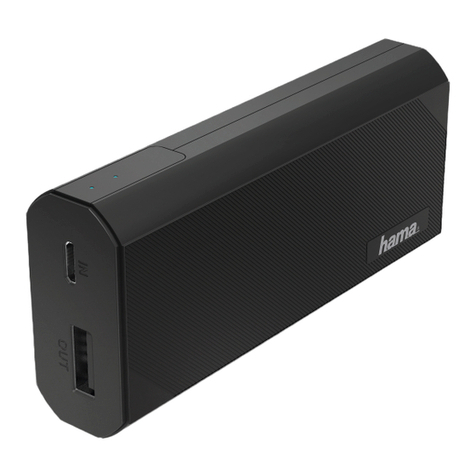
Hama 16398 operating instructions

Hama

Hama 16398 operating instructions

APA 16480 operating instructions

APA

APA 16480 operating instructions

Draper PP12/24PRO instructions

Draper

Draper PP12/24PRO instructions

Xantrex XPower Powerpack 600HD owner's guide

Xantrex

Xantrex XPower Powerpack 600HD owner's guide

iHome KINETA iAKC1 manual

iHome

iHome KINETA iAKC1 manual

manuals.online logo
manuals.online logoBrands
  • About & Mission
  • Contact us
  • Privacy Policy
  • Terms and Conditions

Copyright 2025 Manuals.Online. All Rights Reserved.

Akiles CardMac
Power Pack
Instruction Manual
IMPORTANT
• Make sure the Power Pack is properly installed in the CardMac before plugging the power adapter
into an electrical outlet.
• The Power Pack was designed only for use with the CardMac and should not be used with vany other
machines.
• Avoid placing fingers or foreign objects into the openings or cutting slots. Doing so will result in
injury and damage to the machine.
• Install the machine on a secure and stable table.
• Read all operating and safety instructions before using the machine.
• Observe all warnings and instructions marked on the machine.
• There are no user serviceable parts inside the machine.
• If the machine does not operate normally, please contact your local reseller for help.
• Do not remove any covers, modify or change any part of the machine. Doing so will void your warranty.
SAFETY INFORMATION
Power Button - hold to
activate the Power Pack.
Driving Shaft - connects to
the side gear of the CardMac.
Safety Lock - the Power Pack must
be properly installed and locked
into place to become functional.
Release Switch - press to release
the Power Pack from the CardMac.
Power Adapter - plug this
into an electrical outlet to
power the Power Pack.
Power Jack - connect the power lead
from the power adapter to this jack.
Connect the Driving Shaft on the
Power Pack to the side gear of
the CardMac firmly. If necessary,
rotate the Driving Shaft slightly
for proper alignment.
Two clicking sounds should be heard while installing
the Power Pack. Both the Release Button and Safety
Lock will make audible clicks when installed properly.
PRODUCT OVERVIEW
ASSEMBLY INSTRUCTIONS
CardMac
PowerPack
by