manuals.online logo
Brands
  1. Home
  2. •
  3. Brands
  4. •
  5. AL Tech
  6. •
  7. Antenna
  8. •
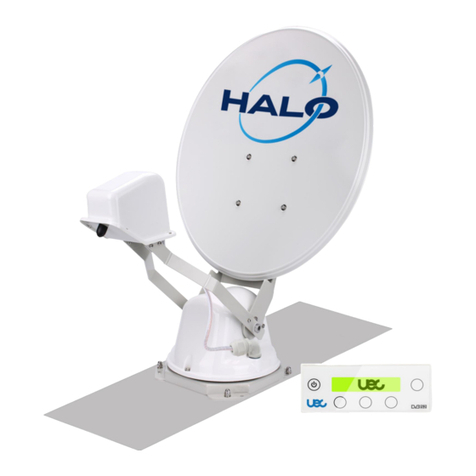
  9. AL Tech HALO 60cm DISH User manual

AL Tech HALO 60cm DISH User manual

Other AL Tech Antenna manuals

AL Tech UEC HALO 85cm DISH User manual

AL Tech

AL Tech UEC HALO 85cm DISH User manual

AL Tech HALO 85cm DISH User manual

AL Tech

AL Tech HALO 85cm DISH User manual

Popular Antenna manuals by other brands
DAVIS Windex AV 3160 installation instructions
DAVIS

DAVIS Windex AV 3160 installation instructions

Belden Hirschmann BAT-ANT-N-14G-IP23 Mounting instruction
Belden

Belden Hirschmann BAT-ANT-N-14G-IP23 Mounting instruction

Vtronix YHK Fitting instructions

Vtronix

Vtronix YHK Fitting instructions
KVH Industries TracVision 6 Technical manual

KVH Industries

KVH Industries TracVision 6 Technical manual

Leica Geosystems GS10 user manual

Leica Geosystems

Leica Geosystems GS10 user manual
Sirio Antenne Gain-Master manual

Sirio Antenne

Sirio Antenne Gain-Master manual
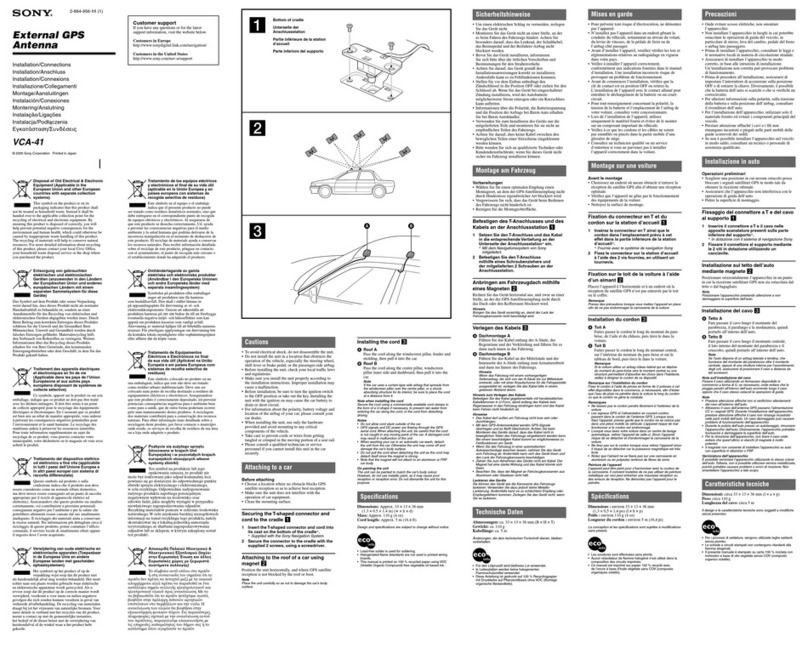
Sony VCA-41 Installation/connections

Sony

Sony VCA-41 Installation/connections

ZCG Y100 Series installation guide

ZCG

ZCG Y100 Series installation guide

Advantech Wireless INTREPID120 Assembly instructions

Advantech Wireless

Advantech Wireless INTREPID120 Assembly instructions

Cerio ANT-10AO installation guide

Cerio

Cerio ANT-10AO installation guide

Alfa Network APA-L01 Specifications

Alfa Network

Alfa Network APA-L01 Specifications

Naval PR-422CA Operation manual

Naval

Naval PR-422CA Operation manual

Feig Electronic ID ISC.ANTH200/200 Series manual

Feig Electronic

Feig Electronic ID ISC.ANTH200/200 Series manual

TERK Technologies TV44 owner's manual

TERK Technologies

TERK Technologies TV44 owner's manual
TERK Technologies SIR3 owner's manual

TERK Technologies

TERK Technologies SIR3 owner's manual

Directive Systems & Engineering DSE2324LYRMK quick start guide

Directive Systems & Engineering

Directive Systems & Engineering DSE2324LYRMK quick start guide

HP J8999A instructions

HP

HP J8999A instructions

MobilSat MSP-S Mounting instructions

MobilSat

MobilSat MSP-S Mounting instructions

manuals.online logo
manuals.online logoBrands
  • About & Mission
  • Contact us
  • Privacy Policy
  • Terms and Conditions

Copyright 2025 Manuals.Online. All Rights Reserved.

1. Select a location for the ODU
Direction of Travel
2. Mount the ODU
3. Mount the IDU
Pick an area on the roof of your mobile hoe
that will allow the ODU to be mounted
as flat and level and strong as possible.
With good support that will permit the
dish,once fitted and raised,to have a
full 360 degree rotation and elevation
range.
Mind the direction of Travel.
Drill the mounting holes and cable
access hole to prepare the site for
installation.
Ensure that all screw fixings are
covered with sealant to ensure that
there are no leaks into the RV.
Dry place is required for IDU to be
mounted.
Drill the mounting holes prepare the
site for installation.
4. Power cable
5. Wiring diagram
Red : Positive of battery(VBAT+)
Black :Cathode of battery(VBAT-)
Yellow : Ignition(+)
7.5A Fuse
NOT supplied
6. Turn on system
7. Deploy system
OPTUS C1 / D3
SLEEP 156.0E 0%
MENU DEPLOY
8. One-button to change the target satellite
SATELLITE SELECTION
A: OPTUS C1 / D3
B: OPTUS D1
C: ASIASAT4
9. Stow system
OPTUS C1/D3
LOCK 156.0E 80%
MENU STOW
10. Turn off system
Turn On Power The antenna system
will retract to shut down position and
enter into Sleep Mode. The power
consumption is very low.
Press DEPLOY will deploy system.
Then antenna will lock onto target
satellite automatically.
Press Function key can change the
target satellite which you want in the
list.
Wait for 3 second, the target satellite
will be selected automatically and
tracked by the antenna.
And it will return to Normal Mode
automatically at the same time.
If you use ignition stow function you
install at vehicle, the system will
automatically shut down dish on
vehicle startup.
OR press STOW. Antenna system
will retract to shut down position.
Before you driving, please confirm
the dish is completely retract to shut
down position.
Press Power can turn off the system.
To View the UEC website and access the latest documentation.
https://uec.com.au/halo-60cm-documents
HALO 60cm DISH
Quick Start Guide