manuals.online logo
Brands
  1. Home
  2. •
  3. Brands
  4. •
  5. Alcatel
  6. •
  7. Cell Phone
  8. •
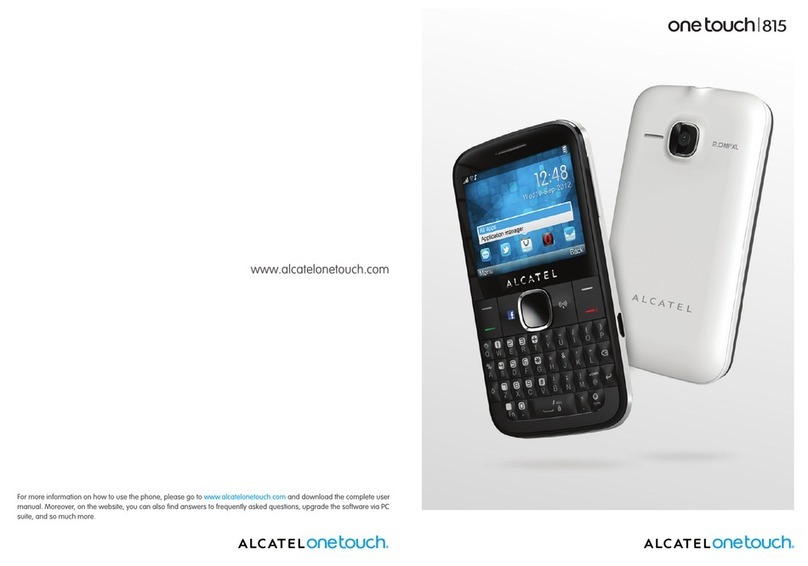
  9. Alcatel ONE TOUCH 756 User manual

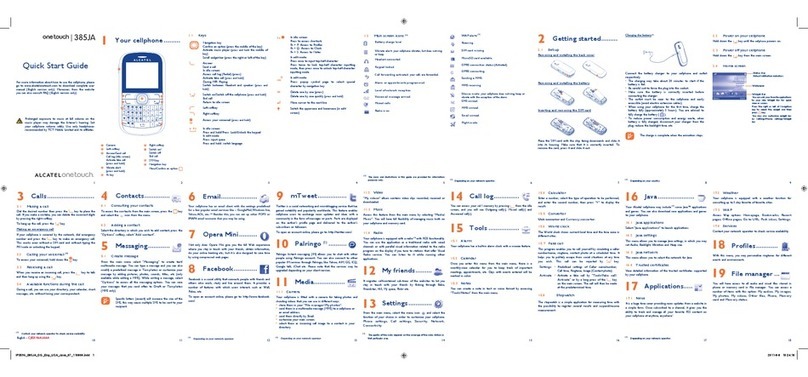
Alcatel ONE TOUCH 756 User manual

Other Alcatel Cell Phone manuals

Alcatel ONE TOUCH 7040D User manual

Alcatel

Alcatel ONE TOUCH 7040D User manual

Alcatel IPTOUCH 300 User manual

Alcatel

Alcatel IPTOUCH 300 User manual

Alcatel A206G User manual

Alcatel

Alcatel A206G User manual

Alcatel 1L Pro User manual

Alcatel

Alcatel 1L Pro User manual

Alcatel A577VL User manual

Alcatel

Alcatel A577VL User manual

Alcatel One Touch 990A User manual

Alcatel

Alcatel One Touch 990A User manual

Alcatel A3A XL 4G User manual

Alcatel

Alcatel A3A XL 4G User manual

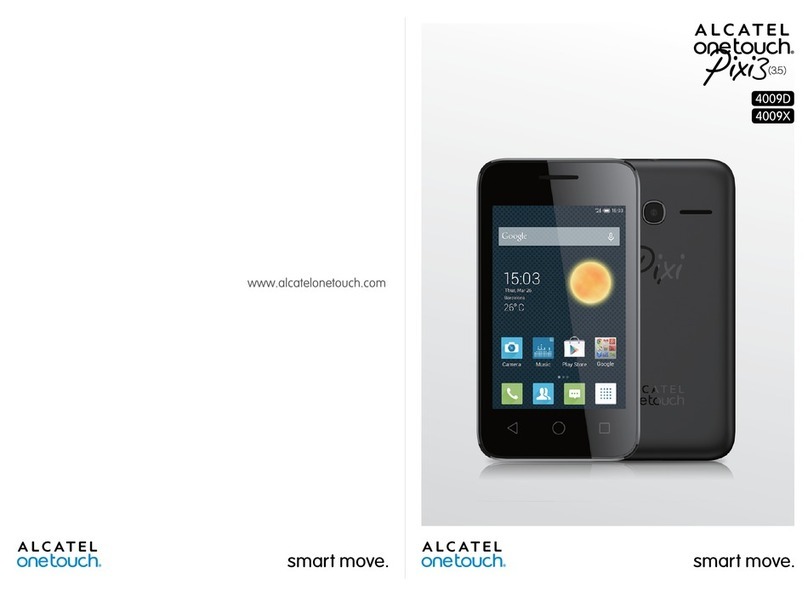
Alcatel OneTouch Pixi3 (35) User manual

Alcatel

Alcatel OneTouch Pixi3 (35) User manual

Alcatel TracFone OneTouch POP ICON LTE 2 User manual

Alcatel

Alcatel TracFone OneTouch POP ICON LTE 2 User manual

Alcatel One Touch Spop 4030X User manual

Alcatel

Alcatel One Touch Spop 4030X User manual

Alcatel 1S 5024A User manual

Alcatel

Alcatel 1S 5024A User manual

Alcatel U5 5047Y User manual

Alcatel

Alcatel U5 5047Y User manual

Alcatel 1S: S 6025D User manual

Alcatel

Alcatel 1S: S 6025D User manual

Alcatel 3V User manual

Alcatel

Alcatel 3V User manual

Alcatel 5054X User manual

Alcatel

Alcatel 5054X User manual

Alcatel onetouch A521C User manual

Alcatel

Alcatel onetouch A521C User manual

Alcatel One Touch 132 User manual

Alcatel

Alcatel One Touch 132 User manual

Alcatel 4017F User manual

Alcatel

Alcatel 4017F User manual

Alcatel ONE TOUCH 2007D User manual

Alcatel

Alcatel ONE TOUCH 2007D User manual

Alcatel IDOL 4 CRICKET Technical manual

Alcatel

Alcatel IDOL 4 CRICKET Technical manual

Alcatel Streak User manual

Alcatel

Alcatel Streak User manual

Alcatel U3 User manual

Alcatel

Alcatel U3 User manual

Alcatel A205G-B User manual

Alcatel

Alcatel A205G-B User manual

Alcatel 7044X User manual

Alcatel

Alcatel 7044X User manual

Popular Cell Phone manuals by other brands

Nokia 6700 classic user guide

Nokia

Nokia 6700 classic user guide

LG L34C user guide

LG

LG L34C user guide

Ericsson T60d manual

Ericsson

Ericsson T60d manual

Zte Score M user manual

Zte

Zte Score M user manual

Sony Xperia Z1 Compact Startup guide

Sony

Sony Xperia Z1 Compact Startup guide

AT AT-Q5 user manual

AT

AT AT-Q5 user manual

Vingtor ACM-M-A-V2 Installation/configuration

Vingtor

Vingtor ACM-M-A-V2 Installation/configuration

Olitech EasyFlip 2 Quick setup guide

Olitech

Olitech EasyFlip 2 Quick setup guide

Zte Atrium Z793C user manual

Zte

Zte Atrium Z793C user manual

Zte BLADE A520 quick start guide

Zte

Zte BLADE A520 quick start guide

switel M222 user manual

switel

switel M222 user manual

LG LG-P503 user guide

LG

LG LG-P503 user guide

LG F2410 user guide

LG

LG F2410 user guide

Argom E500 manual

Argom

Argom E500 manual

Hisense U30 user manual

Hisense

Hisense U30 user manual

Argom Tech E401 user manual

Argom Tech

Argom Tech E401 user manual

Nokia 3595 - Cell Phone - GSM Manual Del Usuario

Nokia

Nokia 3595 - Cell Phone - GSM Manual Del Usuario

Nokia iSkoot 6600 user guide

Nokia

Nokia iSkoot 6600 user guide

manuals.online logo
manuals.online logoBrands
  • About & Mission
  • Contact us
  • Privacy Policy
  • Terms and Conditions

Copyright 2025 Manuals.Online. All Rights Reserved.

© 2004.
All rights reserved.
ALCATEL reserves the right, in customer's interest, to alter material or technical specifications without prior notice.
www.alcatel.com www.alcatel.com
English
TH4_UM_GB_29-04-04 29/04/04 15:51 Page 1
Introduction ..........................................................
Alcatel would like to thank you for purchasing this mobile.
Your camera: photo and video clip
Record a video clip with sound with your mobile. Save it in your multimedia album and use it to personalise
the idle screen. You can also associate a video to a contact so when your contact calls you, the video is
played. Capture and share your favourite moments thanks to the embedded camera. You can zoom and
record sound while taking your photos, or add funny frames and stamps. t is easy and a lot of fun!
Say it with colours using MMS
Your phone includes the Multimedia Message Service enabling you to send video clips, colour pictures and
sounds in your text messages. You can create expressive messages to match your mood thanks to the
embedded and downloaded multimedia content.
Your MP3 melody
Choose an MP3 melody as your incoming call ring. When you receive a call, your MP3 melody will be played.
A style of your very own
Personalise your handset giving it a personal touch. Either choose the colour and texture of your interface
from the embedded skins, or pick a video clip, a wallpaper or melodie from the rich multimedia content.
Your game companion
Get ready for a new intense gaming experience with a large choice of downloadable games and applications.
1
Ta le of contents ..................................................
Introduction ......................................................................................................1
Safety and Use ..................................................................................................5
General Information ........................................................................................8
1. Your mo ile ................................................................................................9
1.1 Keys ..................................................................................................................................................................10
1.2 Main screen icons ........................................................................................................................................11
2. Getting started ........................................................................................13
2.1 Set-up ..............................................................................................................................................................13
2.2 Switching on your telephone......................................................................................................................15
2.3 Switching off your telephone......................................................................................................................15
3. Calls ..........................................................................................................16
3.1 Making a call....................................................................................................................................................16
3.2 Calling your voicemail ..................................................................................................................................17
3.3 Receiving a call ..............................................................................................................................................17
3.4 During the call ..............................................................................................................................................18
3.5 Conference calls ............................................................................................................................................19
3.6 Double line (ALS) .........................................................................................................................................19
4. Call log ......................................................................................................20
4.1 Call memory ..................................................................................................................................................20
4.2 My Numbers ..................................................................................................................................................21
4.3 Billing ................................................................................................................................................................21
4.4 Call settings ....................................................................................................................................................23
5. Menu ..........................................................................................................25
2
TH4_UM_GB_29-04-04 29/04/04 15:51 Page 1
10. Tips & Tricks..............................................................................................62
11. Services ....................................................................................................63
11.1 Access WAP menu ......................................................................................................................................63
11.2 Programming your access ..........................................................................................................................63
11.3 Direct access/profile access ......................................................................................................................65
11.4 GPRS function ................................................................................................................................................65
11.5 WAP browser options ................................................................................................................................66
12. Media Al um ............................................................................................67
12.1 Album menu ..................................................................................................................................................67
12.2 My mages........................................................................................................................................................67
12.3 My Sounds ......................................................................................................................................................69
12.4 My Videos........................................................................................................................................................69
12.5 Managing sounds, images and videos ......................................................................................................70
12.6 Download new video clips, photos, sounds, .........................................................................................71
12.7 Formats and compatibility ..........................................................................................................................71
13. Photo/Video ..............................................................................................72
13.1 Photo applications ........................................................................................................................................72
13.2 Video applications ........................................................................................................................................78
14. Games & Applications..............................................................................83
14.1 Launch an application ..................................................................................................................................83
14.2 Available options ..........................................................................................................................................84
14.3 Download an application ............................................................................................................................84
14.4 Java™ Push ....................................................................................................................................................85
14.5 Settings ............................................................................................................................................................85
15. Making the most of your mo ile ............................................................87
15.1 “My One Touch” services by Alcatel ......................................................................................................87
15.2 Alcatel One Touch PC suite ......................................................................................................................87
16. Characters and sym ols ta le ................................................................88
17. Telephone warranty ................................................................................89
18. Accessories................................................................................................91
19. Trou leshooting........................................................................................93
4
6. Directory ..................................................................................................27
6.1 Consulting your directory ..........................................................................................................................27
6.2 Creating a file .................................................................................................................................................28
6.3 Available options ...........................................................................................................................................29
6.4 Creating a new directory ............................................................................................................................30
6.5 Using voice tag ..............................................................................................................................................30
6.6 Assigning a ringtone to a directory ..........................................................................................................31
6.7 Assigning an image, an animation or a video to a file ..........................................................................31
6.8 Privacy..............................................................................................................................................................31
7. Messages....................................................................................................32
7.1 Receiving and reading messages ................................................................................................................33
7.2 Creating and sending messages .................................................................................................................36
7.3 Speed writing system....................................................................................................................................39
7.4 Parameters ......................................................................................................................................................41
7.5 Delete messages ............................................................................................................................................43
8. My Settings ..............................................................................................44
8.1 Ringtones.........................................................................................................................................................44
8.2 Display .............................................................................................................................................................45
8.3 Clock ................................................................................................................................................................48
8.4 Set my shortcuts............................................................................................................................................49
8.5 Customising the keys ..................................................................................................................................49
8.6 More settings..................................................................................................................................................50
9. Tools ..........................................................................................................54
9.1 Diary ................................................................................................................................................................54
9.2 Alarms..............................................................................................................................................................57
9.3 Converter........................................................................................................................................................57
9.4 Calculator........................................................................................................................................................58
9.5 Memory............................................................................................................................................................58
9.6 Voice memo ..................................................................................................................................................59
9.7 nfrared ( rDA) ..............................................................................................................................................59
9.8 Alarms list ......................................................................................................................................................60
9.9 Tone composer ............................................................................................................................................60
9.10 Voice tag..........................................................................................................................................................61
3

TH4_UM_GB_29-04-04 29/04/04 15:51 Page 3

• PRIVACY:
Please note that you must respect the laws and regulations in force in your country regarding taking photographs and
recording sounds using your mobile telephone. Pursuant to such laws and regulations, it may be strictly forbidden to take
photographs and/or to record the voices of other people or any of their personal attributes, and reproduce or distribute
them, as this may be considered to be an invasion of privacy. t is the user's sole responsibility to ensure that prior
authorisation be obtained, if necessary, in order to record private or confidential conversations or take a photograph of
another person; the manufacturer, the seller or reseller of your mobile phone (including the operator) disclaim any liability
which may result from the improper use of the mobile phone.
• BATTERY:
Before removing the battery from your phone, please make sure that the phone is switched off. Observe the following
precautions for battery use: do not attempt to open the battery (due to the risk of toxic fumes and burns), do not puncture,
disassemble or cause a short-circuit, do not burn batteries or dispose of them in household rubbish, and do not expose to
temperatures in excess of 60°C. Batteries must be disposed of in accordance with locally applicable environmental
regulations. Only use the battery for the purpose for which it was designed. Never use damaged batteries or not
recommended by Alcatel.
•CHARGERS
Mains powered chargers will operate within the temperature range: 0°C to 40°C.
The chargers designed for your mobile phone meet with the standard for safety of information technology equipment and
office equipment use. They should be used for this purpose only.
•RADIO WAVES:
Proof of compliance with international standards ( CN RP) or with European Directive 1999/5/EC (R&TTE) is required of
all mobile phone models before they can be put on the market. The protection of the health and safety for the user and
any other person is an essential requirement of these standards or this directive.
TH S MOB LE PHONE COMPL ES W TH NTERNAT ONAL AND EUROPEAN REQU REMENTS REGARD NG
EXPOSURE TO RAD O WAVES.
6
Safety and Use ......................................................
We recommend that you read this chapter carefully before using your phone. The manufacturer disclaims any liability for
damage, which may result as a consequence of improper use or use contrary to the instructions contained in this manual.
•TRAFFIC SAFETY:
Given studies, which show that using a mobile phone while driving a vehicle constitutes a real risk, even when the handsfree
kit is used (car kit, headset...), drivers are requested to refrain from using their mobile when the vehicle is not parked.
When switched on, your phone emits electromagnetic waves that can interfere with the vehicle’s electronic systems such
as ABS anti-lock brakes or airbags. To ensure that there is no problem:
- do not place your phone on top of the dashboard or within an airbag deployment area.
- check with your dealer or car manufacturer to make sure that the car electronics is well insulated.
•CONDITIONS OF USE:
Always treat the phone with care and in a clean and dust-free place.
Switch off the phone before boarding an aircraft to avoid prosecution.
Switch off the phone when you are in health care facilities, except in designated areas. As with other types of equipment
now in regular use, mobile phones can interfere with the operation of other electric, electronic or radio frequency devices
in their vicinity.
When the telephone is on, it should not come closer than 15cm to any medical device (i.e. cardiac pacemaker, hearing aid,
insulin pump, etc.). When making or receiving a call, make sure you place the phone against the ear that is furthest away
from the pacemaker or the hearing aid (if there is only one).
Switch the phone off when you are near gas or flammable liquids. Strictly obey the rules relating to the use of mobile phones
at fuel depots, petrol stations, chemical plants or in any potentially explosive atmosphere.
Do not allow children to use your mobile phone without supervision.
Do not open or attempt to repair your mobile phone yourself.
Move the handset away from your ear while using the “handsfree” option because the amplified volume might cause
hearing damage.
Only use your telephone with Alcatel batteries, chargers and accessories compatible with your model (see page 91). The
manufacturer disclaims any liability for damage caused by the use of other chargers or batteries. Do not allow your phone
to be exposed to adverse weather or environmental conditions (dampness, rain, infiltration, dust, sea air, etc.). The
minimum and maximum temperatures recommended by the manufacturer are between -10°C and +55°C. Beyond 55°C,
the legibility of the display may be impaired, but this is temporary and not serious.
5
TH4_UM_GB_29-04-04 29/04/04 15:51 Page 5
General Information ............................................
•Internet address: www.alcatel.com - Wap address: wap.alcatel.com
•Alcatel Hot Line Num er: see the “Alcatel Services” leaflet (calls charged at applicable local rates in
your country)
An electronic version of this user guide is available in English and other languages according to availability on
our Alcatel Server: www.alcatel.com
Your telephone is a transceiver that operates on GSM networks with 900, 1800 and 1900 MHz bands.
The marking indicates that your telephone complies with "1999/5/EC (R&TTE)" directive and that the
accessories concerned comply with current EC directives. The entire copy of the Declaration of Conformity
for your telephone can be obtained through Alcatel website: www.alcatel.com.
Protection against theft
Your mobile phone has an identification number called ME (phone serial number) shown on the packaging
label and in the product’s memory. We recommend that you note this number the first time you use your
telephone by entering , , , , and keep it safely. t may be requested by the police or
your operator if your telephone is stolen. This number allows your mobile telephone to be blocked,
preventing a third person from using it, even with a different S M card.
January 2004
8
Your mobile phone is a radio transmitter/receiver. t was designed and manufactured to comply with the radiofrequency
(RF) exposure thresholds recommended by international requirements ( CN RP) (1) and by the Council of the European
Union (Recommendation 1999/519/EC) (2). These limits are part of a set of requirements and establish authorised
radiofrequency levels for the public. These limits were established by groups of independent experts on the basis of regular
and detailed scientific assessments. They include a significant safety margin intended to ensure the safety of all, regardless
of age or state of health.
The exposure standard for mobile phones is determined by a measurement unit known as the Specific Absorption Rate or
“SAR”. The SAR limit is set by international requirements or by the Council of the European Union at 2 watts/kilogram
(W/kg) averaged over ten grams of body tissue. The tests used to determine SAR levels were carried out on the basis of
standard usage modes with the phones transmitting at their maximum power level over the entire range of frequency bands.
Although the SAR was established at the highest certified level, the actual SAR level for the mobile phone during use is
generally much lower than the maximum values. n fact, since mobiles phones are designed to operate at many different
power levels, they only use the minimum level of power required to provide a connection to the network. n theory, the
closer you are to a base station antenna, the lower the power level required by the mobile phone.
The highest tested SAR value for this mobile phone for use at the ear and compliance against the standard is 0.5 W/kg.
While there may be differences between the SAR levels on various phones and at various positions, they all meet the
relevant nternational guidelines and EU requirements for RF (radio-waves) exposure.
Your telephone is equipped with a built-in antenna. For optimal operation, you should avoid touching it or degrading it (see
page 14).
The World Health Organisation considers that present scientific information does not indicate the need for any special
precautions for use of mobile phones. f individuals are concerned, they might choose to limit their own or their children’s
RF exposure by limiting the length of calls, or using “handsfree” devices to keep mobile phones away from the head and
body (fact sheet n° 193). Additional information about electromagnetic fields and public health are available on the following
site: http://www.who.int/peh-emf.
7
(1) The CN RP requirements are applicable in the following regions: Central America (except Mexico),
South America, North Africa, South Africa, Pacific Asia (except Taiwan and Korea), Australia.
(2) The European recommendation (1999/519/EC) is applicable in the following regions: Western Europe,
Eastern Europe, srael.
TH4_UM_GB_29-04-04 29/04/04 15:51 Page 7
10
Navigation key
Confirm an option (central keypress)
Delete (short keypress)
Return to the previous screen (short
keypress)
Return to the main screen (long keypress)
Pick up
Send a call
Access call memory (Redial) (short keypress)
Use voice tag features (long keypress)
Switch on/Switch off the telephone (long
keypress)
End call
Return to the main screen
Operator key/Personal key/Camera key (1)
Left softkey
Right softkey
Consult your voicemail (long keypress)
Keypad lock/unlock
Access the symbols table
n Edit mode:
- Short keypress: upper case, lower case,
digits
- Long keypress: switch from normal to
predictive mode
n standby screen:
- Short keypress: dial #
- Long keypress: activate/deactivate the
vibrator.
1.1 Keys
1Your mo ile ....................................................
9
Clear
Back
Voicemail Switch on/Switch off
End call
Keypad lock/unlock
Access the symbols table
Left softkey
Right softkey
Operator key/Personal key/
Camera key (1)
Pickup/Send call
Call memory
Voice tag
Navigation key (1):
Menu/Confirm an option
Messages
Directory
Media Album
Volume
Edit mode
Vibrator
(1) Depending on your network operator. (1) Depending on your network operator.
TH4_UM_GB_29-04-04 29/04/04 15:51 Page 9
Keypad locked.
Roaming within your country of su scription.
Infrared: infrared link activated.
Dou le line (1): indicates the selected line.
GPRS context activated.
Reception of an MMS in progress.
Sending an MMS.
12
1.2 Main screen icons (1)
Battery charge level
Vi rator mode: your phone vibrates but neither rings nor beeps except for the alarms (see page
45).
Silence mode: your phone neither rings, beeps nor vibrates except for the alarms (see page 45).
Message unread
Message list is full (SMS): your terminal cannot accept any new SMS. You must access the
message list and delete at least one message on your S M card (see page 43).
Voicemail message arrived.
Missed calls.
WAP alert.
Call forwarding activated: your calls are forwarded (see page 23).
Timer or alarm clock programmed (see page 57).
Level of network reception.
Preferred tariff areas (2).
11
(1) The icons and illustrations in this guide are provided for informational purposes only.
(2) Contact your network operator to check service availability.
(1) Contact your network operator to check service availability.
TH4_UM_GB_29-04-04 29/04/04 15:51 Page 11
14
Charging the attery
Connect the battery charger
12
•A short beep will sound when charging begins.
•The animation may take several minutes to start and may emit a
slight whistling sound if the battery is flat.
•Be careful not to force the plug into the socket.
•The battery icon will take 2 minutes to indicate the correct charge
level.
•Make sure the battery is correctly inserted before connecting the
charger.
•The mains socket must be near to the phone and easily accessible
(avoid electric extension cables).
The charge is complete when the animation stops. Only use ALCATEL chargers.
Precautions during use
OK
Do not place you hand on the upper part of the mobile phone.
Your telephone is equipped with a built-in antenna. For optimal
operation, you should avoid touching it or degrading it.
For better radio reception and optimum operation, do not touch the
upper part of your telephone.
2Getting started ..............................................
2.1 Set-up
Inserting and removing the SIM card (1)
You must insert your S M card in order to use your phone.
13

Place the S M card with the chip facing downwards and slide it into its
housing. Make sure that it is correctly inserted.
1
2
Installing and removing the attery
nsert and engage the battery, then close the
telephone cover.
1
2
2
1
Unclip the cover, then the battery and remove it.
11
2
2
(1) Check with your network operator to make sure that your S M card is 3V compatible. The old 5 Volt
cards can no longer be used. Please contact your operator.
CLICK
CLICK
TH4_UM_GB_29-04-04 29/04/04 15:51 Page 13
3Calls ............................................................
3.1 Making a call
Dial the desired number then press the key to place the call. To hang up, press the key. f you
make a mistake, you can delete the incorrect digits by pressing the key.
To enter characters “+” or “P” (pause), make a long keypress on the key (the following
characters will scroll by: 0, +, P, •).
Making an emergency call
f your phone is covered by the network, dial 112 and press the key to make an emergency call (or
any other number provided by your operator). This works even without a S M card and without typing the
P N code or unblocking the keypad.
Making a call with a prefix
To access the various prefixes, make a long keypress on , stop at “+” sign and use the key.
• To make an international call, go to , confirm the country, finish dialling the number and send the
call.
• f you already know the prefix you want, go directly to the icon and enter the prefix directly followed
by the number of the person you are calling.
• n some companies, telephone numbers all begin with the same digits. By using the “Prefix” feature
, you can save the shared digits, but you will need to enter the variable part. You must create the
prefixes yourself.
1615
2.2 Switching on your telephone
Make a long keypress on the key until the telephone comes on, type in your P N code if necessary and
then confirm with the key. The main screen is displayed.
f you don’t know your P N code or if you have forgotten it, contact your network operator. Do
not leave your P N code near your telephone and store your card in a safe place when not in use.
f cell broadcast messages are displayed, use the key to browse through them in full or press the
key to return to the main screen.
While the phone is searching for a network, the <<<->>> symbol is displayed (???-??? is displayed if your S M
card is rejected by the network, in this case please contact your operator).
n the switch on screen, you also have access to “Video” demo function: select the left icon with the
navigation key . Even if no S M card inside, you will have a quick view of the different options of the
video function.
2.3 Switching off your telephone
Press the key from the main screen (long keypress).
TH4_UM_GB_29-04-04 29/04/04 15:51 Page 15
Muting the ringtone
Press the key once while the telephone is ringing. Answer the call by pressing the key, or select
“Options”.
Rejecting a call
Press the key once or the key twice, or select “Options”.
3.4 During the call
Availa le functions
During a call, you can use your directory, your diary, short messages, etc. without losing your correspondent
by pressing the key.
18
(1) Contact your network operator to check service availability.
Adjusting the volume
You can adjust the sound level during a call using the navigation key .
Call on hold
Ongoing call
Handsfree
WARNING: move the handset away from
your ear while using the “handsfree”
option because the amplified volume might
cause hearing damage.
Directory
Messages
Diary
Services (1)
Voice memo (record your current call).
Display notes
17
Automatic redial
f this feature is activated and supported by the network (see page 24), the person you called will be called
back automatically until they can be reached.
3.2 Calling your voicemail (1)
Your voicemail is provided by your network to avoid missing calls. t works like an answering machine and
you can consult it at any time. To access your voicemail, make a long keypress on the key, then send
the call using the key.
f the access number for your operator’s voicemail service does not appear, dial the number that you were
given. To change this number at a later date, refer to “My Num ers” (see page 21).
To use your voicemail service from abroad, contact your network operator before leaving.
3.3 Receiving a call
When you receive an incoming call, press the key to talk and then hang up using the key.
When you have an incoming call, your telephone rings quietly at first and then gets louder. f the icon
is displayed, the vibrator is activated and there is no ringtone. f the icon is displayed, the phone neither
rings nor vibrates.
The caller’s number is displayed if it is transmitted by the network (contact your network operator
to check service availability).
17
(1) Contact your network operator to check service availability.
TH4_UM_GB_29-04-04 29/04/04 15:51 Page 17