manuals.online logo
Brands
  1. Home
  2. •
  3. Brands
  4. •
  5. Allied Telesis
  6. •
  7. Software
  8. •
  9. Allied Telesis AR44xS Instruction Manual

Allied Telesis AR44xS Instruction Manual

Other manuals for AR44xS

1

This manual suits for next models

6

Other Allied Telesis Software manuals

Allied Telesis SNMP Rel. 2.0.0 User manual

Allied Telesis

Allied Telesis SNMP Rel. 2.0.0 User manual

Allied Telesis AT-S82 User manual

Allied Telesis

Allied Telesis AT-S82 User manual

Allied Telesis AT-S79 User manual

Allied Telesis

Allied Telesis AT-S79 User manual

Allied Telesis AT-S79 User manual

Allied Telesis

Allied Telesis AT-S79 User manual

Allied Telesis AT-S63 User manual

Allied Telesis

Allied Telesis AT-S63 User manual

Allied Telesis AT-8600 Series User manual

Allied Telesis

Allied Telesis AT-8600 Series User manual

Allied Telesis AT-S80 User manual

Allied Telesis

Allied Telesis AT-S80 User manual

Allied Telesis 86222-21 Instruction Manual

Allied Telesis

Allied Telesis 86222-21 Instruction Manual

Allied Telesis AR44xS Instruction Manual

Allied Telesis

Allied Telesis AR44xS Instruction Manual

Allied Telesis SB251-10 Instruction Manual

Allied Telesis

Allied Telesis SB251-10 Instruction Manual

Allied Telesis SB251-13 Instruction Manual

Allied Telesis

Allied Telesis SB251-13 Instruction Manual

Allied Telesis AT-S41 User manual

Allied Telesis

Allied Telesis AT-S41 User manual

Allied Telesis AT-S67 User manual

Allied Telesis

Allied Telesis AT-S67 User manual

Allied Telesis AT-S87 Instruction Manual

Allied Telesis

Allied Telesis AT-S87 Instruction Manual

Allied Telesis AT-S39 User manual

Allied Telesis

Allied Telesis AT-S39 User manual

Allied Telesis 86241-01 Instruction Manual

Allied Telesis

Allied Telesis 86241-01 Instruction Manual

Allied Telesis AT-S95 User manual

Allied Telesis

Allied Telesis AT-S95 User manual
Allied Telesis 86241-02 Instruction Manual

Allied Telesis

Allied Telesis 86241-02 Instruction Manual

Allied Telesis WebSmart AT-FS750/16 How to use

Allied Telesis

Allied Telesis WebSmart AT-FS750/16 How to use

Allied Telesis AT-8000S Series User manual
Allied Telesis

Allied Telesis AT-8000S Series User manual

Allied Telesis AT-8948 User manual

Allied Telesis

Allied Telesis AT-8948 User manual

Allied Telesis Broadcom Advanced Control Suite 3 User manual

Allied Telesis

Allied Telesis Broadcom Advanced Control Suite 3 User manual

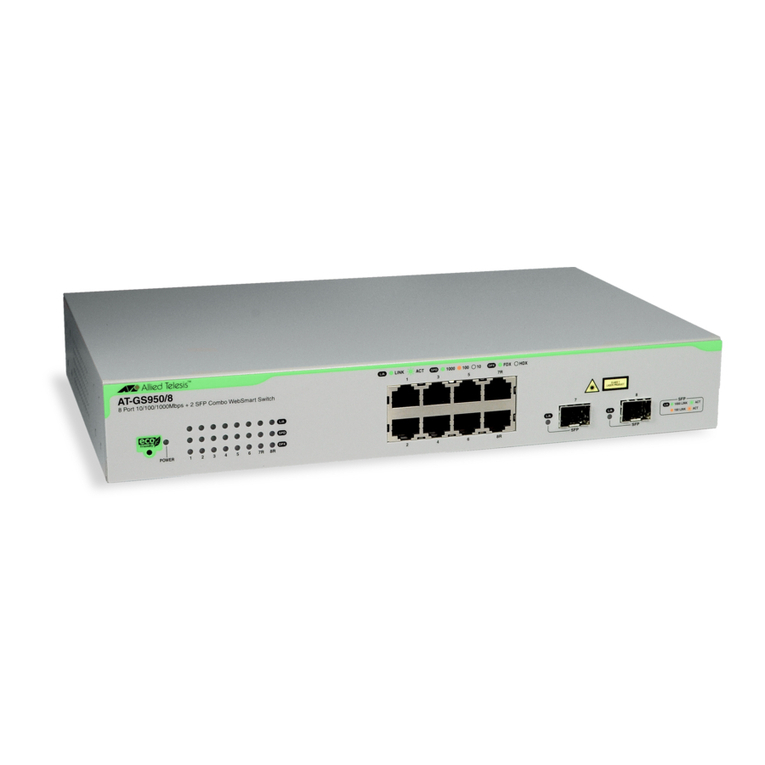
Allied Telesis AT-GS950/8 User manual

Allied Telesis

Allied Telesis AT-GS950/8 User manual
Allied Telesis AT-S63 Specification sheet

Allied Telesis

Allied Telesis AT-S63 Specification sheet

Popular Software manuals by other brands

Red Hat ENTERPRISE LINUX 4 -  FOR X86-ITANIUM AND... installation guide

Red Hat

Red Hat ENTERPRISE LINUX 4 - FOR X86-ITANIUM AND... installation guide

Avaya OAISYS NetSuite 4.2 Application notes

Avaya

Avaya OAISYS NetSuite 4.2 Application notes

Asante SmartBridge V1.0 user manual

Asante

Asante SmartBridge V1.0 user manual

Xerox Wide Format 6204 installation guide

Xerox

Xerox Wide Format 6204 installation guide

SAS Scalable Performance Data Server 4.5 Administrator's guide

SAS

SAS Scalable Performance Data Server 4.5 Administrator's guide

Lucid FM2A85X Extreme6 installation guide

Lucid

Lucid FM2A85X Extreme6 installation guide

Juniper JUNOS PUS MOBILE SECURITY SUITE datasheet

Juniper

Juniper JUNOS PUS MOBILE SECURITY SUITE datasheet

GRASS VALLEY NETCONFIG V2.0.12 instruction manual

GRASS VALLEY

GRASS VALLEY NETCONFIG V2.0.12 instruction manual

Epson Stylus Pro 9880 ColorBurst Edition - Stylus Pro 9880... Getting started

Epson

Epson Stylus Pro 9880 ColorBurst Edition - Stylus Pro 9880... Getting started

COMPRO COMPROFM manual

COMPRO

COMPRO COMPROFM manual

Muratec OFFICEBRIDGE ONLINE user guide

Muratec

Muratec OFFICEBRIDGE ONLINE user guide

Oracle Contact Center Anywhere 8.1 installation guide

Oracle

Oracle Contact Center Anywhere 8.1 installation guide

Avaya NULL One-X for RIM Blackberry user guide

Avaya

Avaya NULL One-X for RIM Blackberry user guide

HP ProLiant BL420c user guide

HP

HP ProLiant BL420c user guide

PS Audio PowerPlay Programming manual

PS Audio

PS Audio PowerPlay Programming manual

Brady LOCKOUT PRO 3.0 Administrator's guide

Brady

Brady LOCKOUT PRO 3.0 Administrator's guide

Avaya Interaction Center user guide

Avaya

Avaya Interaction Center user guide

Texas Instruments TI-83 Plus Silver Edition Guide book

Texas Instruments

Texas Instruments TI-83 Plus Silver Edition Guide book

manuals.online logo
manuals.online logoBrands
  • About & Mission
  • Contact us
  • Privacy Policy
  • Terms and Conditions

Copyright 2025 Manuals.Online. All Rights Reserved.

Software Maintenance Release Note
Version 281-02
for AR750S, AR750S-DP, AR770S, AR415S, AR450S and AR44xS series routers, and AT-8600 series switches
This software maintenance release note lists the issues addressed and enhancements made in Maintenance Version 281-02 for Software Version 2.8.1. Version
details are listed in the following table:
Caution: Using a maintenance version on the wrong model may cause unpredictable results, including disruption to the network.
This maintenance release note should be read in conjunction with the following documents:
■the Release Note for Software Version 2.8.1, available from www.alliedtelesyn.co.nz/documentation/relnotes/relnotes.html
■your router or switch’s Document Set for Software Release 2.8.1. This document set is available on the CD-ROM that shipped with your router or switch, or
from www.alliedtelesyn.co.nz/documentation/documentation.html
Caution: Information in this release note is subject to change without notice and does not represent a commitment on the part of Allied Telesis Inc. While every
effort has been made to ensure that the information contained within this document and the features and changes described are accurate, Allied Telesis Inc. can
not accept any type of liability for errors in, or omissions arising from the use of this information.
Models Series Release File Date Size (bytes) GUI file
AR415S, AR440S, AR441S, AR442S, AR450S AR400 54281-02.rez 5 September 06 4673896 415s_281-02_en_d.rsc
440s_281-02_en_d.rsc
441s_281-02_en_d.rsc
442s_281-02_en_d.rsc
450s_281-02_en_d.rsc
AR750S, AR750S-DP, AR770S 55281-02.rez 5 September 06 3936164 750s_281-02_en_d.rsc (AR750S and AR750S-DP)
AT-8624T/2M, AT-8624PoE, AT-8648T/2SP AT-8600 sr281-02.rez 5 September 06 2251144 sr24_281-02_en_d.rsc
Enabling and Installing this Release 2
Version 281-02
C613-10482-00 REV B
Enabling and Installing this Release
To use this maintenance release you must have a base release license for Software Release 2.8.1. Contact your distributor or reseller for more information. To
enable this release and install it as the preferred release, use the commands:
enable rel=xx281-02.rez num=2.8.1
set install=pref rel=xx281-02.rez
where xx is the prefix to the filename, as shown in the table on page 1. For example, to install the release on an AR440S router, use the commands:
enable rel=54281-02.rez num=2.8.1
set install=pref rel=54281-02.rez
Levels
Some of the issues addressed in this Maintenance Version include a level number. This number reflects the importance of the issue that has been resolved. The
levels are:
Level 1 This issue will cause significant interruption to network services, and there is no work-around.
Level 2 This issue will cause interruption to network service, however there is a work-around.
Level 3 This issue will seldom appear, and will cause minor inconvenience.
Level 4 This issue represents a cosmetic change and does not affect network operation.
Features in 281-02 3
Version 281-02
C613-10482-00 REV B
Features in 281-02
Software Maintenance Version 281-02 includes the resolved issues and enhancements in the following tables. In the tables, for each product series:
■“Y” in a white column indicates that the resolution is available in Version 281-02 for that product series.
■“-” in a white column indicates that the issue did not apply to that product series.
■a grey-shaded column indicates that Version 281-02 was not released on that product series.
Level 1
CR Module Level Description
AR400
AR7x5
AR750S / AR770S
Rapier i
AT-8800
AT-8600
AT-8700XL
AT-8948 / x900-48
AT-9900
AT-9800
CR00006040 PIM 6 1 For PIM on IPv6, if the interface that was being used as the BSR candidate address
went down, the network occasionally did not re-elect a BSR and the RPs in a
timely manner. This could cause the router or switch to reboot.
This issue has been resolved.
Y-Y-------
CR00007273 Switch 1 If a user created a configuration file that contained port trunk settings before
VLAN port settings, then a loop occurred when the switch rebooted with this
configuration.
This issue has been resolved.
-----Y----
CR00013457 VLAN 1 When ports were added to a currently-disabled RSTP domain, the ports could
start to discard packets (because their STP state was set to Discarding).
This issue has been resolved. When ports are added to a disabled RSTP domain,
they remain in a Forwarding state.
-----Y----
CR00013492 OSPF 1 When route filters (made with the command add ip route filter) were used to
filter OSPF routes, it was possible for OSPF to constantly remove and re-create an
AS-External LSA. This could prevent OSPF sessions from establishing.
This issue has been resolved.
Y-Y--Y----
Features in 281-02 4
Version 281-02
C613-10482-00 REV B
Level 2
CR00013736 Core 1 When a BRI or PRI PIC was installed on the router, an issue with internal memory
handling occasionally caused the router to reboot.
This issue has been resolved.
Y-Y-------
CR00013743 Switch 1 If a user created a configuration file that contained LACP settings and VLAN port
settings, then a loop occurred when the switch rebooted with this configuration.
This issue has been resolved.
-----Y----
CR Module Level Description
AR400
AR7x5
AR750S / AR770S
Rapier i
AT- 8800
AT- 8600
AT-8700XL
AT-8948 / x900-48
AT- 9900
AT- 9800
CR00010452 PIM 6 2 For PIM on IPv6, RPSet information did not expire correctly when all RP
candidates had expired.
This issue has been resolved.
Y-Y-------
CR00010593 IPv6 2 The router or switch sometimes forwarded packets to directly connected hosts
whose corresponding IPv6 ND cache entry was still in INCOMPLETE state. This
caused it to send the packets to incorrect MAC addresses and egress ports.
This issue has been resolved.
Y-Y-------
CR00012407 STAR 2 When the STAR protocol was used for link-layer encryption, the channel setup
failed continuously on heavy traffic.
This issue has been resolved.
Y-Y-------
CR Module Level Description
AR400
AR7x5
AR750S / AR770S
Rapier i
AT- 8800
AT- 8600
AT-8700XL
AT-8948 / x900-48
AT- 9900
AT- 9800
Features in 281-02 5
Version 281-02
C613-10482-00 REV B
CR00012476 IGMP 2 If IGMP snooping was enabled but IGMP was not enabled, the snooper behaved
as if IGMP snooping fast leave had been enabled even when it had not been. This
meant that as soon as the snooper received a Leave message, the port left the
group.
This issue has been resolved. Note that fast leave is disabled by default.
Y-Y--Y----
CR00012657 STP 2 When STP was operating with a large number of VLANs in the same STP region,
the switch sometimes rebooted while processing topology change notifications
(TCNs).
This issue has been resolved.
-----Y----
CR00012741 Core, File,
Stack
2The command create config=filename set did not copy the configuration file
to all switches in the stack, but only saved the file onto the current switch.
This issue has been resolved.
-----Y----
CR00013081 Switch, STP 2 When STP was enabled on ports in a trunk group, the non-master ports did not
have the same state as the master port in the switch’s hardware STG table. This
could, on rare occasions, create a broadcast storm.
This issue has been resolved. All ports in a trunk group follow the master port in
the hardware STG table.
-----Y----
CR00013128 ATM 2 When connected to some types of DSLAMs, the router could reboot due to a
reception error on the SHDSL EOC channel.
This issue has been resolved.
Y---------
CR Module Level Description
AR400
AR7x5
AR750S / AR770S
Rapier i
AT- 8800
AT- 8600
AT-8700XL
AT-8948 / x900-48
AT- 9900
AT- 9800
Features in 281-02 6
Version 281-02
C613-10482-00 REV B
Level 3
CR00013359 OSPF 2 It was possible in unusual circumstances for the OSPF link state retransmission list
to grow to a large number. This caused the router or switch to reboot.
This issue has been resolved.
Y-Y--Y----
CR00013390 WAN Load
Balancer
2It was possible in unusual circumstances for the router to run out of memory after
a WAN load balancer session was added. This could cause the router to reboot
or to stop processing packets.
This issue has been resolved.
Y-Y-------
CR Module Level Description
AR400
AR7x5
AR750S / AR770S
Rapier i
AT- 8800
AT- 8600
AT-8700XL
AT-8948 / x900-48
AT- 9900
AT- 9800
CR00003657 Core 3 When a user entered the command show file=switch.ini, the switch previously
could have displayed invalid content or an error message.
This issue has been resolved.
----------
CR00010345 Firewall 3 When the HTTP proxy URL filter had entries that allowed certain domains and
also had entries that denied certain keywords, the supposedly-allowed domains
were denied if they contained the denied keywords. The proxy allowed the page
/index.html from such domains, but no other pages.
This issue has been resolved. The proxy no longer checks allowed domains
against the keyword list.
Y-Y-------
CR Module Level Description
AR400
AR7x5
AR750S / AR770S
Rapier i
AT- 8800
AT- 8600
AT-8700XL
AT-8948 / x900-48
AT- 9900
AT- 9800
Features in 281-02 7
Version 281-02
C613-10482-00 REV B
CR00011710 Core 3 When the router or switch sent a RADIUS accounting STOP packet, the packet’s
Acct-Session-Time was always zero, no matter how long the session had been
active for.
This issue has been resolved.
Y-Y-------
CR00013060 IPv6 3 Previously, if IPv6 had a dynamic Neighbour Discovery cache entry for a particular
IPv6 address, it prevented users from adding a static entry for the same IPv6
address.
This issue has been resolved. Users can now overwrite dynamic Neighbour
Discovery cache entries with static entries.
Y-Y-------
CR00013117 IPv6, PIM,
PIMv6
3A router or switch running PIM6 occasionally rebooted in certain network
topologies when links were very busy. The circumstances that caused this crash
are very unusual, but the code has been made more robust to cope with them.
Y-Y-------
CR00013162 ISAKMP 3 When heartbeats fail for an ISAKMP SA, the router or switch (correctly) removes
the ISAKMP SA and any IPsec SAs that were created by the ISAKMP SA. It then
sends delete messages to notify the peer, so that the peer can also remove the
relevant IPsec SAs.
However, if heartbeats failed just after a re-negotiation, and only failed for the
new ISAKMP SA, then the router or switch did not send delete messages for any
IPsec SAs that were also removed. This could mean that encrypted traffic sent
from the peer was lost.
This issue has been resolved. If heartbeats fail, the router or switch now correctly
sends the peer device a delete message for any removed IPsec SAs.
Y-Y-------
CR00013220 ISAKMP 3 Previously, if an ISAKMP policy was configured with set isakmp policy=name
prenegotiate=true and the peer was unresponsive, then at start-up the router
or switch sent fewer ISAKMP message retransmissions than the configured
msgretrylimit value.
This issue has been resolved.
Y-Y-------
CR Module Level Description
AR400
AR7x5
AR750S / AR770S
Rapier i
AT- 8800
AT- 8600
AT-8700XL
AT-8948 / x900-48
AT- 9900
AT- 9800
Features in 281-02 8
Version 281-02
C613-10482-00 REV B
CR00013415 Firewall 3 When an RTSP media stream, using TCP as the transport protocol, was passing
through the firewall, then the session could stall if some packets were
retransmitted with different sequence numbers to the original transmission.
This issue has been resolved.
Y-Y-------
CR00013473
CR00013516
DVMRP 3 Values for some DVMRP settings (including ttlthreshold and metric) were not
saved in the configuration file or output resulting from the commands create
config and show config dynamic. If the router or switch rebooted, the values
were not applied.
This issue has been resolved.
Y-Y-------
CR00013525 Stack 3 Different versions of the management stacking feature are not compatible with
each other, which means that AT-9924Ts or x900-24XT series switches can only
be stacked with other AT-9924Ts or x900-24XT switches.
This software version includes checks to prevent incompatible software from
being stacked.
-----Y----
CR00013547 VLAN 3 When DHCP snooping was enabled on the router or switch, performing a walk
of the MIB variables in that router or switch could result in incorrect termination
of the walk. This was because certain SNMP packets were incorrectly interpreted
as DHCP packets.
This issue has been resolved.
-----Y----
CR00013588 ATM 3 At low SHDSL bitrates, the EOC channel exhibited many spurious CRC errors.
This issue has been resolved.
Y---------
CR00013672 ATM 3 An SNMP Walk of the ATM MIB would fail to complete properly, as it would not
advance through the channel list.
This issue has been resolved.
Y---------
CR Module Level Description
AR400
AR7x5
AR750S / AR770S
Rapier i
AT- 8800
AT- 8600
AT-8700XL
AT-8948 / x900-48
AT- 9900
AT- 9800
Features in 281-02 9
Version 281-02
C613-10482-00 REV B
Level 4
CR00013714 SSH 3 The router or switch’s SSH server occasionally disconnected an SSH client because
of a checksum error. This occurred because the server did not decrypt the SSH
session key correctly.
This issue has been resolved.
Y-Y--Y----
CR00013757 Core 3 For AR750S-DP routers, the values of the fanAndPsPSUPresent MIB fields
displayed incorrectly. They indicated that a PSU was present when one was not
installed, and that it was not present when it was.
This issue has been resolved.
--Y-------
CR Module Level Description
AR400
AR7x5
AR750S / AR770S
Rapier i
AT- 8800
AT- 8600
AT-8700XL
AT-8948 / x900-48
AT- 9900
AT- 9800
CR00001359 Eth, Bridge,
Switch, LLDP,
IP Gateway
4For all Ethernet-like interfaces, the router or switch now uses an ifType value of
ethernetCsmacd, instead of the deprecated value of iso88023Csmacd.
Y-Y--Y----
CR00013174 Asyn, Core,
Log, Scripting,
Show
4The console port’s autobaud mode was determined incorrectly during start-up.
This caused the router to unnecessarily reconfigure the console port for 9600
8N1 before printing any bootup messages.
This issue has been resolved.
--Y-------
CR Module Level Description
AR400
AR7x5
AR750S / AR770S
Rapier i
AT- 8800
AT- 8600
AT-8700XL
AT-8948 / x900-48
AT- 9900
AT- 9800
Features in 281-02 10
Version 281-02
C613-10482-00 REV B
CR00013569 OSPF 4 After OSPF deleted an AS-External LSA, it sometimes sent an unnecessary LSA
with no changes.
This issue has been resolved.
Y-Y--Y----
CR00013683 File 4 Japanese users can now delete the router or switch’s preferred software release
and the current boot configuration file. For routers or switches that are
manufactured for non-Japanese markets, users must first stop the files from
being preferred, by setting new preferred files or by using the commands delete
install=pref or set config=none.
Y-Y--Y----
CR00013767 Core 4 In Japan, AT-8624PoE switches are named 8624PS. Previously, 8624PS switches
displayed AT-8624PoE as their board name in the output of the command show
system.
This issue has been resolved. For Japanese switches only, the board name is now
8624PS.
-----Y----
CR Module Level Description
AR400
AR7x5
AR750S / AR770S
Rapier i
AT- 8800
AT- 8600
AT-8700XL
AT-8948 / x900-48
AT- 9900
AT- 9800