The status message contains the remaining SIM card account balance.
When an alarm event is triggered, the Motion Detector transmits an SMS message and
places an outgoing call to the 1st (primary) telephone number and then subsequently calls the
additional telephone numbers.
The Motion Detector will terminate the outgoing call and proceed to call the next telephone in
the following case:
- When the subscriber is in network, but does not pick up after 30 seconds.
- When the subscriber is in network, but the line is busy after 5 seconds.
- When the subscriber is in out of network, after 10 seconds.
Dialing out will cease when one of the dialed subscribers responds to the call (by picking up
and/ or hanging up). Next, the Motion Detector will transmit an SMS "Alarm" text message to the
telephone numbers located at “2SMS” – “6SMS”.
fig. 4 SMS "Armed"
fig. 5 SMS "Disarmed"
fig. 6 SMS "ALARM"
(home)- Motion Detector label name- (see 2.5)
Photographs
The protected zone is photographed not later than 1 second after penetration of the
protected zone is detected. After all the SMS messages are transmitted, the photograph is e-mailed via
GPRS. In the event the default settings are changed (see Chart 4, Cell#26 and Value#4); the protected
zone can be photographed 2 times after penetration. The second photograph is taken with a delay of 6
to 30 seconds after the initial photograph, depending on the selected value parameter setting.
2 SET-UP PROCEDURE
2.1 Preparing the device for operation
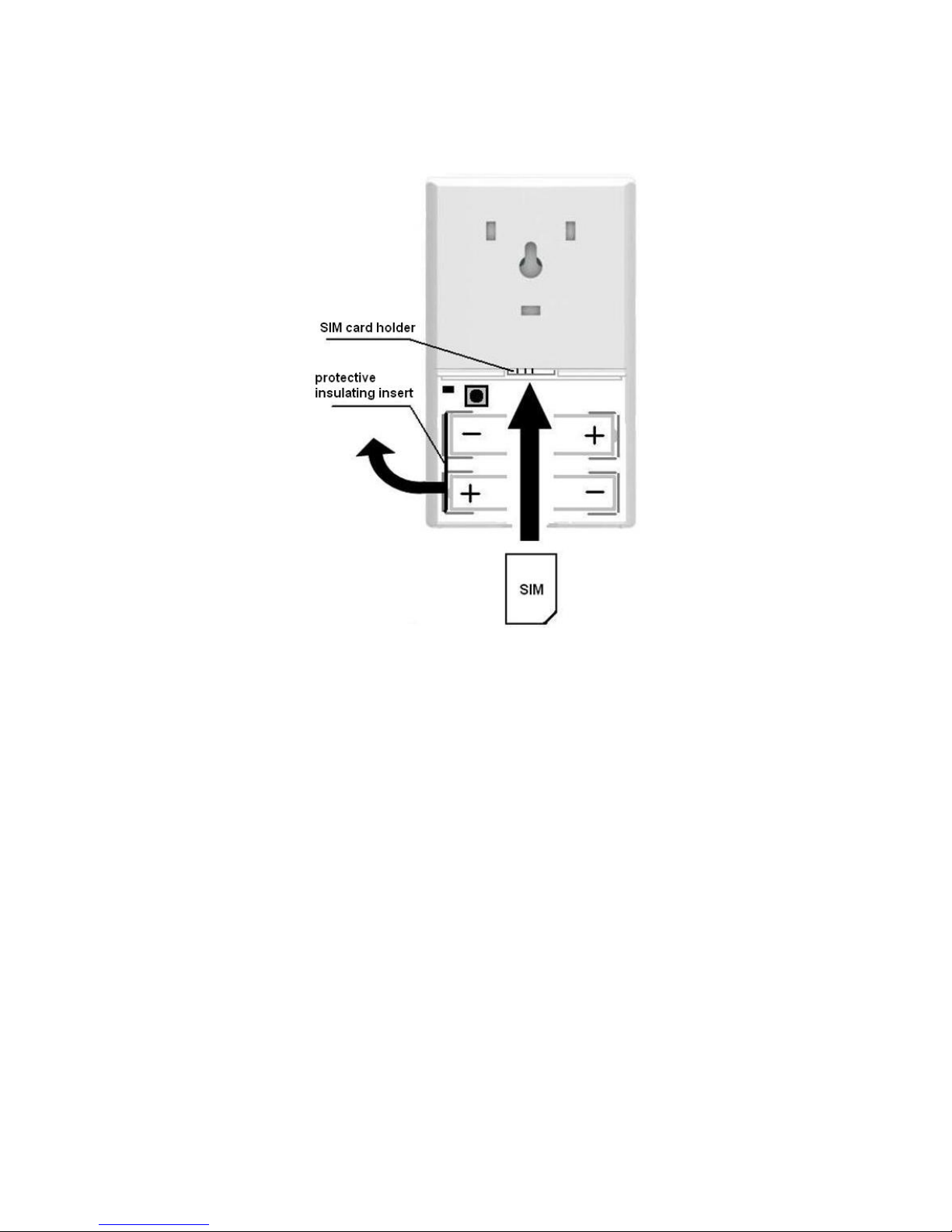
Unpack and visually inspect the Motion Detector to make sure nothing is damaged or missing.
Prior to proceeding with set-up, de-activate the PIN code feature on the Motion Detector SIM
card with the assistance of a GSM mobile telephone. (see user manual for the mobile telephone).
Confirm that the SIM card has a credit balance and connects to GPRS/ Data.
In the event the SIM card was previously used, erase/ reformat the SIM card memory (see 2.4).
Caution! While handling and working with the Motion Detector, take care not to touch the
camera lens with your fingers (fig.1). Touching the lens may result in poor picture quality.
2.2 Setting up the Motion Detector
At the initial power up using a new or an erased/ reformatted SIM card (see 2.4), the Motion
Detector will create an entry in accordance with chart 4. Motion Detector settings 1-26 are stored in the
SIM card memory and settings 27-31 are stored in the memory of the Motion Detector device.