Amplicomms RingFlash 100 User manual

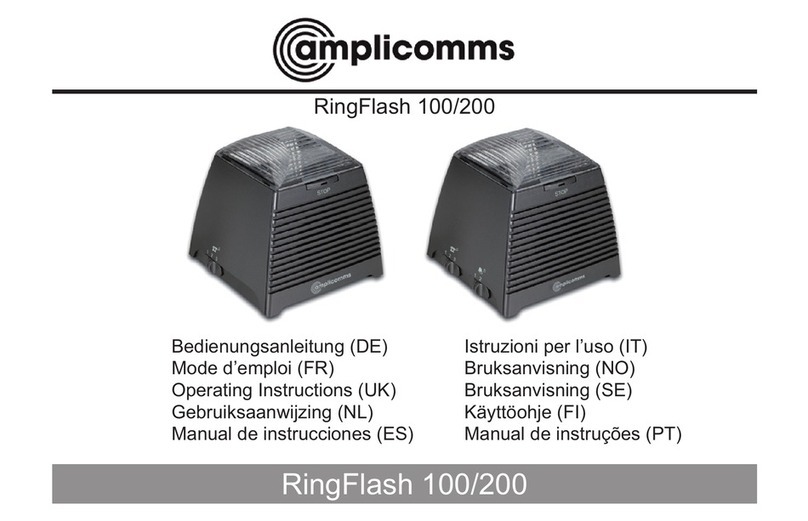
RingFlash 100/200
RingFlash 100/200
Operating Instructions
Mode d’emploi
Bedienungsanleitung
Gebruiksaanwijzing
Safety Information
Safety Information
Please read this operating instruction
manual thoroughly.
Under no circumstances open the
device or complete any repair work
yourself.
Installation location
Prevent excessive exposure to
smoke, dust, vibration, chemicals,
moisture, heat and direct sunlight�
Power supply
Disposal
In order to dispose of your de-
vice, take it to a collection point
provided by your local public
waste authorities (e.g. recycling
centre)� According to laws on
the disposal of electronic and electrical
devices, owners are obliged to dispose of
old electronic and electrical devices in a
separate waste container�
The adjacent symbol indicates
that the device must not be
disposed of in normal domestic
waste!
Batteries represent a hazard
to both health and the environ-
ment!
Never open, damage or swallow
batteries, nor allow them to get
into the environment� GB
27
Service−Hotline UK Tel. 0844 800 6503, cost via UK landline at time of going to print: 6p connection charge and 5p/min. thereafter,
different charges may apply if calling from a mobile phone. Hotline hours are Monday to Friday, 9am to 5pm, excluding public and national holidays
Caution: Only use the power
adapter plug supplied because other
power supplies could damage the
product� Ensure access to the power
adapter plug is not obstructed by
furniture or such�

GB
28 Service−Hotline UK Tel. 0844 800 6503 (Using an UK landline, at the time of going to print: calls cost 6p for connection charge and then 5p a
minute. Mobile costs may vary.) Hotline hours are Monday to Friday, 9am to 5pm, excluding public and national holidays.
They may contain toxic and ecologically
hazardous heavy metals. You are legally
obliged to dispose of batteries at the
point of sale or at appropriate collection
points provided by your local public waste
authorities�
Disposal is free of charge. The adjacent
symbols indicate that batteries must not
be disposed of in normal domestic waste
and but at authorised collection points�
Packaging materials must be disposed of
according to local regulations�
Safety information

GB
29
Service−Hotline UK Tel. 0844 800 6503 (Using an UK landline, at the time of going to print: calls cost 6p for connection charge and then 5p a
minute. Mobile costs may vary.) Hotline hours are Monday to Friday, 9am to 5pm, excluding public and national holidays.
Starting Up
Check the contents of the package
Contents RF100 RF200
RingFlash unit 1 1
Power adaptor plug 1 1
Telephone connection
cable
1 1
Doorbell unit 0 1
12 Volt battery 0 1
Fixing screws and wall
plugs
0 4
Operating Manual 1 1
Connecting the base
Connect the base as illustrated in
the diagram. For reasons of safety,
only use the power adaptor plug and
telephone connection cable supplied�
Mains power outlet
Receiver connection
As soon as you switch the mains
power on, the RingFlash unit will beep
to conrm that it has been installed
correctly. If you do not hear a beep,
please unplug the power connection,
wait for 1 minute and then plug in the
power again�
Starting Up

Service−Hotline UK Tel. 0844 800 6503 (Using an UK landline, at the time of going to print: calls cost 6p for connection charge and then 5p a
minute. Mobile costs may vary.) Hotline hours are Monday to Friday, 9am to 5pm, excluding public and national holidays.
Connecting the doorbell unit
(RingFlash 200 only)
Remove the 4 screws from the back
of the Doorbell.
The Doorbell has a default setting
of Bell 1, if you wish to change this
to Bell 2, please move the switches
inside the Doorbell to the positions
indicated below�
Insert the 12 Volt battery supplied,
taking note to position the battery
the correct way around. Replace the
back cover, position and tighten the 4
screws�
1 2
ON
Bell 1
1 2
ON
Bell 2
The stop indicator button on
the RingFlash unit will be red
when the Doorbell is pressed.
The stop indicator button on
the RingFlash unit will be
green when the Doorbell is
pressed�
GB
30
Starting Up
In some cases where the amplicomms
Ring Flash is used in conjunction with
older phones or those phones that do not
comply to European Standard ES 203021
connectivity, either the RingFlash or tel-
ephone may not function correctly. If this
happens you may notice the Ring Flash
does not ash or ring or it is not possible
to hear dial tone in the receiver when the
telephone handset is lifted. To resolve this
please retain your existing telephone line
cord with your phone and use a double
adaptor in the telephone socket (not sup-
plied)� Plug the telephone into one side of
the double adaptor then plug your Ring
Flash into the other available socket on
the adaptor�

GB
31
Service−Hotline UK Tel. 0844 800 6503 (Using an UK landline, at the time of going to print: calls cost 6p for connection charge and then 5p a
minute. Mobile costs may vary.) Hotline hours are Monday to Friday, 9am to 5pm, excluding public and national holidays.
Unclip the front cover of the Doorbell
by placing a small coin into the slot at
either end of the doorbell and twisting�
Using the 4 screws and wall plugs
provided, attach the Doorbell outside
your front door.
Shaker
You can plug a shaker accessory (not
included) into the socket ‘((o))’ on
the back of the RingFlash unit. The
shaker will then vibrate when you
receive an incoming call�
You only need to change the Bell setting
if you have more than one Doorbell
connected to your RingFlash unit. The
two options are provided so that you will
know from the colour of the light on the
STOP button which Doorbell has been
pressed and which Door to answer.
Starting Up
12345678
ON DP
1 2
ON
For details of where to purchase a
compatible Shaker, please go to
www�amplicomms�eu�

GB
32 Service−Hotline UK Tel. 0844 800 6503 (Using an UK landline, at the time of going to print: calls cost 6p for connection charge and then 5p a
minute. Mobile costs may vary.) Hotline hours are Monday to Friday, 9am to 5pm, excluding public and national holidays.
Front view Rear view
Left side Right side
STOP button
Shaker socket
Telephone to
RingFlash socket
Volume control
Power adaptor
socket
Telephone line
connection to
wall socket
Ring tone
selection
Doorbell tone
selection
(RingFlash 200 only)
Alarm mode
Your RingFlash 100/200

GB
33
Service−Hotline UK Tel. 0844 800 6503 (Using an UK landline, at the time of going to print: calls cost 6p for connection charge and then 5p a
minute. Mobile costs may vary.) Hotline hours are Monday to Friday, 9am to 5pm, excluding public and national holidays.
Using your RingFlash 100/200
Set the ring tone
Your RingFlash unit has 3 ring tones
to choose from� Just move the slider
switch on the left hand side of your
product to select ring tone 1, 2 or 3�
Set the Doorbell tone
(RingFlash 200 only)
You can choose from two different
Doorbell tones, just move the slider on
the left hand side of your product to
select Doorbell tone 1 or 2.
Set the alarm mode
There are 4 alarm modes to choose
from� Please use the slider on the right
hand side of the product to select one
of the following alarm modes�
Mode Ring alarm Bell alarm
0Off Bell sound from
the speaker
Strobe light
and speaker
Bell sound from
speaker and
strobe light
Speaker
and external
shaker
Bell sound from
speaker and
external shaker
Strobe light
and external
shaker
Bell sound
from speaker,
strobe light and
external shaker
Stop the ring alarm
Press the STOP button on the front
of the unit to stop the ring alarm for
that call, even if the telephone line
continues to ring. The ring alarm will
return to its original setting for the next
call�

GB
34 Service−Hotline UK Tel. 0844 800 6503 (Using an UK landline, at the time of going to print: calls cost 6p for connection charge and then 5p a
minute. Mobile costs may vary.) Hotline hours are Monday to Friday, 9am to 5pm, excluding public and national holidays.
Using the Doorbell
(RingFlash 200 only)
Press the Doorbell button, the red
light in the button will turn on. The
RingFlash unit will sound the Doorbell
tone that you have set (tone 1 or tone
2)�
Press the STOP button on the
RingFlash unit to stop the Doorbell
tone. The red light on the Doorbell
button will remain on for 1 minute and
then turn off�
Compatibility with other local devices
(RingFlash 200 only)
When using the RingFlash 200 and
Doorbell there may occasionally be
a compatibility problem with other
local devices� You can change the
code undereath the RingFlash unit
and inside the doorbell to solve this
problem�
Underneath the RingFlash unit you
will nd 8 little switches underneath a
cover� You can change the setting of
these switches to overcome any local
compatibility issues.
When you have changed the setting of
the 8 switches on the RingFlash unit
you will need to change the 8 switches
inside the Doorbell to match.
Unscrew the Doorbell from outside
the Front Door. Remove the 4 screws
from the back of the Doorbell. Inside
you will see 8 little switches, change
the setting of these switches to match
those on the RingFlash unit�
1 2 3 4 5 6 7 8
ON DP
Using your RingFlash 100/200

GB
35
Service−Hotline UK Tel. 0844 800 6503 (Using an UK landline, at the time of going to print: calls cost 6p for connection charge and then 5p a
minute. Mobile costs may vary.) Hotline hours are Monday to Friday, 9am to 5pm, excluding public and national holidays.
Using your RingFlash 100/200
Replace the back cover, position
and tighten the 4 screws. Rex the
Doorbell outside your front door as
before�
Wallmounting
Using appropropriate screws and
wall plugs (not supplied), you can
wallmount your RingFlash unit using
the keyholes on the base.
Service Hotline
In the case of technical problems,
you can contact our hotline service,
UK Tel. 0844 800 6503 (Using an UK
landline, at the time of going to print:
calls cost 6p for connection charge
and then 5p a minute� Mobile costs
may vary.) Hotline hours are Monday
to Friday, 9am to 5pm, excluding
public and national holidays. In the
case of claims under the terms of the
guarantee, contact your sales outlet.
There is a 2 year period of guarantee.
Other manuals for RingFlash 100
1
This manual suits for next models
1
Table of contents
Other Amplicomms Amplifier manuals