MightyBoard 800 QuickStart Guide iii
Contents
Chapter 1 Setting Up the MightyBoard 800...................................................................................1
Using this Guide .................................................................................................................................1
Requirements.................................................................................................................................1
What’s in the Box ...........................................................................................................................1
Setup Steps........................................................................................................................................2
Preparations...................................................................................................................................2
Setting Up the Workspace..............................................................................................................2
Connecting Cable Assemblies .......................................................................................................3
Connecting Boot Devices...............................................................................................................6
Connecting Peripherals..................................................................................................................6
Connecting the Power Supply and Applying Power.......................................................................6
Chapter 2 Installing MightyBoard 800 Options...........................................................................11
Memory Installation ..........................................................................................................................11
Tools Required.............................................................................................................................11
Installation Guidelines..................................................................................................................11
Removing the DDR DIMM............................................................................................................11
Installing the DDR DIMM..............................................................................................................13
Installing Software, Drivers, and Utilities..........................................................................................16
Appendix A Technical Support........................................................................................................19
NOTE The graphic illustrations found in this manual are intended as aids in
identifying the connector locations and components on the board.
You may find slight variations between your board and the boards
shown in this manual to due board revisions. Refer to Figure 1-4 and
the MightyBoard 800 Reference Manual for the most current board
revision and the connector pin/signal tables for specific information.
List of Figures
Figure 1-1. MightyBoard 800 Connector Locations...........................................................................3
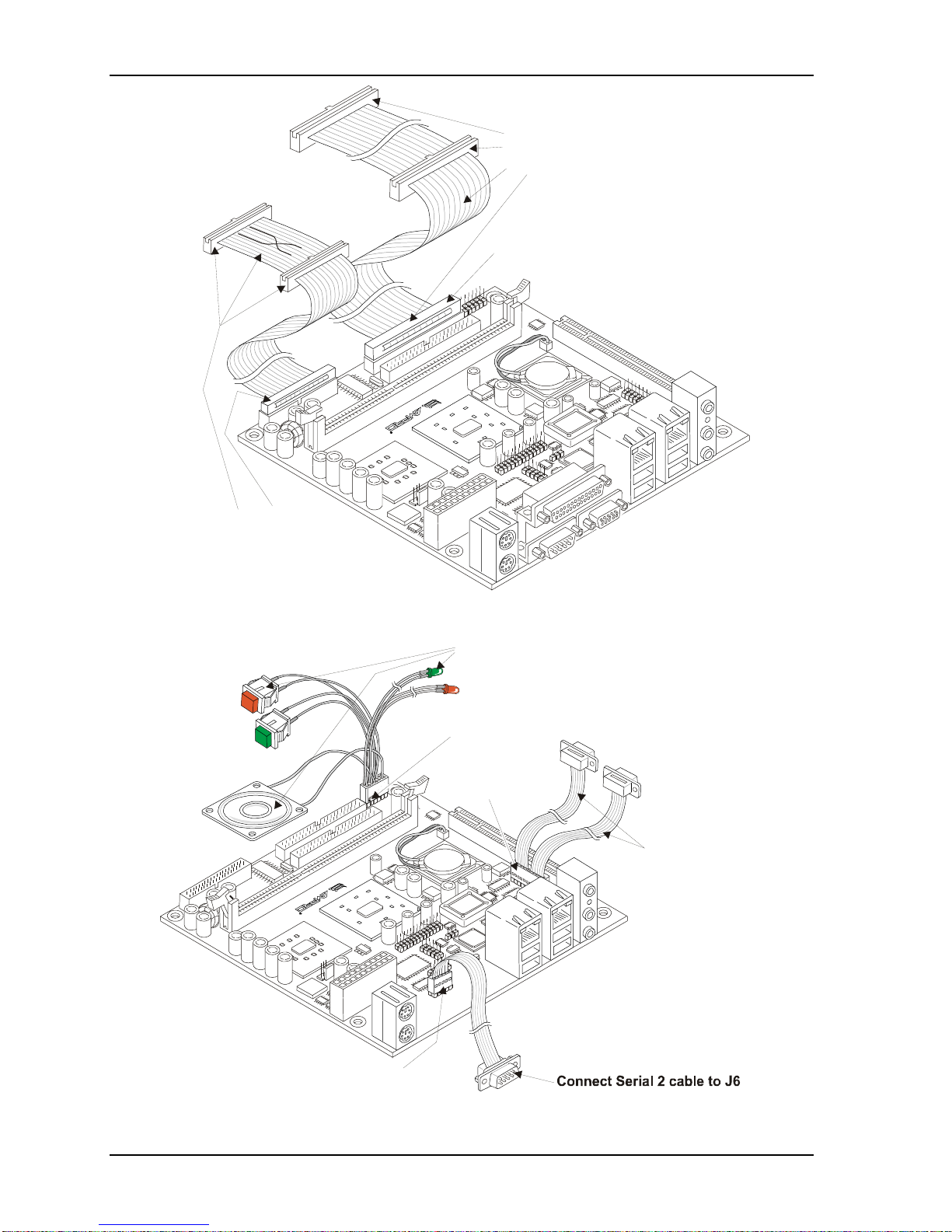
Figure 1-2. Connecting the Floppy and IDE Cables..........................................................................4
Figure 1-3. Connecting the Utility and Serial Cable Assemblies.......................................................4
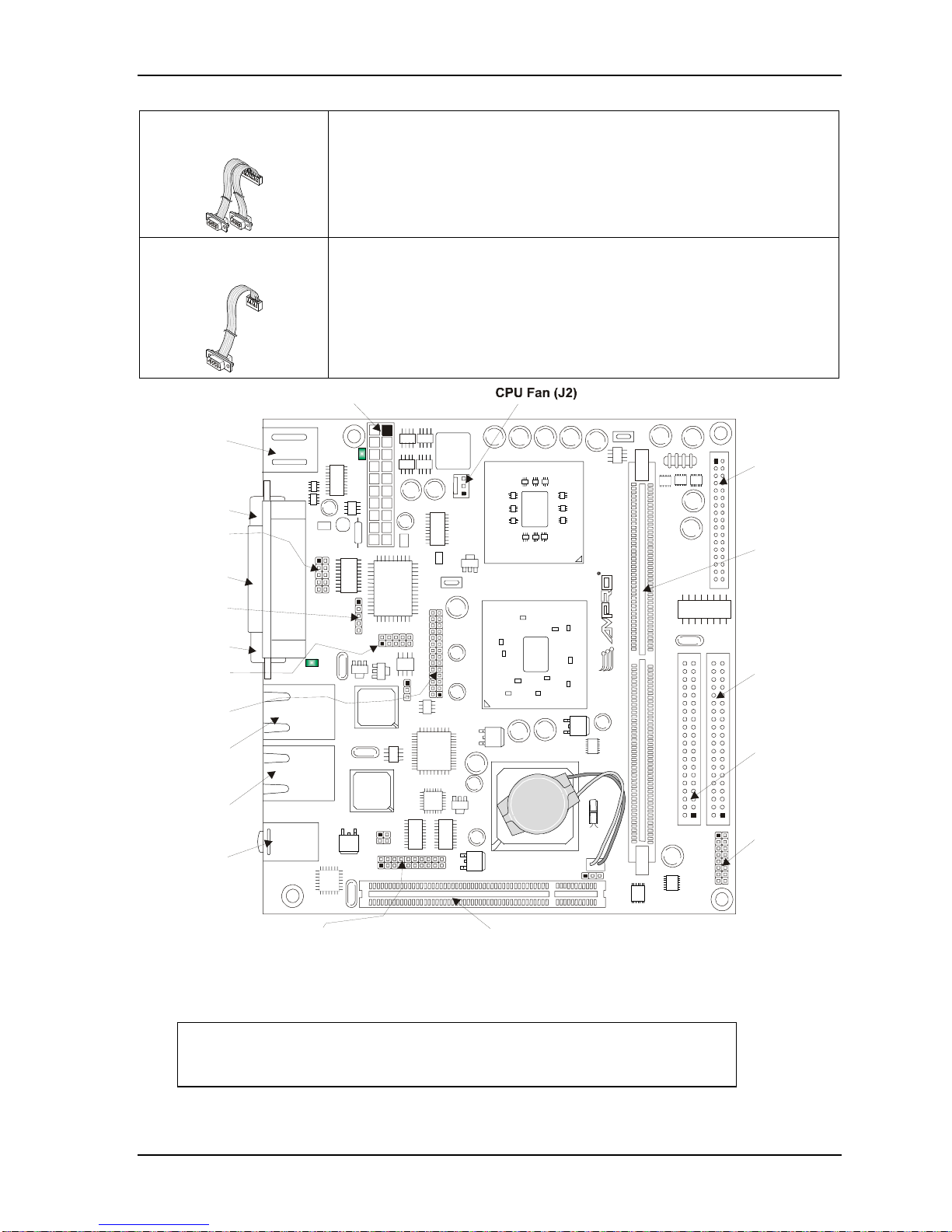
Figure 1-4. Connector and Pin-Locations (Top view).......................................................................5
Figure 1-5. Jumper and Fuse Locations (Top view)........................................................................10
Figure 2-1. DDR DIMM Location.....................................................................................................12
Figure 2-2. Removing DDR DIMM from Slot...................................................................................13
Figure 2-3. Installing DDR DIMM into Slot ......................................................................................14
List of Tables
Table 1-1. MightyBoard 800 Jumper Settings.................................................................................10
Table A-1. Technical Support Contact Information .........................................................................19