manuals.online logo
Brands
  1. Home
  2. •
  3. Brands
  4. •
  5. AMS
  6. •
  7. Recording Equipment
  8. •
  9. AMS DMX 15-80 S User manual

AMS DMX 15-80 S User manual

Other AMS Recording Equipment manuals

AMS RMX 16 User manual

AMS

AMS RMX 16 User manual

AMS RMX16 500 Series User manual

AMS

AMS RMX16 500 Series User manual

Popular Recording Equipment manuals by other brands

ThermoFisher Scientific Dionex DRS 600 Installation checklist

ThermoFisher Scientific

ThermoFisher Scientific Dionex DRS 600 Installation checklist

Shure ANIUSB-Matrix user guide

Shure

Shure ANIUSB-Matrix user guide

Nady Audio HE-1 user guide

Nady Audio

Nady Audio HE-1 user guide

AUDAC APM 01 User manual & installation guide

AUDAC

AUDAC APM 01 User manual & installation guide

Teac GF-350 owner's manual

Teac

Teac GF-350 owner's manual

Fractal Audio MFC-101 MARK III owner's manual

Fractal Audio

Fractal Audio MFC-101 MARK III owner's manual

bmcm USB-OI16 manual

bmcm

bmcm USB-OI16 manual

HHB BurnIT CDR-830 Service manual

HHB

HHB BurnIT CDR-830 Service manual

GE VersaMax IC200CPUE05 manual

GE

GE VersaMax IC200CPUE05 manual

IntesisBox MH-RC-MBS-1 user manual

IntesisBox

IntesisBox MH-RC-MBS-1 user manual

Attero Tech unD4l user manual

Attero Tech

Attero Tech unD4l user manual

Sennheiser UI 765 instruction manual

Sennheiser

Sennheiser UI 765 instruction manual

Sony RCD-W1 Operating Instructions  (primary... Service manual

Sony

Sony RCD-W1 Operating Instructions (primary... Service manual

Roland Planet-P  MKS-10 owner's manual

Roland

Roland Planet-P MKS-10 owner's manual

Roland BOSS GT-PRO Turbostart

Roland

Roland BOSS GT-PRO Turbostart

8x8 Inc Valcom V-2001A manual

8x8 Inc

8x8 Inc Valcom V-2001A manual

Waves SUB Align user guide

Waves

Waves SUB Align user guide

Mitsubishi Electric MAC-334IF-E installation manual

Mitsubishi Electric

Mitsubishi Electric MAC-334IF-E installation manual

manuals.online logo
manuals.online logoBrands
  • About & Mission
  • Contact us
  • Privacy Policy
  • Terms and Conditions

Copyright 2025 Manuals.Online. All Rights Reserved.

HEAD OFFICE AMS Neve Ltd | AMS Technology Park | Billington Road | Burnley | Lancashire | BB11 5UB | ENGLAND
TELEPHONE +44 (0) 1282 457 011 FAX +44 (0) 1282 417 282 WEB www.ams-neve.com
DMX 15-80 S : Digital Delay / Pitch Shifter
User Manual
Issue 1
!
!
© 1980 - 2021 AMS Neve Ltd own the copyright of all
information and drawings contained in this manual which are not
to be copied or reproduced by any means or disclosed in part or
whole to any third party without written permission.
As part of our policy of continual product improvement, we
reserve the right to alter specifications without notice but with
due regard to all current legislation.
Disclaimer: The information in this manual has been carefully
checked and is believed to be accurate at the time of publication.
However, no responsibility is taken by us for inaccuracies, errors
or omissions nor any liability assumed for any loss or damage
resulting either directly or indirectly from use of the information
contained within it.
DMX 15-80 S : Digital Delay / Pitch Shifter
- 2 -
AMS DMX 15-80 S Product Overview
Create Soundscapes and Textures with a Rare Vintage Digital Delay
Introduced in 1978, the AMS DMX 15-80 S was the world's first microprocessor controlled,
15-bit digital delay and pitch shifter. Used on classic albums by Joy Division, Nirvana,
Brian Eno, and many more, the AMS DMX is famous for adding its iconic '80's-era space
and depth.
An Era-Defining Studio Processor
Upon its introduction, the AMS DMX was hailed as a digital wonder. Featuring two
independent delay channels, just over six seconds of delay time, and groundbreaking
“de-glitched” pitch shifting, its signature ambience gave artists characterful doubling,
delay, chorus, pitch shift, and ambient effects, from the '80s, to this day.
Add Sonic Intrigue to any Source
Use the AMS DMX Digital Delay & Pitch Shifter plug-in to add vintage digital dimension to
drum machines, synths, or guitars. You can also use it for automatic double tracking
effects and unique arpeggio patterns on vocals, horns, and more.
Plug-In Only Features
The AMS DMX plug-in not only gives you all the revision features of the vintage rackmount
units — including the rare expansion chorus controller module — you get modern upgrades
like Tempo Sync, Dual VCO mode, Dry/Wet Mix, Wet Solo, and more.
The Perfect Partner for AMS RMX16 Reverb
Combine the AMS DMX Digital Delay plug-in with the AMS RMX16 Digital Reverb plug-in
for the ultimate in vintage digital processing, and give your productions the pioneering
sound of two legendary creative tools.
DMX 15-80 S Plug-In Features
• Record and mix with the world's only authentic AMS DMX Digital Delay plug-in, developed
by original hardware designer Mark Crabtree
• Add iconic delay and pitch shifting effects to drum machines, vocals, synths, guitars,
and more
• Get double tracking effects made famous by Prince, Radiohead, and Phil Collins
• Mix with Artist Presets from Chris Coady (Yeah Yeah Yeahs, Beach House), Chuck Zwicky
(Prince, Reggie Watts), Ivan Barias (Justin Timberlake, Jill Scott), and more

DMX 15-80 S : Digital Delay / Pitch Shifter
- 3 -
AMS DMX 15-80 S Operational Overview
Introduction
This overview provides a high-level understanding of the AMS DMX 15-80 S. For specific
details about individual controls, see DMX 15-80 S Controls later in this chapter.
Wide-Ranging Delay, Pitch and Modulation Effects
Having faithfully modelled both analog and digital systems of the classic vintage hardware,
the AMS DMX 15-80 S plug-in features the same hardware delay times, regeneration
behaviours and delay filtering, full -/+ octave pitch shifting and voltage-controlled
oscillation. The DMX plug-in can produce clean to overdriven delay, doubling, harmonizing
phasing, flanging, chorus, and even looping effects just like the original hardware.
New Plug-In Only Functionality
While the original AMS DMX 15-80 S hardware had to be patched into a console to
combine dry signal with the two processed channels, the DMX plug-in provides Wet/Dry
Mix and Pan controls, allowing a creative variety of blended signal and width effects. A and
B channels may be repositioned or continuously moved (by way of automation) anywhere
in the stereo field alongside the dry signal. In addition, internal tempo sync allows for
instant timing benefits and creative beat division quantization for live use via Apollo
Console, or with ‘in-the-box’ mixing with any digital audio workstation (DAW). Lastly, all
continuous control values will temporarily show in the seven-segment LCD display for
improved visual feedback over the hardware. With a single click of any knob, the user can
temporarily show that parameter’s value without adjustment.
Artist Presets
The AMS DMX 15-80 S includes artist presets from prominent users. The artist presets
are in the internal factory bank and are accessed via the DAW application’s preset menu.
The artist presets are also accessible within Apollo’s Console application and from the UAD
Toolbar (see “Using UAD Powered Plug-Ins” in the UAD System Manual).
Throughout this user manual, sections highlighted in a box
like this are excerpts from the original hardware manual, for
informational and historical benefit.
The DMX 15-80 S is a dual independent channel microprocessor controlled
digital audio processor. It offers two completely independently delayed
channels with precisely controlled delay times and pitch shift. The
delay times are adjustable without any sacrifice in the 18KHz bandwidth,
which remains constant irrespective of the amount of delay selected.
DMX 15-80 S : Digital Delay / Pitch Shifter
- 4 -
Understanding the DMX 15-80 S Feature Sections
The DMX is best understood when thought of in feature sections. While perhaps not
presented in a strict linear fashion in the user interface, the sections may be interpreted in
a loose left to right perspective, color-coded below for emphasis. Red: Signal routing and
level adjustment controls, Yellow: Delay features and controls, Blue: VCO/modulation
features and controls, Green: pitch shift and chorus controls. The remaining controls are
shared among the feature sections. Observe that some controls provide individual channel
adjustments (indicated by ‘a’ and ‘b’ labels) while all other controls are applied to both
channels.
DMX Plug-In Signal Flow Diagram
This block-style signal flow diagram can help in understanding the feature section
interactions and how the overall system processes incoming audio. This diagram
represents both internal processing blocks and signal level user controls.
Looking at the front panel, it can be seen that
it is divided into various sections. Probably
the most effective way of learning how to
operate the unit is to be become familiar with
the front panel controls.
DMX 15-80 S : Digital Delay / Pitch Shifter
- 5 -
AMS DMX 15-80 S Controls
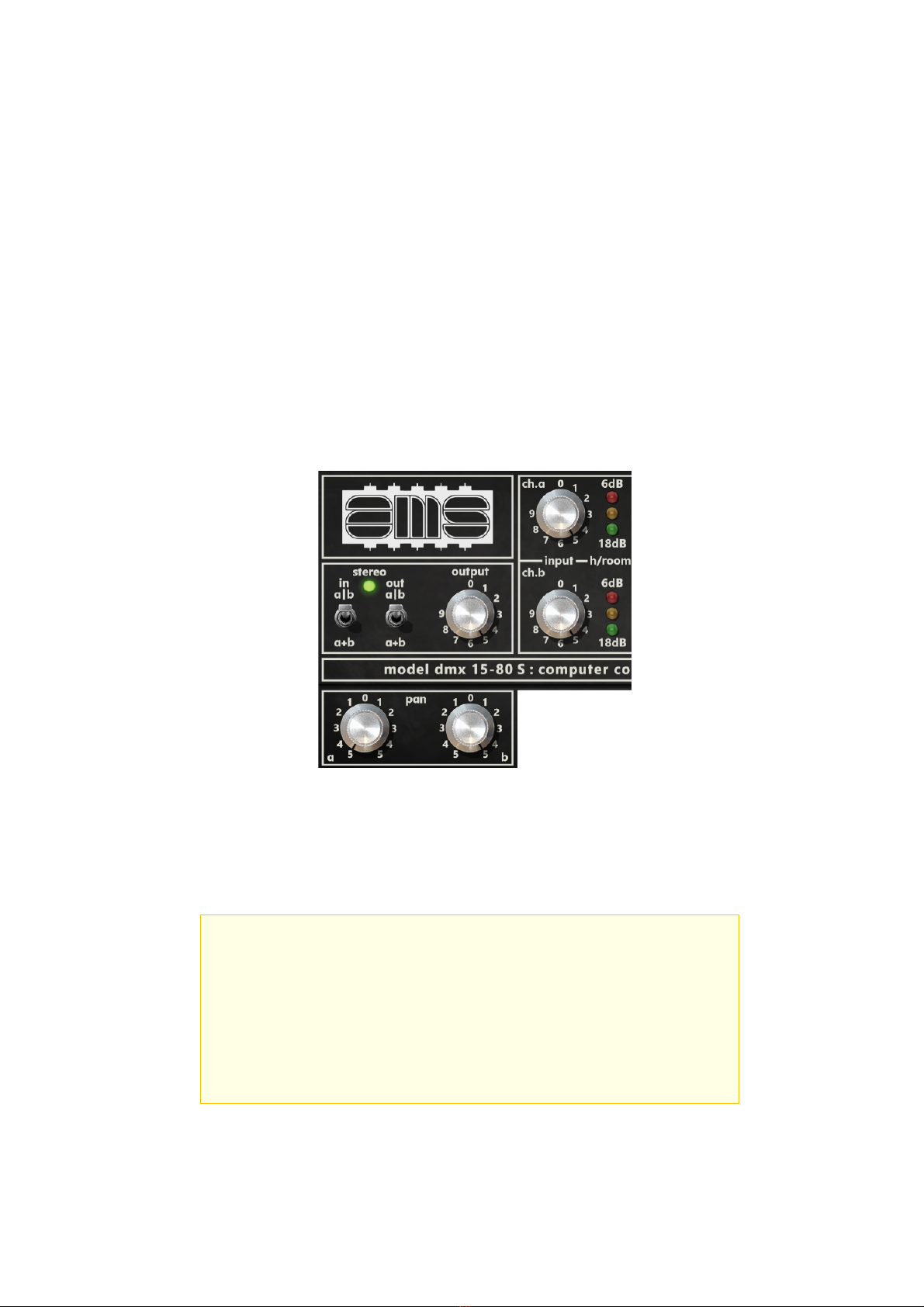
Signal Routing and Gain Control Section
This section and its features makeup all of the A and B signal routing and gain/level
controls. Unity gain is achieved with Input and Output controls set to ‘5’ (which is the
default). Note the plug-in is improved over the hardware with increased gain range for
both input and output controls, offering greater tonal flexibility to push the system into
nonlinearity, or to better maintain unity gain. Three position LED meters are provided for
monitoring the input level to each channel.
Configuration switches
provide discrete channel
operation or summed
operation (‘a|b’ or ‘a+b’)
at input and output.
Signal level is indicated
with the ‘h/room’
(headroom) LEDs.
Pan controls are provided to place A and B channels anywhere in the stereo field.
In the mono instance, or when the Output Sum is enabled, the pan controls are
disabled and both channels are summed at the plug-in output. Each control’s ‘0’
label provides immediate centred pan values.
The red LEDs are illuminated 6dB before clipping, the
yellow LEDs 12dB and the green LEDs 18dB.
In normal operation, with a signal present the input
levels should be adjusted so that the green LEDs are
illuminated all the time, the yellow LEDs most of the
time and the red LEDs illuminate only when the highest
programme peaks occur.
Separate input gain controls are provided for each
channel. Clicking on the ‘ch.a’ and ‘ch.b’ labels
returns control to unity/default, clicking the 0
labels provides immediate zero input gain values.
Output level is a ganged control that acts on both
the A and B channels. Clicking on the ‘output’ label
returns the control to unity/default, clicking the 0
label provides immediate zero output level value.
The green stereo LED is lit
when both switches are
set for discrete operation.
In mono instances, the
configuration switches are
forced to ‘a+b’. If only one
channel is needed, the
unused channel input gain
may be set to zero.
DMX 15-80 S : Digital Delay / Pitch Shifter
- 6 -
Digital Delay Section
The DMX’s delay section and its features provide precise and functional delay control and
flexibility for a wide swath of creative applications, from clean and crisp to extreme
distortion and chaos. The delay time available for each channel is 6.515 seconds and is
programmable in 1mS steps.
Delay A and B
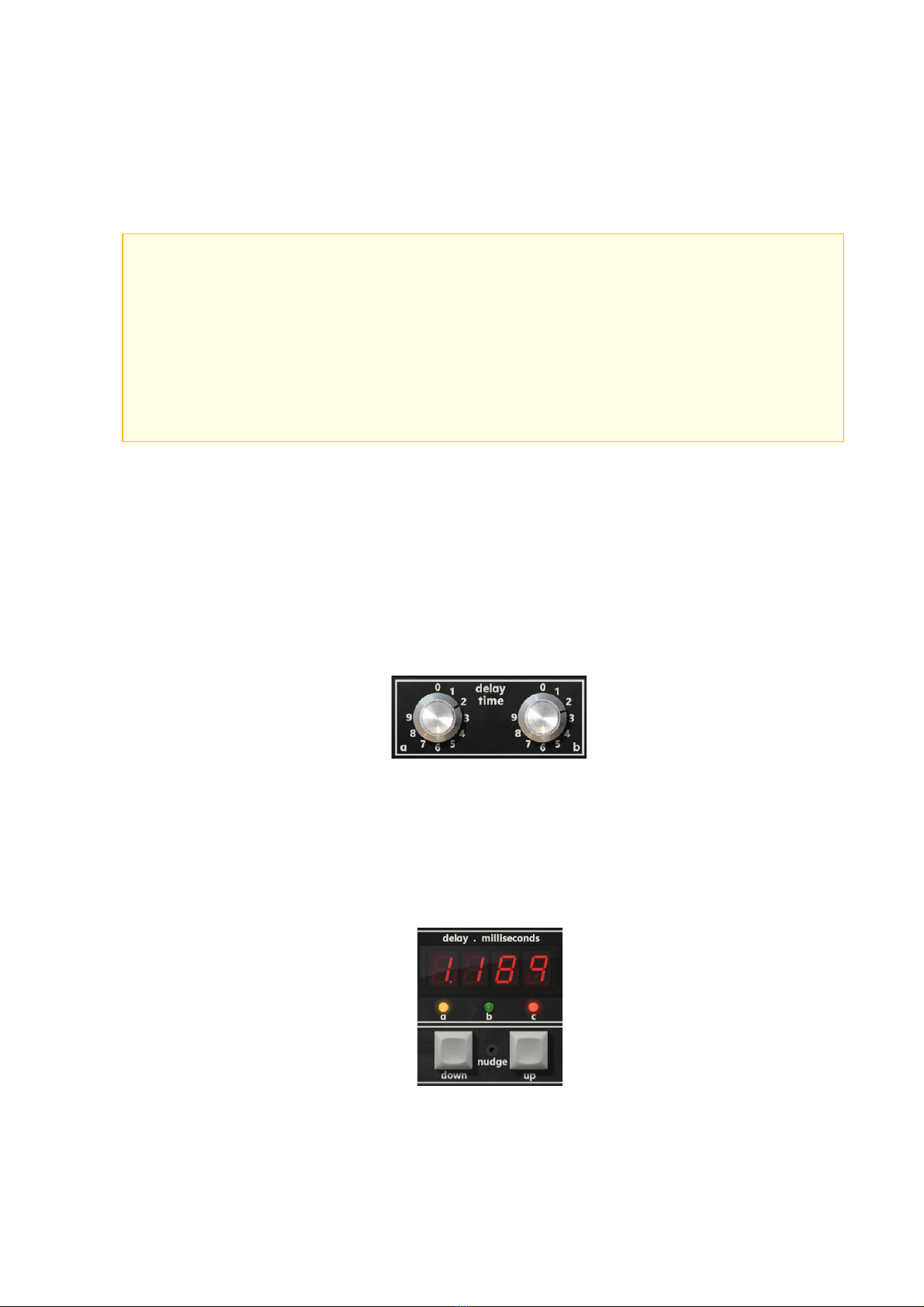
There are several ways to set delay times in the plug-in. For immediate response, adjust
the Delay ‘a’ or Delay ‘b’ rotary controls in the lower control unit, either by dragging the
control with the mouse, hovering over the control and using the mouse wheel, or clicking
on the control and using the keyboard arrow keys (providing different rates of change by
holding the ‘shift’ key on the computer keyboard). The delay values will be reflected in the
value display, and the corresponding ‘a’ or ‘b’ LEDs will update to reflect which of the two
delays is being adjusted.
Delays can also be programmed in. First select the desired channel using the ‘A’ or ‘B’
buttons on the keypad or clicking on the ‘a’ or ‘b’ LEDs under the 7-segment display
(ensuring the ‘c’ LED associated with setting pitch values is not also lit) and then use the
keypad entry. Similarly, click on the 7-segment display for keyboard text entry to set the
required delay time. Or, use the up and down nudge keys to set delay time.
The broad taper of these
controls allows small values
to be easily dialled in.
A digital delay line (DDL) as its name implies, is a device that receives
a given signal at its input and after a defined lapse of time (programmed
by the user) reproduces that exact same signal at the output. The DDL, as
in the case of the DMX 15-80 S, should not alter or modify the signal no
matter what delay is programmed. The DMX 15-80 S has two such delay lines
which are independently programmable.
The output of channel ‘a’ can be switched in phase or 180 degrees out of
phase with the original signal whilst the output of channel ‘b’ is always
in phase with the original.
Text entry may be accessed for
either A or B channels by clicking
in the 7-segment display,
If using the keypad entry, use the
‘*’ key for adding a decimal.
Single-click the nudge keys
for small value increments,
or press+hold nudge for
quick scrolling.
Clicking the 0 labels provides
immediate zero delay values.
DMX 15-80 S : Digital Delay / Pitch Shifter
- 7 -
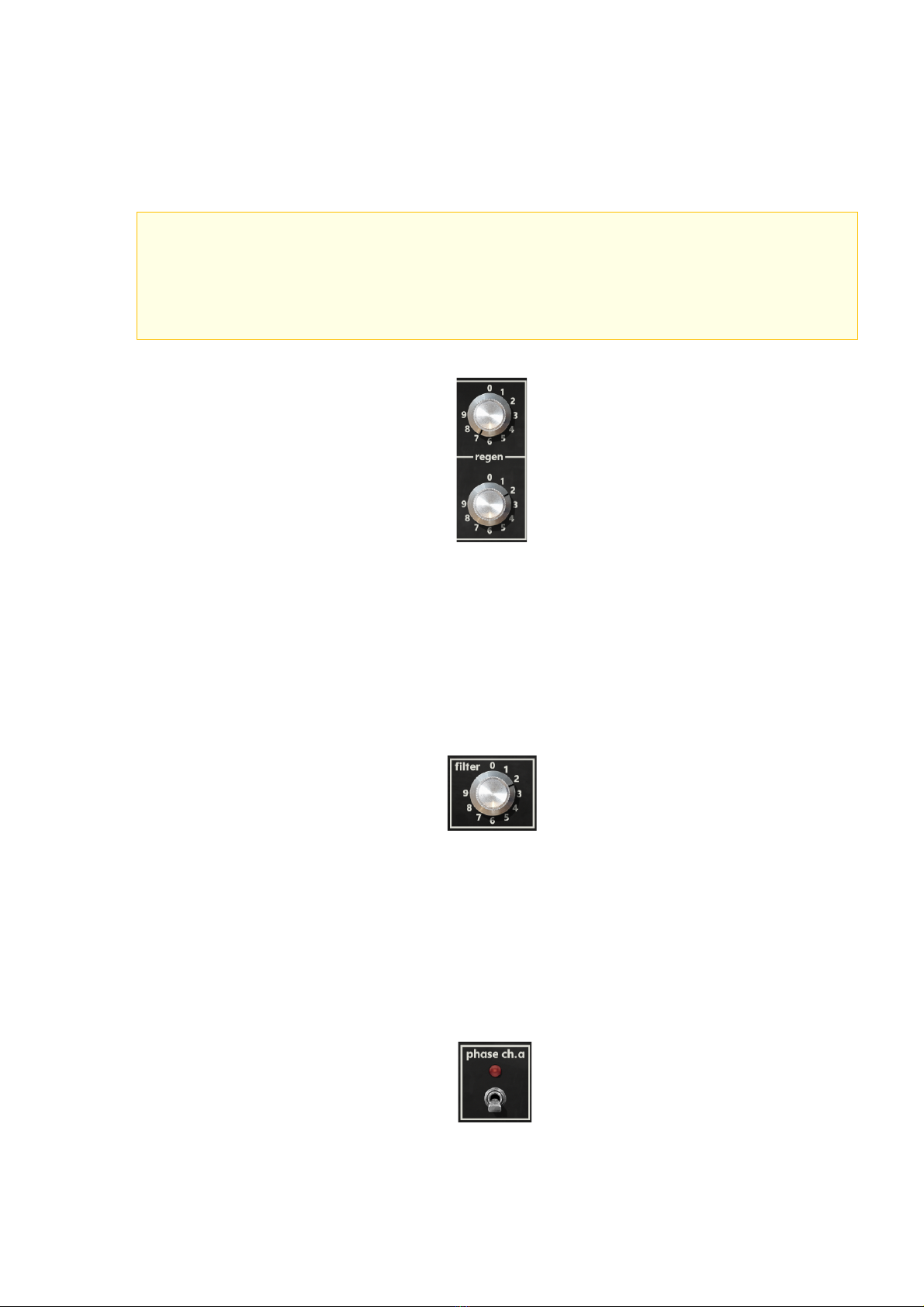
Regen A and B
Regen controls access independent per-channel regenerative feedback gain, which provide
a full range of delay repeats — all the way to chaos-infused, near self-oscillation
regeneration at the highest settings.
Filter
The Filter parameter controls the cutoff frequency of a full-range, 6dB per-octave low-pass
filter applied to the individual regeneration contribution back into both A and B channels.
Used nominally, this feature can provide a reduction of high frequencies for the delay
repeats. At its extreme setting, the filter may eliminate delay repeats entirely. This filter is
a feature found on the earliest DMX units.
Phase Channel A
Phase reverse for channel A is a feature found on the earliest DMX units and may be used
for creative purposes especially when using both delay lines. The Phase switch has limited
effect when pitch/chorus features are active as the pitch shifter inherently introduces
varying delays which cause phase differences.
It is obvious that a great deal can be accomplished using the DMX 15-80 S
besides simple delay. A proportion of the output of a channel may be fed
back to those channels input by adjustment of the respective regenerative
control knob.
The full-bandwidth, low-pass filter
control allows shaping of regen
signals for both A and B channels.
Regen ‘a’ and ‘b’ gain controls
allow the output of each
channel to be independently
mixed back into the input.
Clicking the 0 labels provides
immediate zero regen values.
Clicking the 0 label provides
immediate return to a zero-
filter value.
The Phase switch LED is a
hidden off/on button.
DMX 15-80 S : Digital Delay / Pitch Shifter
- 8 -
Voltage Controlled Oscillator Section
With a waveform speed range from 0 to 20 Hz, the DMX’s VCO section and its controls
allow for a broad range of creative signal modulation for flange, phase or vibrato effects
and more. ‘VCO2’ mode is a plug-in only enhancement that provides 90º quadrature
phase offset between A and B channels, for stereo enhancement not available on the
original hardware.
VCO Enable
This three-position switch selects among original single ‘VCO’ and an enhanced dual
‘VCO2’, providing 90º phase offset between channels. The unlabelled centre position
provides bypass/off. Note that like the hardware, the VCO will only affect the sound if
delay A or B is set to 2mS or more. Therefore, the VCO/VCO2 LEDs will not illuminate if
both channel delays are below 2mS.
VCO Speed and Depth
VCO Speed and Depth are the primary controls on the DMX. The oscillation is sinusoidal.
A dedicated LED speed indicator is provided.
VCO Set
The momentary VCO Set switch is a plug-in only enhancement that instantly
sets the VCO oscillation to a zero-crossing position with either a positive or
negative excursion, handy when used in automation to ensure the normally
free-running VCO provides precisely repeatable VCO behaviours.
VCO speed must be 0.1 Hz or higher
to show an LED speed change.
VCO and VCO2 LEDs are hidden
selection buttons.
The 15-80 S, as stated above, does not modify the signal when applying a
delay; however, re-generative effects and VCO or vibrato effects can be
introduced if required by adjusting the relevant controls on the front
panel.
Clicking the 0 labels provides
an immediate zero speed or
depth value.
Like the hardware, the VCO will only
affect the sound if delay A or B is set
to 2mS or more; The VCO/VCO2
LEDs will not illuminate if both
channel delays are below 2mS.
DMX 15-80 S : Digital Delay / Pitch Shifter
- 9 -
Pitch Shift Section
Pitch shift is the AMS DMX 15-80’s centrepiece feature; its ‘de-glitch’ algorithm was a
sea-change technological breakthrough when released. Pitch control technology has
advanced steadily in the subsequent decades, but the DMX’s design (perhaps ‘imperfect’
design by today’s standards) provides an era-defining sound that has not lost its appeal
and musicality and is used to this day by many audio professionals. The pitch can be
adjusted between -1 octave (half the original pitch) and +1 octave (twice the original
pitch), a value range of 0.5 to 2.0.
Pitch Shift A and B
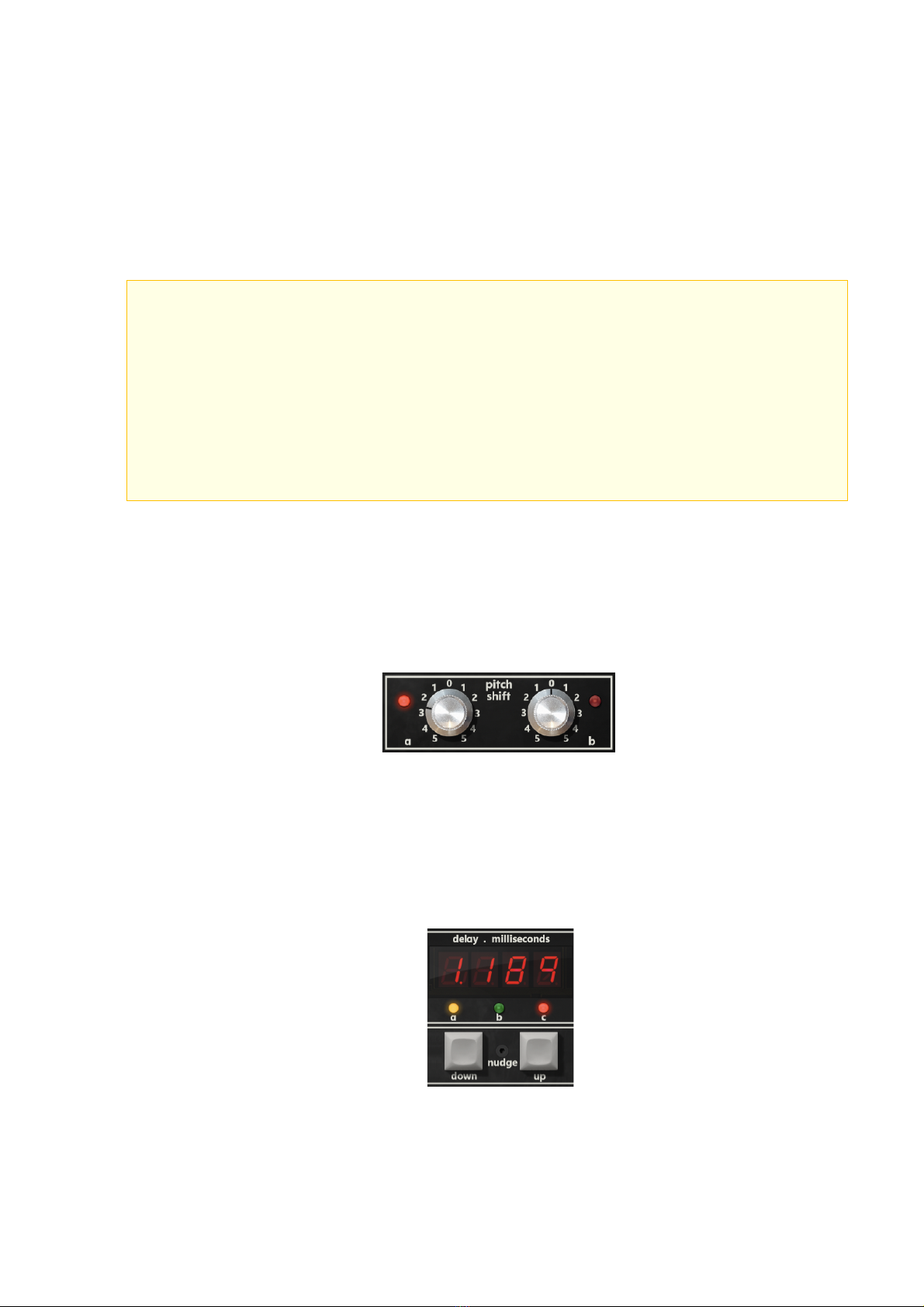
There are several ways to enter pitch values. For immediate response, adjust the Pitch ‘a’
or Pitch ‘b’ rotary controls in the lower control unit by dragging the control with the
mouse. Hovering over the control and using the mouse wheel will result in musical
semitone steps in pitch, as will clicking on the control and using the keyboard arrow keys.
Pitch settings can also be programmed in. First select the desired channel using the ‘A’ or
‘B’ buttons on the keypad followed by the ‘C’ button or clicking on the ‘a’ or ‘b’ LEDs under
the 7-segment display and then clicking on the ‘c’ LED (if not currently lit). Now use the
keypad entry or click on the 7-segment display for text entry or the nudge keys.
Pitch shift controls can be reset
by clicking on the corresponding
LED or clicking on the 0 labels.
The corresponding ‘a’ and ‘b’
LEDs light to indicate that
pitch shifting is active.
The AMS Pitch Changer employs a very fast microprocessor which examines
the digitised musical signal within the memory and performs a number of
tests to isolate two points in time which have the highest correlation
with each other in terms of waveshape. The pitch shift algorithm
contained in the program memory uses this information in conjunction with
the required pitch ratio to minimise the ‘glitch’ problem normally
associated with real time pitch changing. With suitable programme material
almost perfect pitch shifting can be obtained without the characteristic
‘fluttering’ of other units on the market. For very different programme
material and very wide pitch ratio settings, the performance can be
further enhanced by fitting the deglitch option.
Text entry may be accessed for
either A or B channels by clicking in
the 7-segment display.
If using keypad entry, use the ‘*’
key for adding a decimal.
Single-click the nudge keys
for small value increments,
or press+hold nudge for
quick scrolling.
DMX 15-80 S : Digital Delay / Pitch Shifter
- 10 -
Chorus Speed and Depth
Included in the user manual pitch control section are the Chorus features. Originally
available when connected to the optional (and rather rare) auxiliary expansion controller
unit, the design is based on the same pitch shifted delay line principle: The chorus effect is
created by cycling through a table of different pitch values for each channel and different
periods between changes for each channel.
The exact functionality has been brought to the plug-in, creating a pseudo-random effect
as these sequences loop around. These continuously changing pitches mean that the
delays experienced will change and sometimes there is no zero-crossing candidate for
inserting in a pitch down stage, and so a crossfaded 'rough splice' will happen, just as it
does with the hardware. As with the hardware master unit, the ‘a’ & ‘b’ LEDs will fluctuate
to indicate the last channel that had a pitch change applied, and the updated pitch values
are displayed on the 7-segment display as the sequence is executed. In addition, the plug-
in chorus section provides an LED for speed indication.
Additional Information On Using Pitch
The modelled de-glitch option is included in the plug-in to provide crossfades for inserted
audio; This is most important when a ‘rough splice’ takes place, where the inserted audio
is not going to be at a zero-crossing point in the waveform. Generally, the pitch shift
algorithm is best behaved at 100 Hz and above.
Automatic Double Tracking is improved if the secondary signal is varied in
pitch by a small amount. This can be accomplished by adjustment of the
VCO controls or by incorporation of the pitch change option.
When using the VCO section to improve ADT remember that the pitch
variation is dependent upon both the VCO speed and depth control settings,
and also the delay times between the original signal and the outputs of
the unit. To obtain this improved ADT effect first switch on the VCO.
For an ADT setting of 18mS the best effect is obtained by setting the
depth control to ‘9’ and the speed control between ‘2’ and ‘3’; as the
delay setting is increased however, the depth setting will have to be
decreased to retain a reasonable ADT effect.
Remember that any Pitch effect selected using the ‘C’ key will always be
in addition to the programmed delay, and also that an inherent effect of
the pitch shifting process is an inbuilt delay which varies continually.
The unit performs at its best on programme material with recognisable
pitch and amplitude; material with high elements of attack does not allow
perfect splicing, since two compatible points in the memory do not exist.
However, the de-glitch hardware option will significantly improve the
performance under these circumstances
Turn the Chorus Off/On with
the switch. The speed LED is
a hidden off/on button.
When the chorus is on, pitch
controls are locked out, as the pitch
is being used by the chorus feature.