manuals.online logo
Brands
  1. Home
  2. •
  3. Brands
  4. •
  5. Antunes Controls
  6. •
  7. Switch
  8. •
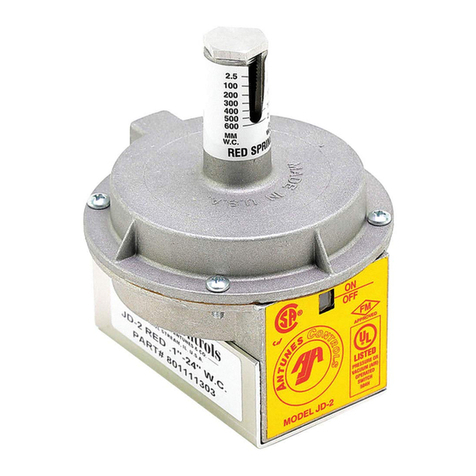
  9. Antunes Controls JD-2 Service manual

Antunes Controls JD-2 Service manual

Other Antunes Controls Switch manuals

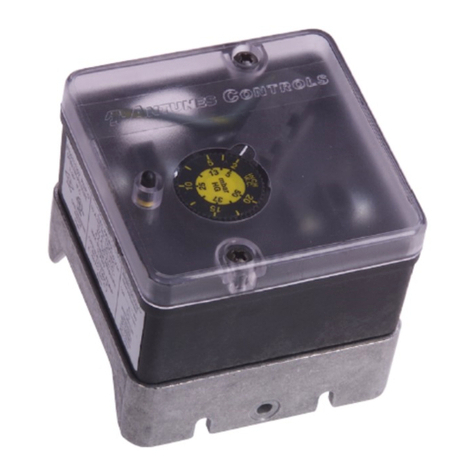
Antunes Controls G Series Service manual

Antunes Controls

Antunes Controls G Series Service manual

Antunes Controls G Service manual

Antunes Controls

Antunes Controls G Service manual

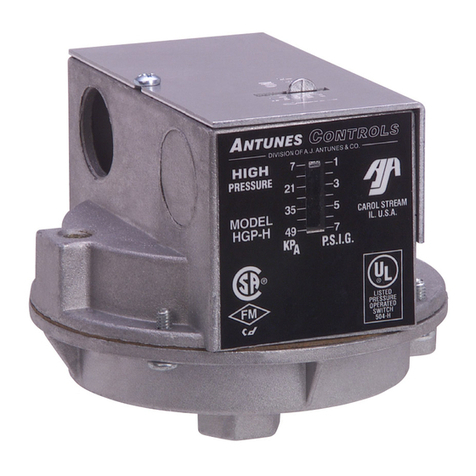
Antunes Controls H Service manual

Antunes Controls

Antunes Controls H Service manual

Antunes Controls JD-2 Service manual

Antunes Controls

Antunes Controls JD-2 Service manual

Popular Switch manuals by other brands

SMC Networks SMC6224M Technical specifications

SMC Networks

SMC Networks SMC6224M Technical specifications

Aeotec ZWA003-S operating manual

Aeotec

Aeotec ZWA003-S operating manual

TRENDnet TK-209i Quick installation guide

TRENDnet

TRENDnet TK-209i Quick installation guide

Planet FGSW-2022VHP user manual

Planet

Planet FGSW-2022VHP user manual

Avocent AutoView 2000  AV2000BC AV2000BC Installer/user guide

Avocent

Avocent AutoView 2000 AV2000BC AV2000BC Installer/user guide

Moxa Technologies PT-7728 Series user manual

Moxa Technologies

Moxa Technologies PT-7728 Series user manual

Intos Electronic inLine 35392I operating instructions

Intos Electronic

Intos Electronic inLine 35392I operating instructions

Cisco Catalyst 3560-X-24T Technical specifications

Cisco

Cisco Catalyst 3560-X-24T Technical specifications

Asante IntraCore IC3648 Specifications

Asante

Asante IntraCore IC3648 Specifications

Siemens SIRIUS 3SE7310-1AE Series Original operating instructions

Siemens

Siemens SIRIUS 3SE7310-1AE Series Original operating instructions

Edge-Core DCS520 quick start guide

Edge-Core

Edge-Core DCS520 quick start guide

RGBLE S00203 user manual

RGBLE

RGBLE S00203 user manual

Thrustmaster FLIGHT SIMULATOR X quick guide

Thrustmaster

Thrustmaster FLIGHT SIMULATOR X quick guide

Southwire SURGE GUARD 41390 RVC troubleshooting guide

Southwire

Southwire SURGE GUARD 41390 RVC troubleshooting guide

Buhler Nivotemp NT 61 Brief instructions

Buhler

Buhler Nivotemp NT 61 Brief instructions

Kramer VS-41HDCP user manual

Kramer

Kramer VS-41HDCP user manual

Techly IDATA AU-270 user manual

Techly

Techly IDATA AU-270 user manual

Belkin F1U109 user manual

Belkin

Belkin F1U109 user manual

manuals.online logo
manuals.online logoBrands
  • About & Mission
  • Contact us
  • Privacy Policy
  • Terms and Conditions

Copyright 2025 Manuals.Online. All Rights Reserved.

WARNING
Read these instructions carefully before attempting to install, operate or service this
switch.
Failure to observe safety information and comply with instructions could result in per-
sonal injury, death and/or property damage.
To avoid electrical shock or damage to equipment, disconnect power before installing
or servicing.
To avoid potential fire and/or explosion, do not use in potentially flammable or explo-
sive atmosphere.
Retain these instructions for future reference. You must review your application and
national and local codes to ensure that your installation will be functional and safe.
Bulletin JD21 Page 1 Printed in USA 0599
MODEL – JD-2
Air Flow Interlocking
Safety Switches
INSTALLATION INFORMATION
General Information
You are installing one of the finest switches
of its type on the market. Design of this
switch is based on the same principles of
sensitivity, accuracy and dependability that
have made Antunes Controls Air Flow
Switches so successful. These switches are
fully approved. They are UL listed and recog-
nized for the U.S. and Canada, and approved
by Factory Mutual (FM).
The switch is adjustable within its range, as
shown on the range scale located on top of
the unit.
The Model JD-2 is sturdy, compact and cost
effective. All components are well made.
The switch is neat in appearance, in its
durable plastic electrical housing. In every
way you will be pleased with the ease of
installation and the reliability of your Antunes
Controls JD-2 Switch.
Please read these instructions carefully to
ensure correct installation. This equipment
must be installed by a licensed electrician
who is experienced with combustion safe-
guard control systems and understands the
functions of interlocking switches such as air
and gas pressure switches. Prior to being
put into operation with combustion safeguard
systems, all switches should be tested for
proper range setting and wiring. Check pip-
ing connections and switch housing for leaks
with a soap bubble test. All exhaust fans and
blowers should be inspected and checked for
proper rotation prior to start up. If you have
any problems or questions, phone, fax or
write to Antunes Controls at the numbers list-
ed on the back page of this instruction sheet.
ANTUNES CONTROLS
ANTUNES CONTROLS
Bulletin JD21 Page 2 Printed in USA 0599
ELECTRICAL
Ratings - All Models
10A, 1/8 HP, 125 VAC
5A, 1/4 HP, 250 VAC
Pilot Duty – 125 VA, 125-250 VAC
Field wiring by others must be rated at 90°C for
industrial use.
MOUNTING
The Model JD-2 is always mounted with the stem up
An optional mounting bracket can be fastened to the
bottom section of the switch housing with 5/16-18 x
1/2" bolt (supplied with bracket) as shown in Figure 2.
AIR CONNECTIONS
Tubing
Recommended as minimum: 1/4" copper or aluminum
tubing or 1/8" pipe. All tubing and pipe must be clean
and free from oil, dirt, and chips. If piping run is over
five feet long, use larger size tubing or pipe, and
reduce size at switch connection.
Air Supply
The switch is equipped with two 1/8" NPT connection
ports. Connect air supply as shown in Figure 3.
When used for vacuum or pressure applications,
Model JD-2 must always be vented as shown. No
venting is required for differential application.
MODEL – JD-2
Air Flow Interlocking
Safety Switches
Hole for 7/8" Conduit Connection
7/8"
(22 mm)
Mounting
Bracket
2-5/8"
(67 mm)
1-1/8"
(28 mm)
1/2"
(13 mm)
All Mounting Holes (Dia.)
7/32" 5/16" 7/32"
(5.5 mm) (8 mm) (5.5 mm)
1/2"
(13 mm)
Figure 2
Figure 1
Figure 3
Differential Vacuum Only Pressure Only
LOW vacuum or
low pressure
VACUUM connection
to top chamber VENT leave open
HIGH vacuum or
high pressure VENT leave
open
Pressure
connection
to bottom
chamber
ANTUNES CONTROLS
Bulletin JD21 Page 3 Printed in USA 0599
Indicator Position Terminal
OFF C and NO open
C and NC closed
ON C and NO closed
C and NC open
MODEL – JD-2
Air Flow Interlocking
Safety Switches
Terminal Connections and
Physical Dimensions
.88
.88
.88
.72
Adjusting Screw Under
Protective Screw Cap
Negative Inlet
1/8 NPT
Positive Inlet
1/8 NPT
.72
5/16-18 NC 3.75 4.06
2.22
4.92
2.32
1.88
1.59
Figure 4
Bulletin JD21 Page 4 Printed in USA 0599
ANTUNES CONTROLS
ANTUNES CONTROLS
RANGE ADJUSTMENT
Ranges
BLUE Spring Adjustable from .07" W.C. to 1.7" W.C.
(2 mm W.C. to 43 mm W.C.)
GREY Spring Adjustable from 0.1" W.C. to 10" W.C.
(3 mm W.C. to 102 mm W.C.)
PURPLE Adjustable from 0.1" W.C. to 10" W.C.
Spring (3 mm W.C. to 250 mm W.C.)
RED Spring Adjustable from 0.1" W.C. to 24" W.C.
(3 mm W.C. to 600 mm W.C.)
ORANGE Adjustable from 5" W.C. to 35" W.C.
Spring (125 mm W.C. to 875 mm W.C.)
Maximum Operating Pressure: 24" Water Column
Maximum Pressure Surge: 3 PSIG
Maximum Ambient Operating Temperature
+140° F (+60° C)
Minimum Ambient Operating Temperature
-20°F (-93° C)
All settings are made with the switch in horizontal
position, using vacuum unless otherwise specified.
Factory setting, unless otherwise specified, is with
grey spring to .1" W.C.
To readjust, remove the hexagon cap screw at top of
indicator stem (Figure 6). Using a screwdriver, turn
the adjusting screw DOWN (clockwise) to increase
pressure or UP (counterclockwise) to decrease pres-
sure. The top of the adjustment screw is the indicator.
Slight variations in spring tension characteristics make
the range setting and marking nominal. If more accu-
rate setting is required, a “U” tube or inclined
manometer should be used.
Limitation of Liability. If it is understood and agreed that seller’s liability whether in contract, in tort, under any warranty, in
negligence or otherwise, shall not exceed the return of the amount of the purchase price paid by purchaser and under no cir-
cumstances shall seller be liable for special, indirect or consequential damages. The price stated for the equipment is a con-
sideration in limiting seller’s liability. No action, regardless of form, arising out of the transactions may be brought by purchaser
more than one year after the cause of action has accrued.
DIVISION OF A.J. ANTUNES & CO.
180 KEHOE BLVD. • CAROL STREAM, IL 60188 USA • 1-800-253-2991
www.antunescontrols.com
TEMPERATURE CONTROLLERS • TEMPERATURE DISPLAYS • AIR PRESSURE SWITCHES • GAS SWITCHES • CUSTOM ELECTRONIC CONTROLS
MODEL – JD-2
Air Flow Interlocking
Safety Switches
Figure 5
Figure 6
Range Scale Adjustment
and Indicator
ON-OFF Indicator
for Switch
Removable Screw Cap
Adjusting
Screw
Top of Screw
is Indicator
Range Scale
If adjusting screw is removed, apply a non-hardening
pipe compound to the threads before re-installing.
Snap-On Tool Co.’s “Never Seez” compound or equiv-
alent is recommended. Check for leaks with a soap
bubble test using maximum 1 PSI positive pressure. If
screw cap is removed to adjust setting, be sure to re-
install the cap to prevent tampering.