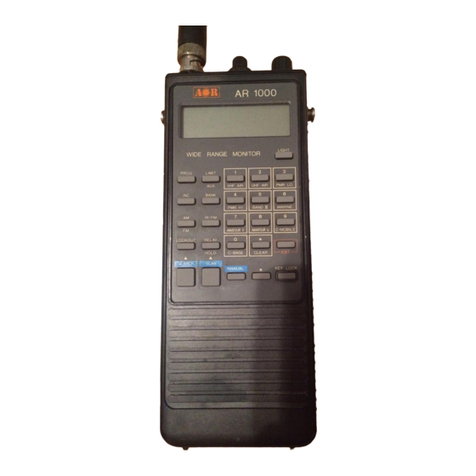
●Press this key with other key or dial to
use the function operation.
② MONI ey
●Hold down this key to open the
squelch and monitor.
●Hold down the FUNC key and press
this key to lock the keys except POW,
FUNC and this keys.
③ Down ey
●Press this key to decrease the setting
value.
●Hold down this key to start the Dual
Watch.
●Hold down the FUNC key and press
this key to start the Priority Scan.
●Hold down this and FUNC key to
store the dual watch channel for the
Dual Watch.
④Up ey
●Press this key to increase the setting
value.
●Hold down this key to set the
attenuator.
●Hold down the FUNC key and press
this key to set the VFO, RADIO or
Preset mode.
●Hold down this and FUNC key to
store the priority channel for priority
scan.
⑤V/M ey
●Press this key to switch between the
VFO and memory mode.
●Hold down this key to assign the skip
channel for search or scan.
●Hold down the FUNC key and press
this key to memorize the frequency
and then giving the memory name.
●Hold down this and FUNC key to
erase skip channel.
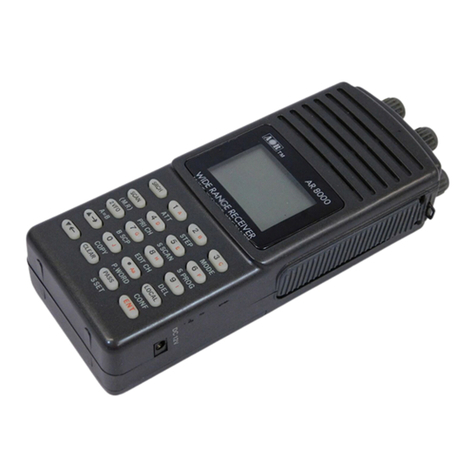
⑥Antenna connector
Fix the supplied antenna or optional
antenna.
⑦Dial Knob
●Turn this knob to change the
frequency or memorized channel.
●Press this knob to switch the volume
or tone frequency setting.
●Hold down the FUNC key and turn
this knob to change the frequency
faster.
⑧Display
⑨SCAN ey
●Press this key to start the search
in the VFO mode or the scan in the
memory mode.
●Hold down this key to search a
concealed microphone transmitter
frequency.
●Hold down the FUNC key and press
this key to store the frequencies to
the limit search operation.
●Hold down this and FUNC key to
change the band in the limit search
operation.
⑩MODE ey
●Press this key to switch between the
FM, Wide FM, AM and auto mode by
each pressing .
●Hold down this key to turn the tone
search operation on or off.
●Hold down the FUNC key and press
this key to select the tone type.
●Hold down this and FUNC key to set
the repeater shift function.
⑪PWR ey
●Tap this key, no operation is occur.
●Press and hold this key to turn the
power on or off.