Mi-16 series
________________________________________________________________________________
APANTAC LLC, 7470 SW BRIDGEPORT ROAD, PORTLAND, OR 97224
INFO@APANTAC.COM, TEL: +1 503 968 3000, FAX: +1 503 389 7921
3
Table of Contents
1.0 What’s In The Box ....................................................................................... 4
2.0 Key Features................................................................................................ 5
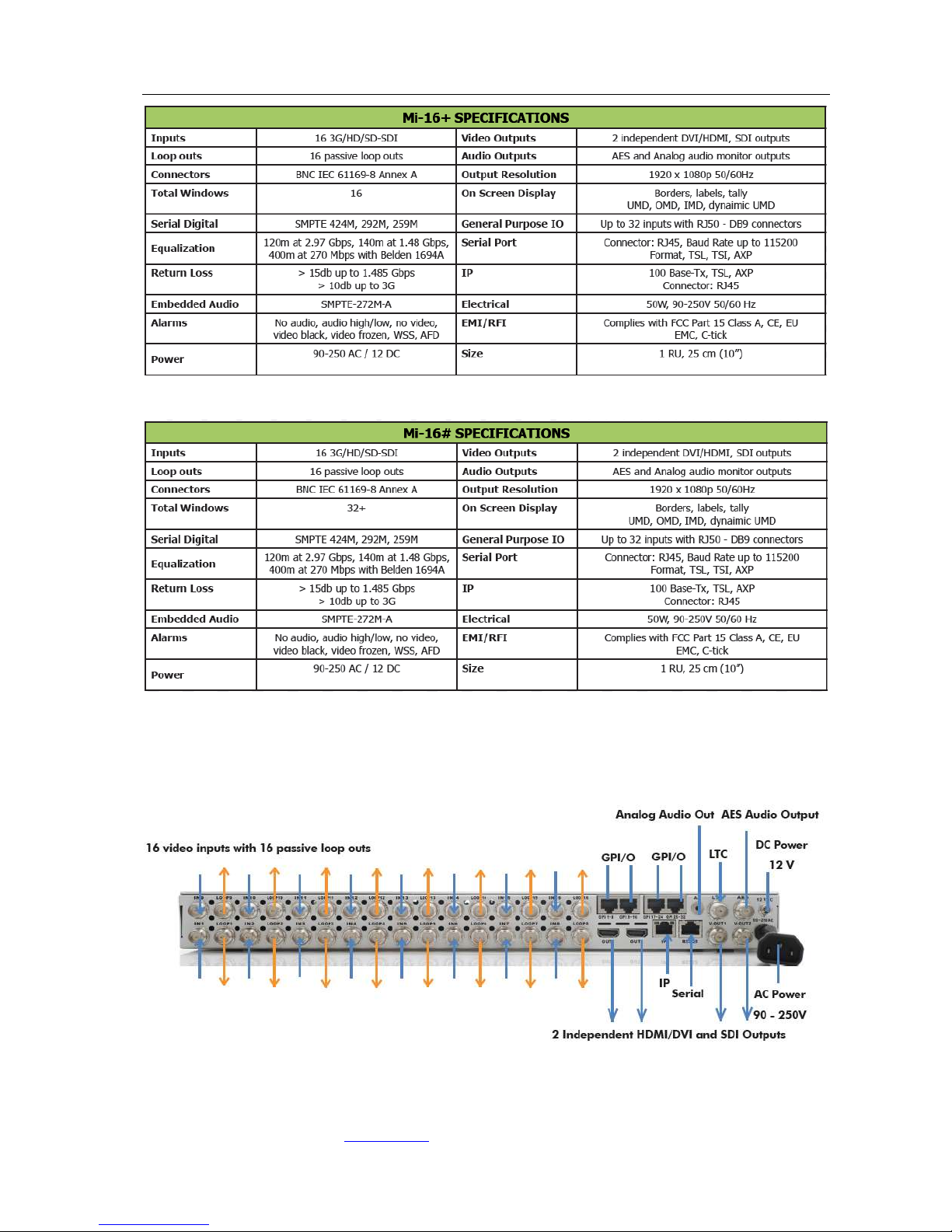
2.1 Specifications ..........................................................................................................6
2.2 Rear Views...............................................................................................................7
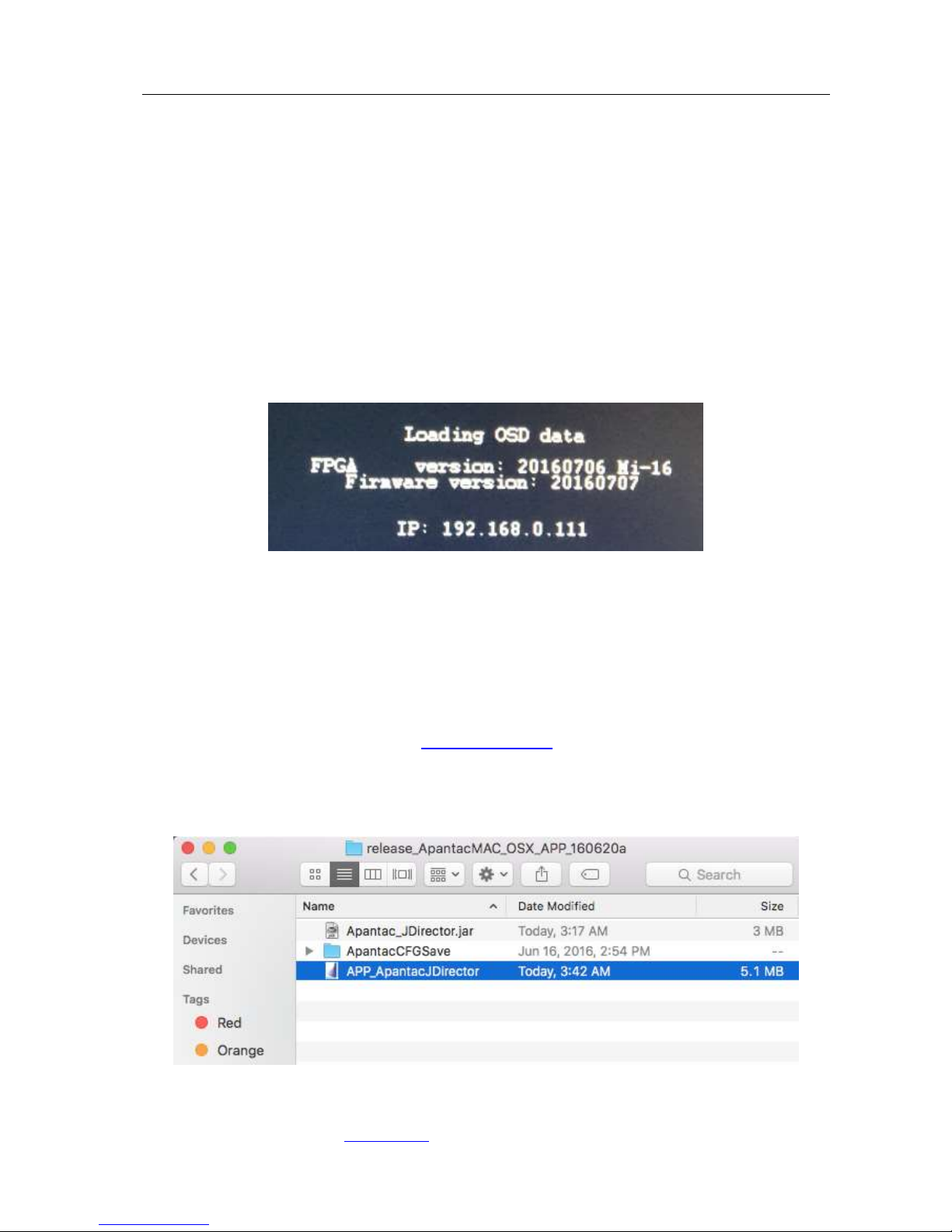
3.0 Hardware boot up........................................................................................ 8
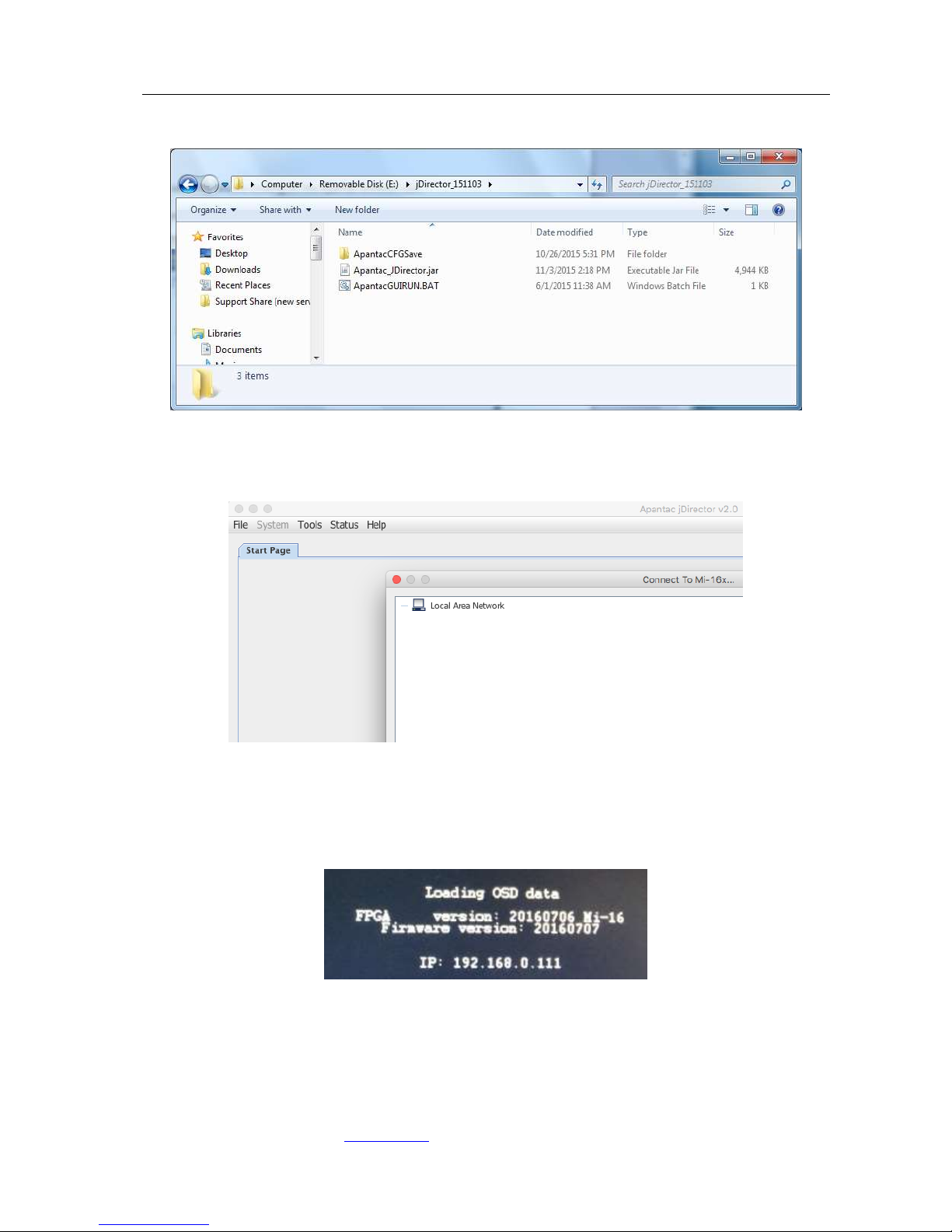
4.0 Software ..................................................................................................... 8
4.1 Changing the Mi-16 IP Address..........................................................................13
4.2 Configuring of the Mi-16 series..........................................................................14
Mi-16 .............................................................................................................................14
Mi-16+ ..........................................................................................................................15
Mi-16# ..........................................................................................................................16
5.0 Common features and configurations .......................................................... 17
5.1 Editing mode .........................................................................................................17
5.2 System level settings..........................................................................................18
5.2.1 Set output timing ..............................................................................................18
5.2.2 Sources, Names, Tally and Other Setups ................................................19
5.2.3 Set Tally colors ..................................................................................................25
5.2.4 System Settings.................................................................................................25
5.2.5 Audio reference settings ..................................................................................26
5.2.6 Load presets ......................................................................................................26
6.0 Editing ...................................................................................................... 27
6.1 To delete a window ..............................................................................................27
6.2 Mi-16 series window styles .................................................................................30
6.3 How to insert a window ......................................................................................32
6.4 Customize Window Elements .............................................................................33
7.0 Offline Mode .............................................................................................. 47
Appendix......................................................................................................... 49
Mi-16 presets ...............................................................................................................49
Mi-16+ presets ............................................................................................................54
Mi-16# presets ............................................................................................................57
Cable Pinouts ...............................................................................................................60