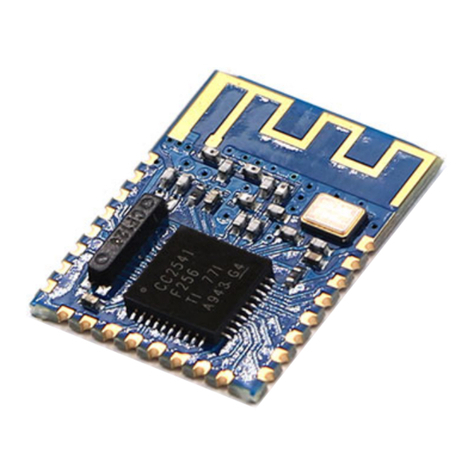
MLT-BT05 4.0 Bluetooth Serial Communication Module
AT Directive
Users can communicate with the module using TX, RX lines at various baud rates
Supported rates: 9600, 19200,38400,57600,115200. The default is 9600bps 。
Detailed instructions
MLT-BT05 4.0 B uetooth modu e Command set
(Note : AT commands require carriage return and ine feed; AT commands must be
issued before connecting. Once connected module is in data transmission mode. )
(AT commands ARE case sensitive; end ines with \r\n )
1. set/query master/slave mode:
instruction response parameter
AT+ROLE<Param> +ROLE=<Param>
OK
Param :( 0-4 )
0 slave mode?
1 master mode?
2 sensor mode
3 iBeacon mode
4 WeChat mode
default : 0
AT+ROLE +ROLE=<Param>
2. get software version number:
instruction response parameter
AT+VERSION +VERSION=<Param> Param :MLT-BT05-V2.1
3. get module Bluetooth address:
instruction response parameter
AT+LADDR +LADDR =<Param> Param:MAC address
4. set/query device name:
instruction response parameter
AT+NAME<Param> +NAME=<Param>
OK
Param :module
Bluetooth name
Default: MLT-BT05
longest :18 byte
AT+NAME +NAME=<Param>
5. set/query match code :
instruction response parameter
AT+PIN<Param> +PIN=<Param>
OK
Param :6 byte bit
pairing password
default “:123456”
AT+PIN +PIN=<Param>