Before installing batteries, determine if they are carbon zinc, heavy duty, alkaline or rechargeable. Open the battery
compartment door and locate the “ALK/NiMH” switch, if using carbon zinc, heavy duty or alkaline batteries slide the
switch to the“ALK”position. NiMH rechargeable batteries slide the switch to the“NiMH” position.
Install (2) AA style batteries by pressing them into place, observing the proper battery polarity. Incorrect insertion may
cause both mechanical and electrical damage not covered by the limited lifetime warranty. Units will not work if the
batteries are incorrectly installed.
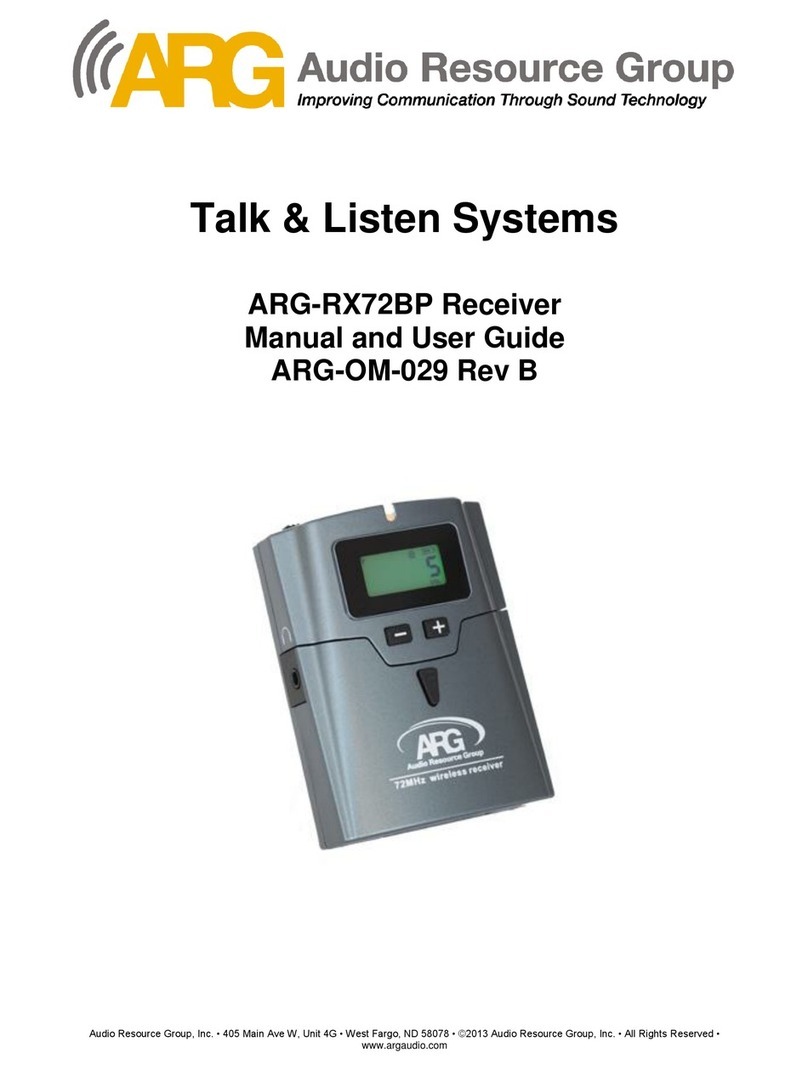
Plug the headphone/earphone into the 3.5mm audio output jack located on the left side of the receiver housing. The
headphone/earphone cable acts as the receiver antenna. Do not bunch up the cord, wrap it tightly around your body
or wrap it around the receiver housing. For maximum range, the cord should hang loosely from the
headphone/earphone to the receiver. Use only Talk & Listen® approved headphones/earphones, substitutions
can greatly aect the overall performance and cause poor audio quality or reduced transmission range between
the transmitter and receiver(s).
Turn the power switch on top of the Receiver to “ON”. The LCD backlight will appear and stay on until it detects 10
backlight will automatically
come back on once any of the control buttons are pressed again.
The headphone/earphone volume level on the receiver automatically defaults to “3” at start up to protect the user
from accidental ear damage. To view and adjust the volume level press the“+”or“-“buttons on the front panel, the LCD
backlight will automatically light up and the volume setting number will appear on the LCD display. To adjust the
volume level use the“+”or“-“ buttons to set at an appropriate listening level. Once the receiver detects 10 seconds of
inactivity, the backlight will automatically shut o and the volume level icon will disappear to save on battery power.
Conrm the channel number on the receiver(s) is the same as the transmitter channel; to adjust the channel open
the battery compartment door, locate the “LOCK”button, press and hold for three seconds to unlock the receiver.
The”lock” icon on the LCD display will disappear indicating the unit is now unlocked for programming. Using the“+”or
“-“ buttons on the front panel to scroll through the available channels, select the channel. After 10
seconds on inactivity the receiver will automatically lock and the“LOCK”icon will reappear on the LCD display and
the LCD backlight will shut o.
OPERATING INSTRUCTIONS
1.
2.
3.
4.
5.
6.
7.
10. When nished using the receiver, slide the “ON/OFF” switch to the “OFF” position.
Audio Resource Group, Inc. 440 Ramsland Ave Hannaford, ND 58448 888.468.4552 www.argaudio.com
8. Receiver GRP 1 Programming: turn the receiver OFF; open the battery door, press and hold the “Lock”
and “Set” buttons simultaneously while turning the receiver power ON, the green backlight on the LCD
display will illuminate showing the current channel number programmed; press the “-” or “+” buttons to
scroll through and select one of the 17 available channels. When nished, close the battery door and turn
the receiver OFF to exit programming mode.
9. Receiver GRP 9 Programming: turn the receiver OFF; open the battery door, press and hold the “Lock”
and “Set” buttons simultaneously while turning the receiver power ON, the green backlight on the LCD
display will illuminate showing from left to right, the current “group ” and “channel” numbers. Press the
“-” or “+” buttons to scroll through and select up to 8 of the 17 available channels, press the “set” button to activate
or deactivate any channel. When the “memo” icon is displayed above the channel number, the channel is activated;
when the “memo” icon is not displayed above the channel number, the channel is deactivated. When nished,
close the battery door and turn the receiver OFF to exit programming mode.
The adjustable Squelch feature allows the user to adjust the receiver circuit to turn o the audio input
to the headphone/earphone when the signal is weaker than the noise it is receiving or there is no
radio signal at all: both of which cause an annoying noise. The factory pre-set setting of “3” will work
for most environments. To determine the squelch setting, open the battery compartment door and
locate the “SET” button, press once and the “SQL” code will appear on the LCD display for 5 seconds
and then disappear. To adjust the Squelch setting, open the battery compartment door, press both
the “LOCK” and “SET” buttons simultaneously for 4-5 seconds, the “SQL” code will appear; use the “+”
or “-“ buttons on the front panel to adjust. After 10 seconds of inactivity, the Receiver will
automatically lock; the “LOCK” icon will reappear on the LCD Display and the “SQL” code will
disappear and the LCD backlight will shut o.
Audio Resource Group: RX72BP Receiver Manual OM-029