manuals.online logo
Brands
  1. Home
  2. •
  3. Brands
  4. •
  5. Artec 3D
  6. •
  7. Scanner
  8. •
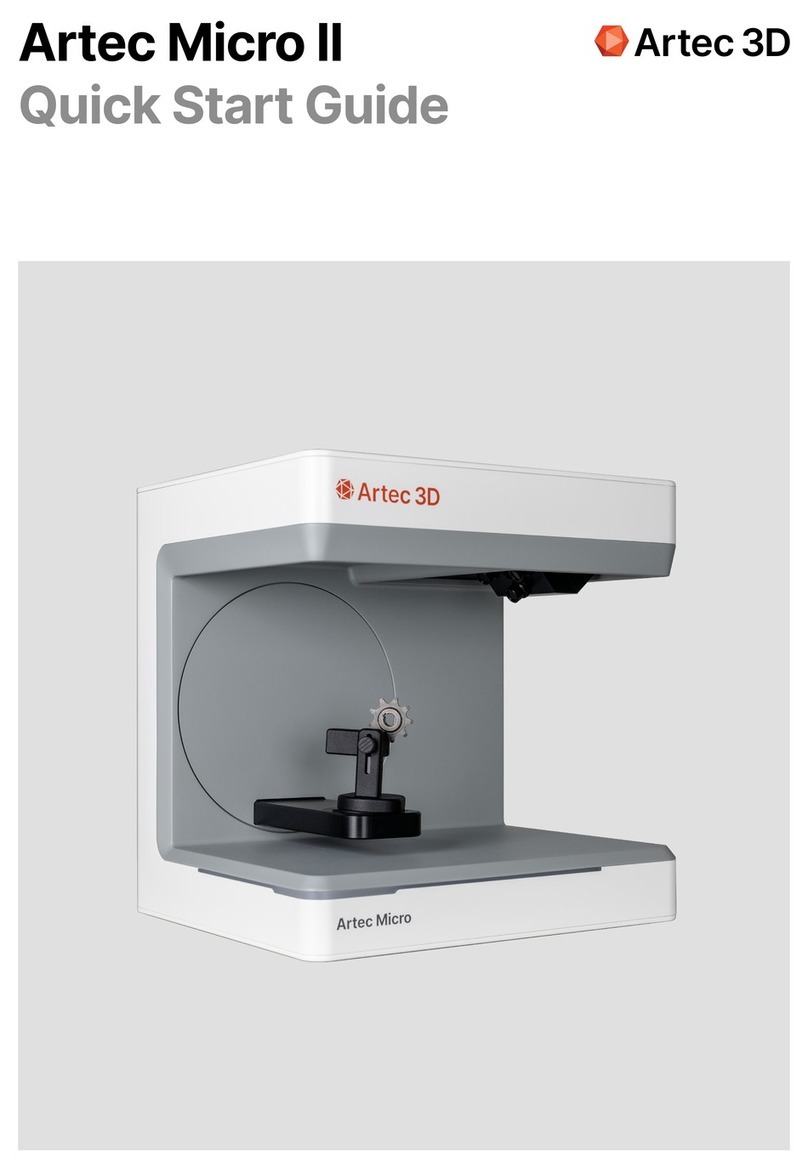
  9. Artec 3D Micro II User manual

Artec 3D Micro II User manual

Other manuals for Micro II

1

Other Artec 3D Scanner manuals

Artec 3D Micro II User manual

Artec 3D

Artec 3D Micro II User manual

Artec 3D EVA User manual

Artec 3D

Artec 3D EVA User manual

Artec 3D Ray II User manual

Artec 3D

Artec 3D Ray II User manual

Artec 3D Space Spider User manual

Artec 3D

Artec 3D Space Spider User manual

Artec 3D Artec Ray II User manual

Artec 3D

Artec 3D Artec Ray II User manual

Popular Scanner manuals by other brands

Radio Shack PRO-433 quick start guide

Radio Shack

Radio Shack PRO-433 quick start guide

Atid AT911N series user guide

Atid

Atid AT911N series user guide

Siemens RUGGEDCOM WiN5100 Faq

Siemens

Siemens RUGGEDCOM WiN5100 Faq

Canon CanoScan LiDE 20 Specifications

Canon

Canon CanoScan LiDE 20 Specifications

Epson 4180 - Perfection Photo Product support bulletin

Epson

Epson 4180 - Perfection Photo Product support bulletin

Radio Shack PRO-72 owner's manual

Radio Shack

Radio Shack PRO-72 owner's manual

Lanier 5622 Operator's guide

Lanier

Lanier 5622 Operator's guide

Faro Freestyle 2 user manual

Faro

Faro Freestyle 2 user manual

Kramer VS-16N user manual

Kramer

Kramer VS-16N user manual

Z/I Imaging PhotoScan 2001 instructions

Z/I Imaging

Z/I Imaging PhotoScan 2001 instructions

Renkforce DS100-5M operating instructions

Renkforce

Renkforce DS100-5M operating instructions

Canon imageFORMULA CR-120N user manual

Canon

Canon imageFORMULA CR-120N user manual

Fujitsu FI-4860C2 Specifications

Fujitsu

Fujitsu FI-4860C2 Specifications

HPc9861a 4400c Setup and support guide

HPc9861a

HPc9861a 4400c Setup and support guide

Kodak i5800 Scanner Brochure & specs

Kodak

Kodak i5800 Scanner Brochure & specs

Kodak i7300 user guide

Kodak

Kodak i7300 user guide

Revopoint POP user manual

Revopoint

Revopoint POP user manual

Fujitsu fi-4860C installation guide

Fujitsu

Fujitsu fi-4860C installation guide

manuals.online logo
manuals.online logoBrands
  • About & Mission
  • Contact us
  • Privacy Policy
  • Terms and Conditions

Copyright 2025 Manuals.Online. All Rights Reserved.

Artec Micro II
User Manual
Safety and general information
Symbols and means of representation
Warnings and additional information
This operation manual is structured in accordance with the applicable EU regulations and contains
safety instructions. Individuals are responsible for compliance with safety instructions. This chapter
contains a general introduction to the safety instructions. It also contains important information on
accident prevention
This optical 3D scanner (hereinafter referred to as the scanner), is a state-of-the-art product in terms
of safety for operating personnel and operational reliability. The scanner may nevertheless present
hazards if it is used by inadequately trained personnel, or if it is used improperly or not as intended. We
refer to possible dangers explicitly in the chapter "Safety and General Information”, as well as
elsewhere in the operation manual
This operation manual contains the relevant information for installation, commissioning, operation,
maintenance and disposal of the scanner
This operation manual is intended to enable the user to work safely with the scanner
Observing the instructions in this document will help to avoid hazards and prevent damage to the
scanner
All persons working on and with the scanner must have read the operation manual and observed the
information and notes relevant to them. This operation manual must always be complete and fully
legible
Artec is not liable for any typographical errors and omissions in this manual. Likewise, no liability is
assumed for damages that are directly or indirectly attributable to the delivery. Even after taking the
utmost care in the design and construction of the scanner, and even after taking all issues relevant to
safety into account, residual hazards may still exist. These have been evaluated by means of a risk
assessment. This chapter lists all residual risks and warnings from the risk assessment
The information in this document is subject to change without notice. Every effort has been made in
the preparation of this document to ensure the accuracy of its contents. Any statement, information or
recommendation in this document does not constitute a promise of characteristics of any kind, either
expressed or implied.
Warning
The sections marked "NOTE", "CAUTION" and "DANGER" in this document do not include all safety
instructions to be followed. They are only supplements to the general safety instructions. Artec 3D
assumes no liability for any consequences caused by the violation of general safety requirements or
design, production and usage safety standards. This document distinguishes between the following
warning levels, depending on the severity and probability of the danger:
Warning symbol
DANGER
CAUTION
NOTE
Description
Indicates a significant hazard that will result in death or serious injury if not
avoided.
Indicates a minor hazard that may result in minor injury if not avoided.
A NOTE is used to explain practices that are not related to personal injury
or to improve operations with the product.
1.1
1.1.1
1

Safety sticker on the scanner1.1.2
1.2
1.3
1.4
1.4.1
Labeling
Customer service
Safety instructions for individual operating phases
Transport and installation
Safety instructions are attached to the scanner, which draw attention to possible dangers, and residual
dangers
The instructions on the safety sticker on the scanner must be followed under all circumstances. If the
safety labels become faded or damaged during the life of the scanner, they must be replaced
immediately with new stickers. They must be checked at regular intervals to ensure they are complete
and legible. As soon as the signs are not immediately recognizable or comprehensible at first glance,
Artec Micro II must be taken out of operation until the new signs are installed.
The scanner is clearly identified by the contents of its nameplate. CE marking according to
 EMC Directive 2014/30/E
 Low Voltage Directive 2014/35/E
 RoHS Directive 2011/65/EU
In case of technical problems, contact Artec 3D Support Team using support@artec3d.com email.
 The scanner may only be transported if it has been properly packed and secured
 When handling the scanner, ensure that the scanner does not bend, especially after transportation
 The scanner is designed to be set up at an ergonomic height. (Observe the employee protection
regulations in your country)
 When laying the cables, ensure that they do not pose a tripping hazard. Always lay the cables along
walls. Under no circumstances may the cables be routed so that they are under tension or sagging
 The location of the scanner must be chosen so that there are no vibrations during scanning operation,
i.e. the load capacity of the chosen base (workbench, table, etc.) must be at least twice the value listed
in the Technical Specifications and must absorb all vibrations
 The ambient light must be taken into account when setting up the device. There must not be any
change in the ambient light during the scan operation, such as might occur due to shadows from trees
or blinds. Neon lights or direct sunlight should also be avoided
 The scanner must not be operated in damp rooms
 No liquids should come into contact with the scanner. Do not place any vessels with liquid on the
scanner.
The pictograms for warnings, prohibitions and requirements on the scanner and their meaning:
Symbol Meaning
Crushing hazard: This pictogram is located in the area of the swivel bracket and warns of a
possible crushing hazard between the scanner and the swivel bracket.
Installation and operation
Improper maintenance, modifications and repairs
Intended use
1.4.2
1.4.3
1.5
 The operating and maintenance personnel must be instructed regularly on the operation of the system
and on potential hazards. They are required to read the operation manual
 Before each start-up, make sure that there are no parts in the swivel range of the bracket, as it
performs a reference run when switched on
 Keep children away from the scanner. Only trained personnel may work with the scanner
 The optical 3D scanner may only be operated when it is in perfect and clean condition
 Power supply and feeder cables must not be damaged or crushed by other objects
 Malfunctions or damage must be reported to the operator immediately
 Removing, modifying, bypassing or circumventing any protective, safety or monitoring devices is
prohibited
 Be aware of possible crushing hazards when operating the scanner inserts
 If the scanner is not in use for a longer period of time, disconnect it from the power supply
 Do not place any objects or tools on the scanner
 Ensure that the area around the scanner remains clear and organized. All objects and containers not
required for the workflow must be removed from the area of the scanner
 Climbing on the scanner, as well as sitting or standing on the scanner are prohibited.
The subsequent installation of additional devices from other manufacturers is not permitted, nor is the
modification of protective devices without consulting Artec 3D
Repairs to the scanner may only be performed by authorized Artec 3D Service Centers.
The intended use of the scanner is the digitizing of small parts of different objects (metal, art, etc.) with
metrology-grade accuracy in combination with Artec Studio
Various objects can be inserted with a maximum weight of 2000 g and dimensions W x L x H: 200 mm x
200 mm x 150 mm. Only accessories recommended by Artec 3D may be used. Improper use of this
scanner may endanger persons and damage the scanner. The product is not an automatically
functioning device; it must be loaded manually. Furthermore, any liability and warranty claims are
excluded in the event of non-compliance with the intended use.
The swivel bracket will move when the scanner is switched on. Do not reach into the danger
area as finger injuries may occur.
The swivel bracket moves during scanning. Do not reach into the danger area as finger
injuries may occur.
Potential misuse
Intended environment
Duties of the operator
1.6
1.7
1.8
The information in this documentation describes the properties of the product but does not guarantee
them. No liability and warranty claims will be accepted for damages caused by
 Improper use of the scanner
 Disregarding the operating instructions
 Unauthorized changes to the scanner
 Improper work on and with the scanner
 Improperly performed repairs
 Unauthorized, improper modification of operating parameters
 Catastrophic events, impacts due to foreign objects and force majeure.
The limits of use for the scanner are restricted as follows
 To be operated indoors onl
 Ambient temperature: 5 °C to 35 °
 Relative humidity: up to 31°C 20 % - 80 % at temperatures up to 35°C maximum 20-50% linear
decreasing - not suitable for humid rooms, non-condensin
 No flickering light (e.g. fluorescent lighting; moving blinds; shadows from trees in the wind 
 Maximum ambient brightness 500lux. No direct sunlight in the scanning are
 Clean and dust-free environmen
 Horizontal installation site on a stable, vibration-absorbing workstatio
 Maximum installation altitude <2000m above sea level
The operator is responsible for the safe operation of the scanner
 Make sure that only trained, educated or qualified persons work with the scanner
 Make sure that every person working on the scanner for the first time has read and understood this
operating manual
 Draw special attention to the safety instructions in this manual and on the scanner
 Keep the operation manual in the area near the scanner and pass it on to new personnel
 Make sure that no one works on the scanner without having the professional expertise necessary to do
so
 Operating personnel must be instructed at regular intervals on how to work safely with the scanner
 Please observe national regulations for the protection of female employees
 When servicing, maintaining or cleaning the scanner, it must be disconnected from the power supply
 Repairs may only be carried out by Artec 3D
 Make sure that the notices attached to the scanner when it is delivered remain legible. Missing and
damaged warning signs must be replaced immediately.
Qualifications of personnel
Duties of personnel
Personal protective equipment
Transport and installation
1.9
1.10
1.11
2
This manual is addressed to the operating and maintenance personnel of the scanner. The operating
and maintenance personnel are to be named by the operator and must have the following
qualifications:
 The safety instructions and operating instructions contained in this operating manual must be observed
at all times
 This scanner may only be operated by appropriately qualified personnel. These personnel must be
familiar with all safety instructions and with the corresponding measures contained in this operating
manual and on the scanner for operation, maintenance and cleaning
 The optical scanner must be disconnected from the power supply before cleaning, maintenance and
repair work.
The 3D scanner is designed in such a way that the persons working on the scanner do not require any
additional protective equipment beyond the required standard of the operator (e.g. work clothing, work
shoes, etc.)
Persons performing cleaning and maintenance work must observe the prescribed measures for the
corresponding cleaning agents (e.g. gloves for cleaners; splash protection, etc.).
First of all, check to ensure the packaging is undamaged. If this is not the case, document the damage
and contact the seller. Pay attention to the warnings on the packaging during transport. The device
must be transported or stored so that it is well-protected, dry and upright in a package
In case of longer storage, the device should be stored in a dry place in the original packaging. Care
must be taken to comply with the storage requirements as stated in the specification.
NOTE
Transport the scanner only in the original packaging to avoid damage to the device.
Maintenance personnel
 Basic technical knowledg
 Reading and understanding these operating and maintenance instructions is a prerequisite
 The person must be strong enough to lift the unit and place it in its final location
 Inspection and cleaning may only be carried out by technical specialists with product-specific training
or under the guidance of the customer service department.
Operators
 Product trainin

 Regular safety instruction
Unpacking and setting up the device2.1
First, open the top of the box and remove the top foam cover with the optional accessories. Then you
can hold the scanner by the two recesses and pull it out of the box. ow the fixation for the arm can be
removed, the standard accessories are inside the fixation.
Save the packaging for future transport (relocation, service, etc).
Dispose of waste materials in an environmentally friendly manner.
Scope of delivery
 1x Artec Micro II Scanne
 1x Power Suppl
 1x USB Cabl
 1x Calibration plat
 1x Object holde
 1x Object clam
 1x 3-axis holde
 1x Holder for small objects (reusable putty included
 1x Box
Select a setup area2.2
Since the environment of the scanner has a significant influence on the product, you should be careful
when selecting its location and observe the following
 Avoid rapidly changing lighting conditions such as moving shadows, office lighting that fl ickers
(fluorescent lamps, LED...)
 ever expose the scanner to direct sunlight
 Avoid direct proximity to heat sources (e.g. radiators, other electrical appliances, fire replaces, etc.)
 Ensure that the installation site is level and vibration-free
 It must be ensured that there is no extraordinary exposure to dust, poisons or corrosive gasses at the
installation site
 Select a mounting or installation location where liquids or objects cannot get into the scanner under
any circumstances (e.g. condensation, roof leaks, watering water, etc.)
 Ensure that the mains plug of the power supply unit is always accessible
 The scanner may only be operated indoors.
Info: Strong external light or sunlight may affect the scan result
This can lead to poor scan quality or to undesired deviations of the measurement result.
Carrying points
2.3
12
The two c rrying points (1) nd (2) re provided to c rry the sc nner. Hold the sc nner t these two
points with your left nd right h nds. The sc nner weighs 11-13 kg nd c n be c rried by one person.
The open side of the sc nner should f ce w y from the body.
Installation example2.4
The followin fi ure is merely a schematic representation intended to provide an illustration of the
overall system. Pay attention to an er onomic arran ement as well as to the minimum distances for the
scanner as shown (red).
2
3
4
5
6
7
2cm
15cm
№
1
2
3
4
5
6
7
Description
Desk
Artec Micro II scanner
Computer screen
Keyboard
Desk chair
Computer mouse
PC/Laptop
The power supply unit may only be connected to a socket with protective contact.
The cables should be laid alon walls.
Device overview and connections
Components of the scanner
Scanner connector strip
3
3.1
3.2
These are the main components of the scanner:
The connector strip is located on the back of the scanner and is designed as follows:
2
1
3
4
5
6
№
1
2
3
4
5
6
Description
Connector strip (rear side)
Swivel bracket
Housing
Optical scan unit
Model support
On/Off button
№
1
2
Description
24V DC power supply socket
USB C 3.0 Port Master Unit
Master
USB 3.024V