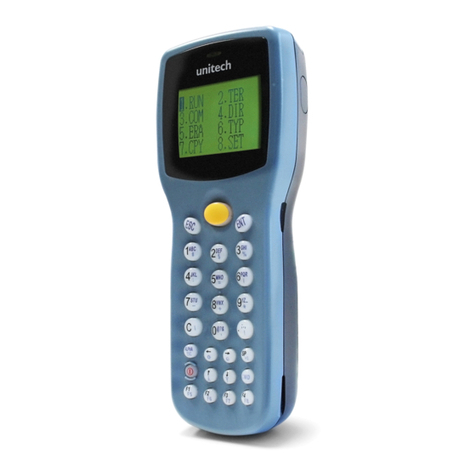
Si203사용자 설명서
Table of Contents
Copyright and Agreement............................................................................................................... 5
Chapter1. Caution when using ....................................................................................................... 6
1. How to use the battery correctly ................................................................................................. 6
2. Caution when using.................................................................................................................... 6
Chapter2. Products compositions................................................................................................... 7
1. Package components................................................................................................................. 7
2. Name of Each Part..................................................................................................................... 8
3. Function of Each Part................................................................................................................. 9
Chapter3. Basic Functions ........................................................................................................... 10
1. Power and Battery.................................................................................................................... 10
1.1 Switch On Backup Battery .......................................................................................... 10
1.2 Detaching and Attaching Main Battery......................................................................... 11
1.3 Charging..................................................................................................................... 12
1.4 Power On and Off....................................................................................................... 12
1.5 Checking Battery Gauge............................................................................................. 14
1.6 Backup Battery........................................................................................................... 15
1.7 Dispose of Battery ...................................................................................................... 15
2. System Reset........................................................................................................................... 16
2.1 Soft Reset................................................................................................................ 16
2.2 Hard Reset................................................................................................................. 16
2.3 Initializing System....................................................................................................... 17
3. Using Micro SD, SIM, SAM Card.............................................................................................. 19
3.1 Installing Micro SD .......................................................................................................... 19
3.2 Installing SIM Card and SAM Card.................................................................................. 20
4. System Settings....................................................................................................................... 21
4.1 Setting Brightness ...................................................................................................... 21
4.2 Screen Calibration...................................................................................................... 21
4.3 Setting Volume and Sounds........................................................................................ 22
4.4 Setting Data and Time ................................................................................................ 22
5. Using keypad........................................................................................................................... 24
5.1 Using keypad.............................................................................................................. 24
5.2 Inputting Data............................................................................................................. 24
5.3 Using <Fun> Button.................................................................................................... 25
6. Using stylus ............................................................................................................................. 25
7. Using ActiveSync Program....................................................................................................... 26
7.1 Installing Microsoft ActiveSync Program...................................................................... 26
7.2 Connecting PC to PDA ............................................................................................... 27
7.3 Transmitting Data ....................................................................................................... 28
8. Firmware Upgrade ................................................................................................................... 30
Chapter4. Optional Module .......................................................................................................... 31
1. Using 1D or 2D Barcode Scanner............................................................................................. 32
1.1 Scanning Barcode........................................................................................................... 32
1.2 Setting Barcode Emulator................................................................................................ 32
1.3 Setting Barcode Symbology ............................................................................................ 35
1.4 Barcode Scanning Beam Position ................................................................................... 36