Advanced Telemetry Systems, Inc. R4520C Reference User Manual R05-11A 8
Getting Started:
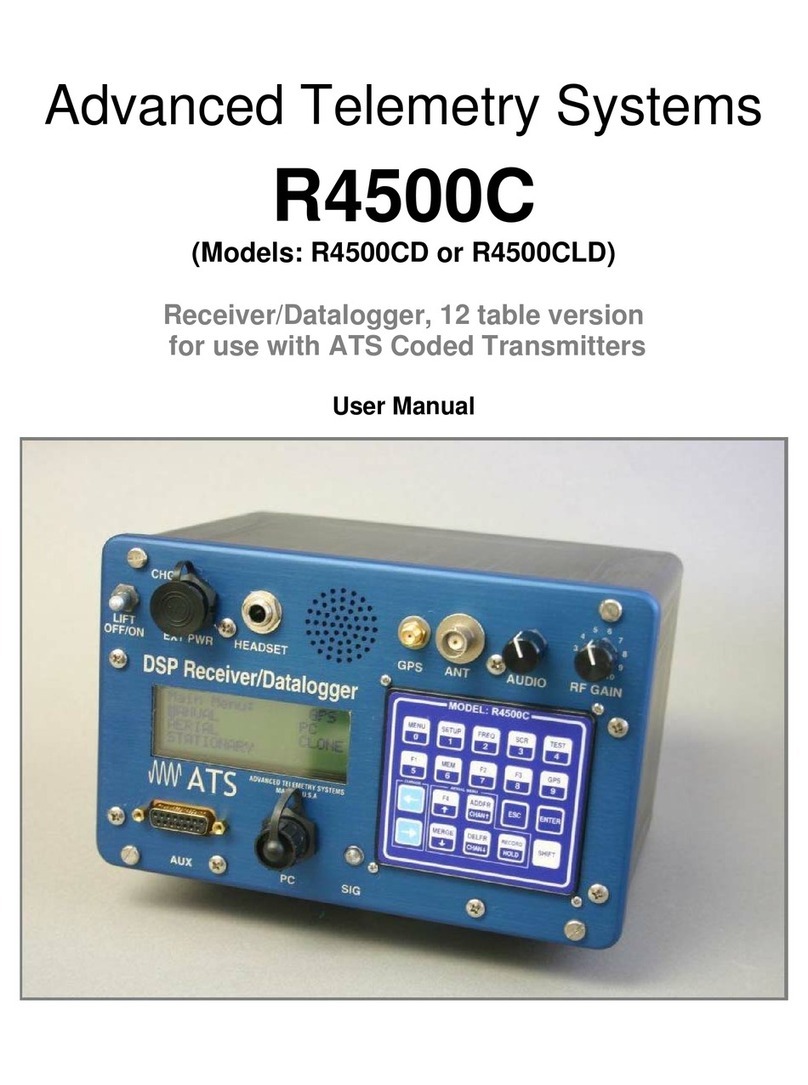
When you first turn on the power, the receiver will display Advanced Telemetry Systems, the receiver model and
the two version numbers of the receiver software. The display will then go to the main menu:
Menu Items:
Low Battery indicator: This flashes LOW / BAT when the supply voltage drops below 11.5 volts. This indicator will
be absent if the supply voltage is greater than the 11.5V
GPS indicator: The status of the GPS is displayed in the upper right corner of the screen. The messages indicate
the following:
GPS (non flashing) – The GPS is on, and there is a valid GPS fix.
GPS / OFF – The GPS is turned OFF.
NO / FIX – The GPS is attempting to acquire a valid GPS fix.
GPS / ERR – The GPS has not been able to get a valid GPS fix within 5 minutes.
NO / GPS – The GPS has not been able to get a valid GPS fix after 15 minutes, or there is no signal out of the
GPS, or the GPS is turned OFF.
If a valid GPS fix is found during NO / FIX, GPS / ERR, or NO / GPS the indicator will change to a non flashing
GPS indicator.
MANUAL: This mode can be used to check out tags or to check on an individual frequency. Frequency scanning is
not available in this mode. To save a target in the manual mode, Record would need to be activated.
AERIAL: Designed for tag location using aircraft. While scanning a table, no information will be recorded unless
Hold is activated. The Hold button is used to toggle between scanning the frequency table, and to hold the
scanning of the frequency table. When Hold is activated, the scanning of the frequency table stops and is held for
the frequency shown in the screen. In Hold, all available information will be continually stored. Tag ID, frequency,
signal strength and time are stored to memory when the operator exits Hold or activates Record. In Hold,Record
needs to be activated when no ID is detected but a Tag can be heard. Aircraft location is also recorded if GPS is
activated. An optional GPS antenna is required to use the GPS feature.
STATIONARY: This mode is used to monitor tags passing a site or presence / absence of tags. The time,
frequency, signal strength, tag ID, and the number of valid tag ID detections per store period are stored. Scanning
is enabled, GPS is disabled.
PC: Used to off load data, send/receive frequency tables and to send / receive receiver programming parameters.
The supplied ATSWinRec software and serial cable must be used with this option.
CLONE: Using the optional blue cable, frequency tables and default settings may be cloned from one receiver to
another receiver.
SETUP: Used to access the SETUP Menu.