manuals.online logo
Brands
  1. Home
  2. •
  3. Brands
  4. •
  5. Avid Technology
  6. •
  7. Desktop
  8. •
  9. Avid Technology z240 Instruction Manual

Avid Technology z240 Instruction Manual

Other Avid Technology Desktop manuals

Avid Technology HP Z800 Instruction Manual

Avid Technology

Avid Technology HP Z800 Instruction Manual

Avid Technology HP Z8G4 Instruction Manual

Avid Technology

Avid Technology HP Z8G4 Instruction Manual

Avid Technology HP Z400 Series Instruction Manual

Avid Technology

Avid Technology HP Z400 Series Instruction Manual

Avid Technology HP Z840 Instruction Manual

Avid Technology

Avid Technology HP Z840 Instruction Manual

Avid Technology HP Z200 User manual

Avid Technology

Avid Technology HP Z200 User manual

Avid Technology Xpand! User manual

Avid Technology

Avid Technology Xpand! User manual

Avid Technology Dell T7600 Instruction Manual

Avid Technology

Avid Technology Dell T7600 Instruction Manual

Avid Technology HP Z440 Instruction Manual

Avid Technology

Avid Technology HP Z440 Instruction Manual

Avid Technology HP Z220 Instruction Manual

Avid Technology

Avid Technology HP Z220 Instruction Manual

Avid Technology DS 4.02 User manual

Avid Technology

Avid Technology DS 4.02 User manual

Avid Technology DS 5.0 User manual

Avid Technology

Avid Technology DS 5.0 User manual

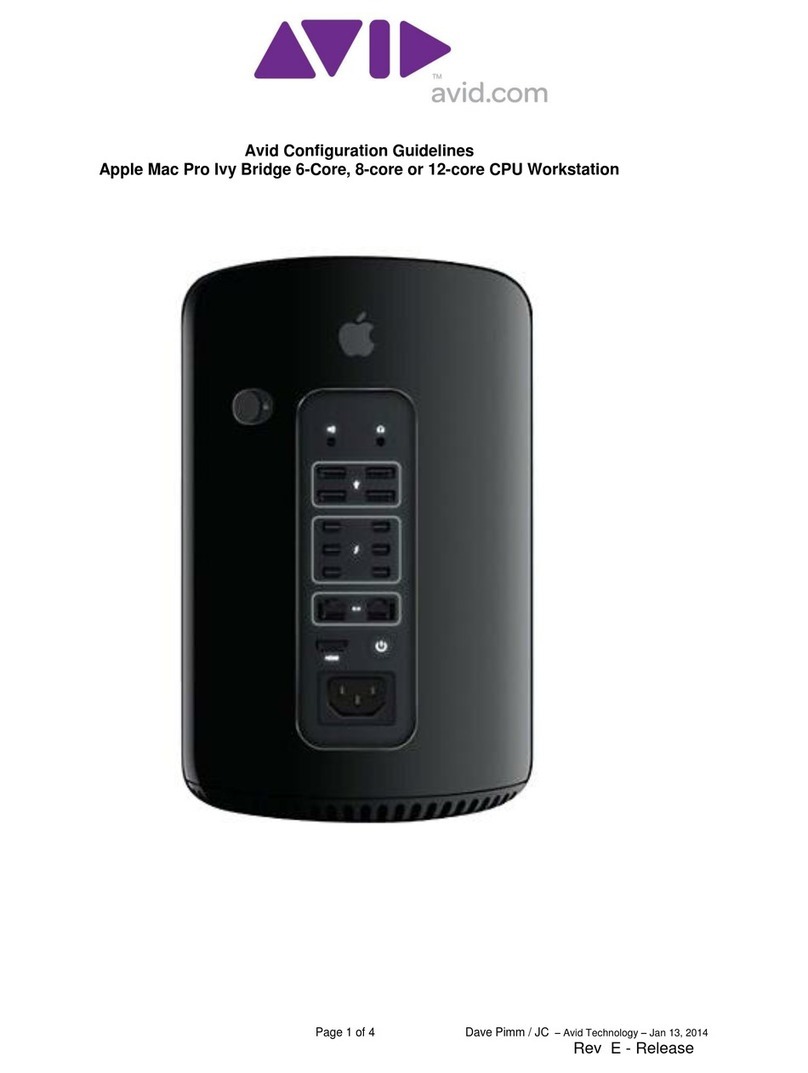
Avid Technology Apple Mac Pro Ivy Bridge Instruction Manual

Avid Technology

Avid Technology Apple Mac Pro Ivy Bridge Instruction Manual

Popular Desktop manuals by other brands

StarTech.com ARMSTSL manual

StarTech.com

StarTech.com ARMSTSL manual

Dell Inspiron 5720 quick start guide

Dell

Dell Inspiron 5720 quick start guide

GÜDE WERKBANK GW 6/2 XL Translation of the original instructions

GÜDE

GÜDE WERKBANK GW 6/2 XL Translation of the original instructions

Lenovo ThinkCentre M62z Vodič za uporabnika

Lenovo

Lenovo ThinkCentre M62z Vodič za uporabnika

Lenovo ThinkCentre M71z user guide

Lenovo

Lenovo ThinkCentre M71z user guide

Fujitsu ESPRIMO C7xx operating manual

Fujitsu

Fujitsu ESPRIMO C7xx operating manual

Bosch DCU 130 operating instructions

Bosch

Bosch DCU 130 operating instructions

Zotac VR GO quick start guide

Zotac

Zotac VR GO quick start guide

HP 260 G2 DM Product End-of-Life Disassembly Instructions

HP

HP 260 G2 DM Product End-of-Life Disassembly Instructions

Sony VAIO VGC-LS21 Specifications

Sony

Sony VAIO VGC-LS21 Specifications

HP ProOne 400 G1 specification

HP

HP ProOne 400 G1 specification

IBM PS/2 60 Hardware maintenance service

IBM

IBM PS/2 60 Hardware maintenance service

Acer Aspire SA60 Service guide

Acer

Acer Aspire SA60 Service guide

Lenovo ThinkCentre M71z Uživatelská příručka

Lenovo

Lenovo ThinkCentre M71z Uživatelská příručka

IBM Aptiva 2198 reference guide

IBM

IBM Aptiva 2198 reference guide

Sony PCV-LX810 - Vaio Slimtop Computer System reference manual

Sony

Sony PCV-LX810 - Vaio Slimtop Computer System reference manual

Dell Precision U3525 Quick reference guide

Dell

Dell Precision U3525 Quick reference guide

MicroTouch IC-215P-AW2 user guide

MicroTouch

MicroTouch IC-215P-AW2 user guide

manuals.online logo
manuals.online logoBrands
  • About & Mission
  • Contact us
  • Privacy Policy
  • Terms and Conditions

Copyright 2025 Manuals.Online. All Rights Reserved.

Page 1 of 15
Joe Conforti –Avid Technology –January 15th 2016
HP Z240 Workstation –Tower / SFF Rev A Config Guide
Avid Configuration Guidelines
HP Z240 Workstation Tower / SFF
Single Quad Core CPU
Page 2 of 15
Joe Conforti –Avid Technology –January 15th 2016
HP Z240 Workstation –Tower / SFF Rev A Config Guide
1.) HP Z240 Tower and SFF [Small Form Factor] AVID Qualified System Specification:
Z240 / AVID Qualified Operating System:
Supported: Microsoft® Windows 7 Professional 64-bit Edition withSP1 (SP1 required)
Supported: Microsoft® Windows 8.1 - Professional (64bit) and Windows 8.1 Enterprise (64bit)
Not Supported
Not Supported - Microsoft® Windows 7 –any 32-bit version, or any version of Home, Ultimate or Enterprise
editions.
Not Supported - Microsoft® Windows XP or Vista 32 or 64-bit (any version)
Z240 / AVID Qualified Hardware Configuration
Qualified CPU
1.) Single Intel® Quad-Core Xeon® E3-1245 V5 Processor @ 3.4GHz (3.9GHz Turbo) / 8MB cache /
2133MHz DDR4 memory. The Xeon® E3-1245 V5 Processor includes Intel embedded graphics –HD
P530.
Video Card (GPU)
1. Embedded Intel HD Graphics P530 (The embedded Intel HD P530 graphics are supported for use
with Media Composer. Dedicated memory for the HD P530 graphics must be set to 1GB via the
system BIOS. If the memory for the Intel HD P530 is not set properly, the Media Composer s/w
will not initialize. Refer to the BIOS settings section of this document.
2. Optional - NVIDIA Quadro K620 or K1200 PCI-Express video board (not required)
O.S. System Hard Drive choices
HP M.2 SSD Drive (Best: Option A –extremely fast)
HP Z Turbo Drive G2 (Best: Option B –extremely fast , but , requires utilization of a
PCIe Gen3 x4 slot)
SATA 6Gbs SSD (better)
SATA 7200RPM Hard disk (good)
Supported Memory Configurations
1.) Memory: 8GB (2 x 4GB) DDR4 2133 ECC memory –
Requires two 4GB DIMMs installed in memory slots DIMM1 and DIMM3
2.) Memory: 16GB (4 x 4GB) DDR4 2133 ECC memory –
Requires four 4GB DIMMs installed in all 4 memory slots.
3.) Memory: 16GB (2 x 8GB) DDR4 2133 ECC memory –
Requires two 8GB DIMMs installed in memory slots DIMM1 and DIMM3
4.) Memory: 32GB (4 x 8GB) DDR4 2133 ECC memory –
Requires four 8GB DIMMs installed in all 4 memory slots.
Memory configuration constraints
Memory configurations which mix and match memory module sizes and locations should be avoided as they
may potentially result in a poor performing, non-optimal Avid editing operating environment.

Page 3 of 15
Joe Conforti –Avid Technology –January 15th 2016
HP Z240 Workstation –Tower / SFF Rev A Config Guide
Memory Installation (same for SFF and Tower):
HP Z240 Memory DIMM Installation order
DIMMs are labelled on the motherboard 1, 2, 3, 4. Load DIMMs in the following order:
Config
DIMM 1
DIMM 2
DIMM 3
DIMM 4
8GB (2 x 4GB)
X
X
16GB (4 x 4GB)
X
X
X
X
16GB (2 x 8GB)
X
X
32GB (4 x 8GB)
X
X
X
X
2.) Qualified O.S., Software, Hardware and shared storage supported:
Qualified Operating System
Win 7 Pro 64-bit SP1
Windows 8.1 - Professional (64bit)
Windows 8.1 Enterprise (64bit)
Media Composer
M/C 8.2.5 (minimum)
ISIS 1Gb or (2 x1Gb) Ethernet
Client
v4.7x
ISIS 10Gb Hi-res Ethernet Client
Not Supported
StarTech 1394 PCIe Firewire
adapter. 2 FW800 and 1 FW400
ports. Half height PCIe card
(PEX1394B3)
The StarTech HBA is the only supported interface for 1394 camera or deck.
Can also be used for 1394 disk drives (recommended only for file transfers).
3.) AVID qualified HBA info
AVID qualified
HBA
SFF Slot
Tower
Slot
Function
Optional - NVIDIA
Quadro K620 or
K1200 PCI-Express
video board
#1
#2
Optional Nvidia Graphics GPU
HP Z Turbo Drive
G2, PCIe Solid
State Storage
#1 or 4
#2 , 3 or 4
HP PCIe solid state drive. Can be used as the boot drive or local storage:
http://www8.hp.com/us/en/campaigns/workstations/z-turbo-drive-g2.html
SAS Storage
Controller
#1 or 4
#2 , 3 or 4
Local SAS Storage: Suggest Atto Controllers. See section #6 below.
Slot #4 or #2 are preferred
Intel i350-T2
Dual-Port 1Gb
Ethernet Adapter
#4
# 4
Dual Gb connectivity for ISIS
StarTech 1394
PCIe Firewire
adapter. 2 FW800
and 1 FW400 ports.
Half height PCIe
card (PEX1394B3)
#2
#1
1394 connectivity for 1394 camera / deck
(HBA available direct from StarTech)
http://www.startech.com/Cards-Adapters/FireWire/3-Port-2b-1a-1394-PCI-
Express-FireWire-Card-Adapter~PEX1394B3
Page 4 of 15
Joe Conforti –Avid Technology –January 15th 2016
HP Z240 Workstation –Tower / SFF Rev A Config Guide
SLOT CONFIGURATION WARNING: The Z240 comes in Tower and SFF (Small Form Factor) configurations. These
configurations each use a different system motherboard. As a result there are different slot configuration guidelines for
each model. The SFF is covered in section 4 below. The Tower is covered in section 5 below.
4.) Slot Configuration For SFF [Small Form Factor] Z240:
All slots in SFF model are half length and half height
SFF
Slot #
Electrical
Mechanical
Utilization
1
x16 PCI-E Gen 3
x16
Optional Graphics Card:
Nvidia Quadro K620 or K1200
or Local Storage HBA
Atto PCIe SAS controller
or HP Z Turbo Drive G2 PCIe Solid State Storage HBA
http://www8.hp.com/us/en/campaigns/workstations/z-turbo-drive-g2.html
2
x1 PCI-E Gen 3
x4
StarTech 1394 PCIe Firewire adapter.
Half height PCIe card (PEX1394B3) (Ports - 2 FW800 and 1 FW400).
3
x1 PCI-E Gen 3
x4
Not defined for use.
4
x4 PCI-E Gen 3
x16
Optional Intel i350-T2 Dual-port 1Gb Ethernet Adapter:
(ISIS Dual-port Connectivity)
or Local Storage HBA
Atto PCIe SAS controller
or HP Z Turbo Drive G2 PCIe Solid State Storage HBA
http://www8.hp.com/us/en/campaigns/workstations/z-turbo-drive-g2.html
Embedded Intel
i219-LM GbE NIC
Use for connectivity to Avid ISIS
Requires Windows 20.4.1 Intel ProSet Driver (see below):
Embedded Intel
HD P530 graphics
Embedded Intel HD P530 graphics are supported with Media Composer
Dedicated memory for the HD P530 graphics must be set to 1GB via the system BIOS.
x4 PCI-E Gen 3
M.2
M.2 High Performance solid state storage option
Page 5 of 15
Joe Conforti –Avid Technology –January 15th 2016
HP Z240 Workstation –Tower / SFF Rev A Config Guide
5.) Slot Configuration For Tower Z240:
Tower
Slot #
Electrical
Mechanical
Utilization
1
x1 PCI-E Gen 3
x4
StarTech 1394 PCIe Firewire adapter.
Half height PCIe card (PEX1394B3) (Ports - 2 FW800 and 1 FW400).
2
x16PCI-E Gen 3
x16
Optional Graphics Card:
Nvidia Quadro K620 or K1200
or Local Storage HBA
(Atto PCIe SAS controller)
or HP Z Turbo Drive G2 PCIe Solid State Storage HBA
http://www8.hp.com/us/en/campaigns/workstations/z-turbo-drive-g2.html
3
x4 PCI-E Gen 3
x4
Local Storage HBA
(Atto PCIe SAS controller)
or HP Z Turbo Drive G2 PCIe Solid State Storage HBA
http://www8.hp.com/us/en/campaigns/workstations/z-turbo-drive-g2.html
4
x4 PCI-E Gen 3
x16
Optional Intel i350-T2 Dual-port 1Gb Ethernet Adapter:
(ISIS Dual-port Connectivity)
or Local Storage HBA
(Atto PCIe SAS controller)
or HP Z Turbo Drive G2 PCIe Solid State Storage HBA
http://www8.hp.com/us/en/campaigns/workstations/z-turbo-drive-g2.html
Embedded Intel
i219-LM GbE NIC
Use for connectivity to Avid ISIS
Requires Windows 20.4.1 Intel ProSet Driver (see below):
Embedded Intel
HD P530 graphics
Embedded Intel HD P530 graphics are supported with Media Composer
Dedicated memory for the HD P530 graphics must be set to 1GB via the system BIOS.
x4 PCI-E Gen 3
M.2
M.2 High Performance solid-state storage option
Page 6 of 15
Joe Conforti –Avid Technology –January 15th 2016
HP Z240 Workstation –Tower / SFF Rev A Config Guide
6.) Optional add-in SAS storage controller for local SAS storage connectivity.
Suggest Atto Technology. Atto offers a wide range of SAS controllers for local SAS storage connectivity:
Some suggestions are:
Atto ExpressSAS R680 (6Gb/s SAS / SATA RAID Controller
https://www.attotech.com/products/adapters/sas-sata-raid/6gb/ESAS-R680-000%20ESAS-R680-C00
Atto ExpressSAS H680 (6Gb/s SAS / SATA Controller
https://www.attotech.com/products/adapters/sas-sata/6gb-pcie-30/ESAS-H680-000
R680 H680
7.) Optional add-in 1394 controller for 1394 camera / deck / storage connectivity.
StarTech 1394 PCIe Firewire adapter
Half height PCIe card (PEX1394B3) (Ports - 2 FW800 and 1 FW400)
http://www.startech.com/Cards-Adapters/FireWire/3-Port-2b-1a-1394-PCI-Express-FireWire-Card-
Adapter~PEX1394B3
Page 7 of 15
Joe Conforti –Avid Technology –January 15th 2016
HP Z240 Workstation –Tower / SFF Rev A Config Guide
8.) Various Configuration Issues:
A.) HP Z240 (Tower and SFF) System BIOS settings:
1.) Verify CPU Hyper-Threading –Enable
2.) If using the embedded Intel HD P530 graphics, set dedicated video memory to 1GB **
3.) Set Intel Turbo Mode***–Disable (Optional, only if needed)
** Only required if using the embedded Intel HD P530 graphics. If using the Nvidia Quadro K620
or K1200 do not make this setting because it will allocate memory that will not be useable by the
system O.S.
***Only required if connecting USB audio I/O devices. This setting will eliminate any audio
“motor-boating” or audio “popping” which may be experienced with USB audio I/O devices.
Set Z240 (Tower and SFF) required system BIOS settings:
1.) Verify CPU Hyper-Threading - Enable
- During boot up press F10 to invoke BIOS Set Up.
- Select the Advanced tab
- Select System Options
- Ensure the Hyperthreading box is enabled (Check-mark)(Should be enabled by default)
2.) If using the embedded Intel HD P530 graphics, set dedicated video memory to 1GB
- Return to the Advanced Tab
- Select “Built-In Device Options”
- Change “Video memory Size” to 1024MB (1GB) (Default is 128MB)
- Select “Save”
- Confirm “Yes” to save
3.) Set Intel Turbo Mode - Disable (Optional, only needed if there are audio “popping” problems with
attached USB audio devices)
- Select Advanced tab
- Select System Options
- Uncheck the “Turbo-boost” box
- Select Save
- Confirm “Yes” to save
- Press F10 to Save changes and Exit BIOS
Page 8 of 15
Joe Conforti –Avid Technology –January 15th 2016
HP Z240 Workstation –Tower / SFF Rev A Config Guide
B.) O.S. setting recommendations for optimum performance with Avid Editing applications:
The following link provides O.S. setting suggestions for ensuring optimum performance when working with
your Avid editing application with either Windows 7 or Windows 8 O.S.
http://avid.force.com/pkb/articles/en_US/troubleshooting/en390339
C.) Qualified Video Drivers:
AVID Software
Min Version(s)
GPU
Driver Required
Media Composer
8.4.3
Quadro K620 / K1200
Nvidia 353.82
Media Composer
8.2.5
Quadro K620 / K1200
Nvidia 347.52*
Media Composer
8.2.5
Intel HD P530
Recommend using latest
posted on HP’s website
After installation of the AVID software the supported Nvidia driver can be found in the following directory:
C:\Program Files\Avid\Utilities\Nvidia.
If a specified Nvidia driver is NOT included with the patch Avid installer, the required Nvidia driver can typically be
found on the Avid Knowledge Base.
The supported Intel HD P530 driver can be found on the H.P. support website for the Z240.
Refer to the ReadMe for driver information for the specific version of Media Composer being installed
Page 9 of 15
Joe Conforti –Avid Technology –January 15th 2016
HP Z240 Workstation –Tower / SFF Rev A Config Guide
Set optimized Nvidia driver settings for Avid editing environments:
1. See picture below
2. Right-Click on the desktop and select Nvidia Control Panel
3. Select Manage 3D Settings
4. Select “Global Settings” Tab
5. Under the “Global Settings” tab select “Base Profile”.
6. Scroll down and locate the “Power Management Mode” feature. The default setting is “Adaptive”. For
the “Power management mode” feature, select “Prefer maximum performance” as shown in the picture
below.
7. Depress the “Apply” button.
Page 10 of 15
Joe Conforti –Avid Technology –January 15th 2016
HP Z240 Workstation –Tower / SFF Rev A Config Guide
8. Set the PhysX device configuration
9. Under 3D Settings select “Set PhysX Configuration” (See picture below)
10. Under “Select a PhysX processor:” , Auto-select is currently selected.
11. See picture below
12. Under “Select a PhysX processor:” , Change the setting to Quadro K600
13. Depress the “Apply” button.
14. Nvidia driver optimization settings for Avid environments are complete