manuals.online logo
Brands
  1. Home
  2. •
  3. Brands
  4. •
  5. Banda
  6. •
  7. Amplifier
  8. •
  9. Banda BD250.1 User manual

Banda BD250.1 User manual

This manual suits for next models

1

Other Banda Amplifier manuals

Banda BD250.1 User manual

Banda

Banda BD250.1 User manual

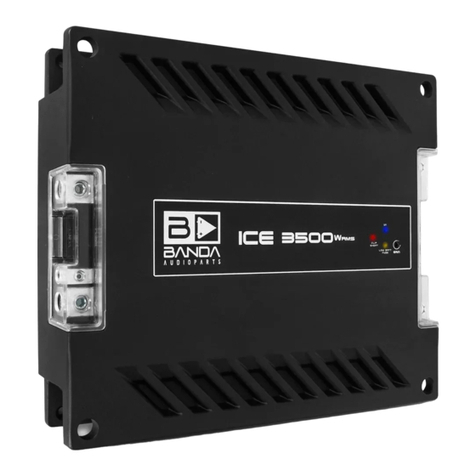
Banda ICE 2000W rms User manual

Banda

Banda ICE 2000W rms User manual

Banda EXPERT D 802 User manual

Banda

Banda EXPERT D 802 User manual

Popular Amplifier manuals by other brands

Magnat Audio EDITION FOUR Owner's manual/warranty document

Magnat Audio

Magnat Audio EDITION FOUR Owner's manual/warranty document

Inter-m PA-2000A Operation manual

Inter-m

Inter-m PA-2000A Operation manual

Yamaha TX6n owner's manual

Yamaha

Yamaha TX6n owner's manual

Peavey TNT 150 user guide

Peavey

Peavey TNT 150 user guide

Bosch LBB 1903/10 Installation and user instructions

Bosch

Bosch LBB 1903/10 Installation and user instructions

Avocent Emerge DA1200D Installer/user guide

Avocent

Avocent Emerge DA1200D Installer/user guide

Redgum RGi35 operating instructions

Redgum

Redgum RGi35 operating instructions

Cambridge Audio AXA25 user manual

Cambridge Audio

Cambridge Audio AXA25 user manual

Alpine MRP-M200 owner's manual

Alpine

Alpine MRP-M200 owner's manual

Technical Pro H1502UrBT user manual

Technical Pro

Technical Pro H1502UrBT user manual

FMS EMGZ307 operating manual

FMS

FMS EMGZ307 operating manual

Racal Instruments 5601 user manual

Racal Instruments

Racal Instruments 5601 user manual

Valcom V-1094A Technical specifications

Valcom

Valcom V-1094A Technical specifications

Cambridge Audio 851D user manual

Cambridge Audio

Cambridge Audio 851D user manual

QSC 3800 Specifications

QSC

QSC 3800 Specifications

NAD C300 owner's manual

NAD

NAD C300 owner's manual

Rotel RMB-1077 owner's manual

Rotel

Rotel RMB-1077 owner's manual

Peavey Monitor 300 Series operating guide

Peavey

Peavey Monitor 300 Series operating guide

manuals.online logo
manuals.online logoBrands
  • About & Mission
  • Contact us
  • Privacy Policy
  • Terms and Conditions

Copyright 2025 Manuals.Online. All Rights Reserved.

TECHNICAL SPECIfiCATION BD-250.1 / BD-250.2
02 .......... Technical specification
03 .......... Input, power supply and output
Input examples04 ..........
05 ..........Connection examples BD-250.1
06 ..........Connection examples BD-250.2
07 .......... Important notes and troubleshooting
08 .......... Warranty
BD-250.1
1 Channel (250Wrms 4 ohms @ 14.4Vdc).
Frequency response: 10Hz - 120Hz
Thd : 0.01%
SNR: >86dB
Damping factor: 85
Input sensitivity
Input High: 160mV
Input Low:1.8V
Input impedance:
Input High: 22kohms
Input Low: 1kohms
LOW IMPEDANCE INPUT WITH AUTOMATIC TURN ON SYSTEM
Current draw at full power (average music program): 9.8A*
Dimensions :
BD-250.1 / BD-250.2
Lenght 4.9"/ Height 1.5" / Width 3.7"
Peso: 0.8 lbs
*Equivalent to current measured with resistive load and sinusoidal signal at half power.
**These values are typical and may present some minor variation.
BD-250.2
2 Channel (125Wrms 2 ohms @14.4Vdc) or
1 Channel (250Wrms 4 ohms @ 14.4Vdc).
Frequency response: 10Hz - 32kHz
Thd: 0.01%
SNR: >86dB
Damping factor: 85
Input sensitivity
Input High:160mV
Input Low:1.8V
Input impedance:
Input High: 22kohms
Input Low: 1kohms
INDEX
USER MANUAL
www.bandaaudioparts.com
Made in Brazil
COSTUMER SERVICE:
55 (19) 3844-7173 - (19) 3844-7465 - (19) 3844-4923 •
BANDA@BANDAAUDIOPARTS.COM
WARRANTY
Banda Audioparts warrants this equipment to be free of all defects in material and workmanship for
a period of 12 months from the date of purchase
Within the period of this warranty, Banda Audioparts will repair or replace, free of charge, any part
proving defective in material or workmanship.
Warranty Exclusions:
1. Damage resulting from misuse, abuse, accident, alterations or improper installation;
2. Damage resulting from installation in surfaces subjected to high levels of vibration;
3. Corrective work necessitated by repairs made by anyone other than a Banda Audioparts
authorized service technician;
This warranty does not cover shipping costs.
The defective equipment must be shipped to the factory or to an authorized service center
Rua Hum, 188 - Jardim Santa Terezinha II - Paulínia - SP - Brazil - CEP: 13148-133
Banda Audioparts reserves the right to change the product and its specifications at any time
without prior notice.
Note:Permanent Technical Support
After the warranty expires, Banda Audioparts will continue to provide extensive technical
assistance directly or through its network of authorized service, charging, however, the repair
services and replacement of components
Warning: Continuous expose to sound pressure levels over 85dB may cause permenent hearing loss.
REGISTRATION DATA
Name:
Invoice: Date: Phone:
Address:
Shop: Phone:
08
BD250.1
BD250.2
V. 11-15
INPUT, POWER SUPPLY AND OUTPUT
HIGH INPUT
1 2 3
4
5
1- Remote input (+): connect to the player antenna output.
2- Positive power input (+12Vdc): connect to positive battery pole.
3- Negative power input: connect to vehicle chassis ground.
4- Protection fuse: 20A
5- Output terminals.
6- Blue led: amp on
Low impedance input (wire): can be wired directly to cd / dvd players power outputs. This input has an automatic turn on
system that detects if the player is on, turning the amplifier without using a remote signal. 1kohms impedance.
High impedance input (RCA): used with RCA outputs. 22kohms impedance. Needs remote signal.
BD-250.1 is a mono amplifier so the two inputs are shortened and there is only one output (BRIDGE) capable of driving
250Wrms@4 ohms.
BD-250.2 is a stereo amplifier capable of driving 2 x 125Wrms @ 2 ohms or 1 x 250Wrms @ 4 ohms (BRIDGE). To use the
amplifier in bridge mode is necessary to apply the same signal to both inputs using a Y cable for RCA (high impedance)
input or jumper for wire input (low impedance).
6

- + - +
2 x 4 ohms 60Wrms
speakers wired in
parallel for
each channel..
2 x 8 ohms 125Wrms
speakers wired in parallel
using amplifier bridge.
- + - +
BRIDGE
- +
- +
BRIDGE
4 ohms 250Wrms
subwoofer
- +
2+2 ohms 250Wrms
subwoofer
wired in series
IMPORTANT NOTES AND TROUBLESHOOTING
CONNECTION EXAMPLES BD-250.2
CONNECTION EXAMPLES BD-250.1
IMPORTANT NOTES:
• Use 9AWG power cables for both GND and +12Vdc.
• Do not int the power supply cables for a better connection.
• Do not use impedance load lower than the amplifier specification. This can damage the equipment.
• The GND connection must be as short as possible, using adequate wire terminal firmly connected to
a clean, paint free spot at the car chassis.
• If more than one amplifier is used, provide adequate individual wiring for each one.
•There is no current consumption when the remote input is off.
• If using power supply to power the amplifier, it must be capable of supply between 12.6 – 14.4Vdc
with at least the amplifier maximum current value and maximum output variation (Vripple) of 10%.
• The equipment is protected by an external 20A fuse.
TROUBLESHOOTING:
• If the power cables are connected in reverse the fuse will blow. In this case recheck the wires and
replace the 20A fuse.
• If the amplifier does not turn on (blue led) check the power cables and the fuse.
• If the amplifiers shuts o ffor cuts the audio, check the speaker impedance or if there is short circuits
on the output.
• If the blue led is on and there is no audio on the output, check the input cables.
1- Wire input(+): head unit output L(+)
2- Wire input(-): head unit output L(-)
3- Wire input(+): head unit output L(+)
4- Wire input(-): head unit output L(-)
1 2 3 4
1- Wire input(+): head unit output L(+)
2- Wire input(-): head unit output L(-)
3- Wire input(+): head unit output R(+)
4- Wire input(-): head unit output R(-)
1 2 3 4
1- RCA 1 input: Head unit RCA output(L,R or SUB)
*Use only one RCA input (1 or 2)
Inputs 1 and 2 are connected internally.
1- RCA 1 input: Head unit RCA output(L)
2- RCA 1 input: Head unit RCA output(R)
*For BRIDGED connection, use an Y cable
so the signal input is the same on RCA 1 and RCA 2.
BD-250.2
BD-250.1
High impedance iput
Low impedance input
Low impedance input
High impedance iput
1
2
NOTE¹: DO NOT use different signals at BD-250.1 inputs or at BD250.2 when in bridged mode.
Chose only one signal (L, R or SUB) and apply it to both inputs.
NOTE²: DO NOT use high and low inputs at the same time
INPUT EXAMPLES