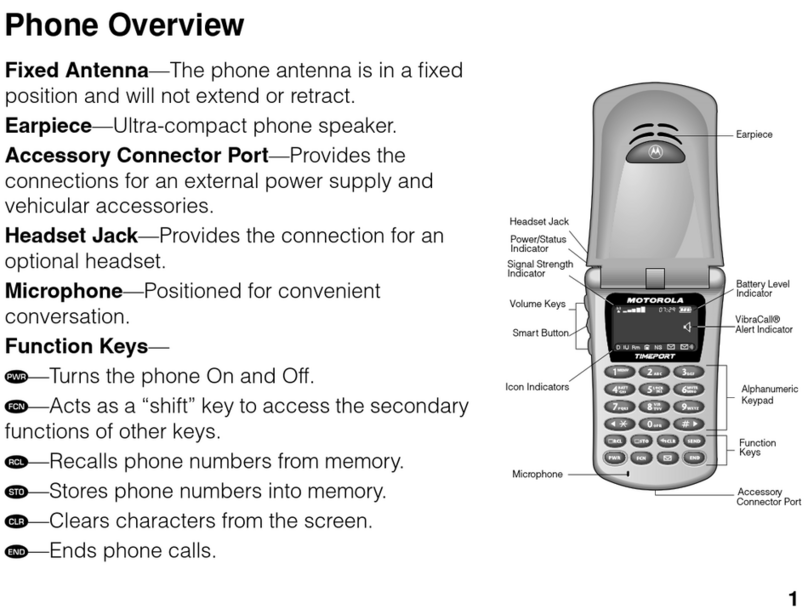
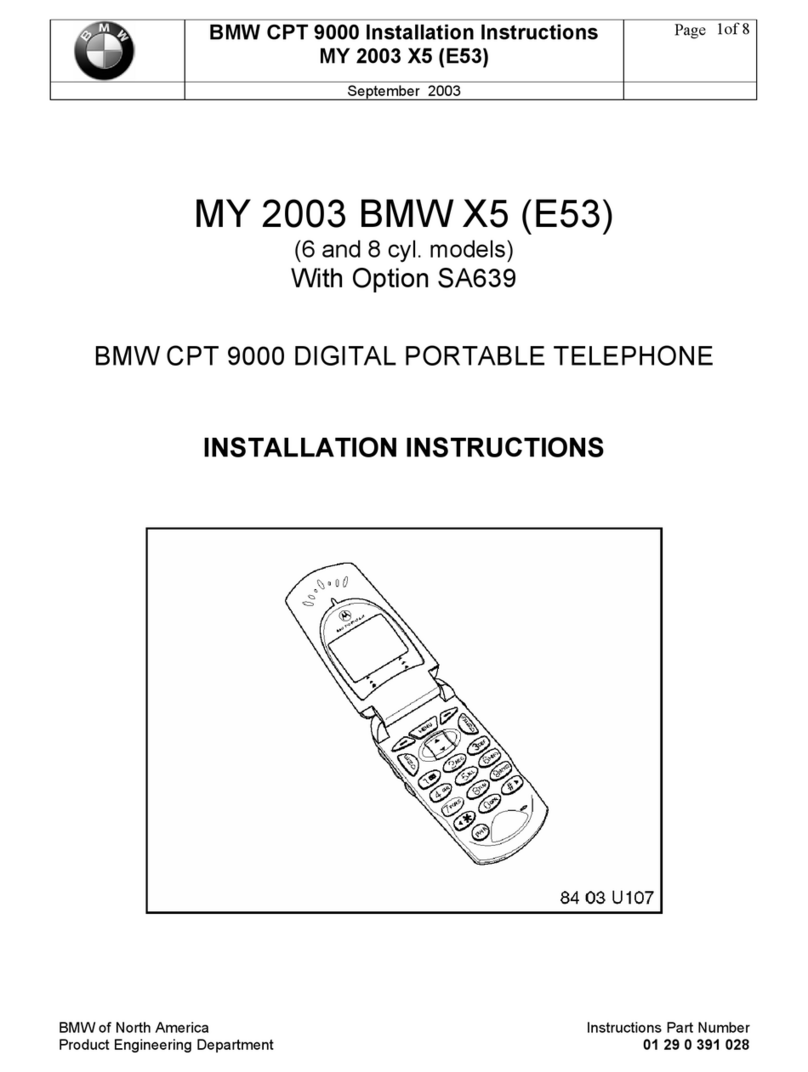
BMW CPT 9000 User manual
Telephone
Users Manual.
For Bluetooth
phones and
CPT 9000.


A mobile phone lets you stay in touch wherever you go. This Owner's Manual will help you
learn how to easily operate your mobile phone using features built into your vehicle.
We wish you an enjoyable driving experience.


otes
2Using this Owner's Manual
2Symbols used
2Status at time of printing
Safety notes
3Exposure to radio frequency technology
3For your own safety
3Settings
3Using the mobile phone in the car
3Using the mobile phone in the vicinity of the car
3Antenna
Overview
4Hands-free system
4Adjusting the volume
Getting started with your Bluetooth phone
5The principle
5What is…?
6Inserting the Snap-in adapter
6Inserting the mobile phone
6Removing the mobile phone
7Activating Bluetooth in your vehicle
7Pairing the mobile phone to the vehicle
7Set the car in pairing mode
7Set the mobile phone in pairing mode
8Pairing
9List of paired mobile phones
9Deleting mobile phone in the vehicle
10 De-activating Bluetooth connection
10 Telephoning via the hands-free unit
Getting started with your BMW CPT 9000
10 Switching the mobile phone on/off
10 Inserting the mobile phone
10 Removing the mobile phone
General phone instruction
12 Operation using the display
12 Receiving a call
12 Accepting a call
12 Rejecting a call
12 Calling
12 Dialing phone numbers
13 Ending a call
13 Phone book
13 Dialing from the phone book
14 Adding digits to phone numbers
14 Lists
14 Dialing from a list
14 Deleting individual entries
15 Deleting the entire list
15 Touch Tone dialing
Operation by voice control*
15 The concept
15 Voice Commands
16 Canceling operation via voice
16 Voice commands
16 An example: dialing phone numbers
16 Volume adjustment
16 First steps
16 Entering unlock code
16 Correcting unlock code
16 Deleting unlock code
16 Canceling the operation
17 Calling
17 Dialing phone number
17 Correcting phone number
17 Deleting input
17 Voice phone book
17 Storing an entry
17 Selecting an entry
17 Reading out and selecting entries
17 Redialing
17 Deleting an entry
17 Deleting all entries
18 otes
18 Important for voice commands
Text messages/SMS*
(only available for CPT 9000)
18 Displaying text messages/SMS
19 Calling sender
19 Deleting text messages/SMS
Entering unlock code*
(only available for CPT 9000)
19
Contents
1

Using this Owner's Manual
This Owner's Manual instructs you how to oper-
ate your mobile phone using the multi-function
steering wheel, Display and the voice input sys-
tem*.
For how to operate the mobile phone itself
please see the separate Owner's Manual.
Should the day arrive when you wish to sell
your BMW, please remember to hand this
Owner's Manual to the next owner; it is an
important part of the vehicle.
If you have any additional questions, your BMW
Center will be glad to help you.
Symbols used
Indicates precautions that must be fol-
lowed precisely in order to avoid the pos-
sibility of personal injury and serious damage to
the vehicle or the mobile phone.
Contains information that will assist you
in gaining the optimum benefit from your
mobile phone.
Marks the end of a specific item of informa-
tion.
* Indicates special equipment, country-specific
equipment and optional extras when available.
"..."Identifies texts in the Display for selecting
functions
Identifies inputs made via the voice input
system.
{...} Identifies voice commands.
{{...}} Identifies instructions generated by the
system.
If you have any additional questions, your BMW
center will be glad to help you.
Status at time of printing
BMW pursues a policy of continuous, on-going
development of the equipment and accessories
that ensures the highest quality standards com-
bined with advanced, state-of-the-art technolo-
gy for BMW products. For this reason, the fea-
tures described in this Owner's Manual could
differ from those in your vehicle. You are there-
fore asked to appreciate that no claims can be
recognized on the basis of the data, illustrations
or descriptions in this Owner's Manual.
Notes
2

Exposure to radio frequency technology
BMW strongly recommends the use of a base plate with a
snap-in adapter* in your car. The use of this special equip-
ment allows the mobile phone to operate via the external
antenna, enabling the phone to decrease the output
power. This reduces electromagnetic exposure.
Bluetooth technology is a short-range radio frequency
wireless technology, where signals are transmitted
through the airways.
Please ask BMW Service for details of which mobile
phones are supported and for which mobile phones a base
plate with a snap-in adapter are available.
Otherwise mutual interferences between the vehicle’s
electronic and such equipment cannot be entirely ruled
out.
For your own safety
A car phone provides a range of services and may even be
employed to save lives. Safety instructions are contained
in the separate Owner's Manual for your mobile phone.
Please also note the following additional information:
Settings
Only adjust the settings when the vehicle is at a
standstill to avoid endangering yourself and other
road users.
Using the mobile phone in the car
Using a handheld mobile phone while driving is
dangerous and is illegal in many cities. Therefore,
use the hands-free system or park in an area where you do
not endanger yourself or traffic.
Using the mobile phone
in the vicinity of the car
To avoid distractions do not use the phone in
garages, at gasoline stations or in the vicinity of an
open engine hood.
Antenna
Ensure that no one is located within 20 in/50 cm
of the external antenna when using the telephone.
Do not use the BMW mobile phone if the antenna is dam-
aged.
Skin contact with a damaged antenna can cause minor
burns.
Have a damaged antenna replaced immediately.
Safety Notes
3

Depending on your handset, you can connect your
Bluetooth phone via the Bluetooth interface or the CPT
9000 via the cradle to your vehicle.
Getting started with your Bluetooth phone, refer to
page 5
Getting started with your
BMW CPT 9000, refer to page 11
The telephone can be operated using:
The multi-function steering wheel*
The Display*
The voice input system*
For how to operate your mobile phone, please read the
separate Owner's Manual.
For Bluetooth phones BMW recommends that mobile
phones be operated inside the car via the optional cradle
with external antenna. Otherwise mutual interference
between the vehicle's electronics and such equipment
cannot be entirely ruled out.
While using BMW Assist, you will not be able to operate
the BMW mobile phone until after you have completed the
service call.
Only make adjustments if the traffic conditions
permit, so as not to endanger the car's occupants
and other road users by being distracted. Using a hand-
held mobile phone while driving is dangerous and is illegal
in many cities. Use the telephone in conjunction with the
hands-free unit, or pull over in a suitable place where you
will not endanger other road users.
Hands-free system
The hands-free microphone is located in the headliner.
The hands-free system is switched on automatically when
you make or receive a call using the following equipment:
Button on the steering wheel
Display.
As soon as you make a call with the hands-free system,
the other audio sources are automatically muted.
Adjusting the volume
You can adjust the volume of the hands-free system dur-
ing a phone call:
By using the buttons on the steering wheel
By using the Radio volume control
The volume of the hands-free system stays at the level set
here even if you lower the volume of other audio sources
to a minimum.
Overview
4

The principle
Your car is equipped with a Bluetooth portable phone
interface. As soon as you have performed a once-only
pairing procedure in the car, you will also be able to oper-
ate a Bluetooth mobile phone via:
The Display
The buttons on the steering wheel*
The voice input system*
This feature requires a mobile phone that supports the
Bluetooth interface.
Up to four mobile phones can individually be paired to the
vehicle. Each mobile phone that is paired is automatically
connected from ignition key position 1 or higher provided
it is inside the car.
Please ask your BMW center for details of which mobile
phones are supported and for which mobile phones a
cradle is available. A cradle enables you to charge the
battery and connect the mobile phone to your car's out-
side antenna.
While using BMW Assist, you will not be able to operate
the BMW mobile phone until after you have completed the
service.
Only make adjustments if the traffic conditions
permit, so as not to endanger the car's occupants
and other road users by being distracted. Using a hand-
held mobile phone while driving is dangerous and is illegal
in many cities. Use the telephone in conjunction with the
hands-free unit, or pull over in a suitable place where you
will not endanger other road users.<
What is…?
BluetoothTM (BT) wireless technology is a short-range
radio frequency technology standard that allows several
Bluetooth phones to communicate with the vehicle.
Pairing – One time procedure, which enables two
Bluetooth devices to communicate.
Connectable – Phone that has been paired and actively
seeking connection to the car.
Device Discovery – Setting the Bluetooth phone to look
for other pairable Bluetooth devices.
BT Passkey – Fixed or adjustable PI used for Pairing.
Friendly Device Name – User name assigned to person-
alize your Bluetooth phone.
etting started with your Bluetooth phone
5
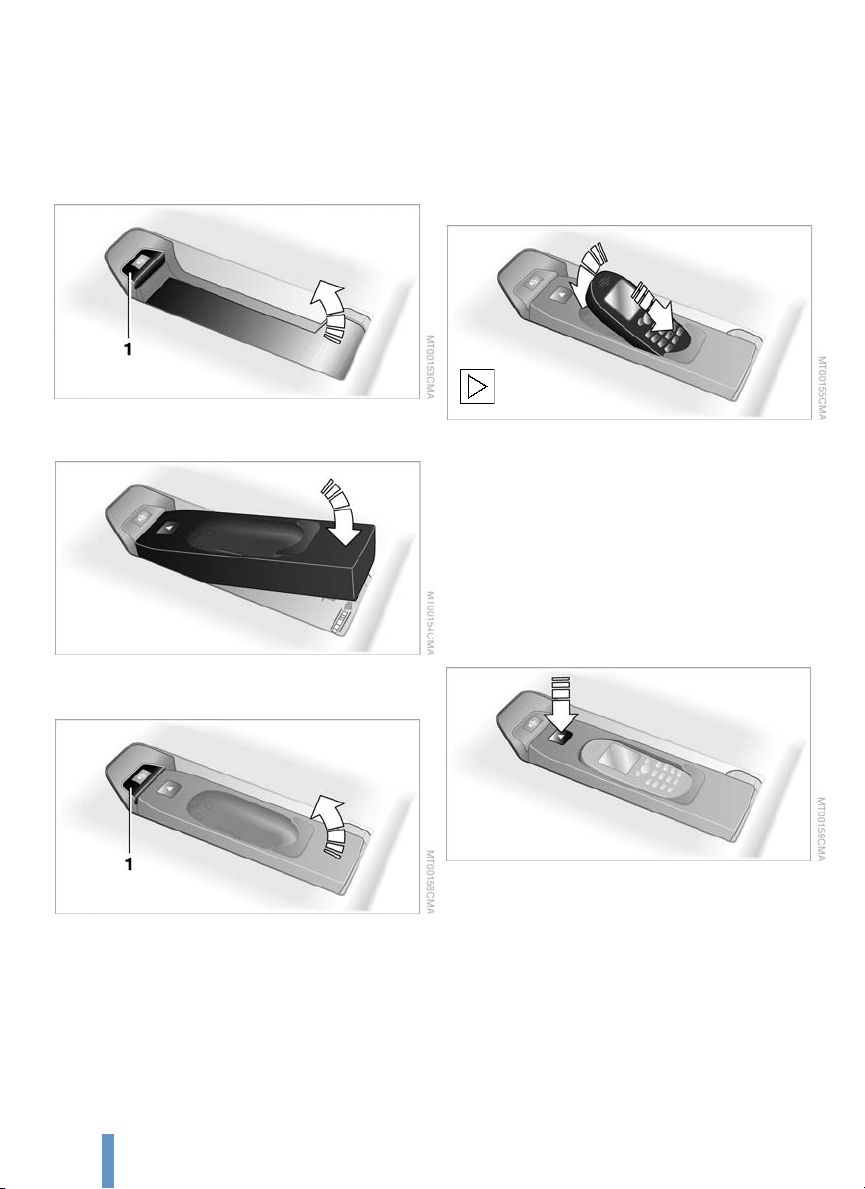
Inserting the Snap-in adapter
1. Press button 1.
Take out the cover
2. Insert the snap-in adapter and press down until it
engages.
To remove the snap in-adapter:
Press button 1.
Inserting the mobile phone
1. Remove the protective plug from the mobile phone's
antenna connector if necessary, so that the mobile
phone can be engaged in the cradle.
2. Insert the mobile phone and press down lightly until
it snaps into place.
The battery is charged from ignition key position 1.
To protect the car's batteries, avoid using the phone for
prolonged periods when the ignition is switched off.
Removing the mobile phone
Press the button.
6
Other manuals for CPT 9000
1
Table of contents
Other BMW Cell Phone manuals