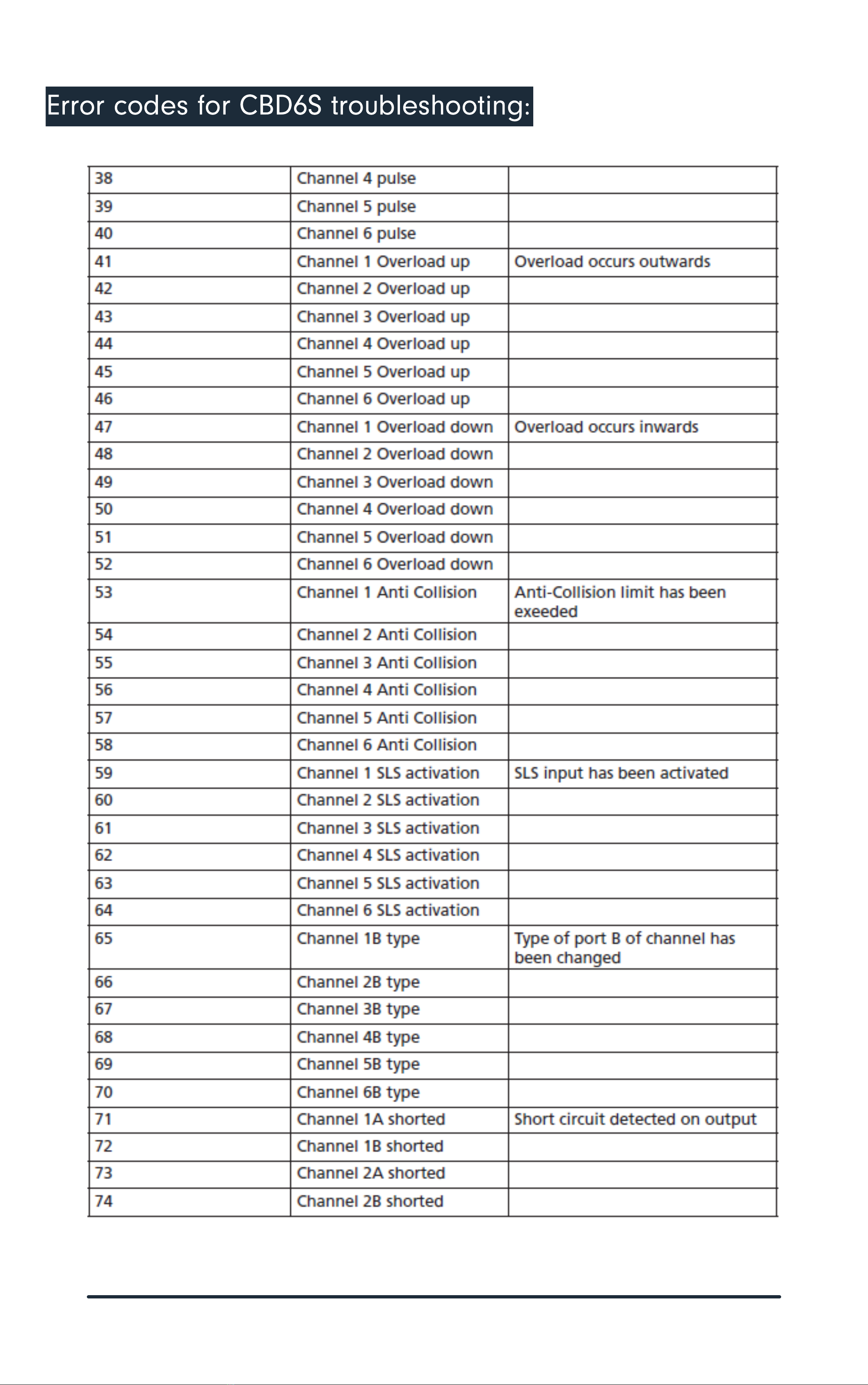
Note: Refer to Error Code list for specific description before following the steps below
Troubleshooting for service agent
Symptom Possble Reason(s) What to do
The desk does not run at
all. No movement is
observed
• Malfunctioning desk panel
or control box.
• Poor Connection
• Mains Cable fallen out
• No voltage on mains cable
• Check all connections.
• Check that there is voltage in the mains
plug.
• Connect a desk panel that you know is OK.
• If it can run, the desk panel is
malfunctioning. If this does not help, the
control box is malfunctioning
Not all legs operate
when you run the desk
downwards
• The leg(s) that do not run
are malfunctioning or the cable
connection for the leg(s) is not
OK
• Change leg/cable starting with the cable
The desk is in the lower
position and will not run
upwards. You cannot see
whether all legs are
moving.
• The desk is overloaded
• One or more of the legs has
malfunctioned or the cable
connection between leg(s) and
control box is not OK
• Remove some of the load on the desk
• Remove all motor cables from the control
box.
• Mount one leg at a time in channel
1, perform initialisation and test a small run
upwards.
• If a leg will not run upwards after
initialisation it is malfunctioning
• Try exchanging the motor cable before
exchanging the leg
Drive the desk to the lowest possible position.
Measure the accurate distance between the floor and the desk-top in centimetres.
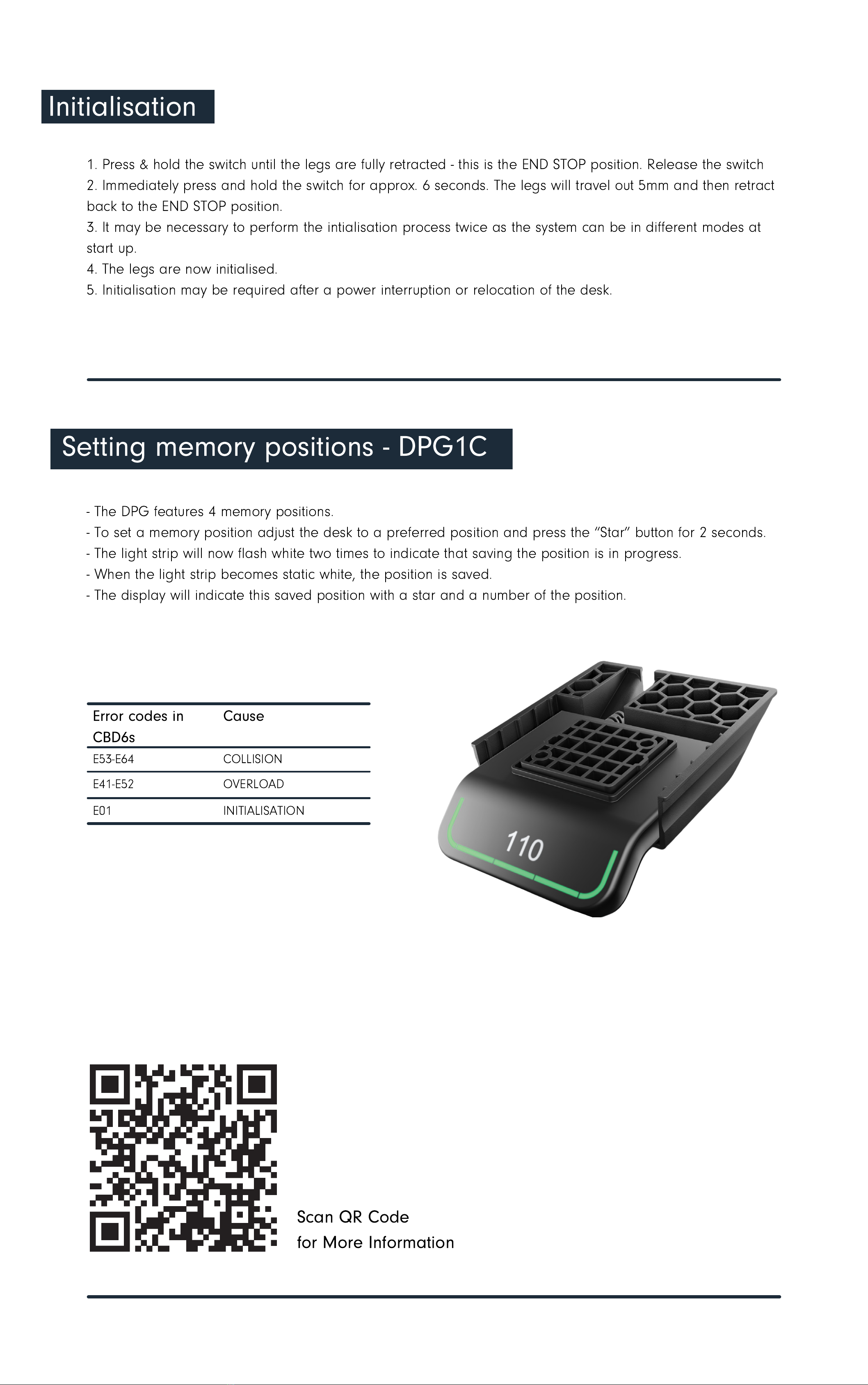
Hold the 'Bell' & buttons for 5 seconds, when the display begins to blink it is ready to be reset.
Tilt the DPG upwards or downwards to increase or decrease the displayed height.
In case the controller displays the incorrect height, calibrate the controller using the below steps:
1.
2.
3.
4.
Calibrating the controller