manuals.online logo
Brands
  1. Home
  2. •
  3. Brands
  4. •
  5. Castle Creations
  6. •
  7. Remote Control
  8. •
  9. Castle Creations Mamba X User manual

Castle Creations Mamba X User manual

Other Castle Creations Remote Control manuals

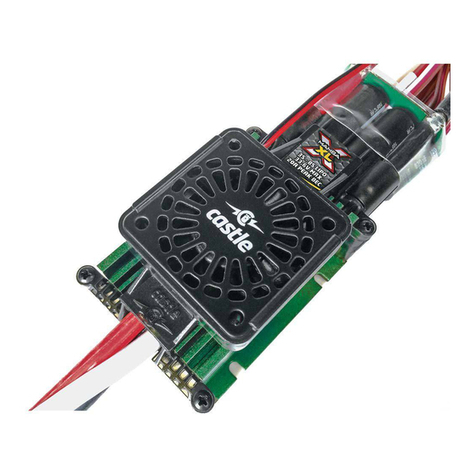
Castle Creations MAMBA XL X User manual

Castle Creations

Castle Creations MAMBA XL X User manual

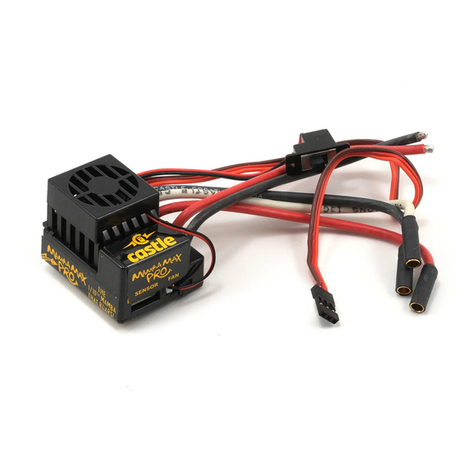
Castle Creations Mamba Max Pro User manual

Castle Creations

Castle Creations Mamba Max Pro User manual

Popular Remote Control manuals by other brands

Bircher Reglomat RC Duo 2 user guide

Bircher Reglomat

Bircher Reglomat RC Duo 2 user guide

Emerson RCBT100 owner's manual

Emerson

Emerson RCBT100 owner's manual

BILDA Element-6 user manual

BILDA

BILDA Element-6 user manual

Absima CR7P manual

Absima

Absima CR7P manual

Mitsubishi Electric PAR-32MAAG Instruction book

Mitsubishi Electric

Mitsubishi Electric PAR-32MAAG Instruction book

RCA RCRTBL08BE1 quick start guide

RCA

RCA RCRTBL08BE1 quick start guide

US Electronics NOVARI user guide

US Electronics

US Electronics NOVARI user guide

Panasonic EUR7622KB0 Operation guide

Panasonic

Panasonic EUR7622KB0 Operation guide

Bang & Olufsen Beo4 user manual

Bang & Olufsen

Bang & Olufsen Beo4 user manual

Marantz RC101 user guide

Marantz

Marantz RC101 user guide

FUTABA 9ZAP - PART2 manual

FUTABA

FUTABA 9ZAP - PART2 manual

HR Matic HR MULTI 3 quick start guide

HR Matic

HR Matic HR MULTI 3 quick start guide

Anritsu MP1777A Operation manual

Anritsu

Anritsu MP1777A Operation manual

Niles WVC100 Installation & operating guide

Niles

Niles WVC100 Installation & operating guide

Bang & Olufsen BEO6 Getting started

Bang & Olufsen

Bang & Olufsen BEO6 Getting started

GE 94901 instruction manual

GE

GE 94901 instruction manual

FUTABA R7108SB Full manual

FUTABA

FUTABA R7108SB Full manual

Invacare G91S user manual

Invacare

Invacare G91S user manual

manuals.online logo
manuals.online logoBrands
  • About & Mission
  • Contact us
  • Privacy Policy
  • Terms and Conditions

Copyright 2025 Manuals.Online. All Rights Reserved.

GETTING STARTED
1. Solder a high quality battery connector to the ESC (see
Driver’s Ed Guide
“Connectors and Power Wiring”
).
2. Mount the ESC and motor into the vehicle.
3. Connect motor to the ESC (see
Driver’s Ed Guide, “Motor Wiring”
).
4. Plug the RX wire and AUX wire in (see
RECEIVER CONNECTION
section on the
opposite side).
5. Calibrate your ESC to your radio. (See
Driver’s Ed Guide, “How to Calibrate the
ESC”
).
YOU ARE NOW READY TO GO!
Revised 11/2016 Copyright 2016 © Castle Creations, Inc. P/N:095-0349-00
ABOUT THE MAMBA X
Motors
Please note that while the Mamba X is capable of handling incredible
amounts of power, your motor must also be up for the task. Always run your
motor within the manufacturer’s specifications. Monitor motor, battery, and
controller temperatures carefully and never let the motor get above 180oF.
Excessive heat can damage the motor, the Mamba X, and your batteries.
Gearing
Always start with stock gearing. If you wish to change the gearing, motor, or
battery, you must check your motor temperature frequently on the first run. If
the motor gets too hot, reduce the pinion size, increase the spur size, or reduce
the pack voltage. Additional information about gearing can be found online at our
website: www.castlecreations.com.
Programming
The Mamba X is programmable via your transmitter, Windows® based PC and
a Castle Link USB adapter (available free with enclosed coupon), or a Field Link
card (purchased separately). See the Driver’s Ed Guide for more instructions
on transmitter programming and the Castle Link system (“Transmitter
Programming”, and “Tuning with Castle Link”).
Data Logging
The Mamba X features data logging. You will be able to measure and record
important power system information during your race, turn-by-turn. After
your run, you can download and analyze this log using Castle Link. You will
be able to inspect many parameters including current, battery voltage, motor
RPM, ESC temperature and more. Additional information about using the data
logging features can be found in the Driver’s Ed Guide (“Data Logging”).
MAMBA X SPECIFICATIONS
Application
Guidelines
• 1:10th scale buggies, stadium trucks, touring cars,
crawlers and short course trucks weighing up to 7lbs.
• 1:8th scale buggies, geared for off-road racing, weighing
up to 9lbs.
Input Voltage
Range Min: 2S LiPo, Max: 6S LiPo, 25.2V
BEC Specifications Adjustable: 5.5V, 6.0V, 7.5V, or 8.0V (8A Peak), default 5.5V
Waterproof Yes*
Sensors Yes, including Smart Sense™feature.
Product Use
Statement**
• Applying voltages higher than 25.2V will cause irreparable
damage to your controller.
• Recommended battery capacity for 1:8th and 1:10th scale
vehicles is 5000mAh or larger. We recommend using 30C
continuous discharge or higher LiPo batteries (or high
quality 25C batteries such as Traxxas® Power Cell).
• The Mamba X has 4.0mm bullet connectors directly on the
ESC and the battery input wires are bare. You must add the
connector of choice to the battery leads. We recommend a
high-current connector rated for 70+ amps.
• The Mamba X is not intended for human or animal
propulsion.
RECEIVER CONNECTION
RX Wire Plug the RX wire into the throttle (#2) channel on your
receiver.
AUX Wire
The AUX wire allows you to adjust a setting “on-the-fly”
using an auxiliary channel on your receiver. The AUX wire
function is disabled by default and is programmable via
Castle Link. Plug this wire into the auxiliary (#3/#4) channel
on your receiver. If you are not utilizing the Aux wire
function you can leave it disconnected from your receiver.
Contact
Castle Creations, Inc.
540 North Rogers Road
Olathe, KS 66062
(913) 390-6939 (ext. #1 Support, #3 Sales)
Product Support: support@castlecreations.com
Sales: sales@castlecreations.com
Website: www.castlecreations.com
TRANSMITTER PROGRAMMING REFERENCE
AUDIBLE ALERT REFERENCE
• • Start Fail
•
–
Low Voltage Cutoff
–
• Over-Current
• • • Sensors Lost
• •
–
Radio Glitch
•
–
• Over-Temperature
•
–
–
Excessive Load
–
• • AUX Wire Radio Glitch
–
•
–
BEC Over-Temperature
• • • • Data Log Full Warning
1.Brake/Reverse Type 3. Brake Amount 5. Motor Type
• With Reverse* • 25% • Brushless*
• Without Reverse • 50%* • Brushed Reversing
• Crawler Reverse • 75% • Brushed High Power
• 100%
2.Voltage Cutoff
• Auto-Lipo* 4. Drag Brake
• None • Disabled*
• 10%
• 20%
• 30%
• Crawler Full On
*Default Setting
See Driver’s Ed
Guide, “Transmitter
Programming”.
*Not intended for operation while submerged in liquid. If unit is operated in wet conditions, rinse with fresh
water to remove dirt or corrosives, then fully dry unit.
**Failure to adhere to the Product Use Statement constitutes a violation of the warranty agreement, and will
result in non-warranty service fees to repair or replace damaged products.