manuals.online logo
Brands
  1. Home
  2. •
  3. Brands
  4. •
  5. CENS
  6. •
  7. Security Sensor
  8. •
  9. CENS ProFlex digital 1e Installation manual

CENS ProFlex digital 1e Installation manual

This manual suits for next models

4

Other CENS Security Sensor manuals

CENS PROFLEX User manual

CENS

CENS PROFLEX User manual

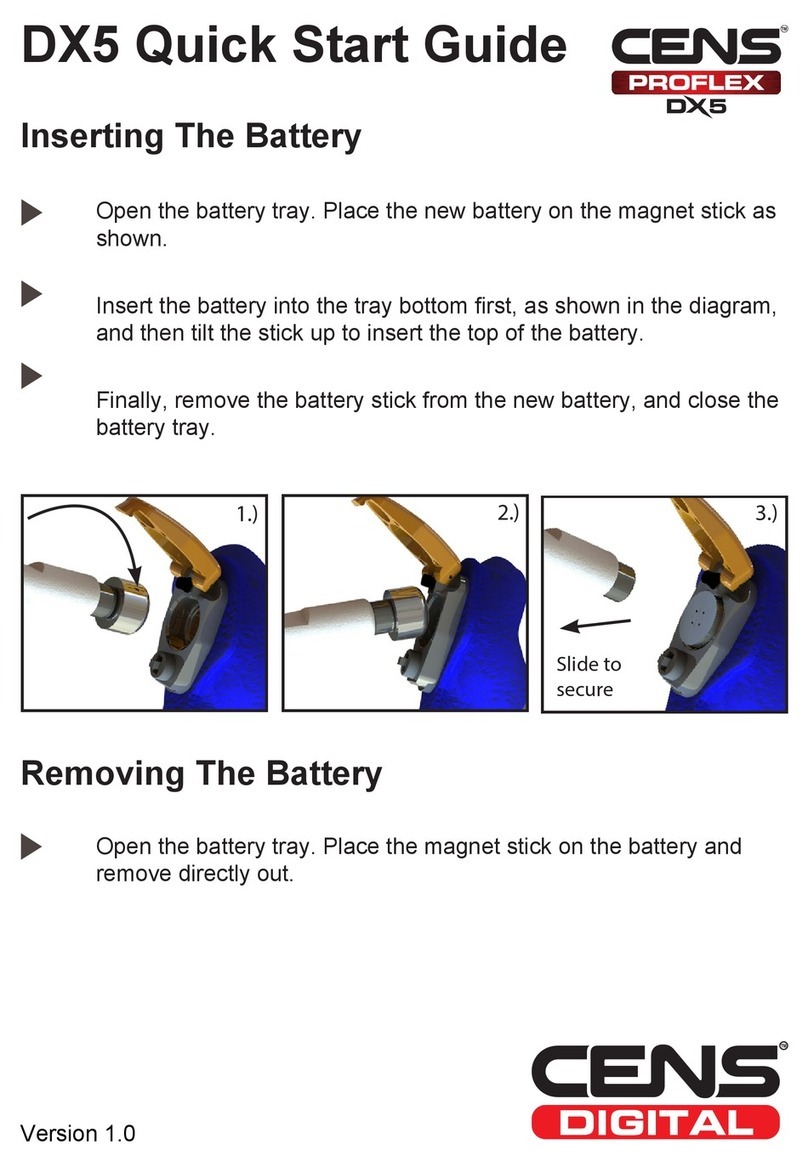
CENS PROFLEX DX5 Operating and maintenance instructions

CENS

CENS PROFLEX DX5 Operating and maintenance instructions

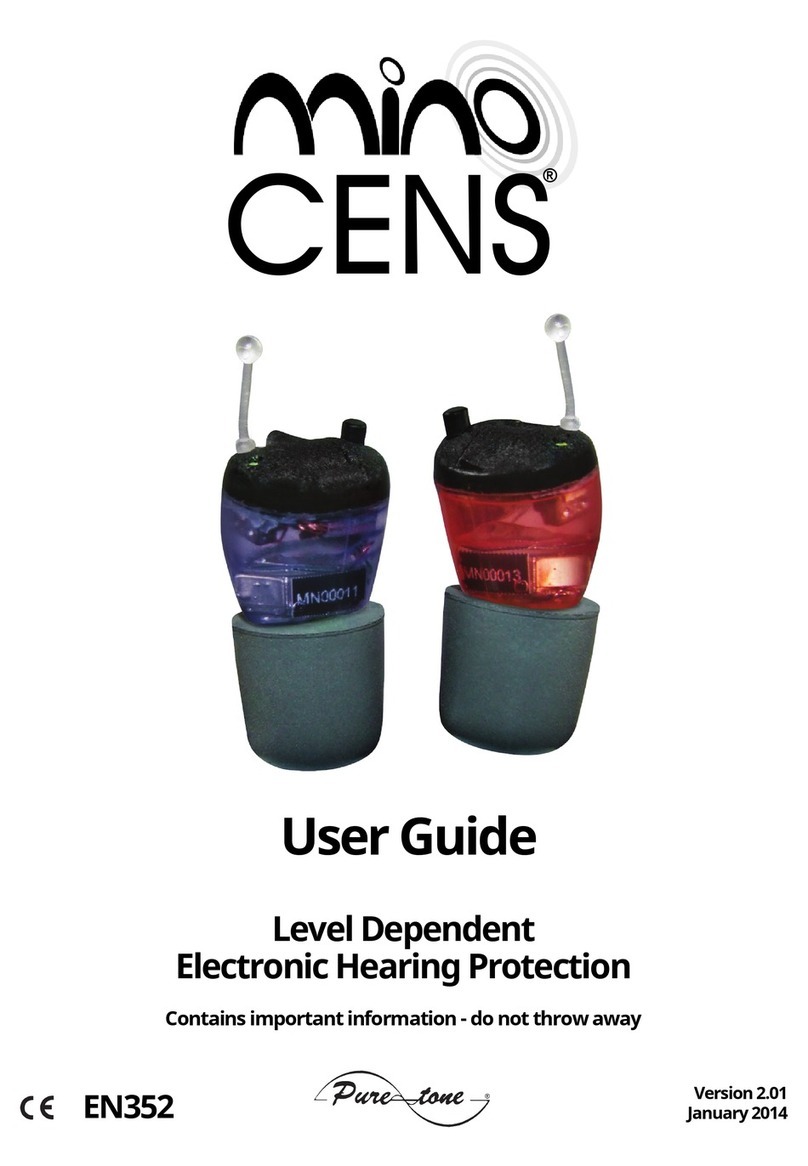
CENS MINO User manual

CENS

CENS MINO User manual

Popular Security Sensor manuals by other brands

Honeywell Home PROSiXCOCN Installation and setup guide

Honeywell Home

Honeywell Home PROSiXCOCN Installation and setup guide

Duevi SIRPZ-RB-868 Operation

Duevi

Duevi SIRPZ-RB-868 Operation

RKI 65-2483RK Operator's manual

RKI

RKI 65-2483RK Operator's manual

Nortech PD160 Enhanced Series user manual

Nortech

Nortech PD160 Enhanced Series user manual

Omron K8AC-H2 manual

Omron

Omron K8AC-H2 manual

Agilent Technologies G8610 Series Quick reference card

Agilent Technologies

Agilent Technologies G8610 Series Quick reference card

Shinko SE2EA-1-0-0 instruction manual

Shinko

Shinko SE2EA-1-0-0 instruction manual

Det-Tronics X Series instructions

Det-Tronics

Det-Tronics X Series instructions

ACR Electronics COBHAM RCL-300A Product support manual

ACR Electronics

ACR Electronics COBHAM RCL-300A Product support manual

TOOLCRAFT 1712612 operating instructions

TOOLCRAFT

TOOLCRAFT 1712612 operating instructions

Elkron IM600 Installation, programming and functions manual

Elkron

Elkron IM600 Installation, programming and functions manual

Bosch WEU PDO 6 Original instructions

Bosch

Bosch WEU PDO 6 Original instructions

THORLABS PDA10JT user guide

THORLABS

THORLABS PDA10JT user guide

Waeco UV-DETECT operating manual

Waeco

Waeco UV-DETECT operating manual

Intermatic IOS-DSIMF manual

Intermatic

Intermatic IOS-DSIMF manual

Siemens AZL66 Series manual

Siemens

Siemens AZL66 Series manual

BTI Profiline Multi Finder operating instructions

BTI

BTI Profiline Multi Finder operating instructions

Challenger SL01 instruction manual

Challenger

Challenger SL01 instruction manual

manuals.online logo
manuals.online logoBrands
  • About & Mission
  • Contact us
  • Privacy Policy
  • Terms and Conditions

Copyright 2025 Manuals.Online. All Rights Reserved.

Additional
Information
George Digweed MBE
CENS®digital Brand Ambassador
World #1 Shooter
Now
Includes
ProFlex
digital
1e
2
ProFlex digital 1e
CENS®ProFlex digital 1 devices are
programmed to achieve maximum
protection for general purpose
shooting.
Features
· 4 Stage Volume Control Push Button
· Digital DSP circuitry
· Low battery warning
· Modular design
· Multi-softness earmould
· Clear tip for visual inspection
Important Information
On/Off - the ProFlex digital 1e is turned on/off by inserting/
removing the battery. Please refer to inserting/removing
battery instructions in the CENS® ProFlex user guide (page
9).
Volume - the volume control is changed by the 4 step push
button at the top of each device. When a battery is inserted,
volume level 1 (lowest) is set. Pressing the button jumps to
the next level (+5dB) from 1 to 4 (highest), then back to level
1.
3
ProFlex/ProFlex+ digital 1
CENS®ProFlex digital 1
& CENS®ProFlex+ digital 1
devices are programmed to achieve
maximum protection for general
purpose shooting.
Features
· Rotary volume control with integrated on/off switch
· Digital DSP circuitry
· Low battery warning
· Startup melody
· Modular design
· Multi-softness earmould
· Clear tip for visual inspection
4
ProFlex/ProFlex+ digital 2
CENS®ProFlex digital 2 & CENS®
ProFlex+ digital 2 devices have an
additional push button to select
between two programs.
(Please note: The scenarios below are not the definitive uses,
and you may find one program suits your needs in different
environments. We recommend trying both programs in
different conditions.
Program 1 (Game)
Optimised for game shoots where there are intermittent
shots. This configuration also helps by amplifying sounds
such as wings flapping thus providing the shooter with
advanced warning of approaching quarry.
Program 2 (Clay)
Optimised for clay shoots where there are continued shots.
This system has been designed to allow more flexible noise
suppression while still amplifying ambient sounds.
5
ProFlex/ProFlex+ Competition
CENS®ProFlex Competition
& CENS®ProFlex+ Competition
also have a push-button to select
between two programs:
This model provides comprehensive hearing protection with
ambient awareness except for those critical minutes on the
stand where concentration and silence is key to successfully
obtaining high scores.
Program 1
Programmed to achieve maximum protection for general
purpose shooting, with natural sound ambient awareness.
Program 2
Mutes ambient amplification. Designed for regular clay
competition shooters, and shooters who require maximum
concentration, focusing only on the target.
6
ProFlex/ProFlex+ Hunter
CENS®ProFlex Hunter CENS®
ProFlex+ Hunter also has a push-
button to select between two
programs:
Program 1 (Normal)
Provides the standard CENS®ProFlex features, such
as excellent noise suppression and ambient sound
amplification.
Program 2 (Increased Wind Noise Reduction)
Increases the amount of wind noise reduction provided.
Ideal for shooting in severe conditions.
7
Water-ShieldTM
Hydrophobic Protection from Puretone
The Water-ShieldTM bio-compatible
coating is a highly durable “Teon-like”
amorphous carbon polymer coating that
protects small items like personal electronics and other
articles from accidental liquid exposure.
Tests have shown that a hydrophobic coating can reduce
water ingress by 3x to 5x over an unprotected product,
when exposed to simulated rain-chamber conditions. The
coating is applied in house after production.
Water-ShieldTM is created by the plasma decomposition
of a vapor containing “Teon-like” material, the resulting
lm is a cross-linked polymer which creates a hydrophobic
“Nook and Cranny” seal, i.e. it prevents uids from entering
the small openings in portable electronics cases, it also
permeates into the interior through any opening.
The Water-ShieldTM process is created at reduced pressures
of deep outer-space, at an equivalent altitude of 200,000ft
above sea level, so that the carbon atoms can diffuse deep
into the product, resulting in a hydrophobic coating over
every exposed surface.
Water-ShieldTM is applied at nanometer lm thickness, only
about 1/2000th the thickness of an average human hair, and
is normally completely invisible to the naked eye.

PureClean
8
Replacement PureClean cleaning supplies can be
purchased from your hearing care professional or from
www.puretoneretail.net
Starter set containing 6 x PureClean Cleaning Wipes, 1 x
PureClean Comfort Gel and 1 x Air Puffer. Includes zip bag,
brochure and PureClean Noise Protection sleeve.
It is important to understand that Zinc Air batteries used
in CENS®perform differently to traditional everyday
batteries.
Zinc air batteries are supplied with a tab on each cell. Once
the tab is removed from the cell, the battery will activate
and begin to discharge, even once placed into the CENS®
earpiece when the earpiece is switched off. Replacing the
tab when the battery is not in use will not extend the battery
life signicantly.
It is recommended that you always carry replacement
batteries with you when using CENS®. Puretone
recommend that you only use high quality zinc air batteries
in CENS®such as Rayovac or PureCell Plus.
Zinc Air Batteries
9
CENS®Accessories
CENS®Wind Shields
Fits over the ears to further reduce wind noise when using a high
chair or shooting in severe conditions with your CENS®digital.
Black with CENS®digital logo. Available in two sizes.
P/N: CENS-WS-LRG (large - from 70mm)
P/N: CENS-WS-MED (medium - 60-70mm)
CENS®Presentation Case
Replacement case for protecting your CENS®when travelling.
ACC113F-BC
CENS®Baseball Cap
Stylish cap with CENS®logo and orange design on peak.
STAT347A-CENS
www.censdigital.com
10