5
Installation of the Wireless Charger
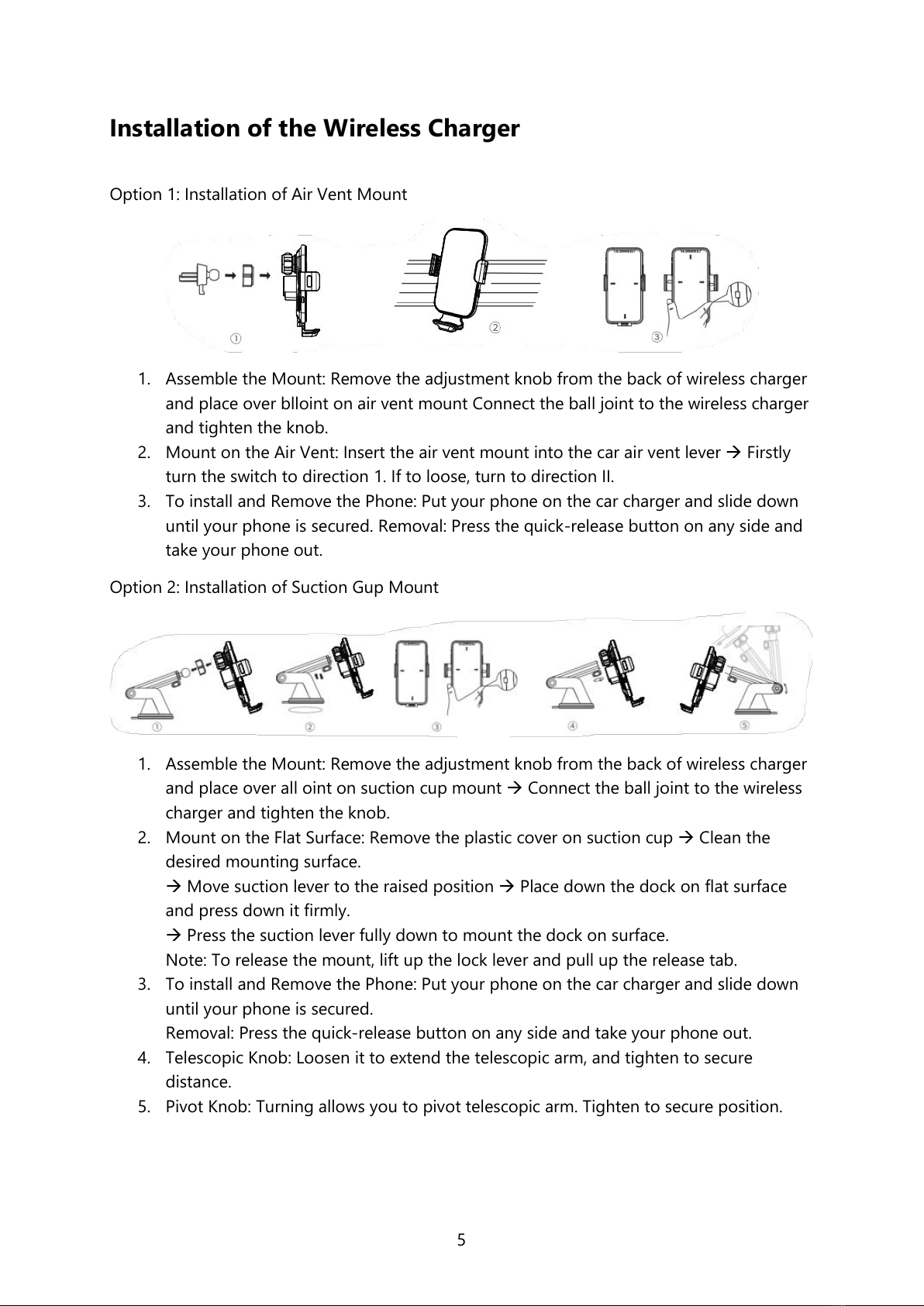
Option 1: Installation of Air Vent Mount
1. Assemble the Mount: Remove the adjustment knob from the back of wireless charger
and place over blloint on air vent mount Connect the ball joint to the wireless charger
and tighten the knob.
2. Mount on the Air Vent: Insert the air vent mount into the car air vent lever Firstly
turn the switch to direction 1. If to loose, turn to direction II.
3. To install and Remove the Phone: Put your phone on the car charger and slide down
until your phone is secured. Removal: Press the quick-release button on any side and
take your phone out.
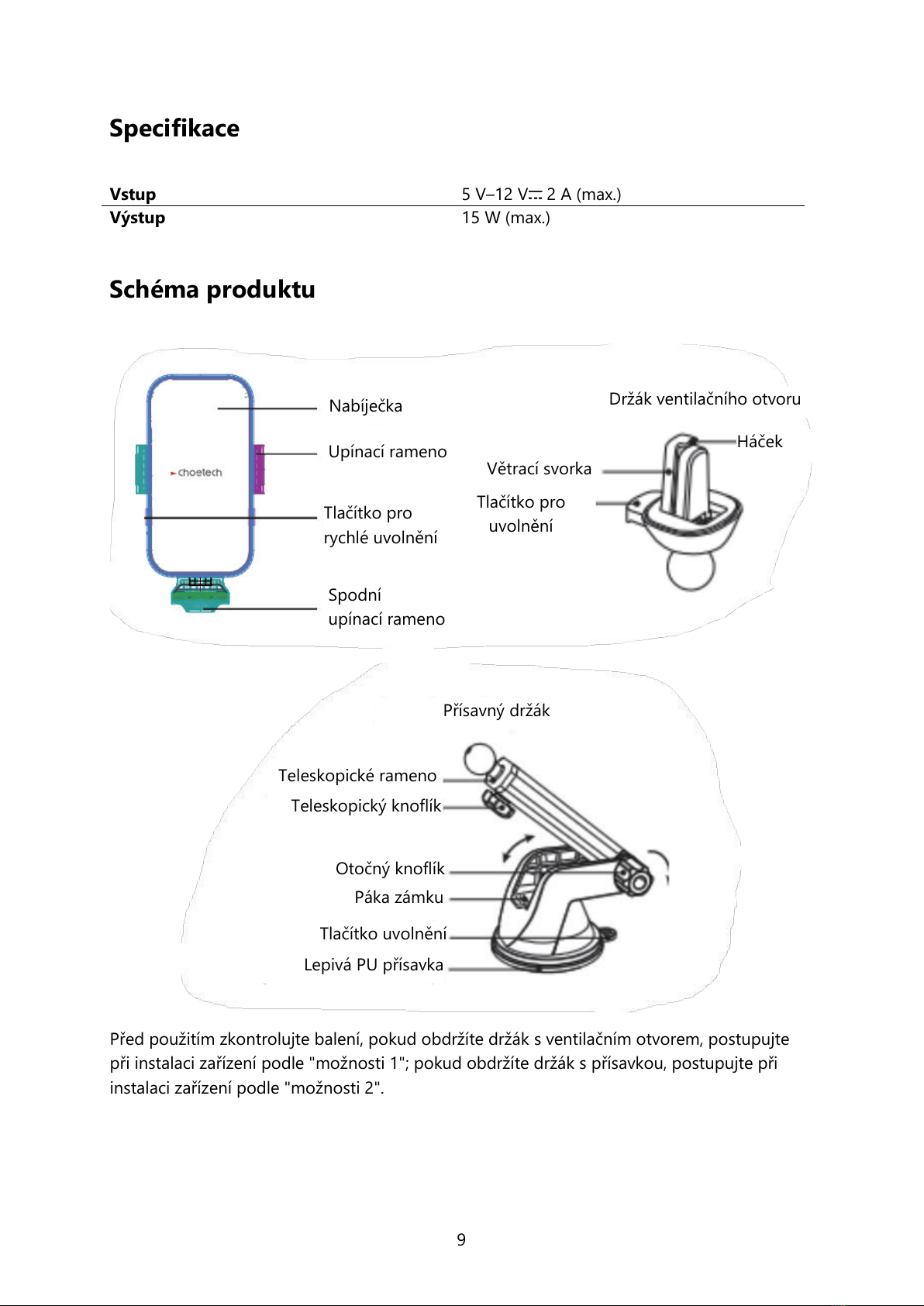
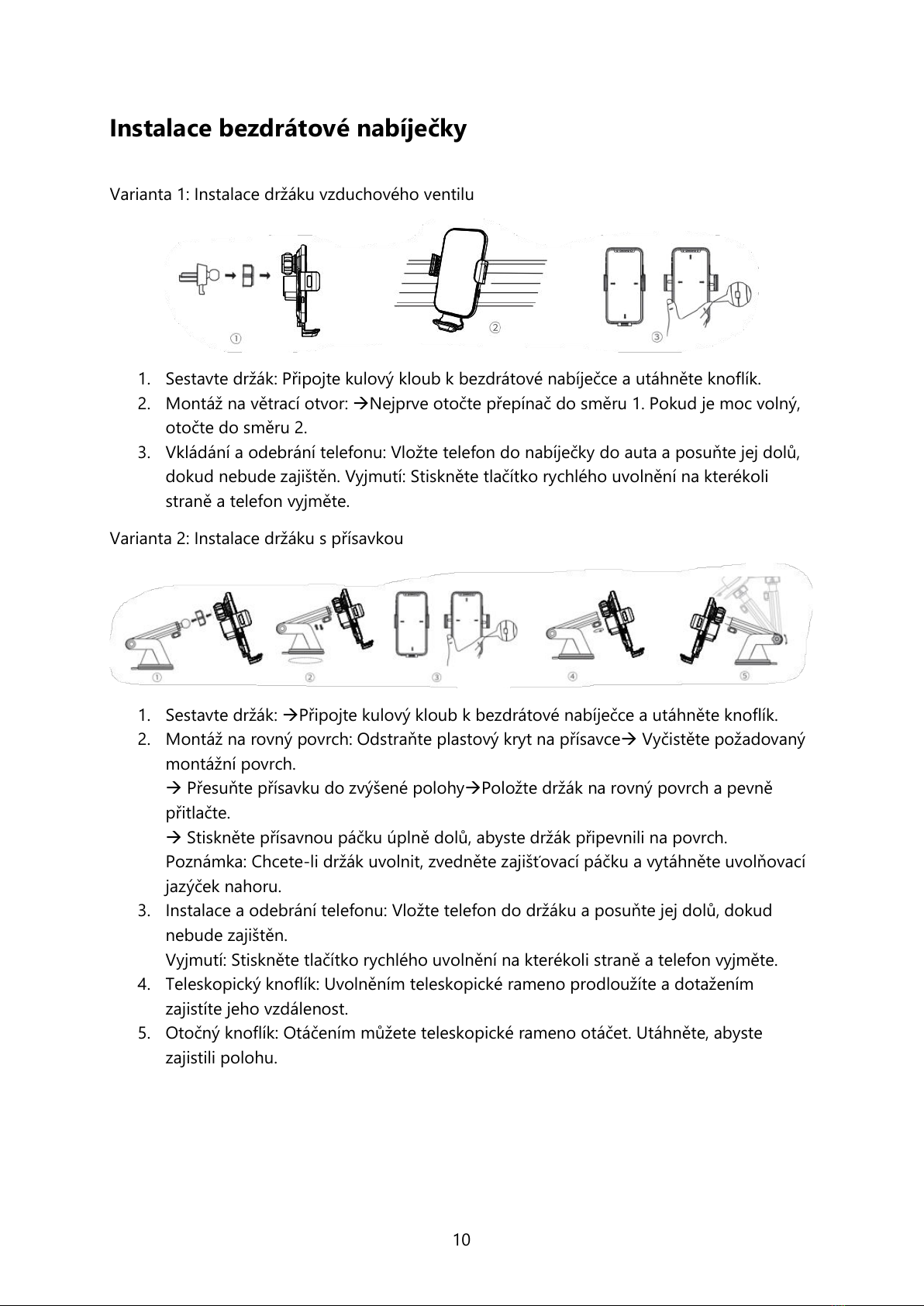
Option 2: Installation of Suction Gup Mount
1. Assemble the Mount: Remove the adjustment knob from the back of wireless charger
and place over all oint on suction cup mount Connect the ball joint to the wireless
charger and tighten the knob.
2. Mount on the Flat Surface: Remove the plastic cover on suction cup Clean the
desired mounting surface.
Move suction lever to the raised position Place down the dock on flat surface
and press down it firmly.
Press the suction lever fully down to mount the dock on surface.
Note: To release the mount, lift up the lock lever and pull up the release tab.
3. To install and Remove the Phone: Put your phone on the car charger and slide down
until your phone is secured.
Removal: Press the quick-release button on any side and take your phone out.
4. Telescopic Knob: Loosen it to extend the telescopic arm, and tighten to secure
distance.
5. Pivot Knob: Turning allows you to pivot telescopic arm. Tighten to secure position.