manuals.online logo
Brands
  1. Home
  2. •
  3. Brands
  4. •
  5. Cisco
  6. •
  7. Antenna
  8. •
  9. Cisco Aironet AIR-ANT3351 User manual

Cisco Aironet AIR-ANT3351 User manual

This manual suits for next models

11

Other Cisco Antenna manuals

Cisco Aironet AIR-ANT2460P-R User manual

Cisco

Cisco Aironet AIR-ANT2460P-R User manual

Cisco Aironet AIR-ANT25-LOC-02 User manual

Cisco

Cisco Aironet AIR-ANT25-LOC-02 User manual

Cisco Catalyst IR1800 Rugged Series User manual

Cisco

Cisco Catalyst IR1800 Rugged Series User manual

Cisco Catalyst C-ANT9103 Series User manual

Cisco

Cisco Catalyst C-ANT9103 Series User manual

Cisco Aironet AIR-ANT2410Y-R User manual

Cisco

Cisco Aironet AIR-ANT2410Y-R User manual

Cisco Aironet 2 dBi Diversity Omnidirectional Ceiling Mount Antenna... User manual

Cisco

Cisco Aironet 2 dBi Diversity Omnidirectional Ceiling Mount Antenna... User manual

Cisco Aironet AIR-ANT2566D4M-R User manual

Cisco

Cisco Aironet AIR-ANT2566D4M-R User manual

Cisco 3G-ANTM1916-CM User manual

Cisco

Cisco 3G-ANTM1916-CM User manual

Cisco AIRANT2524DWR User manual

Cisco

Cisco AIRANT2524DWR User manual

Cisco Multiband Wall-Mount Antenna AIR-ANTM5560P-R User manual

Cisco

Cisco Multiband Wall-Mount Antenna AIR-ANTM5560P-R User manual

Cisco Aironet AIR-ANT2568VG-N User manual

Cisco

Cisco Aironet AIR-ANT2568VG-N User manual

Cisco Aironet AIR-ANT2414S-R User manual

Cisco

Cisco Aironet AIR-ANT2414S-R User manual

Cisco Cisco Aironet 2.4 Ghz Articulated Dipole Antenna... User manual

Cisco

Cisco Cisco Aironet 2.4 Ghz Articulated Dipole Antenna... User manual

Cisco ANT-4G-OMNI-OUT-N User manual

Cisco

Cisco ANT-4G-OMNI-OUT-N User manual

Cisco 4G-ANTM-OM-CM User manual

Cisco

Cisco 4G-ANTM-OM-CM User manual

Cisco 3G Omnidirectional Outdoor Antenna - 3G Omnidirectional Outdoor... User manual

Cisco

Cisco 3G Omnidirectional Outdoor Antenna - 3G Omnidirectional Outdoor... User manual

Cisco Aironet AIR-ANT2465P-R User manual

Cisco

Cisco Aironet AIR-ANT2465P-R User manual

Cisco 2.4-GHz Swivel-Mount Dipole Antenna... User manual

Cisco

Cisco 2.4-GHz Swivel-Mount Dipole Antenna... User manual

Cisco Aironet High Gain Omnidirectional Ceiling Mount Antenna... User manual

Cisco

Cisco Aironet High Gain Omnidirectional Ceiling Mount Antenna... User manual

Cisco Aironet AIR-ANT1949 User manual

Cisco

Cisco Aironet AIR-ANT1949 User manual

Cisco Aironet AIR-ANT25137NP-R User manual

Cisco

Cisco Aironet AIR-ANT25137NP-R User manual

Cisco Aironet 2 dBi Diversity Omnidirectional Ceiling Mount Antenna... User manual

Cisco

Cisco Aironet 2 dBi Diversity Omnidirectional Ceiling Mount Antenna... User manual

Cisco AIR-ANT2485P-R User manual

Cisco

Cisco AIR-ANT2485P-R User manual

Cisco Aironet AIR-ANT2506 User manual

Cisco

Cisco Aironet AIR-ANT2506 User manual

Popular Antenna manuals by other brands

DAVIS Windex AV 3160 installation instructions

DAVIS

DAVIS Windex AV 3160 installation instructions

Belden Hirschmann BAT-ANT-N-14G-IP23 Mounting instruction

Belden

Belden Hirschmann BAT-ANT-N-14G-IP23 Mounting instruction

Vtronix YHK Fitting instructions

Vtronix

Vtronix YHK Fitting instructions

KVH Industries TracVision 6 Technical manual

KVH Industries

KVH Industries TracVision 6 Technical manual

Leica Geosystems GS10 user manual

Leica Geosystems

Leica Geosystems GS10 user manual

Sirio Antenne Gain-Master manual

Sirio Antenne

Sirio Antenne Gain-Master manual

Sony VCA-41 Installation/connections

Sony

Sony VCA-41 Installation/connections

ZCG Y100 Series installation guide

ZCG

ZCG Y100 Series installation guide

Advantech Wireless INTREPID120 Assembly instructions

Advantech Wireless

Advantech Wireless INTREPID120 Assembly instructions

Cerio ANT-10AO installation guide

Cerio

Cerio ANT-10AO installation guide

Alfa Network APA-L01 Specifications

Alfa Network

Alfa Network APA-L01 Specifications

Naval PR-422CA Operation manual

Naval

Naval PR-422CA Operation manual

Feig Electronic ID ISC.ANTH200/200 Series manual

Feig Electronic

Feig Electronic ID ISC.ANTH200/200 Series manual

TERK Technologies TV44 owner's manual

TERK Technologies

TERK Technologies TV44 owner's manual

TERK Technologies SIR3 owner's manual

TERK Technologies

TERK Technologies SIR3 owner's manual

Directive Systems & Engineering DSE2324LYRMK quick start guide

Directive Systems & Engineering

Directive Systems & Engineering DSE2324LYRMK quick start guide

HP J8999A instructions

HP

HP J8999A instructions

MobilSat MSP-S Mounting instructions

MobilSat

MobilSat MSP-S Mounting instructions

manuals.online logo
manuals.online logoBrands
  • About & Mission
  • Contact us
  • Privacy Policy
  • Terms and Conditions

Copyright 2025 Manuals.Online. All Rights Reserved.

Cisco Systems, Inc.
All contents are Copyright © 2003 Cisco Systems, Inc. All rights reserved. Important Notices and Privacy Statement.
Page 1 of 29
Reference Guide
Cisco Aironet Antennas
Overview
Executive Overview
This antenna reference guide is intended to provide information to assist in understanding the
issues and concerns of antennas used with a Cisco Aironet®Wireless LAN system, or Wireless
Bridge system. It details deployment and design, limitations, and capabilities, and basic
theories of antennas. This document also contains information on the Cisco antennas and
accessories as well as installation scenarios, regulatory information, and technical
specifications and diagrams of the available antennas.
Overview of Antennas
Each Cisco Aironet radio product is designed to perform in a variety of environments.
Implementingtheantennasystemcangreatlyimprovecoverageandperformance.Tooptimize
the overall performance of a Cisco wireless LAN, it is important to understand how to
maximize radio coverage with the appropriate antenna selection and placement. An
antenna systemcomprisesnumerouscomponents,including theantenna,mounting hardware,
connectors,antennacabling, and insomecases,a lightning arrestor.Foradditional consultation,
please contact your authorized Cisco Aironet partner. Cisco Partners can provide onsite
engineering assistance for complex requirements.
Cisco Systems, Inc.
All contents are Copyright © 2003 Cisco Systems, Inc. All rights reserved. Important Notices and Privacy Statement.
Page 2 of 29
Radio Technologies
In the mid 1980s, the FCC modified Part 15 of the radio spectrum regulation, which governs unlicensed devices. The
modification-authorized wireless network products to operate in the Industrial, Scientific, and Medical (ISM) bands using
spread spectrum modulation. This type of modulation had formerly been classified and permitted only in military products.
The ISM frequencies are in three different bands, located at 900 MHz, 2.4 GHz, and 5 GHz. This document covers only the
2.4GHz band.
The ISM bands typically allow users to operate wireless products without requiring specific licenses, but this will vary in some
countries. In the U.S., there is no requirement for FCC licenses. The products themselves must meet certain requirements to be
certified for sale, such as operation under 1 watt transmitter output power (in the U.S.) and maximum antenna gain or EIRP ratings.
Radio Frequency Fundamentals
Radio Frequency (RF) engineering is a very complex field of study and far too involved to explain in detail here.
2.4GHz Spectrum
The Cisco Aironet 350 Series uses RF spectrum in the 2.4 GHz unlicensed ISM band. In the U.S., three bands are defined as
unlicensed and known as the ISM bands (Industrial, Scientific, and Medical). The ISM bands are as follows:
• 900 MHz (902-928MHz)
• 2.4 GHz (2.4 - 2.4835 GHz)—IEEE 802.11b
• 5 GHz (5.15-5.35 and 5.725-5.825 GHz)—IEEE 802.11a, HIPERLAN/1 and HIPERLAN/2. This band is also known
as the UNII band.
Each range has different characteristics. The lower frequencies exhibit better range, but with limited bandwidth and hence lower
data rates. The higher frequencies have less range and subject to greater attenuation from solid objects.
Direct Sequence Spread Spectrum
The Direct Sequence (DS) Spread Spectrum approach involves encoding redundant information into the RF signal. Every data bit
is expanded to a string of chips called a chipping sequence or Barker sequence. The chipping rate as mandated by the U.S. FCC is
10 chips at the 1 and 2 Mbps rates and 8 chips at the 11 Mbps rate. So, at 11 Mbps, 8 bits are transmitted for every one bit of data.
The chipping sequence is transmitted in parallel across the spread spectrum frequency channel.
Frequency Hopping Spread Spectrum
Frequency Hopping (FH) Spread Spectrum uses a radio that moves or hops from one frequency to another at predetermined times
and channels. The regulations require that the maximum time spent on any one channel is 400mS. For the 1- and 2-Mb FH systems,
the hopping pattern must include 75 different channels, and must use every channel before reusing any one. For the Wide Band
Frequency Hopping (WBFH) systems, that permit up to 10-Mb data rates, the rules require use of at least 15 channels, and they
cannot overlap. With only 83MHz of spectrum, it limits the systems to 15 channels, thereby causing scalability issues.
In every case, for the same transmitter power and antennas, a DS system will have greater range, scalability and throughput than
an FH system. For this reason Cisco has chosen to support only DS systems in the Spread Spectrum products.
Cisco Systems, Inc.
All contents are Copyright © 2003 Cisco Systems, Inc. All rights reserved. Important Notices and Privacy Statement.
Page 3 of 29
Antenna Properties and Ratings
An antenna gives the wireless system three fundamental properties—gain, direction, and polarization. Gain is a measure of increase
in power. Direction is the shape of the transmission pattern. The good analogy for an antenna is the reflector in a flashlight. The
reflector concentrates and intensifies the light beam in a particular direction similar to what a parabolic dish antenna would to a
RF source in a radio system.
Antennas are rated in comparison to isotropic or dipole antennas. An isotropic antenna is a theoretical antenna with a uniform
three-dimensional radiation pattern (similar to a light bulb with no reflector). dBi is used to compare the power level of a given
antenna to the theoretical isotropic antenna. The FCC in the U.S. uses dBi in its calculations. An isotropic antenna is said to have
a power rating of 0 dB, for example, zero gain/loss when compared to itself.
Unlike isotropic antennas, dipole antennas are real antennas (dipole antennas are standard on Aironet Access Points, Base Stations
and Workgroup Bridges). Dipole antennas have a different radiation pattern compared to isotropic antennas. The dipole radiation
patternis360degreesinthehorizontalplaneand75degreesintheverticalplane(assumingthedipoleantennaisstandingvertically)
and resembles a donut in shape. Because the beam is “slightly” concentrated, dipole antennas have a gain over isotropic antennas
of 2.14 dB in the horizontal plane. Dipole antennas are said to have a gain of 2.14 dBi (in comparison to an isotropic antenna).
Some antennas are rated in comparison to dipole antennas. This is denoted by the suffix dBd. Hence, dipole antennas have a gain
of 0 dBd (= 2.14 dBi).
Note that the majority of documentation refers to dipole antennas as having a gain of 2.2 dBi. The actual figure is 2.14 dBi, but is
often rounded up.
Type of Antennas
Ciscooffersseveral different styles of antennas for use in the2.4GHzranges. Every antenna offered for sale has been FCC approved.
Each type of antenna will offer different coverage capabilities. As the gain of an antenna increases, there is some tradeoff to its
coverage area. Usually gain antennas offer longer coverage distances, but only in a certain direction. The radiation patterns below
will help to show the coverage areas of the styles of antennas that Cisco offers, omni-directional, yagis and patch antennas.
Omni-Directional Antennas
An omni-directional antenna is designed to provide a 360 degree radiation pattern. This type of antenna is used when coverage in
all directions from the antenna is required. The standard 2.14 dBi “Rubber Duck” is one style of an omni-directional antenna.
Figure 1 Omni-Directional Antenna
Cisco Systems, Inc.
All contents are Copyright © 2003 Cisco Systems, Inc. All rights reserved. Important Notices and Privacy Statement.
Page 4 of 29
Directional Antennas
Directionalantennascomein many different stylesandshapes.Anantennadoesnot offer any addedpowertothesignal,and instead
simply redirects the energy it received from the transmitter. By redirecting this energy, it has the effect of providing more energy in
one direction, and less energy in all other directions. As the gain of a directional antenna increases, the angle of radiation usually
decreases, providing a greater coverage distance, but with a reduced coverage angle. Directional antennas include yagis, patch
antennas, and parabolic dishes. Parabolic dishes have a very narrow RF energy path and the installer must be accurate in aiming
these at each other.
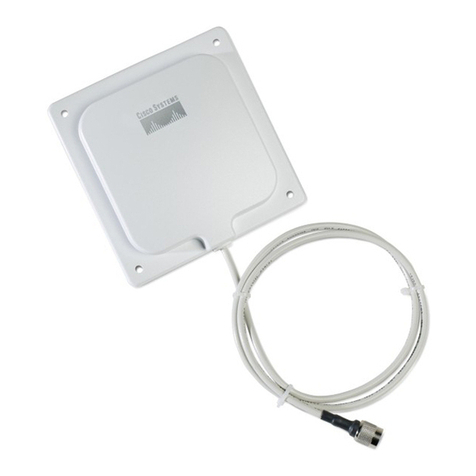
Figure 2 Directional Patch Antenna
Figure 3 YAGI Antenna
Diversity Antenna Systems
Diversity antenna systems are used to overcome a phenomenon known as multipath distortion of multipath fading. It uses two
identical antennas, located a small distance apart, to provide coverage to the same physical area.
Directional Yagi
68 – 78 degrees at 900 MHz
28 – 80 degrees at 2.4 GHz
Cisco Systems, Inc.
All contents are Copyright © 2003 Cisco Systems, Inc. All rights reserved. Important Notices and Privacy Statement.
Page 5 of 29
Multipath Distortion
Multipath interference occurs when an RF signal has more than one path between a receiver and a transmitter. This occurs in sites
that have a large amount of metallic or other RF reflective surfaces.
Just as light and sound bounce off of objects, so does RF. This means there can be more than one path that RF takes when going
from a TX to and RX antenna. These multiple signals combine in the RX antenna and receiver to cause distortion of the signal.
Multipath interference can cause the RF energy of an antenna to be very high, but the data would be unrecoverable. Changing the
type of antenna, and location of the antenna can eliminate multipath interference.
Figure 4 Multipath Distortion
You can relate this to a common occurrence in your car. As you pull up to a stop, you may notice static on the radio. But as you
move forward a few inches or feet, the station starts to come in more clearly. By rolling forward, you move the antenna slightly, out
of the point where the multiple signals converge.
A diversity antenna system can be compared to a switch that selects one antenna or another, never both at the same time. The radio
in receive mode will continually switch between antennas listening for a valid radio packet. After the beginning sync of a valid
packet is heard, the radio will evaluate the sync signal of the packet, on one antenna, then switch to the other antenna and evaluate.
Then the radio will select the best antenna, and use only that antenna for the remaining portion of that packet.
On transmit, the radio will select the same antenna it used the last time it communicated to that given radio. If a packet fails, it will
switch to the other antenna and retry the packet.
One caution with diversity, it is not designed for using two antennas, covering two different coverage cells. The problem in using it
this way, is that if antenna #1 is communicating to device #1, while device #2 (which is in the antenna #2 cell) tries to communicate,
antenna #2 is not connected (due to the position of the switch), and the communication fails. Diversity antennas should cover the
same area, from only a slightly different location.
With the introduction of the latest DS physical layer chips, and the use of diversity antenna systems, DS systems have equaled or
surpassed FH in areas of how Multipath interference is handled. While the introduction of WBFH does increase the bandwidth of
theFHsystems,itdrastically effects the ability to handle multipathissues,furtherreducingitsrangecomparedtopresent DS systems
in high RF reflective sites.
Ceiling
Time
Combined Results
Received Signals
Floor
TX RX
Obstruction
Time
Cisco Systems, Inc.
All contents are Copyright © 2003 Cisco Systems, Inc. All rights reserved. Important Notices and Privacy Statement.
Page 6 of 29
Wireless LAN Design
Before the physical environment is examined, it is critical to identify the mobility of the application, the means for coverage and
system redundancy. An application such as point-to-point which connects two or more stationary users may be best served by a
directional antenna, while mobile users will generally require a number of omni-directional micro cells. These individual micro cells
can be linked together seamlessly via the wired LAN infrastructure or by using the wireless repeater functionality built into every
Cisco Aironet Access Point. All Cisco Aironet Wireless LAN products are designed to support complex multicell environments
transparently through the Cisco patented MicroCellular Architecture.
The Physical Environment
Once mobility issues are resolved, the physical environment must be examined. While the area of coverage is the most important
determining factor for antenna selection, it is not the sole decision criteria. Building construction, ceiling height, and internal
obstructions, available mounting locations and customers aesthetic desires must be considered. Cement and steel construction have
different radio propagation characteristics. Internal obstructions such as product inventory and racking in warehousing
environments are factors. In outdoor environments, many objects can affect antenna patterns, such as trees, vehicles, buildings, and
trains, to name just a few.
The Network Connections
The access points use a 10/100 Mb Ethernet connection. Typically the access point is in the same location as the antenna. While it
may seem that the best place to put the access point is in a wiring closet with the other networks components such as switches, hubs
and routers, this is not the case. Placement of the antenna in an area that provides the best coverage (determined by a site survey)
is required. Therefore many people new to wireless LANs want to locate the access points in the wiring closet and connect the
antenna via RF coax. Antenna cable introduces losses in the antenna system on both the transmitter and the receiver. As the length
of cable increases, so does the amount of loss introduced. To operate at optimum efficiency, cable runs should be kept as short as
possible. (See the section on cabling later in this document).
Building Construction
The density of the materials used in a building’s construction determines the number of walls the RF signal can pass through and
still maintain adequate coverage. Here are just a few examples. Actual effect on the RF must be tested at the site, and therefore a
site survey is suggested.
Paper and vinyl walls have very little affect on signal penetration. Solid walls and floors and pre-cast concrete walls can limit signal
penetration to one or two walls without degrading coverage. This may vary widely based any steel reinforcing within the concrete.
Concreteandconcreteblockwallsmaylimit signal penetration to three or four walls. Woodordrywalltypicallyallowsforadequate
penetrationoffiveorsixwalls.A thick metal wall causes signals to reflect off,resultinginpoorpenetration.Steelreinforcedconcrete
flooring will restrict coverage between floors to perhaps one or two floors.
Recommendations for some common installation environments are outlined below:
•Warehousing/Manufacturing—In most cases, these installations require a large coverage area. Experience has shown that an
omni-directional antenna mounted at about 20 to 25 feet, typically provides the best overall coverage. Of course this will also
depend upon the height of the racking, material on the rack and ability to locate the antenna at this height. Mounting the
antenna higher will sometimes actually reduce coverage as the angle of radiation from the antenna is more outward than down.
The antenna should be placed in the center of the desired coverage cell and in an open area for best performance. In cases where
the radio unit will be located against a wall, a directional antenna such as a patch or yagi can be used for better penetration of
the area. The coverage angle of the antenna will affect the coverage area.
Cisco Systems, Inc.
All contents are Copyright © 2003 Cisco Systems, Inc. All rights reserved. Important Notices and Privacy Statement.
Page 7 of 29
•Small Office/Small Retail—The standard dipole may provide adequate coverage in these areas depending upon the location of
the radio device. However, in a back corner office a patch antenna may provide better coverage. It can be mounted to the wall
above most obstructions for best performance. Coverage of this type antenna depends upon the surrounding environment.
•Enterprise/ Large Retail—In most cases, these installations require a large coverage area. Experience has shown that
omni-directional antennas mounted just below the ceiling girders or just below the drop ceiling typically provide the best
coverage (this will vary with stocking, type of material and building construction). The antenna should be placed in the center
of the desired coverage cell and in an open area for best performance. In cases where the radio unit will be located in a corner,
or off to one end of the building a directional antenna such as a patch or yagi can be used for better penetration of the area.
Also for areas that are long and narrow, such as long rows of racking, a directional antenna, used at one end may provide better
coverage. The radiation angle of the antennas will also affect the coverage area.
•Point-to-Point—When connecting two points together (such as an Ethernet bridge), the distance, obstructions, and antenna
location must be considered. If the antennas can be mounted indoors and the distance is very short (several hundred feet), the
standard dipole or mast mount 5.2 dBi omni-directional may be used. An alternative is to use two patch antennas. For very long
distances (1/2 mi. or more) directional high gain antennas must be used. These antennas should be installed as high as possible,
and above obstructions such as trees, buildings, and so on; and if the directional antennas are used, they must be aligned so that
their main radiated power lobes are directed at each other. With a line-of-site configuration, distances of up to 25 miles at
2.4GHz can be reached using parabolic dish antennas, if a clear line-of-site is maintained. With the use of directional antennas,
you are subject to fewer interference possibilities, and less likely to cause interference to anyone else.
•Point-to-Multipoint Bridge—In this case (in which a single point is communicating to several remote points) the use of an
omni-directional antenna at the main communication point must be considered. The remote sites can use a directional antenna
that is directed at the main point antenna.
Cabling
As stated above, cabling introduces losses into the system, negating some of the gain an antenna introduces, and reducing range of
the RF coverage.
Interconnect Cable
Attached to all antennas (except the standard dipoles), this cable provides a 50 Ohm impedance to the radio and antenna, with a
flexible connection between the two items. It has a high loss factor and should not be used except for very short connections (usually
less than 10 feet). Typical length on all antennas is 36" (or 12" on some outdoor antennas).
Low Loss/Ultra Low Loss Cable
This cable provides a much lower loss factor than the interconnect cable, and it is used when the antenna must be placed at any
distance from the radio device. While it is a low loss cable, it should still be kept to a minimum length. This cable is the only cable
type supplied by Cisco for mounting the antenna away from the radio unit. It is offered in four different lengths with one RTNC
plug and one RTNC jack connector attached. This allows for connection to the radio unit and to the interconnect cable supplied
on the antennas.
Connectors
Connectors used on equipment manufactured after June 1994 must be unique, nonstandard connectors (per FCC and DOC
regulations).Therefore, Cisco Aironet products use a connectorknownas Reverse-TNC (RTNC)connectors.Whiletheyaresimilar
to the normal TNC connectors, they cannot be mated to the standard connectors. To ensure compatibility with Cisco Aironet
products, use antennas and cabling from Cisco.

Cisco Systems, Inc.
All contents are Copyright © 2003 Cisco Systems, Inc. All rights reserved. Important Notices and Privacy Statement.
Page 8 of 29
Mounting Hardware
Each antenna requires some type of mounting. The standard dipole antenna simply connects to the RTNC connector on the back
of the unit. The 5.2 dBi mast mount omni and the yagi antennas are designed to mount to a mast up to 1.5 inches, and each comes
with mounting hardware for attachment. The 13.5 dBi yagi has an articulating mount option listed in the back of this document.
For most indoor applications, a .75" or 1" electrical conduit provides a suitable mounting. For outdoor application, a heavy
galvanized or aluminum wall mast should be used that will withstand the wind loading rating of the selected antenna. Patch
antennas are designed to mount flat against a wall or ceiling. Ceiling mount antennas are equipped with a drop ceiling cross member
attachment. The 21 dBi Parabolic Dish mounts to a 1.625" to a 2.375" mast. Fine threaded turnbuckles allow accurate aiming of
the antenna.
Lightning Arrestors
When using outdoor antenna installations, it is always possible that an antenna will suffer damage from potential charges
developing on the antenna and cable, or surges induced from nearby lightning strikes. The Aironet Lightning Arrestor is designed
to protect radio equipment from static electricity and lightning induced surges that travel on coaxial transmission lines. It protects
equipment from surges up to 5,000 Amperes. This will not prevent damage in the event of a direct lightning hit.
Theory of Operation
The Cisco Aironet Lightning Arrestor prevents energy surges from reaching the RF equipment by the shunting effect of the device.
Surges are limited to less than 50 volts, in about .0000001 seconds (100 nano seconds). A typical lightning surge is about .000002
(2 micro seconds).
Figure 5 Cisco Aironet Lightning Arrester
Lug
Lockwasher
Nut
Ground Wire
To Antenna
To RF Device
Cisco Systems, Inc.
All contents are Copyright © 2003 Cisco Systems, Inc. All rights reserved. Important Notices and Privacy Statement.
Page 9 of 29
The accepted IEEE transient (surge) suppression is .000008 seconds (8 micro seconds). The Lightning Arrestor is a 50 ohm
transmission line with a gas discharge tube positioned between the center conductor and ground. This gas discharge tube changes
from an open circuit to a short circuit almost instantaneously in the presence of voltage and energy surges, providing a path to
ground for the energy surge.
Installation
This Arrestor is designed to be installed between your outdoor antenna cable and the Aironet Wireless Device. Installation should
be indoors, or inside a protected area. A good ground must be attached to the Arrestor. This can be accomplished by use of a ground
lug attached to the Arrestor, and a heavy wire (#6 solid copper) connecting the lug to a good earth ground. See Figure 5.
Understanding RF Power Values
Radio Frequency signals are subject to various losses and gains as they pass from transmitter through cable to antenna, through air
(or solid obstruction), to receiving antenna, cable and receiving radio. With the exception of solid obstructions, most of these figures
and factors are known and can be used in the design process to determine whether an RF system such as a WLAN will work.
Decibels
The Decibel (dB) scale is a logarithmic scale used to denote the ratio of one power value to another—for example:
• dB = 10 log10 (Power A/Power B)
An increase of 3 dB indicates a doubling (2x) of power. An increase of 6 dB indicates a quadrupling (4x) of power. Conversely, a
decrease of 3 dB is a halving (1/2) of power, and a decrease of 6 dB is a quarter (1/4) the power. Some examples are shown below
in Table 1.
Table 1 Decibel Values and Corresponding Factors
Increase Factor Decrease Factor
0 dB 1 x (same) 0 dB 1 x (same)
1 dB 1.25 x -1 dB 0.8 x
3 dB 2 x -3 dB 0.5 x
6 dB 4 x -6 dB 0.25 x
10 dB 10 x -10 dB 0.10 x
12 dB 16 x -12 dB 0.06 x
20 dB 100 x -20 dB 0.01 x
30 dB 1000 x -30 dB 0.001 x
40 dB 10,000 x -40 dB 0.0001 x
Cisco Systems, Inc.
All contents are Copyright © 2003 Cisco Systems, Inc. All rights reserved. Important Notices and Privacy Statement.
Page 10 of 29
Power Ratings
WLAN equipment is usually specified in decibels compared to known values.
Transmit Power and Receive Sensitivity are specified in “dBm,” where “m” means 1 milliWatt (mW). So, 0 dBm is equal to 1 mW;
3 dBm is equal to 2 mW; 6 dBm is equal to 4 mW, and so on. For example, a Cisco Aironet 350 Series Access Point at 100 mW
transmit power is equal to 20 dBm. dBw is occasionally used for the same purpose, but as a comparison against 1 Watt (1000 mW).
Common mW values to dBm values are shown below in Table 2.
Table 2 Common mW Values to dBm Values
Outdoor Range
The range of a wireless link is dependent upon the maximum allowable path loss. For outdoor links this is a straightforward
calculation as long as there is clear line of sight between the two antennas with sufficient clearance for the Fresnel zone.
For line of sight, you should be able to visibly see the remote locations antenna from the main site. (Longer distance may require
the use of binoculars). There should be no obstructions between the antennas themselves. This includes trees, buildings, hills, and
so on.
As the distance extends beyond 6 miles, the curve of the earth (commonly called earth bulge) affects installation, requiring antennas
to be placed at higher elevations.
dBm mW dBm mW
0 dBm 1 mW1
1. The 1, 2, 5, 20, 50, and 100 mW transmit power settings for the Cisco Aironet 350 Series radios correspond to 0, 3, 7, 13, 17, and 20 dBm.
0 dBm 1 mW
1 dBm 1.25 mW -1 dBm 0.8 mW
3 dBm 2 mW1-3 dBm 0.5 mW
6 dBm 4 mW -6 dBm 0.25 mW
7 dBm 5 mW1-7 dBm 0.20 mW
10 dBm 10 mW -10 dBm 0.10 mW
12 dBm 16 mW -12 dBm 0.06 mW
13 dBm 20 mW1-13 dBm 0.05 mW
15 dBm 32 mW -15 dBm 0.03 mW
17 dBm 50 mW1-17 dBm 0.02 mw
20 dBm 100 mW1-20 dBm 0.01 mW
30 dBm 1000 mW (1 W) -30 dBm 0.001 mW
40 dBm 10,000 mW (10 W) -40 dBm 0.0001 mW